Convert PDF to Word.

Convert PDF to Word.

Download on App Store
Logo of Convert PDF to Word.

Convert PDF to Word. Professional Document Conversion at Your Fingertips.

Instantly transform PDFs into editable Word, Excel, and PowerPoint files with zero friction. Experience fast, high-quality conversions and seamless cloud integration—no registration required.

Publisher

CONTENT ARCADE (UK) LTD.

Category

Utilities

Downloads

216K+

User Rating

4.4/5

Total Ratings

1K+

Locales

12

Seamless Document Flow

Discover the interface used by 216K+ users.

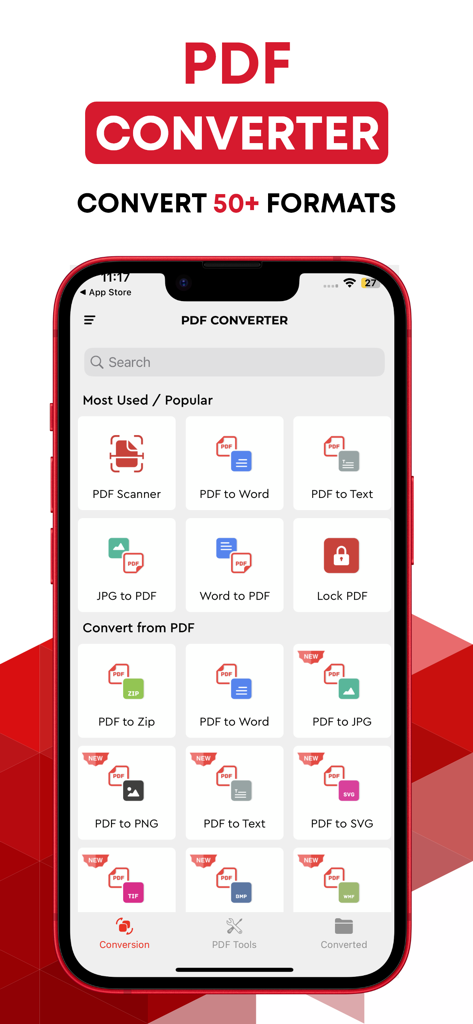
The main screen of a PDF converter app on an iPhone showing various options for converting files between PDF, Word, and Image formats.
The main screen of a PDF converter app on an iPhone showing various options for converting files between PDF, Word, and Image formats.

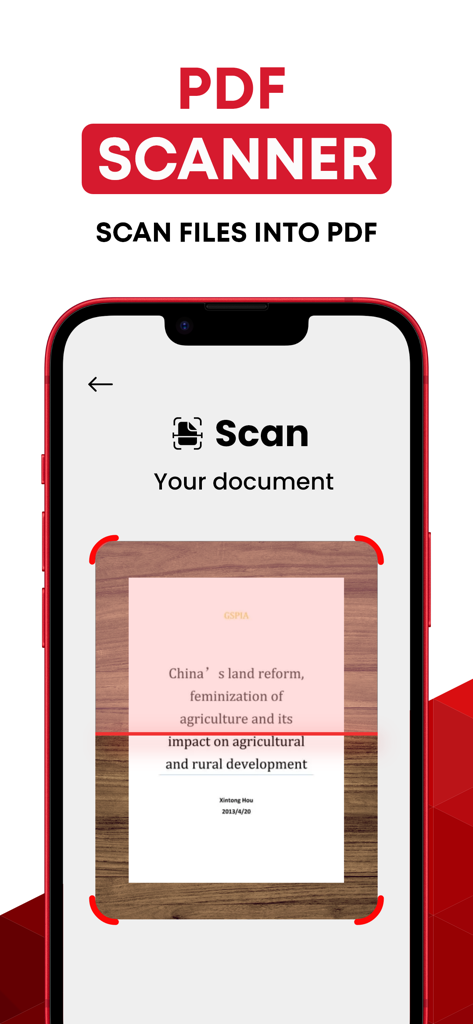
Interface of the PDF scanner app showing a document being scanned into a PDF file
Interface of the PDF scanner app showing a document being scanned into a PDF file

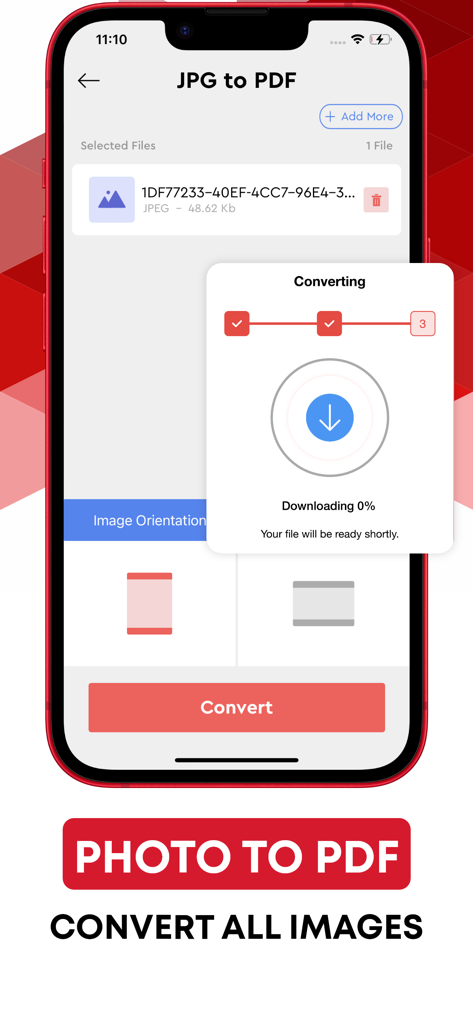
Mobile app screen showing the process of converting a JPG photo to a PDF file.
Mobile app screen showing the process of converting a JPG photo to a PDF file.

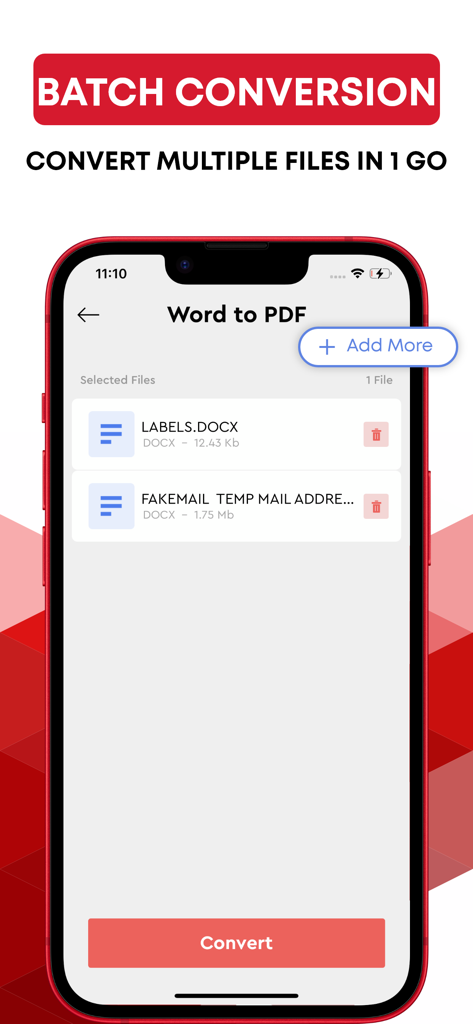
Mobile app screen showing the batch conversion feature for turning multiple Word documents into PDF files simultaneously
Mobile app screen showing the batch conversion feature for turning multiple Word documents into PDF files simultaneously

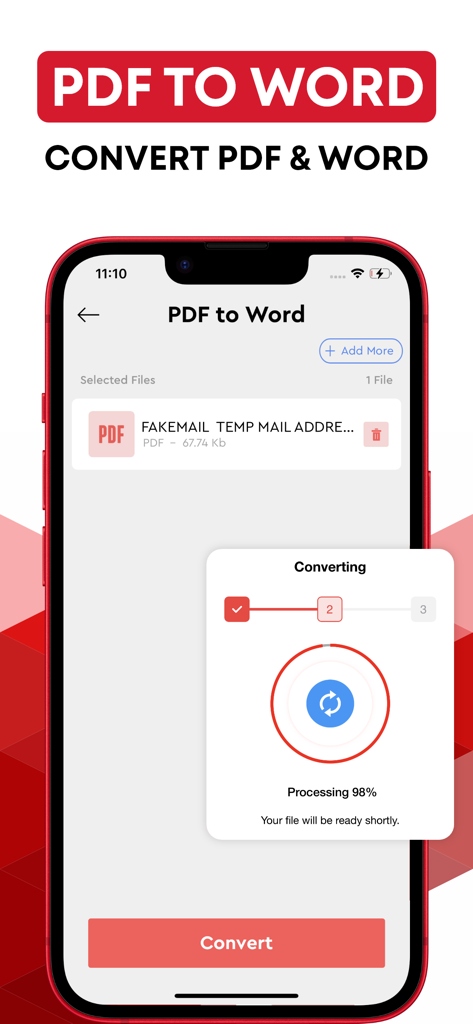
Mobile app interface showing a PDF file being converted to a Word document with a progress bar at 98 percent
Mobile app interface showing a PDF file being converted to a Word document with a progress bar at 98 percent

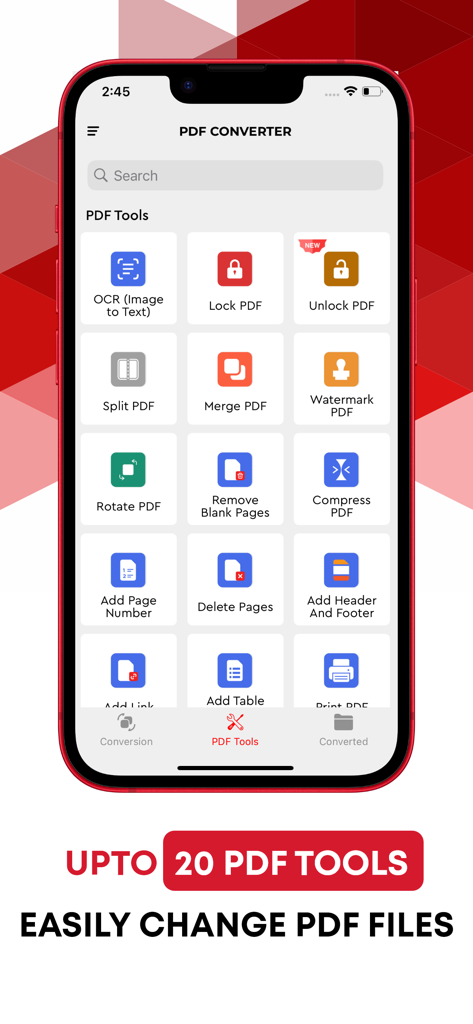
A mobile app interface displaying various PDF editing tools like OCR, Lock PDF, Merge, and Split functions
A mobile app interface displaying various PDF editing tools like OCR, Lock PDF, Merge, and Split functions

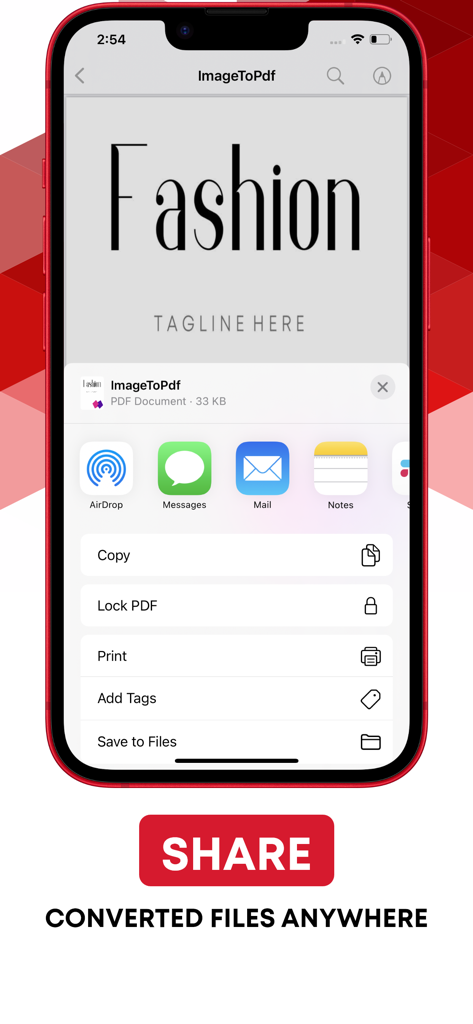
Mobile app interface showing sharing options for converted PDF documents on an iPhone

Mobile app interface showing sharing options for converted PDF documents on an iPhone

Master Your Documents Anywhere

The tools that make this app stand out, trusted by 216K+ users.

🚀

Instant Mobile Editing

Convert PDFs to Word, Excel, or PowerPoint instantly so you can edit contracts and reports whenever inspiration or deadlines strike.

☁️

Direct Cloud Workflow

Connect your Google Drive or Dropbox to fetch and save files seamlessly without ever leaving the app or cluttering your local storage.

🛡️

Privacy-First Utility

Get professional-grade conversion with zero friction. No accounts, no sign-ups, and no stored data—just pure, secure productivity.

Review Analysis

Insights from user reviews.

Sentiment Score

26%
Negative

Summary

This mobile app receives overwhelmingly negative feedback from users, reflected in a low sentiment score of 26. Many users report being subjected to fraudulent charges during "free trials" and automatic, unconsented subscriptions, with significant difficulties in obtaining refunds or canceling services. Critical functionality, such as converting various document types or handling large files, is often reported as not working or resulting in corrupted formatting. Additionally, users frequently describe the app as useless, difficult to navigate, and burdened by a constant demand to upgrade to a paid version, though one positive mention highlighted the impressive speed of its scanning feature.

Common Themes

Pricing and Subscription Cost(14)
Core Conversion Functionality(12)
Free Trial and Unauthorized Charges(10)
Ease of Use and Interface(9)
Refund and Cancellation Issues(8)
Scanning Performance(1)

About the app

Everything you need to know about Convert PDF to Word..

Description

The best PDF converter to jpeg and word app are now available to you right on your iOS device. Convert quickly jpg, Word, Excel and PowerPoint documents Easy jpeg to PDF Converter is a new addition to our growing list of helpful apps. PDF converter, PDF reader, PDF viewer or PDF Creator, whatever you may call it, this app is your ultimate one-stop destination for all PDF-related issues. Whether you want to convert PDF to Word or Doc to PDF online, PDF to images or text to PDF, Easy Word to PDF Converter is the best Doc to PDF converter and vice versa. Have you been looking for a free yet efficient online PDF converter, PDF reader, PDF maker, or PDF generator app? Then you’ve just found one! You can easily find PDF converter and convert pdf to jpeg apps but unlike many, Easy Word to PDF Converter is a FREE iOS app for you if you need to convert your PDF to jpeg, word or Doc to PDF online. All you have to do is install the app on your iOS device, and you are good to go. Converting documents from one format to another can sometimes be a little tricky. That’s when you don’t know what to do or how to do it. Same is the case with PDF; if you want to convert PDF to other formats such as Word, Image or TXT then you should know how to do it properly to avoid any difficulty. That’s when an online PDF converter or PDF maker comes into play. With our PDF conversion app, now you can finish your office jobs like convert Word to PDF online, PDF to Word, PDF to Image or TXT right on your iPhone or iPad. After you have installed the app, you just have to sign in to your DropBox or Google Drive account and download a particular file. Word and PDF files will be downloaded into Word to PDF and PDF to Word/Image categories respectively. To convert Text to PDF, type the text into the text box, and tap the save icon on the top right, newly generated PDF file will be saved in the PDF to Word/Image section. Highlights of Easy Word to PDF Converter app: • A straightforward and friendly user interface • Download files from DropBox or Google Drive • Quickly and easily convert a file to PDF • Free PDF-creator, PDF viewer or PDF file reader • Change Doc to PDF • Convert PDF to Word/Image • Convert Text to PDF • PDF creator online for creating PDF files • Quality output images for PDF to Image conversion • Free app with no registration or sign up required In addition to being free, this Word to PDF converter or PDF to Word converter online is also exceptionally fast, stable and lightweight, so you need not to worry about the storage memory of your device. The app is also very simple and easy to use. The reason for keeping the app user-friendly is to allow someone even with a little know-how to use this app without any trouble. --------------- Note: The privacy of our users is our priority. We respect your privacy, and therefore we make sure that none of the files you upload on our app for the conversion is stored or shared with anywhere else. Payment will be charged to your iTunes account at confirmation of purchase. Your subscription will automatically renew unless auto-renew is turned off at least 24-hours before the end of the current subscription period. Your account will be charged for renewal within 24-hours prior to the end of the current subscription period. Automatic renewals will cost the same price you were originally charged for the subscription. You can manage your subscriptions and turn off auto-renewal by going to your Account Settings on the App Store after purchase. Read our terms of service and Privacy Policy for more information. Privacy Policy: https://www.contentarcade.com/pdf-converter-privacy-poilcy Terms of Use: https://www.contentarcade.com/pdf-converter-terms-of-use

Latest Version

8.9

Size

58.3 MB

First Released

Jan 23, 2018

Ready to Work Smarter from Your iPhone?

Join over 216,000 professionals and students who have eliminated the mobile document bottleneck. Start your first conversion in seconds—no sign-up, no friction, just results.

Download on App Store

App information, icons, screenshots, and descriptions displayed on this page are sourced from the Apple App Store and are the property of their respective developers. Download estimates and rankings are based on MWM's proprietary models and may not reflect actual figures. This page is provided for informational and analytical purposes only.

Believe this page infringes your intellectual property? File a dispute