
This page is not an official page of the app or its developer, but an independent editorial publication created for informational and commentary purposes. Unless expressly stated otherwise, neither the app nor its developer is affiliated with, endorsed by, sponsored by, authorized by, or otherwise officially connected with MWM, Apple, Google Play, the app publisher, or the app's developer, and nothing on this page implies that the app was developed using MWM's services. Any trademarks, logos, screenshots, and other content remain the property of their respective owners.

Conwrite – Text to handwriting
Bring a human touch to your digital workflow. Effortlessly convert any typed text into your unique script, perfect for aesthetic study notes, personalized digital cards, and professional documents.
Downloads
6K+User Rating
Total Ratings
100Publisher
Category
ProductivityLocales
33Latest Version
2.2.3Size
20.8 MBFirst Released
Sep 12, 2021Digital Speed Meets Personal Touch
Transform typed text into your own natural handwriting in seconds. Save time while maintaining that authentic, handwritten aesthetic across all your digital documents.
Your Own Unique Script
Create a custom font by writing each letter once. Your digital documents will look exactly like your handwriting, preserving your personal touch.
Instant Text Conversion
Convert long-form typed notes into handwriting instantly. Perfect for making study guides and digital journals without the hand cramps.
Frequently Asked Questions
Everything you need to know about Conwrite – Text to handwriting
What is Conwrite – Text to handwriting app?
Conwrite is an application that converts typed text into your unique handwriting. Users create a personalized font by writing each letter once.
How do I create my own handwriting font in Conwrite?
In Conwrite, you create your own handwriting font by writing each letter once. This process allows the app to generate text that mimics your unique style.
Can I edit the generated handwriting in Conwrite?
Yes, Conwrite allows users to personalize generated handwriting. You can erase parts, highlight sections, or add new content directly within the application, similar to real paper.
Does Conwrite support multiple languages for handwriting conversion?
Yes, Conwrite supports multiple languages and custom characters, including emojis. Users can create personalized handwriting fonts for various linguistic scripts.
What devices does Conwrite support and does it sync data?
Conwrite supports iPhone, iPad, and Mac. It syncs your handwriting and documents across all your devices, ensuring access everywhere.
Is a subscription required to use Conwrite on Mac?
Yes, Conwrite on Mac requires a Pro subscription. This subscription includes cloud sync functionality, as drawing features are not available on macOS.
Does Conwrite integrate AI for content generation into handwriting?
Yes, Conwrite integrates AI, allowing users to generate content like essays which are then converted into personalized handwriting. This is shown as "AI -> Handwriting."
Can users customize the appearance of generated handwriting in Conwrite?
Yes, Conwrite provides customization options for generated handwriting. Users can adjust font style, font size, choose background types like ruled or quad, and select colors.
The following screenshots and description are sourced directly from the app's official store listing and are the property of the app developer.
App Store
Screenshots
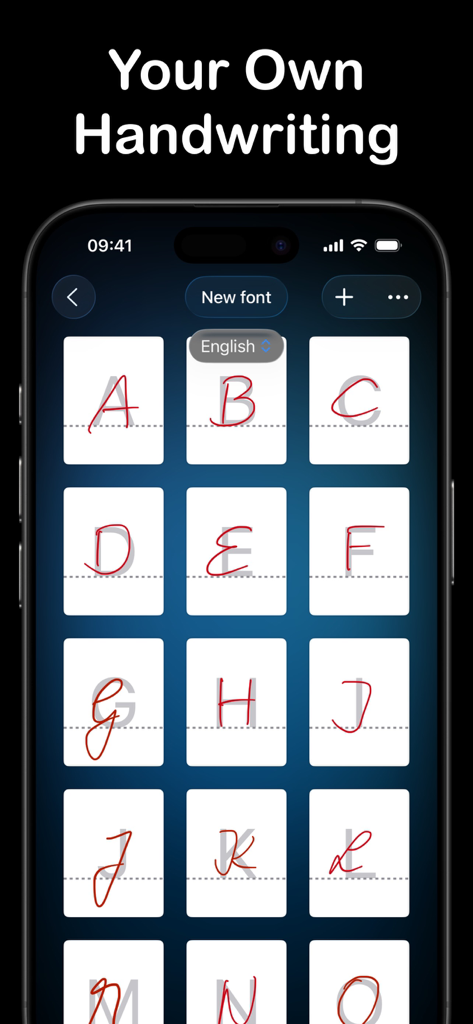
Conwrite app screen showing a user creating a custom handwriting font by writing individual letters on a grid.
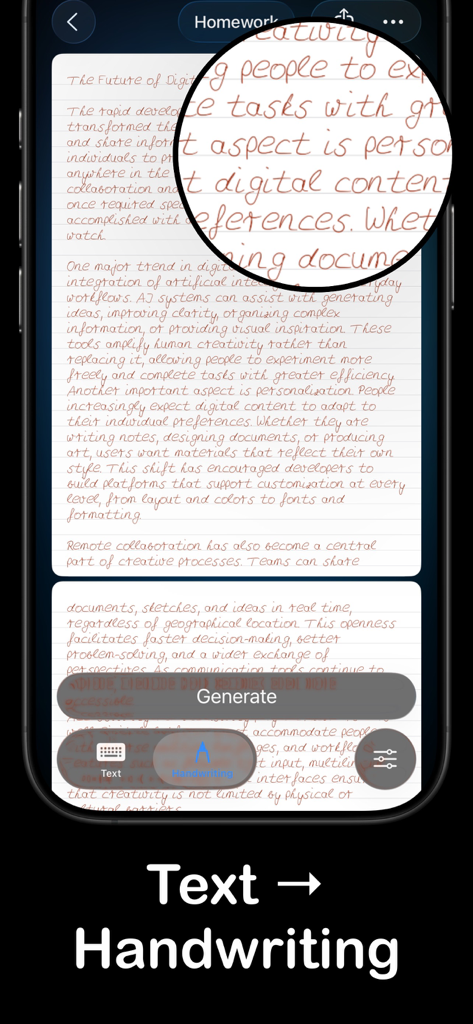
Screenshot of Conwrite app converting typed text into realistic digital handwriting
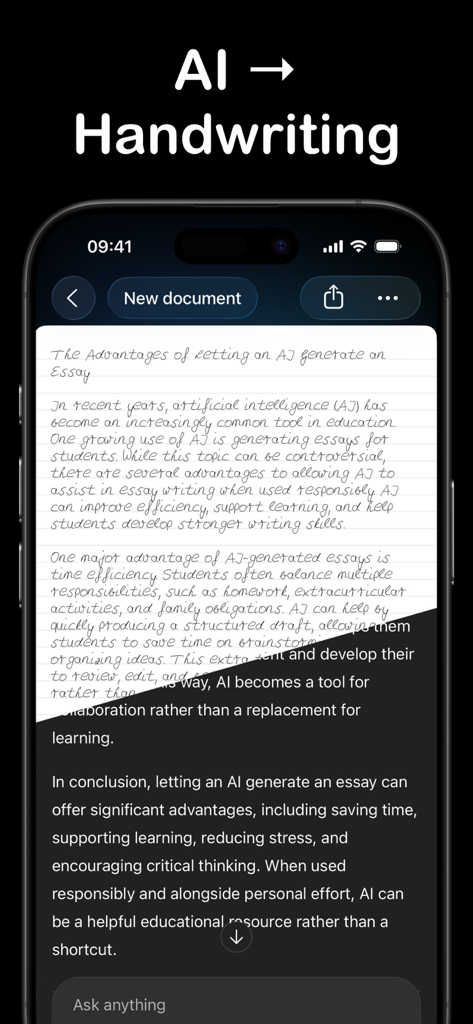
Smartphone screen showing the Conwrite app converting AI generated text into realistic handwriting on digital lined paper
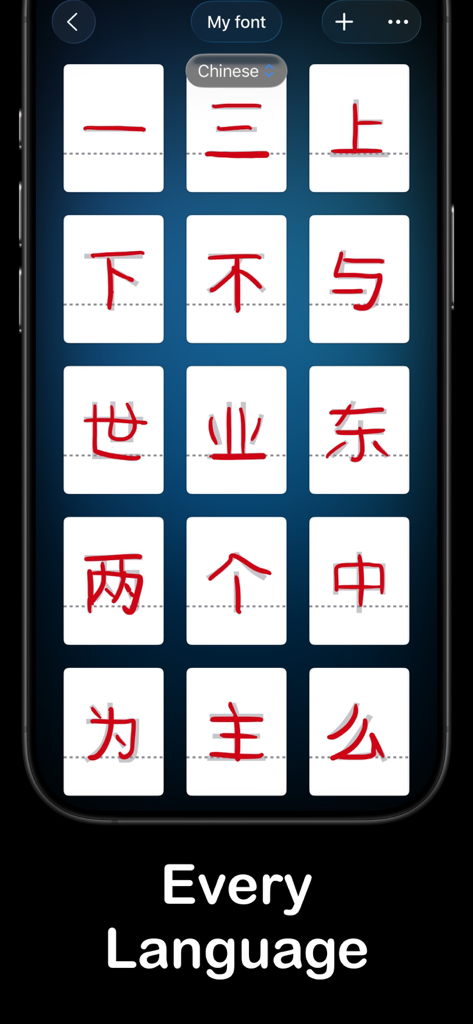
Smartphone display showing Conwrite app interface for creating a custom handwriting font using Chinese characters.
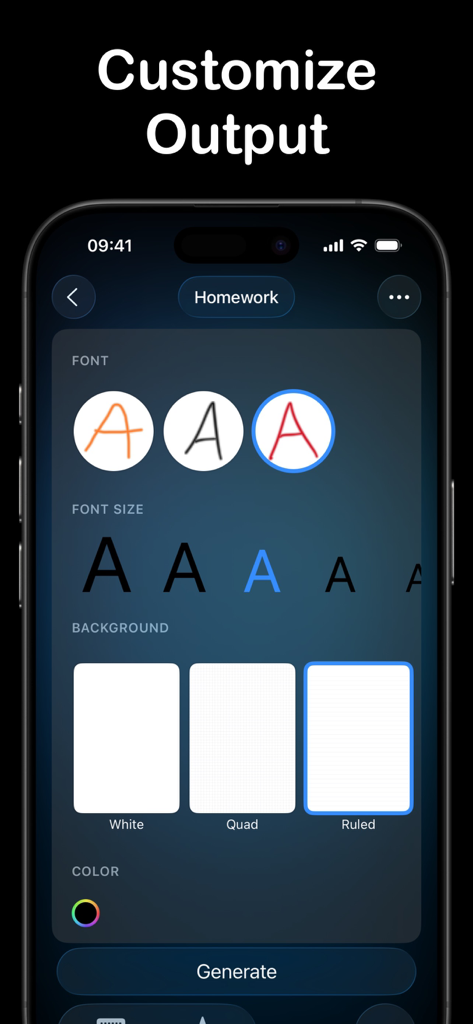
Interface of Conwrite app showing options to customize handwriting fonts font size and digital paper backgrounds like ruled or quad paper
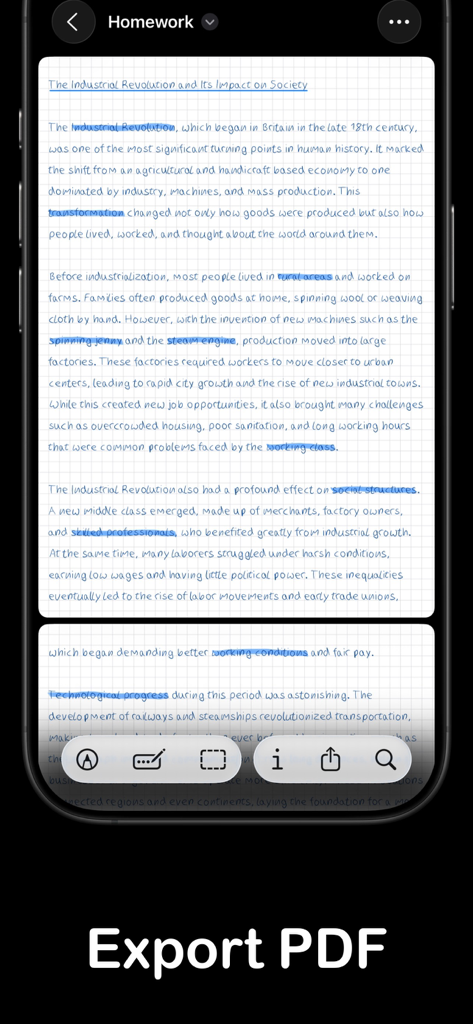
A handwritten school assignment on grid paper with blue highlights and an Export PDF button.
Description
Download
More Like This
Top-ranked apps in the same category

ChatGPT
OpenAI OpCo, LLC

Google Gemini
Google LLC

Grok
X.AI Corporation

Gmail - Email by Google
Google LLC

千问 - 阿里最强大模型官方AI助手
Shanghai Zhixin Puhui Technology Co., Ltd.

Google Drive
Google LLC

Microsoft Authenticator
Microsoft Corporation

Google Sheets
Google LLC

Google Docs
Google LLC
This page is not an official page of the app or its developer, but an independent editorial publication created for informational and commentary purposes. Unless expressly stated otherwise, neither the app nor its developer is affiliated with, endorsed by, sponsored by, authorized by, or otherwise officially connected with MWM, Apple, Google Play, the app publisher, or the app's developer, and nothing on this page implies that the app was developed using MWM's services. Any trademarks, logos, screenshots, and other content remain the property of their respective owners.