Create PDF - Camera Scanner

Create PDF - Camera Scanner

Download on App Store
Logo of Create PDF - Camera Scanner

Create PDF - Camera Scanner: Your Professional Document Hub on the Go

Transform your iPhone into a high-powered, offline scanner. Effortlessly digitize documents, IDs, and receipts with crystal-clear quality and total privacy.

Download on App Store

Publisher

Jogani Bhavesh Keshubhai

Category

Utilities

Downloads

2K+

User Rating

1.0/5

Total Ratings

0

Locales

1

Efficiency in Focus

Discover the interface used by 2K+ users.
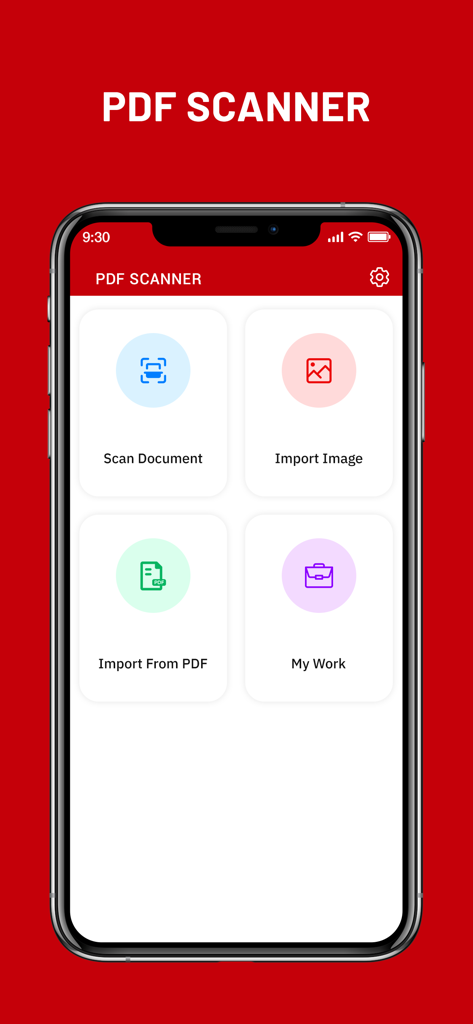
Main dashboard of the Create PDF Camera Scanner app on an iPhone featuring buttons to scan documents and import images

Main dashboard of the Create PDF Camera Scanner app on an iPhone featuring buttons to scan documents and import images

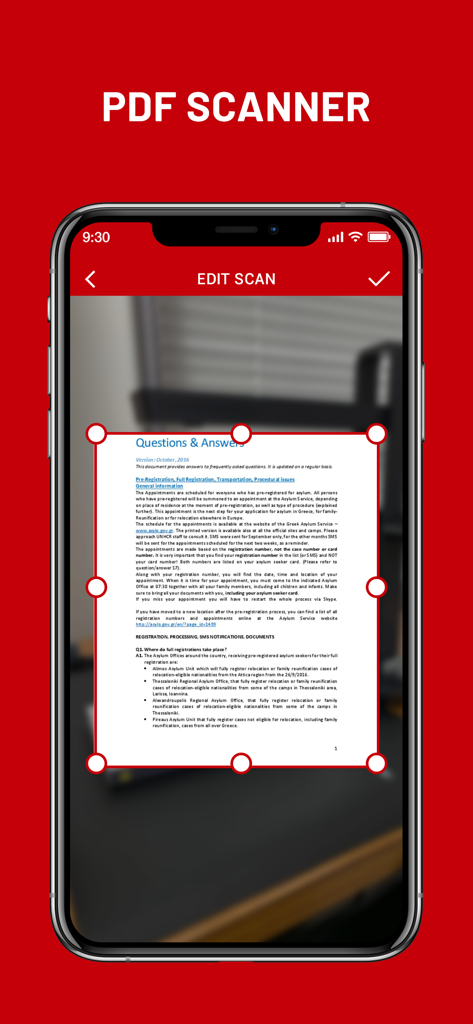
iPhone screen showing the document cropping and editing feature in the Create PDF Camera Scanner app

iPhone screen showing the document cropping and editing feature in the Create PDF Camera Scanner app

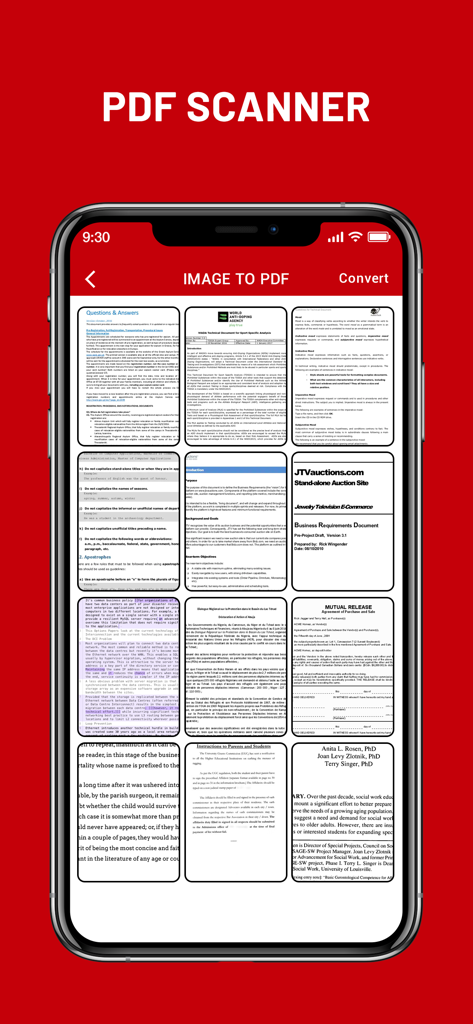
Mobile app interface showing a grid of multiple scanned documents ready to be converted into a PDF file

Mobile app interface showing a grid of multiple scanned documents ready to be converted into a PDF file

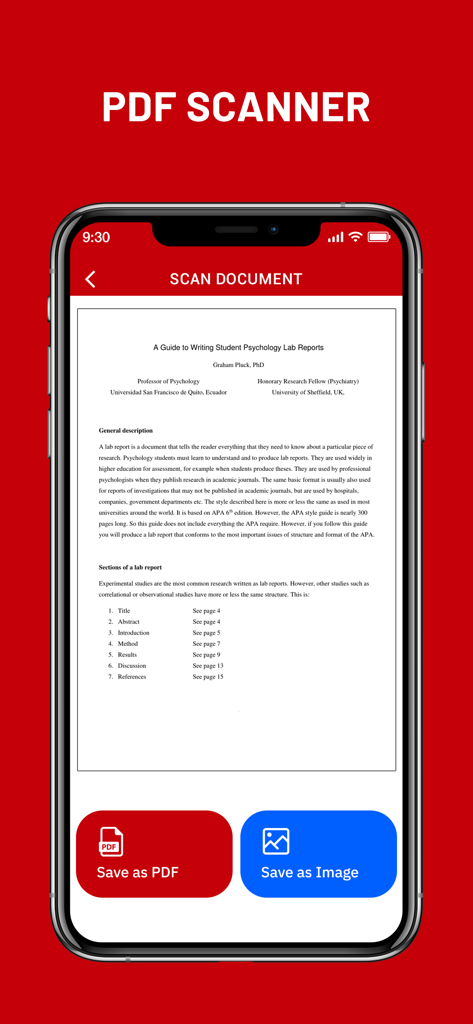
Smartphone screen showing a scanned document in the Create PDF app with save as PDF and save as image buttons

Smartphone screen showing a scanned document in the Create PDF app with save as PDF and save as image buttons

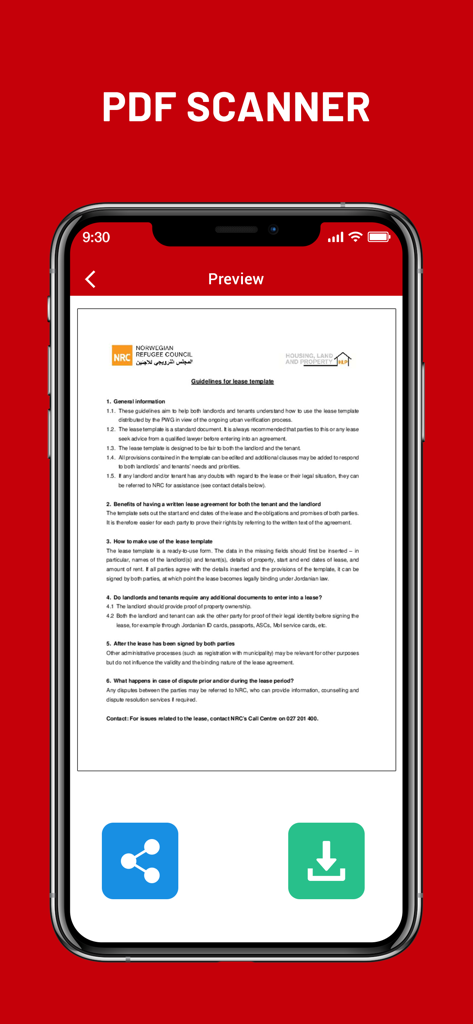
A preview of a scanned lease document in the Create PDF Camera Scanner app

A preview of a scanned lease document in the Create PDF Camera Scanner app

Your Professional Office, Right in Your Pocket

The tools that make this app stand out, trusted by 2K+ users.

📄

Instant High-Quality Scans

Turn contracts, handwritten notes, and IDs into professional PDFs with a single tap using advanced image-processing filters.

🔒

Private & Offline by Design

Keep your sensitive data safe. All PDF generation happens directly on your device with no cloud uploads or internet connection required.

📂

Seamless Multi-Page Filing

Merge multiple scans into one organized document. Perfect for compiling expense receipts, tax forms, or multi-page study guides.

About the app

Everything you need to know about Create PDF - Camera Scanner.

Description

Create PDF - Camera Scanner is a tool that lets you convert any printed document to a PDF file, all on your iPhone, iPad. Camera Scanner comes with a lightweight, clean, and easy-to-use interface that makes this app feel like a breeze. CamScanner - PDF Creator is the best scanner app that will turn your phone into a PDF scanner. Convert images to pdf in a simple tap. Download it for FREE! The only thing you have to do is take a photo of the document in question, using the Free iScanner that is part of CamScanner - PDF Creator! Of course, the photo needs to be somewhat cantered and well-lit. Cam Scan app will then process the photo in question, and in a matter of seconds it will have converted it to a PDF document. Once you have the PDF document saved to your iPhone, you can work with it just like you would with any other file of this type. In addition, before saving the document, you can apply different filters to it to see if it looks better; depending on the quality of light in the photo, you might be able to obtain better results with a filter. Camera Scanner - PDF Creator is an interesting tool for users who normally tend to work with printed documents, but who also want to be able to bring those documents anywhere. Camera Scanner allows users to 'scan' documents (by taking a photo with the device's camera) and share the photo as either a JPEG or PDF. • Scan Documents Camera Scanner - PDF allows user to scan documents by taking a picture with the phone camera. Feature recognises texts in images and extract them from images for later searching, editing or sharing. • PDF Conversion Camera Scanner support a variety of format conversion including converting PDF to JPG and vice versa. * Features * • Easy to scan ID-Card, Passport, any documents • Document Scanner - Scan documents, Scan PDF • iScanner - Document Scan & Edit with OCR • Mobile PDF Scanner -Create pdf from a website, convert document files (doc, docx, ppt, pptx) to PDF • Scaner - Scan documents and photos to PDF or PNG • Easily scan multiple pages into one document using Cam Scanner • Instantly print out any documents in CamScanner • Scan documents free • Share PDF/JPEG Files CamScanner HD for iPhone use your smartphone camera to scan multi-page of documents, card, whiteboards, receipts, notes and other text. using scanner for ipad free you can quickly scan your documents and share! Cam Scan - PDF Scanner App is easier, faster scanning with cs scan. CamScanner-PDF Scanner App lets you scan and create PDF files. PDF scanner is the best free camscanner app for iphone. Scanner App: PDF Document Scan. Photo scanner is completely offline and requires no internet connection. Along with scanning, features like cropping and filters improve the visibility of your documents using scan.app In CamScanner PDF generation is completely offline and requires no internet connection. It saves your PDF file in history and in the list of recently used documents. Cam Scan is not just easy to use but also completely secure scanner app. The camera scanner App is the best scan app, doc scanner & a must have application for those people who are always travelling for business purposes. ABOUT SUBSCRIPTIONS • Payment will be charged to iTunes Account at confirmation of purchase • Subscription automatically renews unless auto-renew is turned off at least 24-hours before the end of the current period • Account will be charged for renewal within 24-hours prior to the end of the current period, and identify the cost of the renewal • Subscriptions may be managed by the user and auto-renewal may be turned off by going to the user's Account Settings after purchase • Any unused portion of a free trial period, if offered, will be forfeited when the user purchases a subscription to that publication, where applicable Terms of Use : https://joganibhavesh.home.blog/terms-condition/ Privacy Policy : https://joganibhavesh.home.blog/

Latest Version

1.0

Size

12.1 MB

First Released

Aug 23, 2021

Transform Your iPhone Into a Powerful Portable Scanner

Join thousands of students and professionals. Start scanning documents, IDs, and receipts in seconds with 100% secure, offline PDF creation.

Download on App Store

App information, icons, screenshots, and descriptions displayed on this page are sourced from the Apple App Store and are the property of their respective developers. Download estimates and rankings are based on MWM's proprietary models and may not reflect actual figures. This page is provided for informational and analytical purposes only.

Believe this page infringes your intellectual property? File a dispute