
This page is not an official page of the app or its developer, but an independent editorial publication created for informational and commentary purposes. Unless expressly stated otherwise, neither the app nor its developer is affiliated with, endorsed by, sponsored by, authorized by, or otherwise officially connected with MWM, Apple, Google Play, the app publisher, or the app's developer, and nothing on this page implies that the app was developed using MWM's services. Any trademarks, logos, screenshots, and other content remain the property of their respective owners.


Crouton: Recipe Manager
Effortlessly import recipes with AI, automate your meal planning, and cook hands-free with the most powerful kitchen companion on the Apple ecosystem.
Downloads
299K+User Rating
Total Ratings
2K+Publisher
Category
Food & DrinkLocales
3Latest Version
2025.8.2Size
346.9 MBFirst Released
Sep 2, 2019Master Your Kitchen Workflow
Crouton streamlines your culinary life with AI-powered organization, seamless planning, and a professional-grade interface designed for the modern, tech-savvy home chef.
Effortless AI Importing
Stop typing and start cooking. Use AI to instantly extract recipes from photos of old cookbooks, handwritten notes, or cluttered websites with a single tap.
Smart Weekly Planning
Banish decision fatigue. Auto-generate your weekly meal plan based on your favorites and sync ingredients directly to Apple Reminders for a frictionless grocery run.
Frequently Asked Questions
Everything you need to know about Crouton: Recipe Manager
What is Crouton: Recipe Manager?
Crouton: Recipe Manager is a feature-packed app that organizes recipes and plans meals. It helps users import recipes from various sources, plan weekly meals, and cook with step-by-step guidance.
How can I import recipes into the Crouton app?
Crouton supports importing recipes from websites and by scanning physical recipe books using AI and OCR. You can also import recipes from a single photo or plain text with AI.
Does Crouton: Recipe Manager help with meal planning?
Yes, Crouton makes it easy to plan meals for the week and beyond. It can also automatically generate meal plans from your organized dinner recipes.
Does Crouton offer a step-by-step cooking mode?
Yes, Crouton provides a unique step-by-step mode. It focuses on one recipe step at a time and allows hands-free navigation between steps, which is useful when cooking.
Can I use timers in the Crouton app while cooking?
Yes, Crouton detects times within recipes, allowing users to start timers with a single tap directly from the cooking steps. A heads-up display keeps timers visible.
How does Crouton: Recipe Manager help with grocery shopping?
Crouton allows users to create shopping lists directly from their recipes. It also integrates with Reminders for convenient access, making grocery organization straightforward.
Does Crouton sync recipes across devices?
Yes, Crouton conveniently syncs all recipes between your devices using iCloud. This ensures your recipes are accessible on any compatible device.
Can I share recipes with family using the Crouton app?
Yes, Crouton supports family sharing of recipes using iCloud. This feature allows users to share their culinary creations with friends and family members.
Does Crouton integrate with smart kitchen scales?
Yes, Crouton can pair with supported Bluetooth scales, such as Acaia coffee scales. It guides users through weighing ingredients precisely, simplifying complex recipe steps.
Does Crouton support temperature probes for cooking?
Yes, Crouton pairs with Combustion's temperature probe. This integration provides live updates on your cook, enhancing precision and monitoring during the cooking process.
The following screenshots and description are sourced directly from the app's official store listing and are the property of the app developer.
App Store
Screenshots
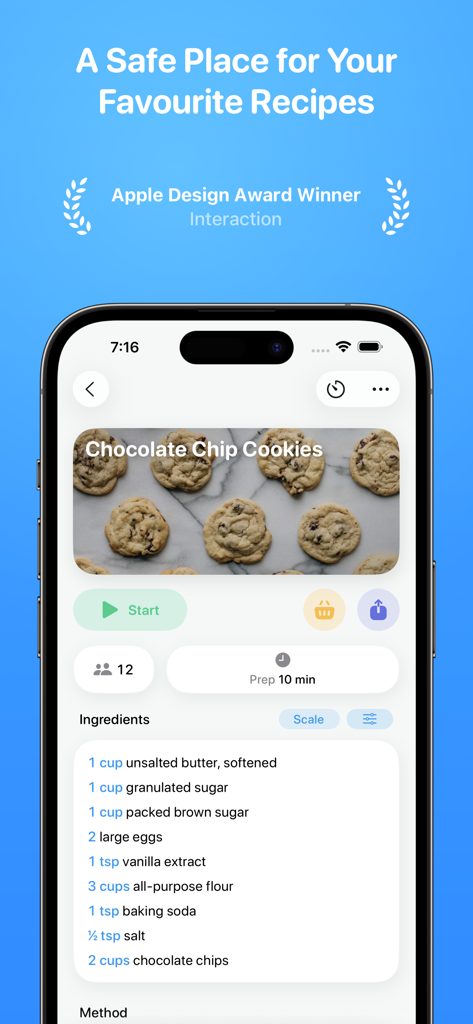
iPhone screenshot of Crouton app displaying a chocolate chip cookie recipe with ingredients and preparation details
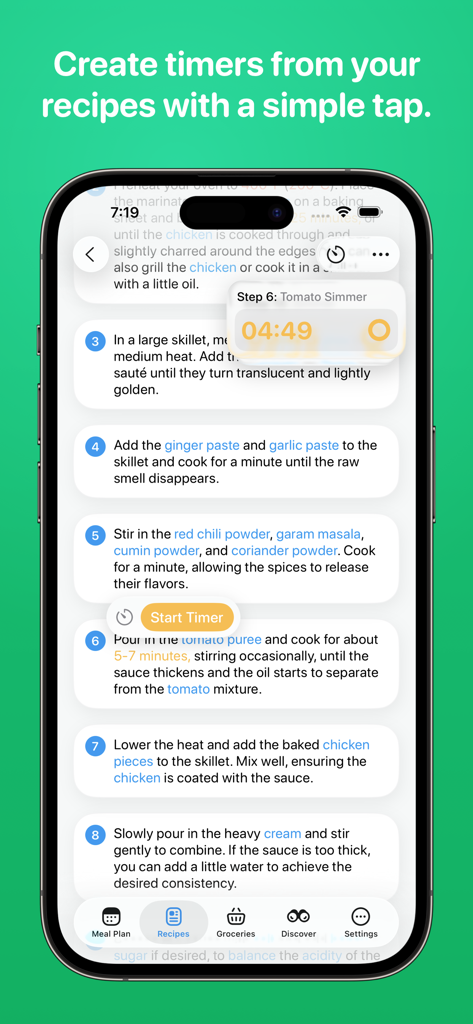
Crouton recipe manager app showing step by step cooking instructions with integrated countdown timers
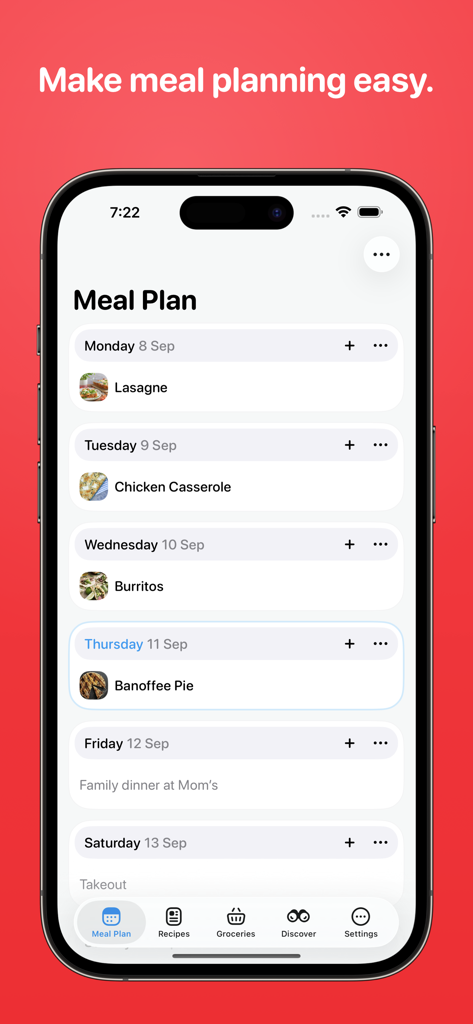
Weekly meal planning interface in the Crouton recipe manager app on iPhone
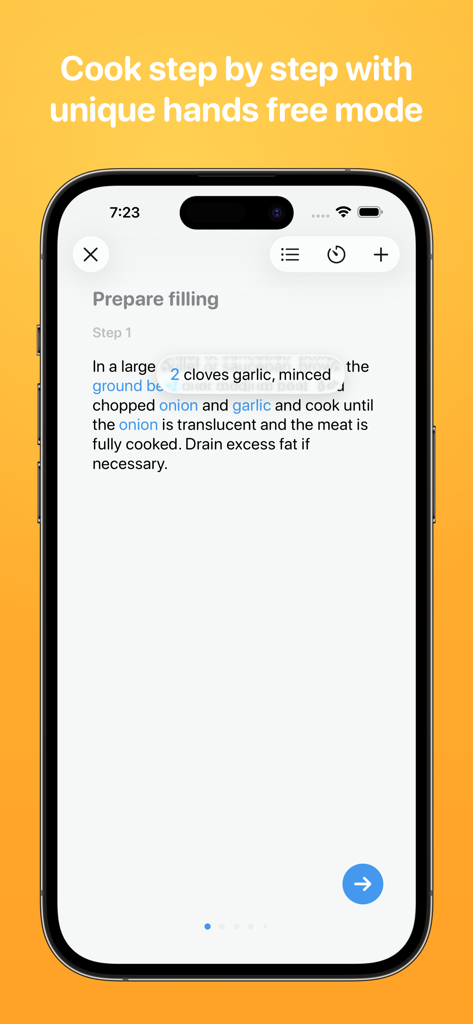
Crouton app displaying step by step recipe instructions and hands free mode feature
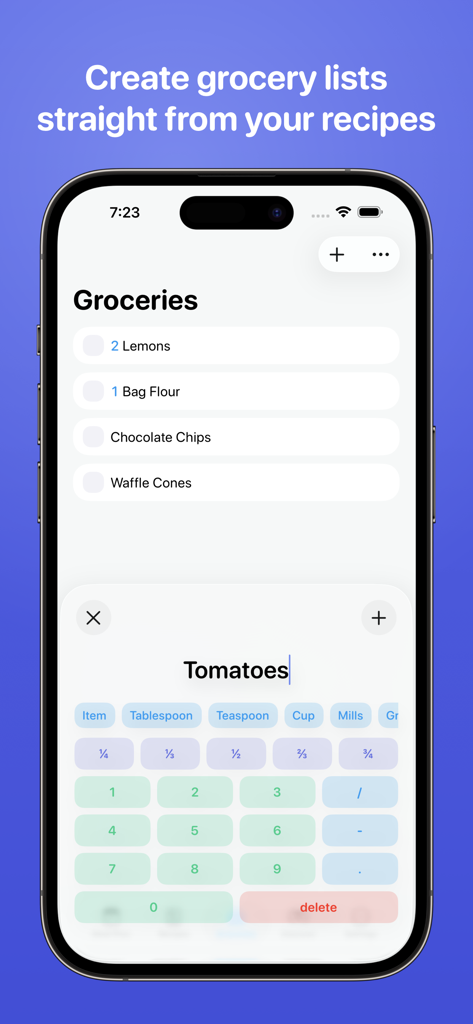
Crouton app grocery list interface for adding recipe ingredients
Description
Download
More Like This
Apps with similar features and user experience

ReciMe: Recipes & Meal Planner
ReciMe Pty Ltd

NYT Cooking: Quick Tasty Meals
The New York Times Company

Jow - easy recipes & groceries
Jow

Tasty: Recipes, Cooking Videos
BuzzFeed

Recipe Keeper
Tudorspan Limited

Cookpad Recipes, homemade food
COOKPAD INC. (CA)

Pepper - Recipe Organizer
Pepper App Inc.

AnyList: Grocery Shopping List
Purple Cover, Inc.

Kitchen Stories Easy Recipes
AJNS New Media GmbH
This page is not an official page of the app or its developer, but an independent editorial publication created for informational and commentary purposes. Unless expressly stated otherwise, neither the app nor its developer is affiliated with, endorsed by, sponsored by, authorized by, or otherwise officially connected with MWM, Apple, Google Play, the app publisher, or the app's developer, and nothing on this page implies that the app was developed using MWM's services. Any trademarks, logos, screenshots, and other content remain the property of their respective owners.