
This page is not an official page of the app or its developer, but an independent editorial publication created for informational and commentary purposes. Unless expressly stated otherwise, neither the app nor its developer is affiliated with, endorsed by, sponsored by, authorized by, or otherwise officially connected with MWM, Apple, Google Play, the app publisher, or the app's developer, and nothing on this page implies that the app was developed using MWM's services. Any trademarks, logos, screenshots, and other content remain the property of their respective owners.


Daily - Life Calendar
Transform your daily routines into lasting growth. Master your priorities with the Eisenhower Matrix and visualize your year through beautiful, minimalist insights designed for self-optimizers.
Downloads
9K+User Rating
Total Ratings
0Publisher
Category
ProductivityLocales
4Latest Version
3.14Size
55.3 MBFirst Released
Feb 3, 2025Master Your Life, One Dot at a Time
Transform your daily routines into a masterpiece of consistency with a minimalist toolkit designed for the modern self-optimizer.
The Quantified Self
Visualize your journey with GitHub-style contribution graphs and interactive dot grids that turn your consistency into data-driven art.
Strategic Prioritization
Escape the trap of busywork using the integrated Eisenhower Matrix to categorize your habits by urgency and long-term importance.
Frequently Asked Questions
Everything you need to know about Daily - Life Calendar
How does Daily - Life Calendar track habits?
Daily - Life Calendar tracks habits using custom emojis, icons, and swipe actions for quick completion. It helps users build streaks, set reminders, estimate durations, and add notes.
Can I visualize my year's progress with Daily - Life Calendar?
Yes, Daily - Life Calendar visualizes your year with an interactive dot grid, allowing you to watch your progress grow daily. It offers color themes and options to create wallpapers.
Does Daily - Life Calendar offer widgets?
Yes, Daily - Life Calendar provides widgets including Year Progress, Habits, Contribution Chart, and Memento Mori. These widgets offer quick access and visualization on your device.
How does the Eisenhower Matrix work in Daily - Life Calendar?
The Daily app's Eisenhower Matrix prioritizes habits by urgency and importance using four quadrants: Do First, Decide, Delegate, Eliminate. Users can drag-and-drop to reorganize priorities.
Can I sync my habits across devices with Daily - Life Calendar?
Yes, Daily - Life Calendar supports iCloud sync across all your devices. This ensures your habit data and progress remain consistent and accessible.
What kind of visual analytics does Daily - Life Calendar provide?
Daily - Life Calendar provides visual analytics such as GitHub-style contribution graphs, detailed habit streaks, statistics, and monthly completion records to track consistency over time.
Can Daily - Life Calendar create wallpapers?
Yes, Daily - Life Calendar creates stunning wallpapers from your life calendar. These can auto-update via iOS Shortcuts, allowing for customizable lock screen displays.
Does the Daily app have a dark mode?
Yes, the Daily - Life Calendar app supports both dark and light modes. This allows users to choose their preferred interface aesthetic for comfortable viewing.
The following screenshots and description are sourced directly from the app's official store listing and are the property of the app developer.
App Store
Screenshots
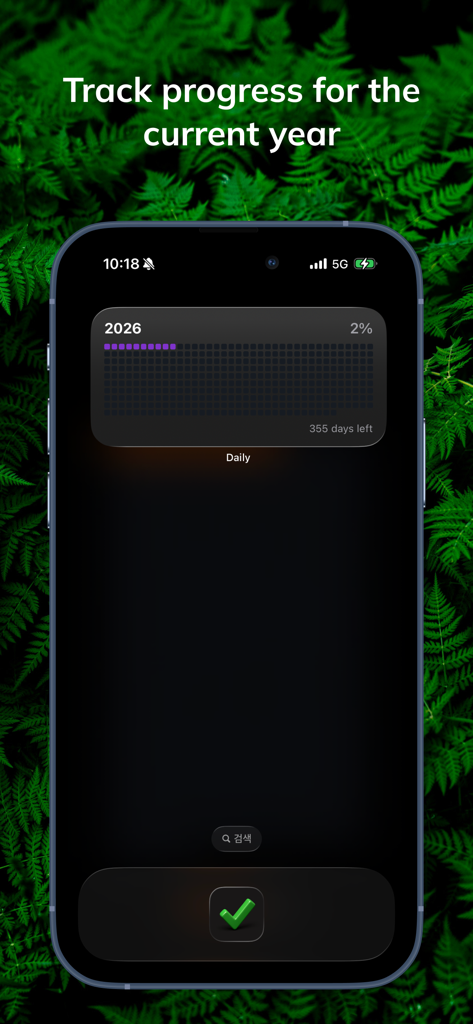
iPhone home screen displaying the Daily Life Calendar year progress widget with a 2026 percentage tracker
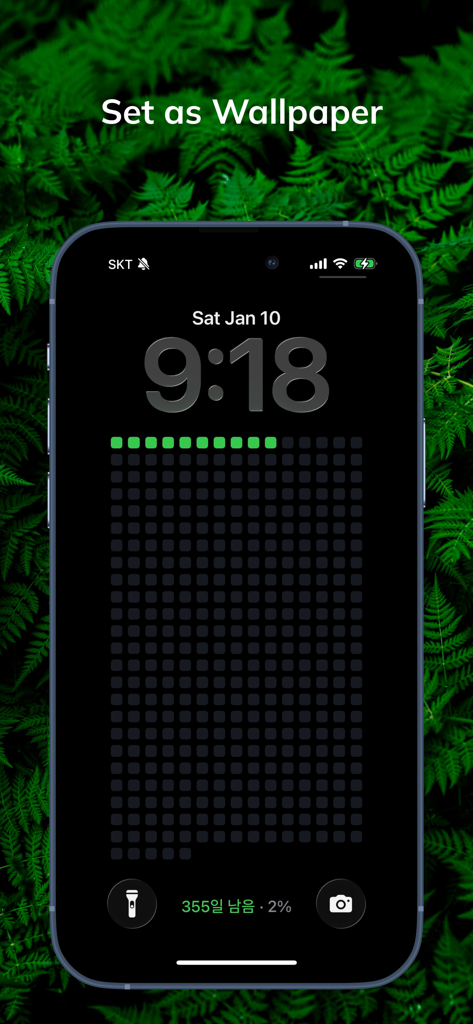
iPhone lock screen featuring a minimalist dot grid life calendar wallpaper with year progress indicator
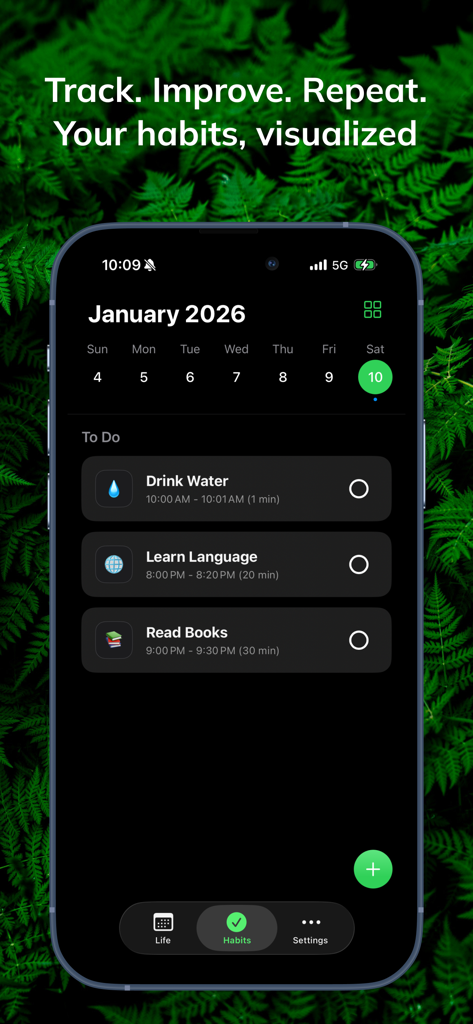
iPhone screen showing the Daily Life Calendar app with a minimalist habit tracker interface in dark mode
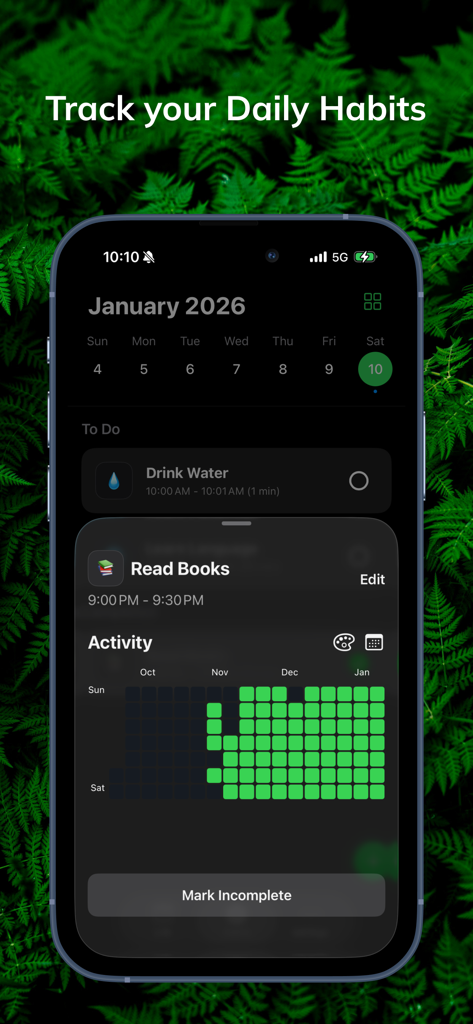
The Daily app interface showing habit tracking for reading books with a green contribution graph and minimalist dark mode design.
Description
Download
More Like This
Top-ranked apps in the same category

ChatGPT
OpenAI OpCo, LLC

Google Gemini
Google LLC

Grok
X.AI Corporation

Gmail - Email by Google
Google LLC

千问 - 阿里最强大模型官方AI助手
Shanghai Zhixin Puhui Technology Co., Ltd.

Google Drive
Google LLC

Microsoft Authenticator
Microsoft Corporation

Google Sheets
Google LLC

Google Docs
Google LLC
This page is not an official page of the app or its developer, but an independent editorial publication created for informational and commentary purposes. Unless expressly stated otherwise, neither the app nor its developer is affiliated with, endorsed by, sponsored by, authorized by, or otherwise officially connected with MWM, Apple, Google Play, the app publisher, or the app's developer, and nothing on this page implies that the app was developed using MWM's services. Any trademarks, logos, screenshots, and other content remain the property of their respective owners.