
This page is not an official page of the app or its developer, but an independent editorial publication created for informational and commentary purposes. Unless expressly stated otherwise, neither the app nor its developer is affiliated with, endorsed by, sponsored by, authorized by, or otherwise officially connected with MWM, Apple, Google Play, the app publisher, or the app's developer, and nothing on this page implies that the app was developed using MWM's services. Any trademarks, logos, screenshots, and other content remain the property of their respective owners.

Daily Planner: No Subs Apps
Stop renting your software. Experience a powerful, offline-first task manager and habit tracker designed for those who value ownership—no accounts, no ads, and zero subscriptions.
Downloads
0User Rating
Total Ratings
0Publisher
Category
ProductivityLocales
15Latest Version
1.0Size
2.2 MBFirst Released
Feb 26, 2026Reclaim Your Productivity
Built for the sovereign user: No subscriptions, no ads, and no trackers—just a powerful tool to bridge the gap between your plans and your reality.
100% Private & Subscription-Free
Own your tools again. No accounts, no cloud sync, and zero data harvesting. Your history stays locally on your device where it belongs.
The Plan vs. The Reality
Stop living in an endless to-do list. Log what actually happened to see the real picture of your life, perfect for therapy, fitness, and deep work.
The following screenshots and description are sourced directly from the app's official store listing and are the property of the app developer.
App Store
Screenshots
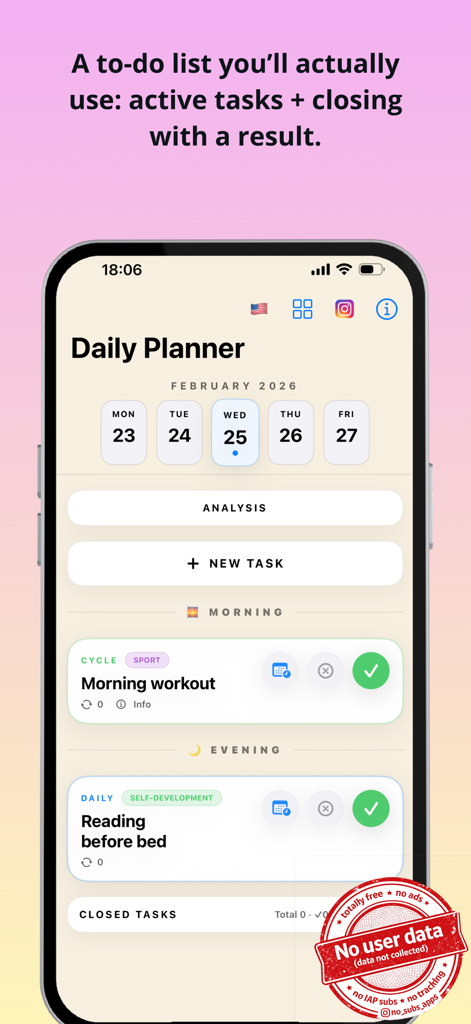
Daily Planner app interface showing a list of morning and evening tasks with a no user data privacy stamp.
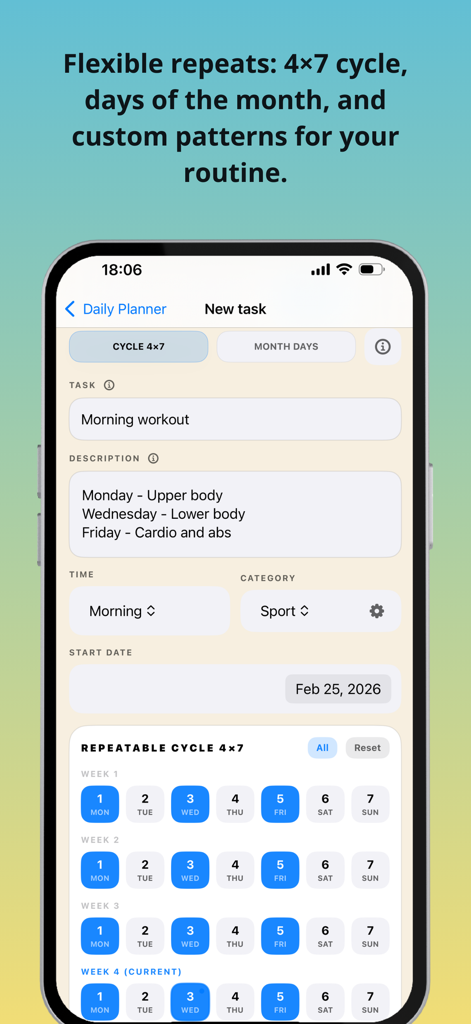
Interface of the Daily Planner app showing a new task screen with a morning workout scheduled using a four week repeatable cycle grid
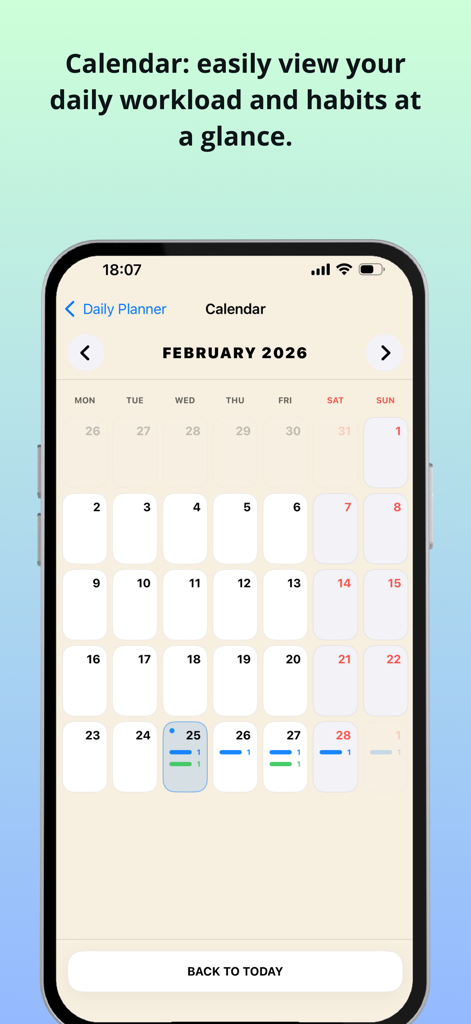
Monthly calendar interface showing daily workload and habit tracking overview in the Daily Planner app
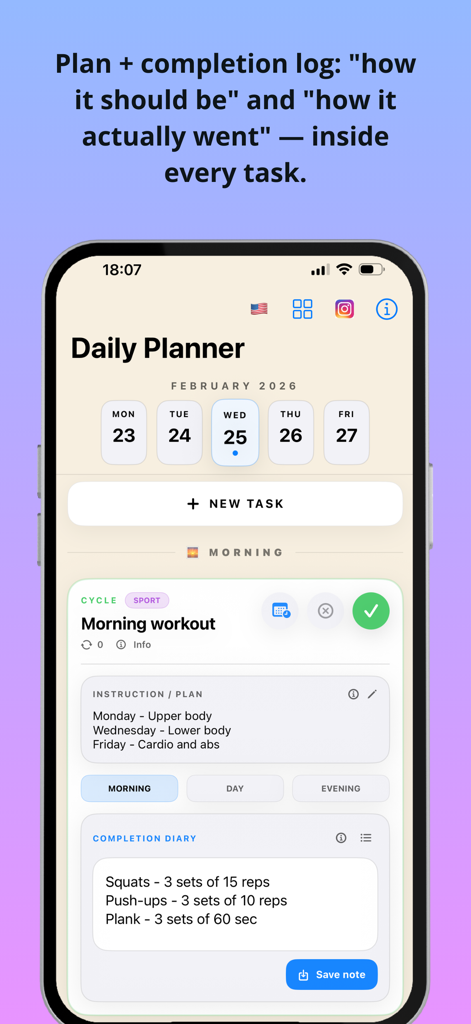
Daily Planner app interface showing the plan versus actual completion log for a workout task
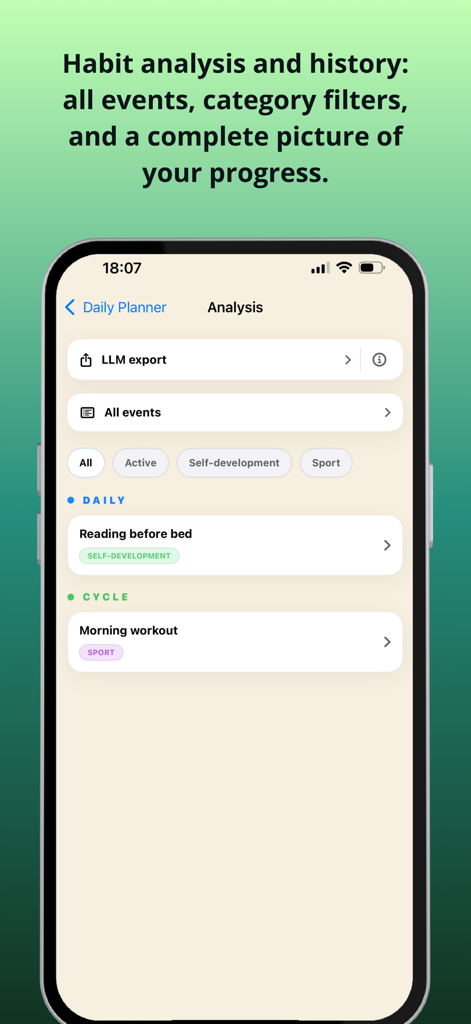
A mobile app screen showing habit history, task categories like self-development and sport, and an option for LLM data export.
Description
Download
More Like This
Top-ranked apps in the same category

ChatGPT
OpenAI OpCo, LLC

Google Gemini
Google LLC

Grok
X.AI Corporation

Gmail - Email by Google
Google LLC

千问 - 阿里最强大模型官方AI助手
Shanghai Zhixin Puhui Technology Co., Ltd.

Google Drive
Google LLC

Claude by Anthropic
Anthropic PBC

Microsoft Authenticator
Microsoft Corporation

Google Sheets
Google LLC
This page is not an official page of the app or its developer, but an independent editorial publication created for informational and commentary purposes. Unless expressly stated otherwise, neither the app nor its developer is affiliated with, endorsed by, sponsored by, authorized by, or otherwise officially connected with MWM, Apple, Google Play, the app publisher, or the app's developer, and nothing on this page implies that the app was developed using MWM's services. Any trademarks, logos, screenshots, and other content remain the property of their respective owners.