Daily Timeline To-Do : Taskito
Download on App Store

This page is not an official page of the app or its developer, but an independent editorial publication created for informational and commentary purposes. Unless expressly stated otherwise, neither the app nor its developer is affiliated with, endorsed by, sponsored by, authorized by, or otherwise officially connected with MWM, Apple, Google Play, the app publisher, or the app's developer, and nothing on this page implies that the app was developed using MWM's services. Any trademarks, logos, screenshots, and other content remain the property of their respective owners.

Logo of Daily Timeline To-Do : Taskito
Download on App Store

Daily Timeline To-Do : Taskito

The all-in-one digital planner designed for ambitious multitaskers. Seamlessly merge your calendar, tasks, and projects into one beautiful flow to reclaim your focus and simplify your day.

Key Figures

Downloads

1K+

User Rating

4.5/5

Total Ratings

100

Publisher

Taskito Technologies

Category

Productivity

Locales

8

Latest Version

1.0.3

Size

18.7 MB

First Released

Mar 8, 2024
Features

Master Your Day in One Unified Timeline

Taskito simplifies your life by merging your calendar, tasks, and notes into a single, visual flow. Designed for high-achievers who value clarity without the complexity.

Everything in One View

Experience the power of the Timeline. See your calendar events alongside your to-do list for a seamless, stress-free daily agenda.

Visual Project Planning

Move beyond simple lists. Use Kanban boards and color-coded tags to organize your side hustles, studies, and personal goals.

The following screenshots and description are sourced directly from the app's official store listing and are the property of the app developer.

App Store

Screenshots
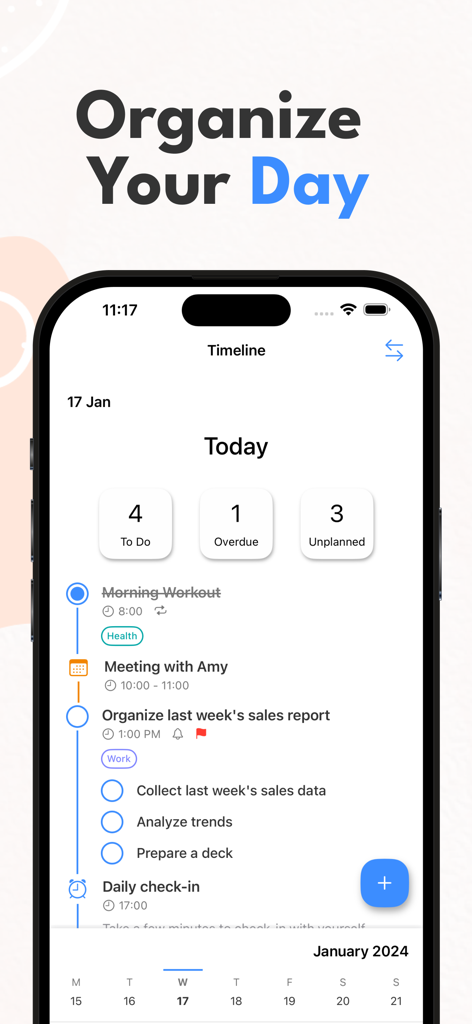
Daily Timeline To-Do : Taskito - Taskito app interface showing a vertical timeline view for daily task organization including meetings and checklists
Taskito app interface showing a vertical timeline view for daily task organization including meetings and checklists

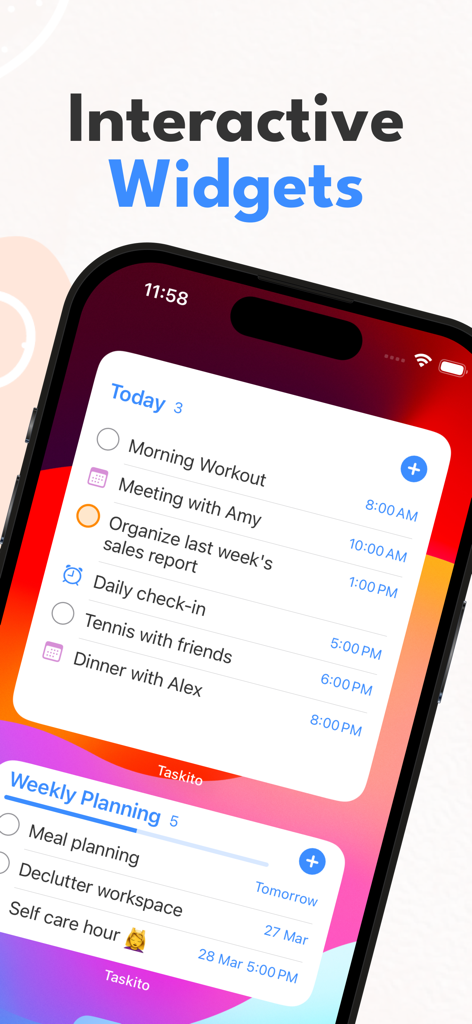
Daily Timeline To-Do : Taskito - iPhone home screen showing Taskito interactive widgets for daily tasks and weekly planning
iPhone home screen showing Taskito interactive widgets for daily tasks and weekly planning

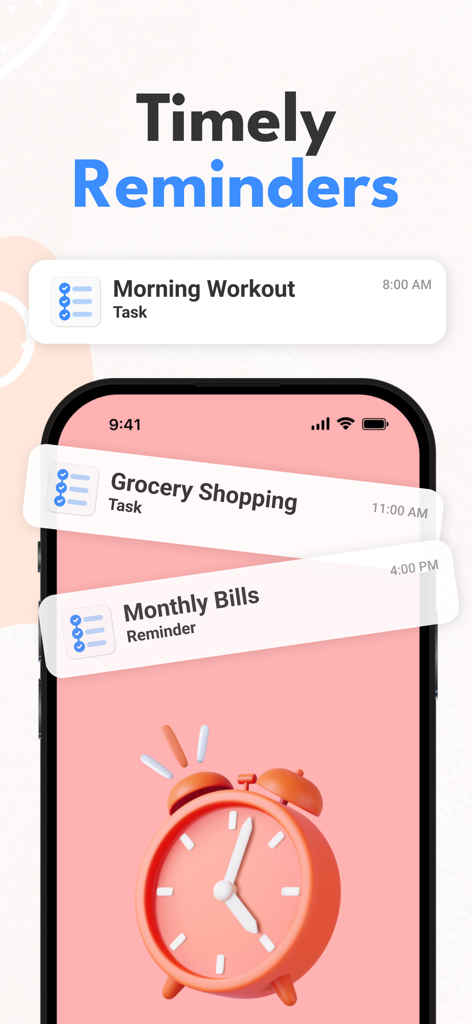
Daily Timeline To-Do : Taskito - Taskito app interface showing notification reminders for morning workout grocery shopping and monthly bills
Taskito app interface showing notification reminders for morning workout grocery shopping and monthly bills

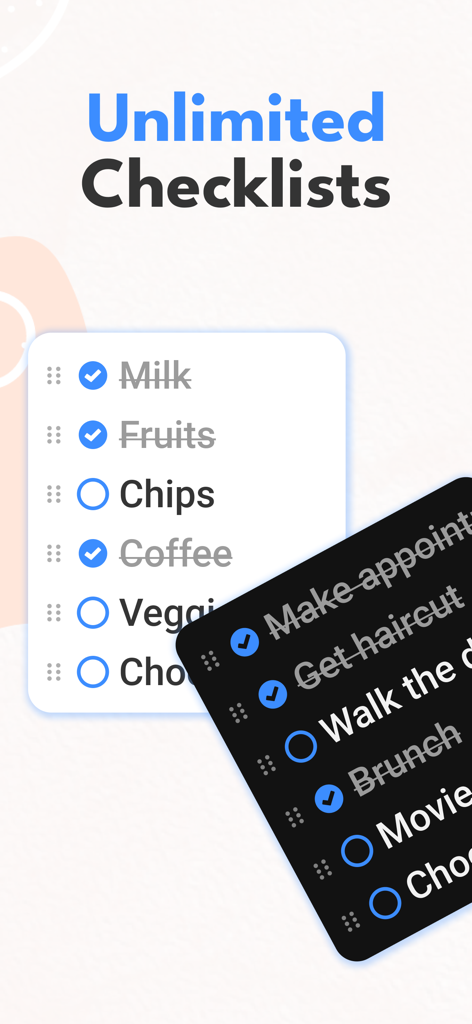
Daily Timeline To-Do : Taskito - Taskito app interface showing unlimited checklists with light and dark mode support
Taskito app interface showing unlimited checklists with light and dark mode support

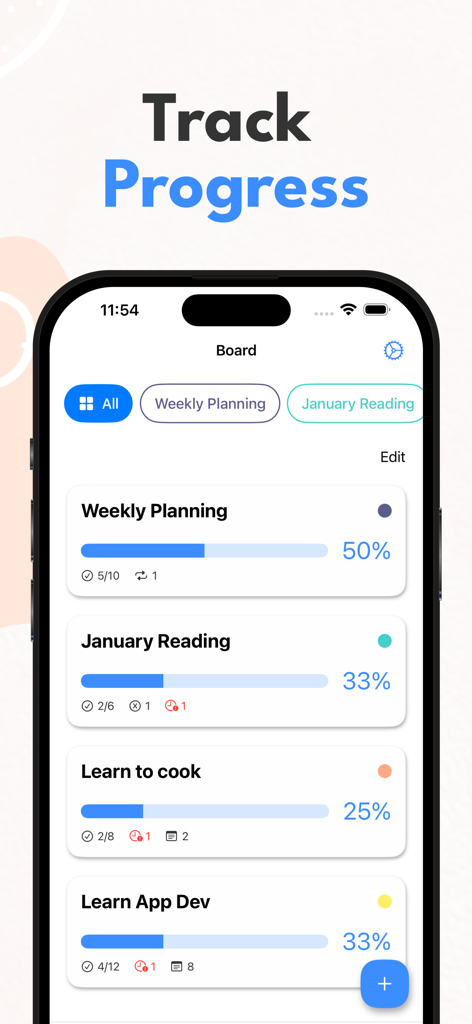
Daily Timeline To-Do : Taskito - Taskito board view displaying project progress with colorful status bars and completion percentages
Taskito board view displaying project progress with colorful status bars and completion percentages

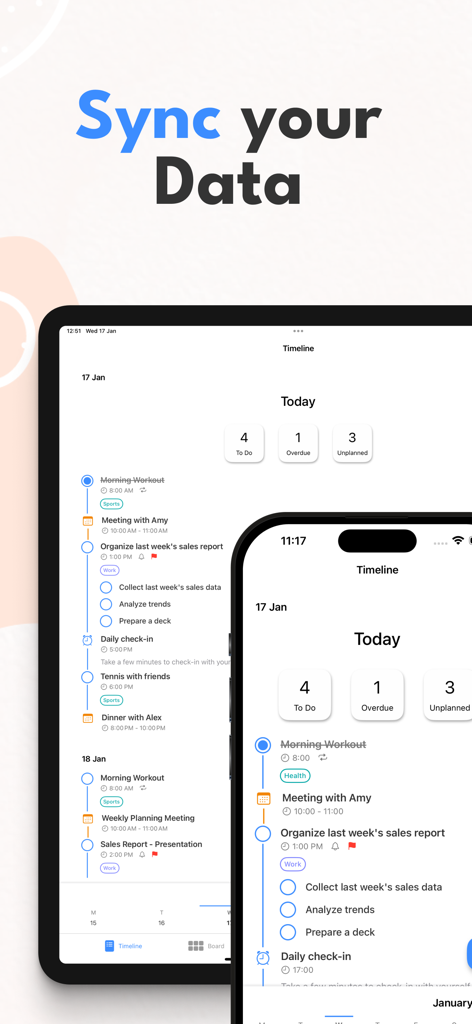
Daily Timeline To-Do : Taskito - Taskito app showing timeline view and data synchronization between iPhone and iPad

Taskito app showing timeline view and data synchronization between iPhone and iPad

Description

With the balance of simplicity & features, you can organize tasks, notes, calendar events, todo list, reminders, recurring tasks - All in one Timeline. Use Taskito to stay organized and manage day-to-day agenda. Make a shopping list or task lists, take notes, track projects and set reminders to increase productivity and focus on what matters to you. Students find it easy to manage schedule, assignments and curriculum with Taskito. You can create to.do list for each subject, add task with checklist for each chapter. Professionals can schedule daily agenda with calendar events integration. Scheduling can also help you with time blocking. Taskito is versatile and configurable. Import Calendar to see meetings and tasks side-by-side. Organize your board with color coded projects to accomplish hobbies, school work or side projects. Taskito to.do app is one of the best apps for organizing. Taskito focuses on daily tasks. Create todo lists and add task reminders to get rich notifications. Break down your tasks with checklists. Create daily recurring tasks to build a routine. Based on suggestions from people, we keep improving Taskito to make it the best task manager app. Core features: - Timeline View to see all your to-do tasks, checklists, notes, calendar events, reminders in one place. - Easy to access calendar with busy or overdue indicators. - Manage daily to-do lists with Day Mode. - Add reminder to keep check on your agenda. - Kanban board to manage projects. - Import Calendar events to see daily schedule. - Recurring tasks or habit tracking. - Get daily reminders. Weekly or Monthly reminders to keep track of your important tasks. - Reminder notifications. - Sync tasks and projects instantly with multiple devices. Why people love Taskito? - Sort project tasks based on priority, due date, or manual drag and drop. - Crate color coded tags and labels. Categorize to-do tasks with tags. - Templates to automate your day. Create grocery checklist template, workout routine templates, daily routine template. - Assign color to projects, manually change to do task order by simple drag/drop. - Bulk actions. How people use Taskito: - Make a digital planner and timeline diary. - Make a Bullet Journal (BuJo) using Timeline & projects. - Habit tracker with recurring tasks and reminders. - To-Do list & Task Manager. - Grocery list, shopping checklist template. - Daily reminder to track work and plan meetings. - Keep a health log with notes and tags. - Make comprehensive work log. - Daily diary and notes. - Kanban style project management. - Import calendars to keep track of holiday events, meeting events, time blocking and much more. Taskito will assist you to improve your productivity. If you have feedback or suggestions, feel free to send us an email: hey.taskito@gmail.com Website: https://taskito.io/ Help Center: https://taskito.io/help Blog: https://taskito.io/blog Terms of use: https://www.apple.com/legal/internet-services/itunes/dev/stdeula/

Download

Download on App Store

This page is not an official page of the app or its developer, but an independent editorial publication created for informational and commentary purposes. Unless expressly stated otherwise, neither the app nor its developer is affiliated with, endorsed by, sponsored by, authorized by, or otherwise officially connected with MWM, Apple, Google Play, the app publisher, or the app's developer, and nothing on this page implies that the app was developed using MWM's services. Any trademarks, logos, screenshots, and other content remain the property of their respective owners.








