Decibel - dB Sound Level Meter
Download on App Store

This page is not an official page of the app or its developer, but an independent editorial publication created for informational and commentary purposes. Unless expressly stated otherwise, neither the app nor its developer is affiliated with, endorsed by, sponsored by, authorized by, or otherwise officially connected with MWM, Apple, Google Play, the app publisher, or the app's developer, and nothing on this page implies that the app was developed using MWM's services. Any trademarks, logos, screenshots, and other content remain the property of their respective owners.

Logo of Decibel - dB Sound Level Meter
Download on App Store

Decibel - dB Sound Level Meter

Turn your iPhone into a pre-calibrated SPL meter to monitor harmful noise, track your hearing performance, and optimize your audio gear with clinical precision.

Key Figures

Downloads

0

User Rating

4.4/5

Total Ratings

0

Publisher

Kemal Bakacak

Category

Utilities

Locales

17

Latest Version

1.49.0

Size

31.4 MB

First Released

Oct 31, 2022
Features

Professional-Grade Sound Analysis in Your Pocket

Protect your hearing and optimize your audio environment with lab-quality decibel metering and personalized health tracking.

Lab-Quality Accuracy

Pre-calibrated for your iPhone to match professional SPL devices for reliable, real-time environmental noise measurements.

Proactive Hearing Health

Take a 3-minute hearing test and track your performance over time to detect and prevent potential long-term damage.

The following screenshots and description are sourced directly from the app's official store listing and are the property of the app developer.

App Store

Screenshots
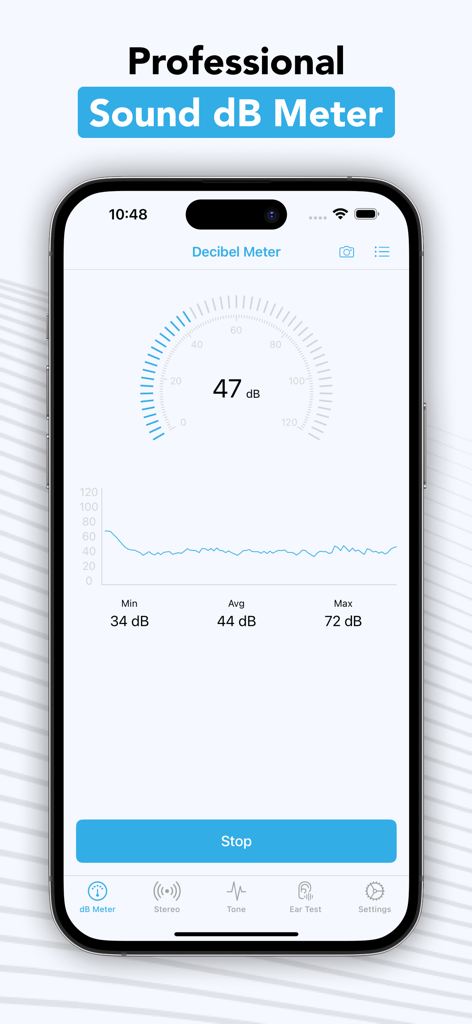
Decibel - dB Sound Level Meter - A professional decibel meter app interface on an iPhone displaying real-time sound level measurements and noise statistics.
A professional decibel meter app interface on an iPhone displaying real-time sound level measurements and noise statistics.

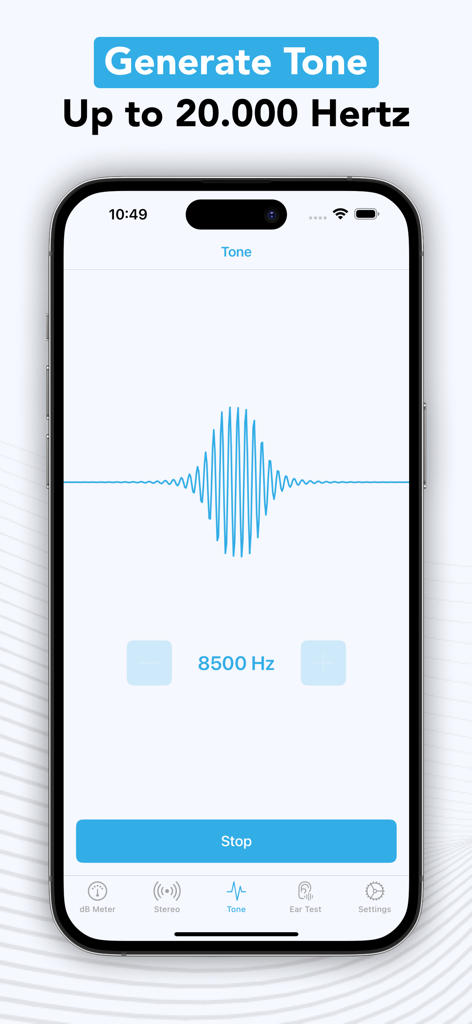
Decibel - dB Sound Level Meter - Interface of the Decibel app showing a high frequency tone generator set to 8500 Hertz
Interface of the Decibel app showing a high frequency tone generator set to 8500 Hertz

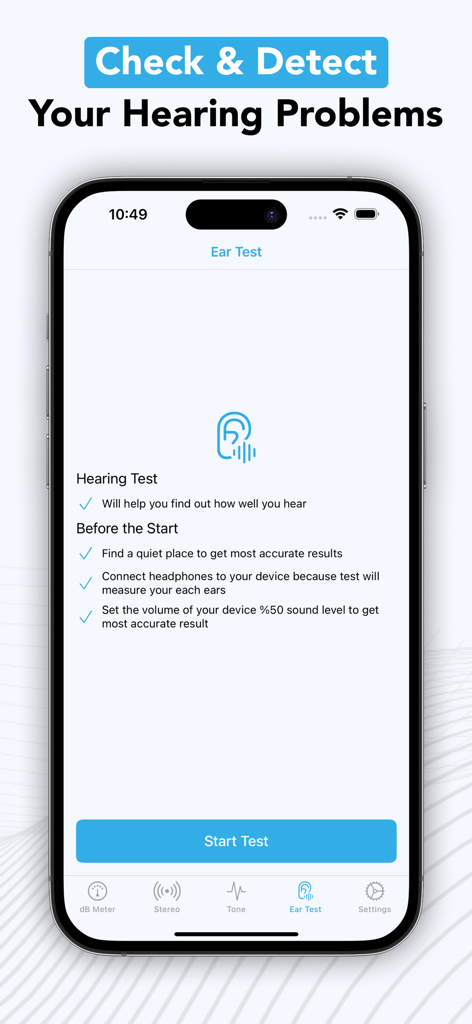
Decibel - dB Sound Level Meter - Ear test screen in Decibel app for checking hearing health
Ear test screen in Decibel app for checking hearing health

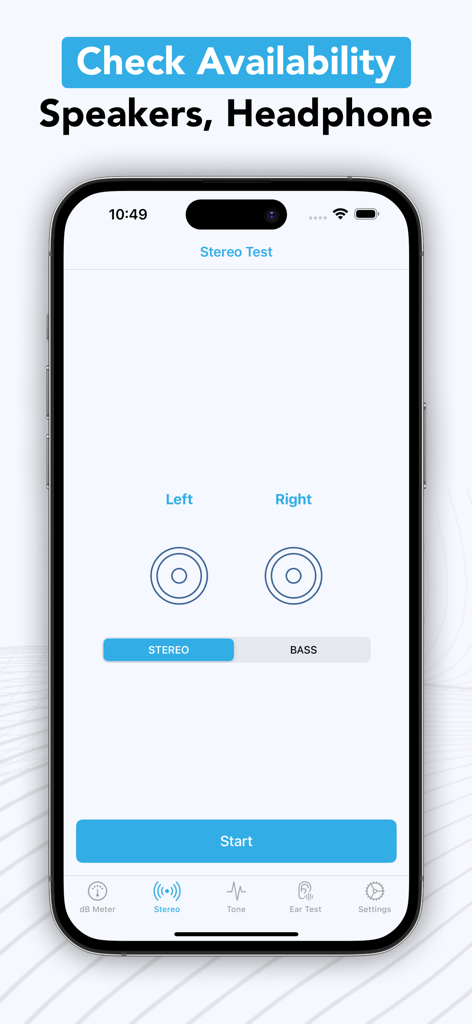
Decibel - dB Sound Level Meter - Interface of the Decibel app showing the Stereo Test feature for speakers and headphones on an iPhone screen.
Interface of the Decibel app showing the Stereo Test feature for speakers and headphones on an iPhone screen.

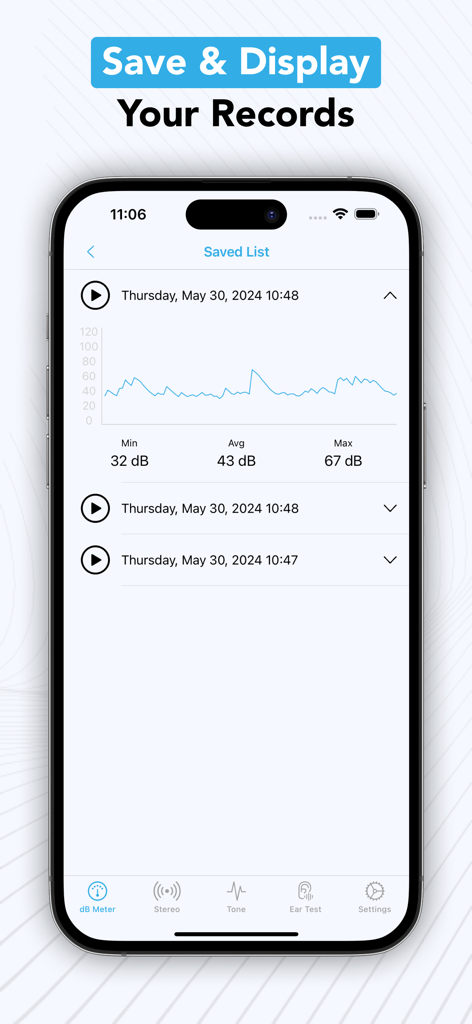
Decibel - dB Sound Level Meter - Interface of the decibel meter app showing a list of saved noise level records with a graph and statistics.
Interface of the decibel meter app showing a list of saved noise level records with a graph and statistics.

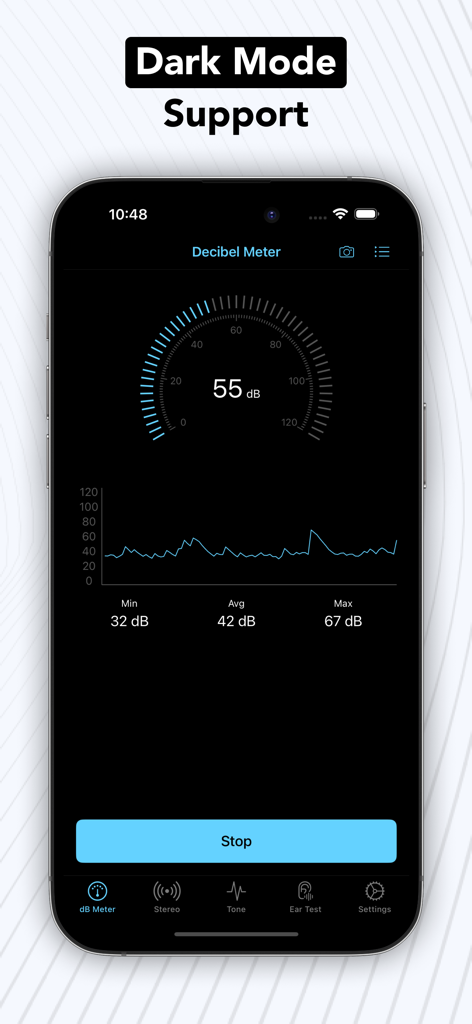
Decibel - dB Sound Level Meter - Decibel Sound Level Meter app interface featuring dark mode support and noise measurement data

Decibel Sound Level Meter app interface featuring dark mode support and noise measurement data

Description

This app turns your iOS device into a professional sound level meter. You can detect harmful environmental noises, and helps protect your hearing and health. You can save this measurement and check values if you need anytime. Also, you can check your stereo and bass sound to your phone. Your phone stereo is important but more important your hearing performance. You can test and track your hearing performance. Also, you can keep history for your hearing performance. Features, - Trusted accuracy: The app is tested and pre calibrated for all Apple devices. The precision is matching with real SPL devices. - Powerful, smart history data management. - Recording data can be saved into a list of history records for future access and analysis. - Easily tseting your phone stereo and bass performance. - Generate high frequency sound up to 20.000 Hertz. - Take hearing test in 2-3 minutes. - Get instant results from hearing test. - No need to internet connection for using this application. - Dark mode support. Hearing Testing, - Will help you find out how well you hear Before the Start, - Find a quiet place to get most accurate results - Connect headphones to your device because test will measure your each ears - Set the volume of your device %50 sound level to get most accurate result Testing process, We will send generated sound to your each ear. This sounds are have different Hertz and Decibel. You will listen 4 different Hertz level and 4 Decibel level. Hertz values are increased and decibel values are decreased. Hertz values are 500, 1000, 2000, 4000. Decibel values are 60, 40, 25, 10. You will start 500 Hertz and 60 Decibel and then you will hear 500 Hertz and 45 Decibel. When decibel values are completed, Hertz level are increased and continue with 1000 Hertz and 60 Decibel. You will hear 16 different sound in each ear. It's very easy process for you. All of this takes only 2-3 minute. If you have any questions, please do not hesitate to contact us, support@kemalbakacak.com Subscription and Pricing: If you choose to purchase, payment will be charged to your iTunes account, and your account will be charged for renewal within 24-hours prior to the end of the current period. Auto-renewal may be turned off at any time by going to your settings in the iTunes Store after purchase. Any unused portion of a free trial period, if offered, will be forfeited when the user purchases a subscription to that publication, where applicable Current subscription starts from $2.49 USD/month. Subscriptions can be deactivated at the following link: https://support.apple.com/en-us/HT202039 Privacy Policy: https://kemalbakacak.com/agreements/decibel-sound-level-meter/privacy_policy.html Terms of Use: https://kemalbakacak.com/agreements/decibel-sound-level-meter/terms_and_conditions.html

Download

Download on App Store

This page is not an official page of the app or its developer, but an independent editorial publication created for informational and commentary purposes. Unless expressly stated otherwise, neither the app nor its developer is affiliated with, endorsed by, sponsored by, authorized by, or otherwise officially connected with MWM, Apple, Google Play, the app publisher, or the app's developer, and nothing on this page implies that the app was developed using MWM's services. Any trademarks, logos, screenshots, and other content remain the property of their respective owners.








