Device Finder Bluetooth Track
Download on App Store

This page is not an official page of the app or its developer, but an independent editorial publication created for informational and commentary purposes. Unless expressly stated otherwise, neither the app nor its developer is affiliated with, endorsed by, sponsored by, authorized by, or otherwise officially connected with MWM, Apple, Google Play, the app publisher, or the app's developer, and nothing on this page implies that the app was developed using MWM's services. Any trademarks, logos, screenshots, and other content remain the property of their respective owners.

Logo of Device Finder Bluetooth Track
Download on App Store

Device Finder Bluetooth Track

Stop the frantic search. Whether it's your AirPods in the couch or your watch left at the gym, use high-precision signal tracking and smart separation alerts to reunite with your devices in seconds.

Key Figures

Downloads

0

User Rating

4.3/5

Total Ratings

0

Publisher

汇杭 钟

Category

Utilities

Locales

14

Latest Version

2.7

Size

25.7 MB

First Released

Oct 4, 2020
Features

Your Digital Essentials, Always Within Reach

Stop wasting time searching under couch cushions or retracing your commute. Our precision tools turn your iPhone into a high-tech tracker for all your Bluetooth gear.

High-Precision Radar

Solve the 'last-inch' problem. Our real-time signal meter guides you directly to your misplaced AirPods or Apple Watch with pinpoint accuracy.

Smart Separation Alerts

The ultimate insurance policy for your gadgets. Receive an instant notification the moment you leave a device behind at the gym, office, or cafe.

The following screenshots and description are sourced directly from the app's official store listing and are the property of the app developer.

App Store

Screenshots
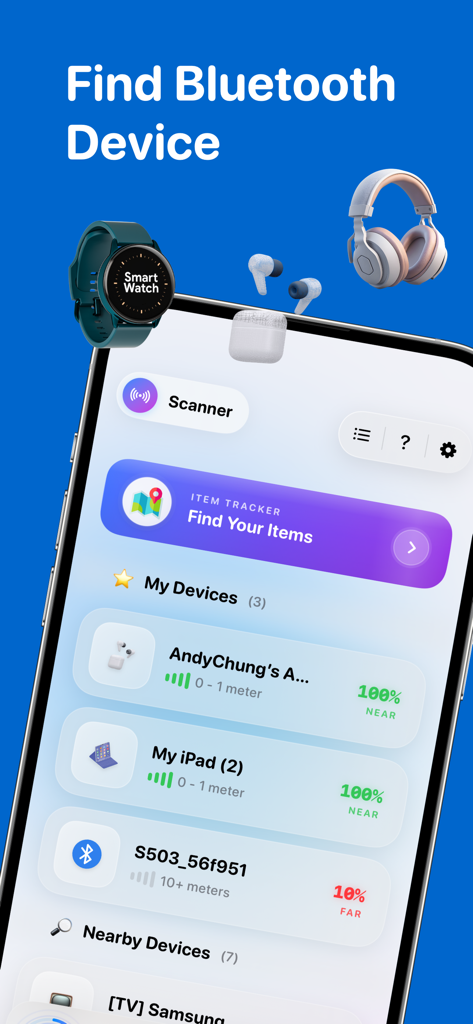
Device Finder Bluetooth Track - Interface of the Device Finder app showing a list of tracked Bluetooth devices like headphones and watches with signal strength indicators.
Interface of the Device Finder app showing a list of tracked Bluetooth devices like headphones and watches with signal strength indicators.

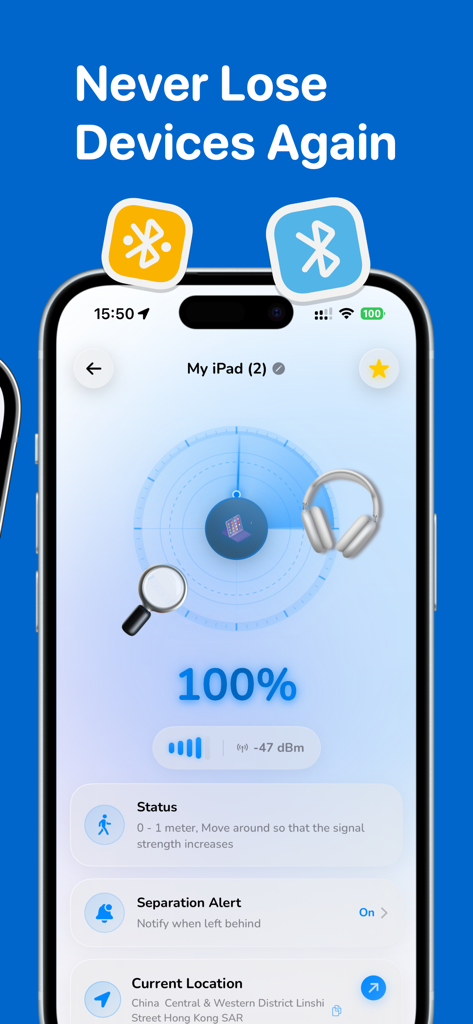
Device Finder Bluetooth Track - Mobile app interface showing a signal strength radar for tracking a lost Bluetooth device
Mobile app interface showing a signal strength radar for tracking a lost Bluetooth device

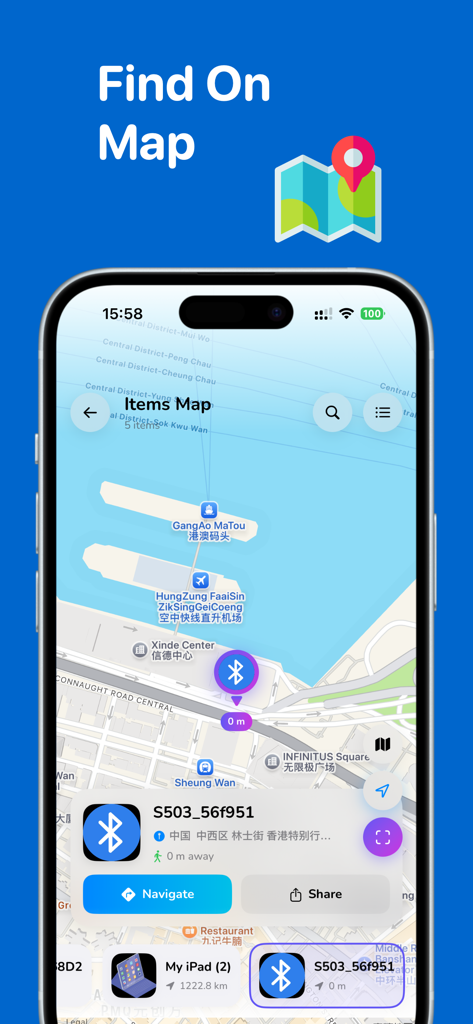
Device Finder Bluetooth Track - Map view of the Device Finder app showing the location of a tracked Bluetooth device

Map view of the Device Finder app showing the location of a tracked Bluetooth device
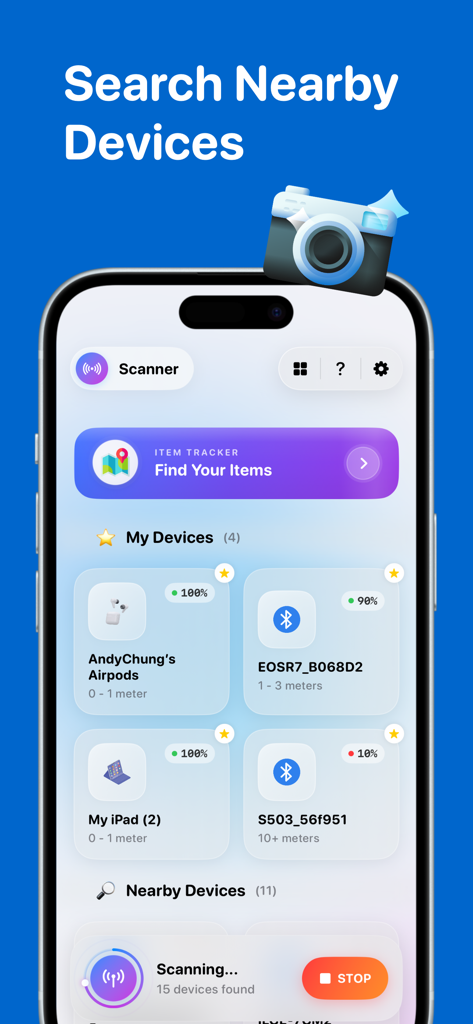
Device Finder Bluetooth Track - iOS app interface showing a list of nearby Bluetooth devices with signal strength and distance indicators
iOS app interface showing a list of nearby Bluetooth devices with signal strength and distance indicators

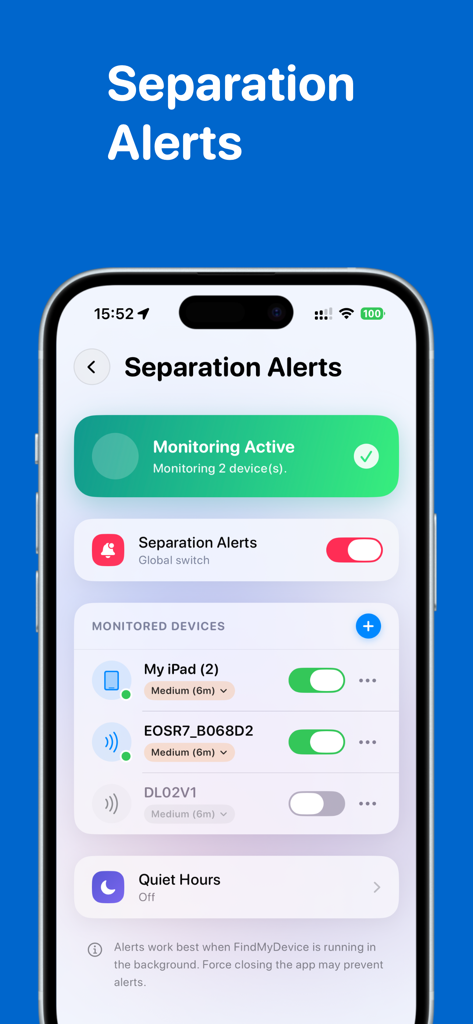
Device Finder Bluetooth Track - Separation alerts screen in the Device Finder app showing active monitoring for tracked Bluetooth devices
Separation alerts screen in the Device Finder app showing active monitoring for tracked Bluetooth devices

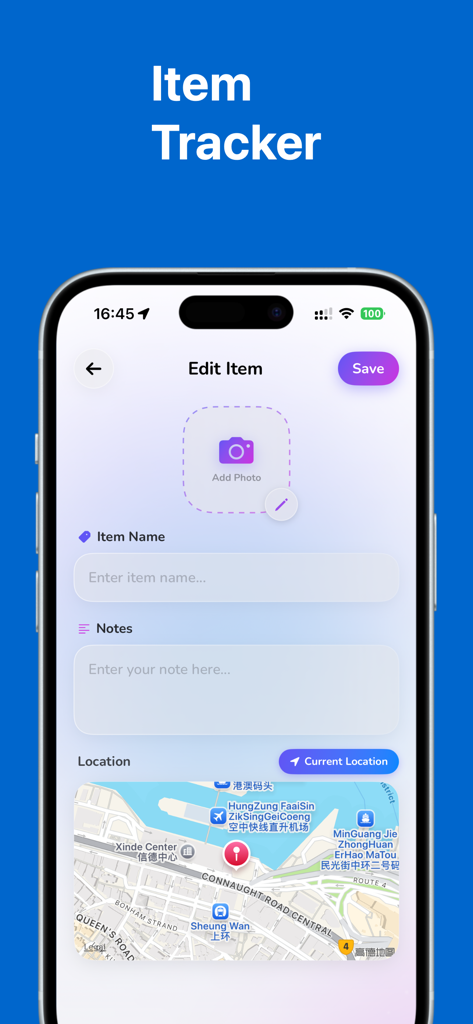
Device Finder Bluetooth Track - Smartphone screen showing the item tracker feature with map and edit item details

Smartphone screen showing the item tracker feature with map and edit item details

Description

Never lose your headphones, earbuds, watch, or keys again! Find My Device is the ultimate tool to track and locate all your Bluetooth-enabled devices in seconds. Whether it’s your Earbuds, Headphones, Smart Watch, or portable speaker, our powerful scanner helps you reunite with your lost gadgets quickly and easily. ==Powerful Bluetooth Scanner== Real-time Radar: Visualize how close you are to your lost device with our responsive signal strength indicator. Distance Estimation: See approximate distance (Near, Medium, Far) to guide your search. Broad Compatibility: Works with AirPods, Headphones, Earbuds, Smart Watches, Fitness Trackers, Speakers, and virtually any BLE (Bluetooth Low Energy) device. ==Smart Separation Alerts== Don't Leave It Behind: Get instant notifications on your phone if you walk away from your favorite devices. Customizable Triggers: Set specific distance thresholds (Near, Medium, Far) for alerts. Quiet Hours: Schedule "Do Not Disturb" times (like at night) so you only get alerted when it matters. ==Device Location History== Last Seen Location: Automatically save the last known location of your device on a map. History Log: View a timeline of where your device was detected, making it easier to retrace your steps. ==Item Tracker== Track Anything: Not just for electronics! Create profiles for your Keys, Wallet, or Bag. Photo & Notes: Add photos and notes to identify your items easily. Map Integration: Pinpoint exactly where you left your personal items. ==Home Screen Widgets== Quick Access: Add our sleek widgets to your home screen to check the status of your favorite devices at a glance without opening the app. ### Supported Devices - Wireless Earbuds & Headphones (Compatible with most major brands) - Smart Watches & Fitness Trackers - Portable Bluetooth Speakers - Tablets & Phones - Bluetooth Tags & Beacons - Any other device broadcasting a Bluetooth Low Energy (BLE) signal ### Disclaimer Device Finder is an independent utility application intended to help you locate your lost connected devices. It is not affiliated with, authorized by, endorsed by, or in any way officially connected with Apple Inc., or any other brand names mentioned. All product names, logos, and brands are property of their respective owners. === Subscription options === The app is free to download, but to access premium features, a subscription is required. With the subscription, you'll enjoy uninterrupted access to our premium features. Your subscription will automatically renew at the end of each term, and your credit card will be charged through your iTunes account within 24 hours before the end of the current period. If you wish to cancel the automatic renewal of your subscription, you can do so at any time by accessing your iTunes account settings. However, please note that refunds will not be provided for any unused portion of the term. To ensure a successful cancellation, please make sure to turn off auto-renewal at least 24 hours before the end of the current period. === Support === Need a helping hand? Don't hesitate to contact us at andychung.cc@gmail.com. We're always ready to assist you! Privacy policy: https://bluetoothscanner.andyrgb.com/privacy Terms of use: https://bluetoothscanner.andyrgb.com/terms

Download

Download on App Store

This page is not an official page of the app or its developer, but an independent editorial publication created for informational and commentary purposes. Unless expressly stated otherwise, neither the app nor its developer is affiliated with, endorsed by, sponsored by, authorized by, or otherwise officially connected with MWM, Apple, Google Play, the app publisher, or the app's developer, and nothing on this page implies that the app was developed using MWM's services. Any trademarks, logos, screenshots, and other content remain the property of their respective owners.