
This page is not an official page of the app or its developer, but an independent editorial publication created for informational and commentary purposes. Unless expressly stated otherwise, neither the app nor its developer is affiliated with, endorsed by, sponsored by, authorized by, or otherwise officially connected with MWM, Apple, Google Play, the app publisher, or the app's developer, and nothing on this page implies that the app was developed using MWM's services. Any trademarks, logos, screenshots, and other content remain the property of their respective owners.

Dictaphone - Audio Recorder
Go beyond basic voice memos with high-fidelity recording, advanced editing, and instant transcription. Perfectly designed for professionals and students who need to capture every detail hands-free.
Downloads
3M+User Rating
Total Ratings
17K+Publisher
Category
BusinessLocales
30Latest Version
1.9.1Size
133.4 MBFirst Released
Jan 17, 2014Professional Tools for High-Stakes Audio
Go beyond basic voice memos with professional-grade recording, advanced non-destructive editing, and seamless enterprise cloud integration designed for power users.
Precision Non-Destructive Editing
Don't start over if you make a mistake. Punch-in to overwrite, insert new segments, or append audio to existing files with professional-grade accuracy.
Smart Transcription & Bookmarks
Convert speech to text instantly and use photo or text bookmarks to tag critical moments in long lectures or meetings for rapid review.
Frequently Asked Questions
Everything you need to know about Dictaphone - Audio Recorder
What is Dictaphone - Audio Recorder?
Dictaphone - Audio Recorder is an app that provides hands-free audio voice recording for memos, notes, meetings, lectures, and interviews. It captures high-quality audio and supports various file formats.
Does Dictaphone - Audio Recorder support high-quality audio recording?
Yes, Dictaphone - Audio Recorder supports high-quality audio recording up to 48000 Hz/320kbps. It also offers MP3 and WAV formats for note-taking and voice capture.
What audio recording formats does Dictaphone - Audio Recorder support?
Dictaphone - Audio Recorder supports MP3 and WAV audio recording formats. Users can choose from various bitrates, including 96 kbps, 128 kbps, 192 kbps, and 320 kbps.
Can Dictaphone - Audio Recorder record phone calls?
No, Dictaphone - Audio Recorder is not designed for recording phone calls. Its primary function is for dictating notes, memos, and recording meetings or lectures.
Does Dictaphone - Audio Recorder limit the length of audio recordings?
No, Dictaphone - Audio Recorder does not impose any limit on the length of audio recordings. Users can record indefinitely for meetings, lectures, or personal notes.
Does Dictaphone - Audio Recorder support background recording?
Yes, Dictaphone - Audio Recorder supports background sound recording and playback. This feature allows users to dictate memos or capture audio while using other applications.
Does Dictaphone - Audio Recorder offer audio editing capabilities?
Yes, Dictaphone - Audio Recorder offers audio editing features through an in-app purchase. These include append, trim, cut, overwrite, insert, and combine recordings.
How can users share audio recordings from Dictaphone - Audio Recorder?
Dictaphone - Audio Recorder allows sharing recordings via iTunes file sharing. With in-app purchases, users can also upload to Dropbox, SoundCloud, GoogleDrive, OneDrive, YouTube, and other services.
Does Dictaphone - Audio Recorder support external microphones?
Yes, Dictaphone - Audio Recorder supports external microphones. It also offers stereo support when using an external microphone, enhancing audio input quality.
Does Dictaphone - Audio Recorder offer audio-to-text transcription?
Yes, Dictaphone - Audio Recorder offers the ability to transcribe audio to text as an in-app purchase feature. This converts spoken words into written format.
Can Dictaphone - Audio Recorder sync recordings with iCloud?
Yes, Dictaphone - Audio Recorder can sync preferences with iCloud. An in-app purchase enables syncing recordings, audio bookmarks, and settings with iCloud.
Does Dictaphone - Audio Recorder offer a dark mode interface option?
Yes, Dictaphone - Audio Recorder allows users to choose between a light or dark mode interface. This option provides a personalized viewing experience.
How does Dictaphone - Audio Recorder behave during an incoming phone call?
Dictaphone - Audio Recorder automatically pauses during incoming phone calls. This ensures that recordings are not interrupted or corrupted by call audio.
Can users sort their audio recordings in Dictaphone - Audio Recorder?
Yes, Dictaphone - Audio Recorder allows users to sort audio recordings by their names, duration, size, date of creation, and type. This helps organize playback lists effectively.
The following screenshots and description are sourced directly from the app's official store listing and are the property of the app developer.
App Store
Screenshots
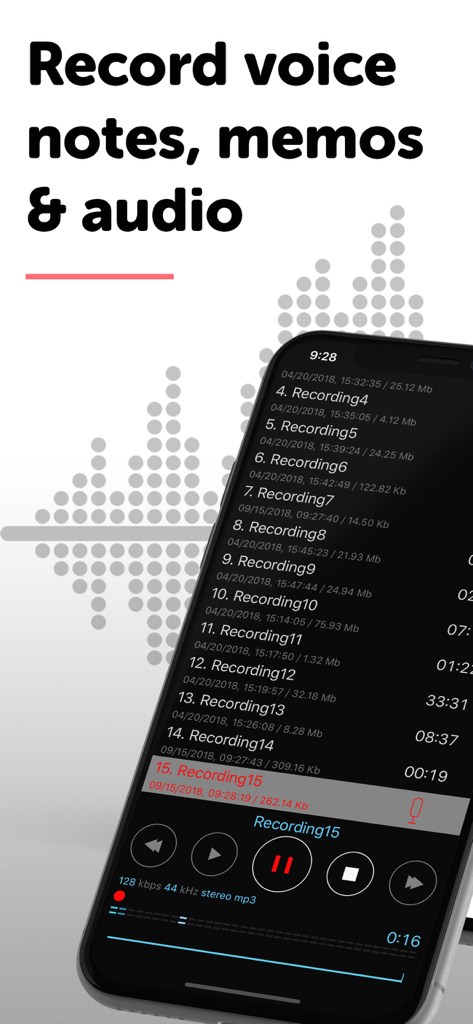
iPhone screen showing the Dictaphone app recording list and audio playback controls
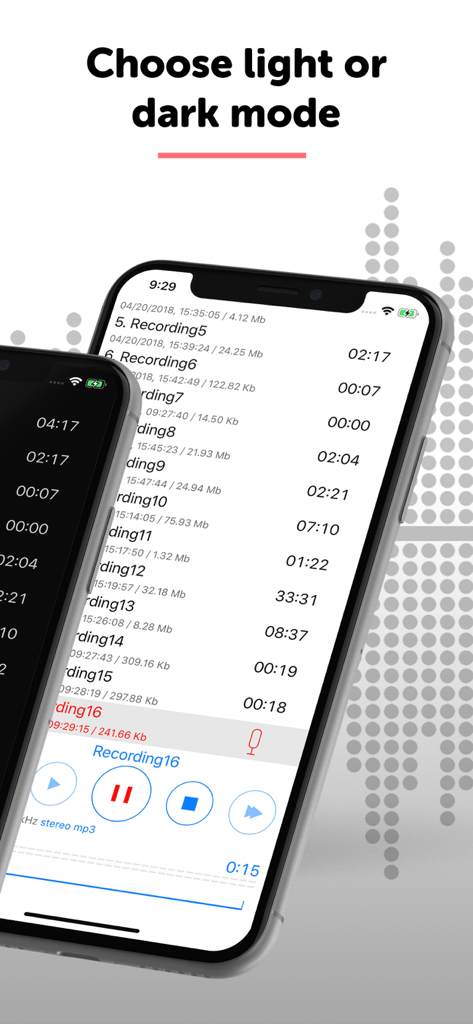
Two iPhones displaying the Dictaphone audio recorder app interface with options for light and dark modes
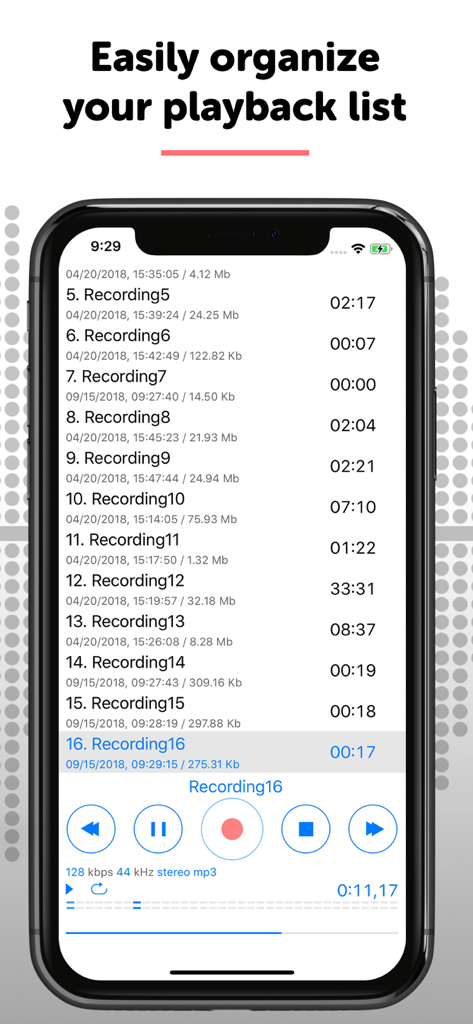
Professional audio recording playback list on an iPhone
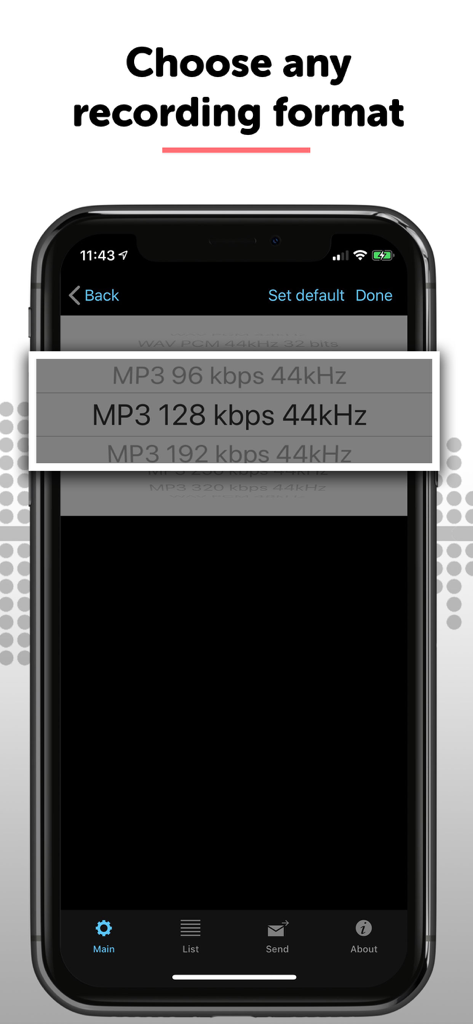
Selecting an audio recording format and bitrate in the Dictaphone app settings
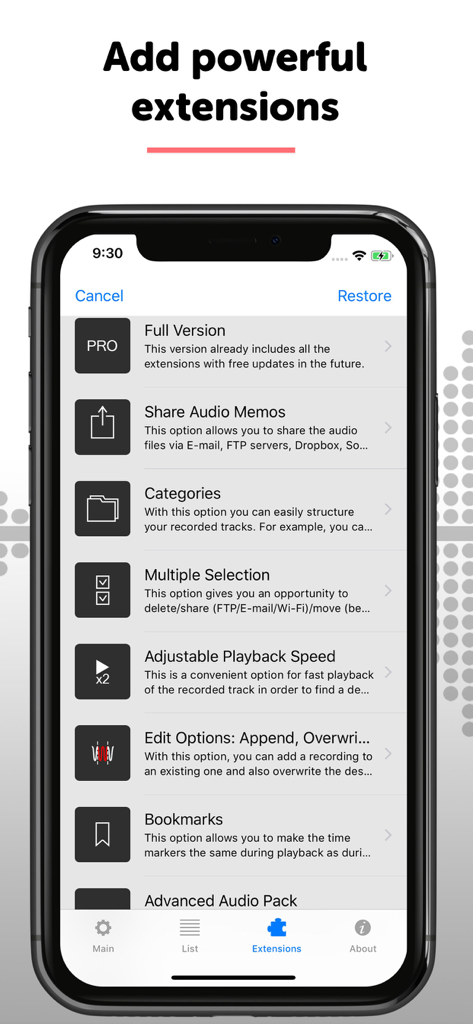
A smartphone screen displaying a list of professional extensions for the Dictaphone audio recorder app including editing and sharing tools.
Description
Download
More Like This
Apps with similar features and user experience

Voice Recorder Lite: Record HD
LiveBird Technologies Private Limited

PCM Recorder Lite
Kohei Yasui

Voice recorder - Voz
Hieu Nguyen

MOTIV Audio
Shure Incorporated

Voice recorder: Audio editor
Hieu Nguyen

Voice Recorder - Audio Record
LiveBird Technologies Private Limited

Awesome Voice Recorder PRO AVR
Newkline Co., Ltd.

Voice Memos & Sound Recorder
Protection & Security App LLC

Voice Recorder & Memos
SMM service, s.r.o.
This page is not an official page of the app or its developer, but an independent editorial publication created for informational and commentary purposes. Unless expressly stated otherwise, neither the app nor its developer is affiliated with, endorsed by, sponsored by, authorized by, or otherwise officially connected with MWM, Apple, Google Play, the app publisher, or the app's developer, and nothing on this page implies that the app was developed using MWM's services. Any trademarks, logos, screenshots, and other content remain the property of their respective owners.