
This page is not an official page of the app or its developer, but an independent editorial publication created for informational and commentary purposes. Unless expressly stated otherwise, neither the app nor its developer is affiliated with, endorsed by, sponsored by, authorized by, or otherwise officially connected with MWM, Apple, Google Play, the app publisher, or the app's developer, and nothing on this page implies that the app was developed using MWM's services. Any trademarks, logos, screenshots, and other content remain the property of their respective owners.

Digital Planner & Calendar Pro
The ultimate Apple Pencil companion for iPad and iPhone. Bridge the gap between digital efficiency and handwritten charm to sync calendars, annotate PDFs, and plan your goals in style.
Downloads
414K+User Rating
Total Ratings
1K+Publisher
Category
ProductivityLocales
1Latest Version
3.2.0Size
264.0 MBFirst Released
Dec 6, 2022Plan with Intention, Design Your Life
The all-in-one digital sanctuary where your aesthetic vision meets professional organization. Crafted for those who love the feel of a paper planner but need the power of digital efficiency.
Natural Handwriting Experience
Optimized for Apple Pencil to let you sketch, jot, and annotate with zero lag. Capture your ideas with the tactile feel of paper and the convenience of digital search.
Aesthetic & Visual Mastery
Ditch the boring grids. Create stunning daily, weekly, and monthly spreads that reflect your personal style while keeping your goals and habits clearly in sight.
Frequently Asked Questions
Everything you need to know about Digital Planner & Calendar Pro
What is Digital Planner & Calendar Pro?
Digital Planner & Calendar Pro is a versatile app for iPad and iPhone. It streamlines life and boosts productivity by managing tasks, events, and goals with features like reminders, calendar sync, and note-taking.
Can I sync Digital Planner & Calendar Pro with Google Calendar?
Yes, Digital Planner & Calendar Pro offers seamless synchronization with both Google and Apple calendars. Users can connect their existing calendars directly within the app's settings.
Does Digital Planner & Calendar Pro support Apple Pencil?
Yes, Digital Planner & Calendar Pro is specifically optimized for use with the Apple Pencil. This provides a smooth writing experience for jotting notes or making creative sketches directly on your schedule.
How much does a subscription for Digital Planner & Calendar Pro cost?
A 1-month membership costs $6.99, a 3-month membership costs $12.99, and a 1-year membership costs $29.99 after a 7-day free trial. Prices may vary outside the US.
Can I share my calendar from Digital Planner & Calendar Pro?
Yes, users can share their calendar from Digital Planner & Calendar Pro. Options include full access for editing or limited read-only access, allowing collaboration or viewing by others.
Does Digital Planner & Calendar Pro offer a free trial?
Yes, Digital Planner & Calendar Pro offers a 7-day free trial with the 1-year membership subscription option. Any unused portion of the trial is forfeited upon purchase of a subscription.
Can Digital Planner & Calendar Pro help me set reminders?
Yes, Digital Planner & Calendar Pro provides reminder notifications to help users manage tasks and events. The app prompts users to add notifications for scheduled items.
What types of planning templates are available in Digital Planner & Calendar Pro?
Digital Planner & Calendar Pro offers various templates including daily, weekly, monthly, and yearly planners. It also provides specialized templates like shopping lists, meal planners, cleaning checklists, and more.
How do I manage my subscription for Digital Planner & Calendar Pro?
Users manage their subscription for Digital Planner & Calendar Pro by accessing their iTunes account settings after purchase. Auto-renewal can be turned off there at least 24 hours before the period ends.
Can I take notes and annotate PDFs in Digital Planner & Calendar Pro?
Yes, Digital Planner & Calendar Pro allows users to take notes directly within the app. It also supports making annotations on PDF files, enhancing its versatility as a digital notebook.
The following screenshots and description are sourced directly from the app's official store listing and are the property of the app developer.
App Store
Screenshots
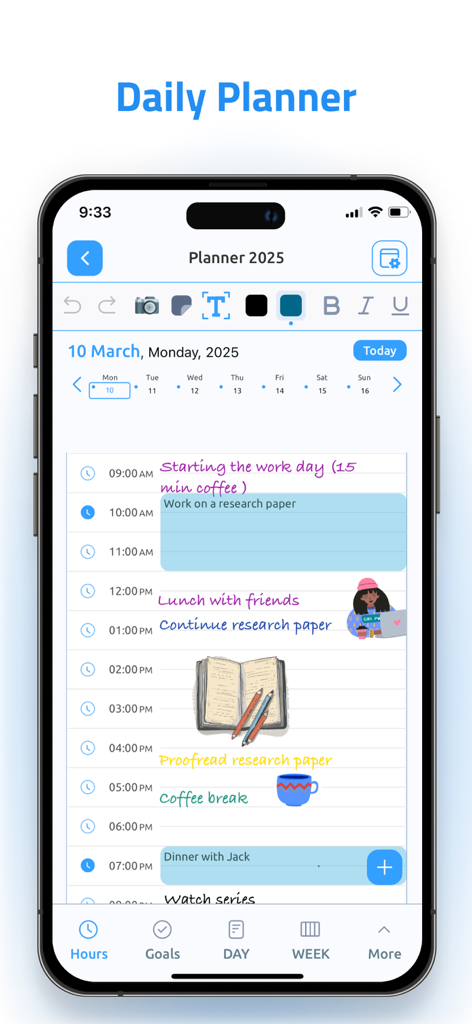
A daily schedule screen in the Digital Planner app featuring handwritten notes and colorful digital stickers on an iPhone.
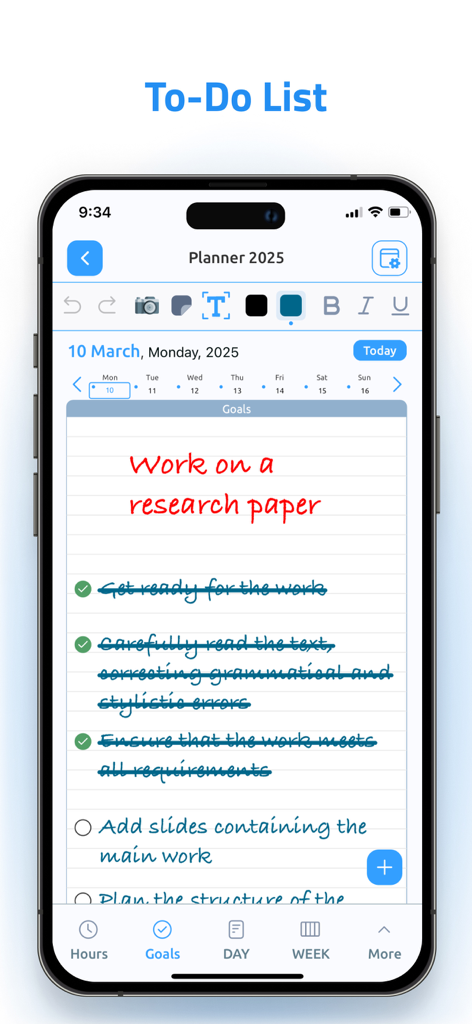
Digital Planner app showing a handwritten to-do list and goal for a research paper on an iPhone screen
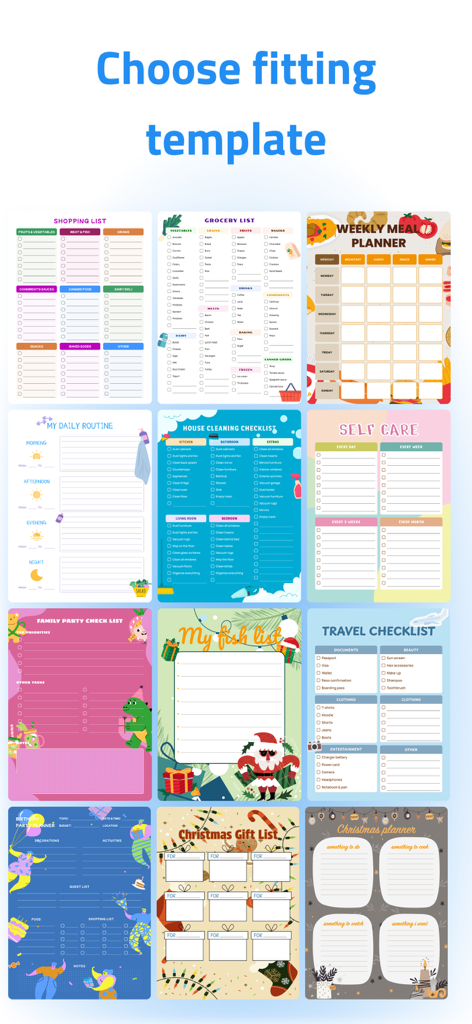
A variety of colorful digital planner templates for tasks like grocery shopping, cleaning, meal planning, and self care.
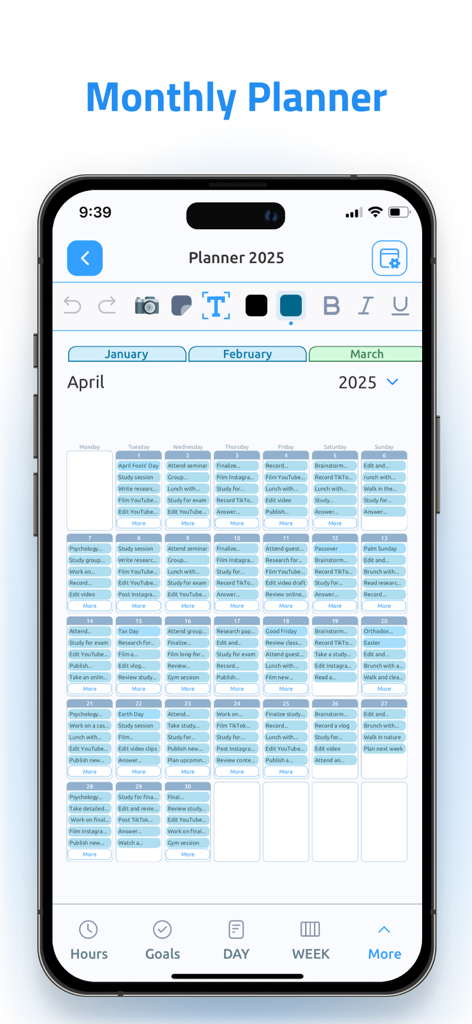
Monthly planner view of the Digital Planner and Calendar Pro app showing April 2025 schedule
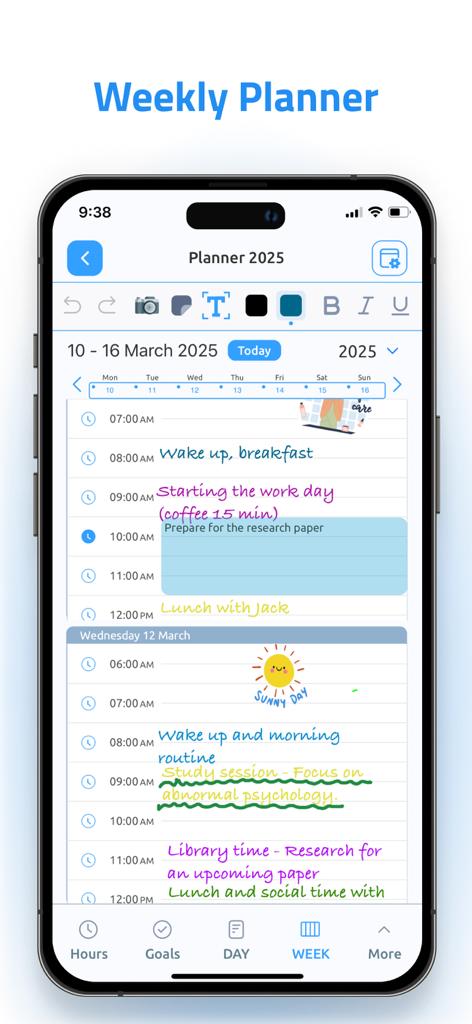
iPhone screenshot showing the Weekly Planner view of the Digital Planner app with handwritten notes and aesthetic task organization.
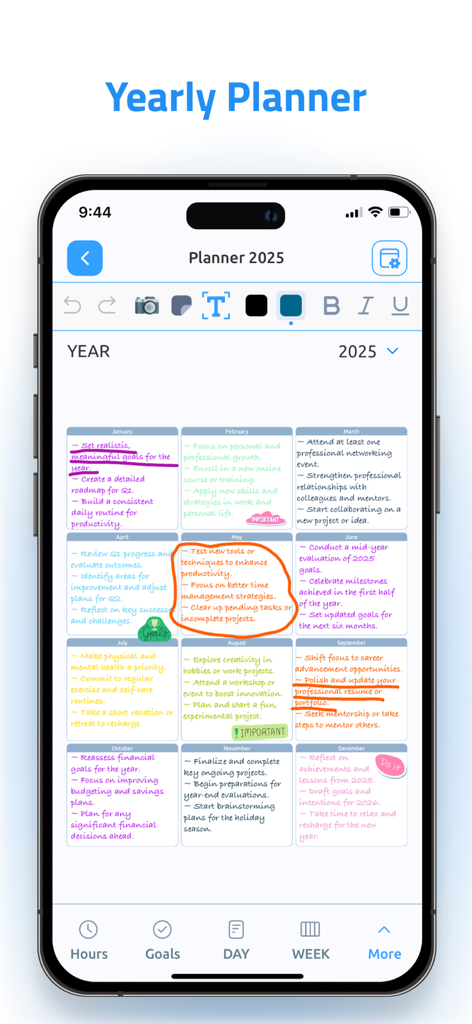
Smartphone screen showing a 2025 yearly planner with monthly goals and handwritten notes
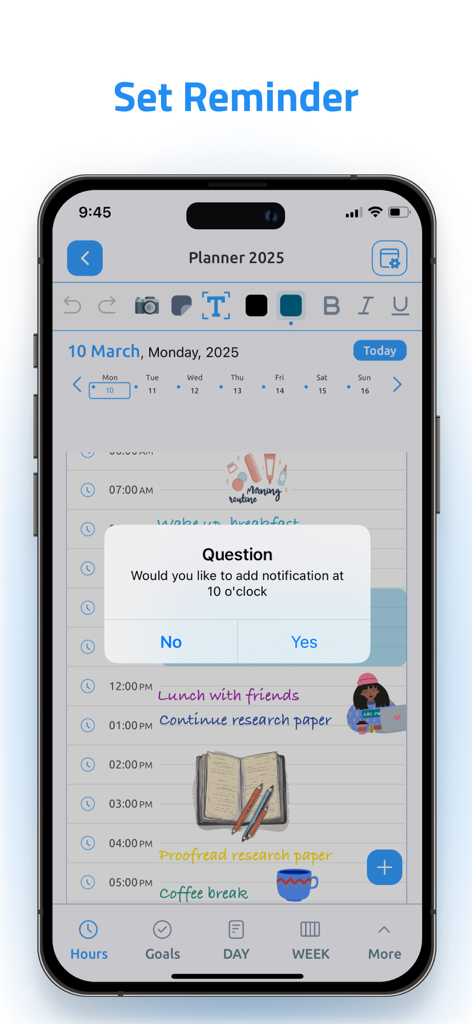
Aesthetic daily schedule in Digital Planner app showing a popup to set a reminder notification
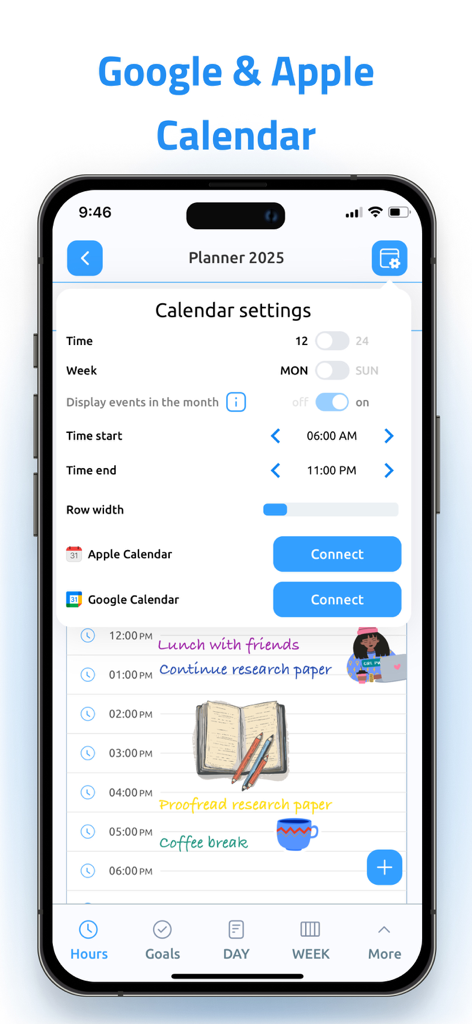
Digital Planner app screen for syncing Apple and Google Calendars
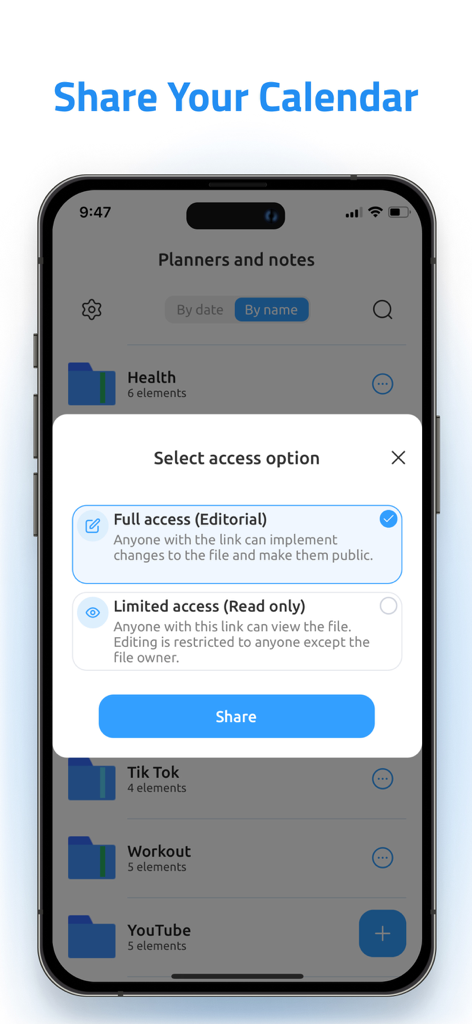
Interface of the Digital Planner app showing options to share a calendar with full or limited access.
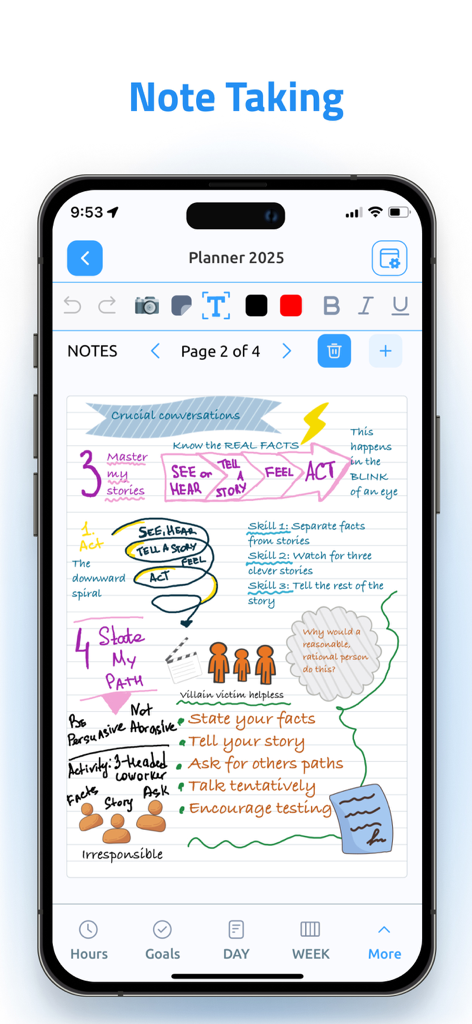
Aesthetic digital note taking interface with handwritten sketches and colorful diagrams on lined paper.
Description
Download
More Like This
Apps with similar features and user experience

Notion: Notes, Tasks, AI
Notion Labs, Incorporated

Freenotes®: AI Notes Taking
Hangzhou Free Notes Technology Co., Ltd

Structured - Daily Planner
unorderly GmbH

Google Tasks: Get Things Done
Google LLC

TickTick:To-Do List & Calendar
Appest Limited

Noteful: Notes & PDF Markup
Noteful Technologies Ltd

Todoist: To Do List & Calendar
Doist Inc.

To do list MinimaList & Widget
Inner Grow Limited

monday.com - Work Platform
monday.com Ltd.
This page is not an official page of the app or its developer, but an independent editorial publication created for informational and commentary purposes. Unless expressly stated otherwise, neither the app nor its developer is affiliated with, endorsed by, sponsored by, authorized by, or otherwise officially connected with MWM, Apple, Google Play, the app publisher, or the app's developer, and nothing on this page implies that the app was developed using MWM's services. Any trademarks, logos, screenshots, and other content remain the property of their respective owners.