
This page is not an official page of the app or its developer, but an independent editorial publication created for informational and commentary purposes. Unless expressly stated otherwise, neither the app nor its developer is affiliated with, endorsed by, sponsored by, authorized by, or otherwise officially connected with MWM, Apple, Google Play, the app publisher, or the app's developer, and nothing on this page implies that the app was developed using MWM's services. Any trademarks, logos, screenshots, and other content remain the property of their respective owners.

Distance and Area Measure
Calculate acreage and path distances with field-ready accuracy. Map complex polygons with interior cutouts, export KML files, and utilize advanced coordinate systems like UTM and MGRS for professional-grade results.
Downloads
152K+User Rating
Total Ratings
0Publisher
Category
ProductivityLocales
37Latest Version
2.7Size
6.5 MBFirst Released
Aug 4, 2015Professional Precision for Land Management
A robust suite of technical tools designed for surveyors, farmers, and land professionals who require absolute accuracy and advanced mapping capabilities.
Complex Geometry Mapping
Go beyond simple perimeters with interior polygons. Easily subtract lakes, buildings, or wooded areas from your total land calculations.
Seamless Professional Workflow
Import and export .kml files via iCloud or Dropbox. Move your field data directly into desktop GIS software or share reports with clients instantly.
Frequently Asked Questions
Everything you need to know about Distance and Area Measure
What can the Distance and Area Measure app calculate?
The Distance and Area Measure app calculates distances, areas, and perimeters. It measures land, roads, parks, and other geographical features from a satellite view.
Does the Distance and Area Measure app support custom measurement units?
Yes, the Distance and Area Measure app supports custom distance and area units. Users can add and manage units beyond the default options provided.
Can the Distance and Area Measure app draw polygons with hollow spaces?
Yes, the Distance and Area Measure app can draw polygons with hollow spaces inside. This feature allows for calculating land area with bodies of water removed.
How does the Distance and Area Measure app add points to a path or polygon?
The Distance and Area Measure app allows adding points by tapping on the map, using the current GPS location, entering coordinates manually, or importing a .kml file.
What coordinate formats does Distance and Area Measure support?
The Distance and Area Measure app supports several coordinate formats including Degrees, Degrees/minutes, Degrees/minutes/seconds, UTM/UPS, and MGRS.
Can I export measurements from the Distance and Area Measure app?
Yes, the Distance and Area Measure app supports exporting .kml files. Export options include Dropbox, iCloud, and email for sharing measurements.
How do I add a point to the middle of a path in Distance and Area Measure?
In the Distance and Area Measure app, users can long press to add a point to the middle of an existing path. Tapping adds a point to the end.
Does the Distance and Area Measure app allow searching for locations?
Yes, the Distance and Area Measure app allows users to search by postal code, city, or address. It also provides functionality to get addresses near a specific map point.
What information is displayed for paths in Distance and Area Measure?
For paths, the Distance and Area Measure app displays the total distance and the incremental distance for each waypoint.
Can I save and manage multiple measurements in Distance and Area Measure?
Yes, the Distance and Area Measure app allows users to name, add notes, and assign colors to each path and polygon for organized management.
The following screenshots and description are sourced directly from the app's official store listing and are the property of the app developer.
App Store
Screenshots
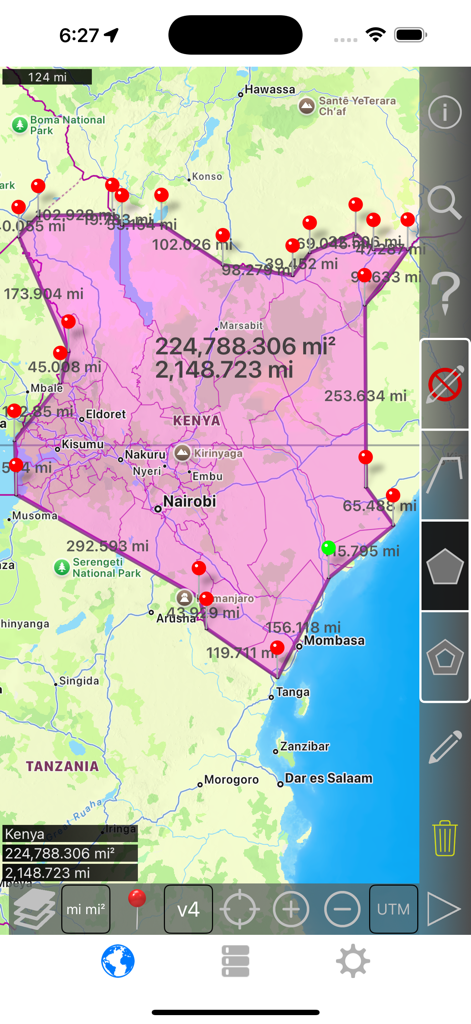
Interface of Distance and Area Measure app showing a large pink polygon over Kenya with calculated area and perimeter values.
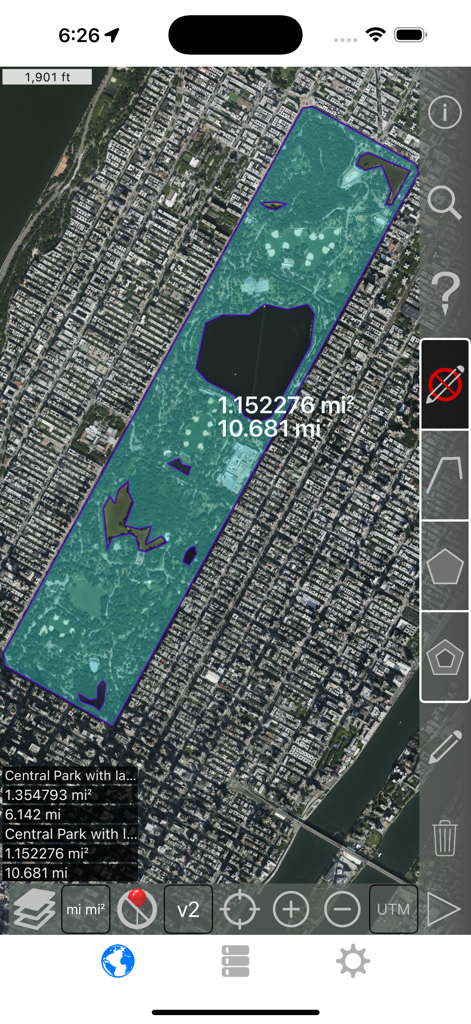
Satellite view of Central Park showing area measurement with interior polygons excluded
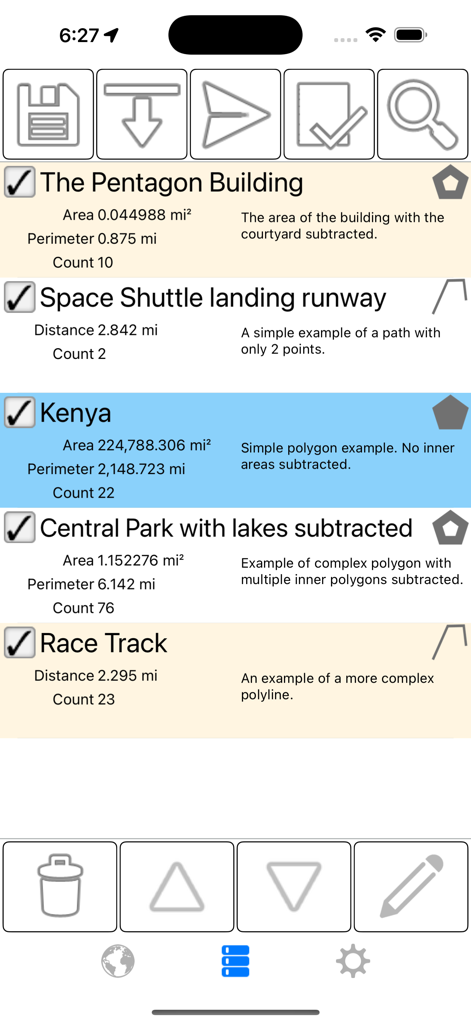
Interface of the Distance and Area Measure app showing a list of saved measurements for land areas and distances with detailed perimeter and area data.
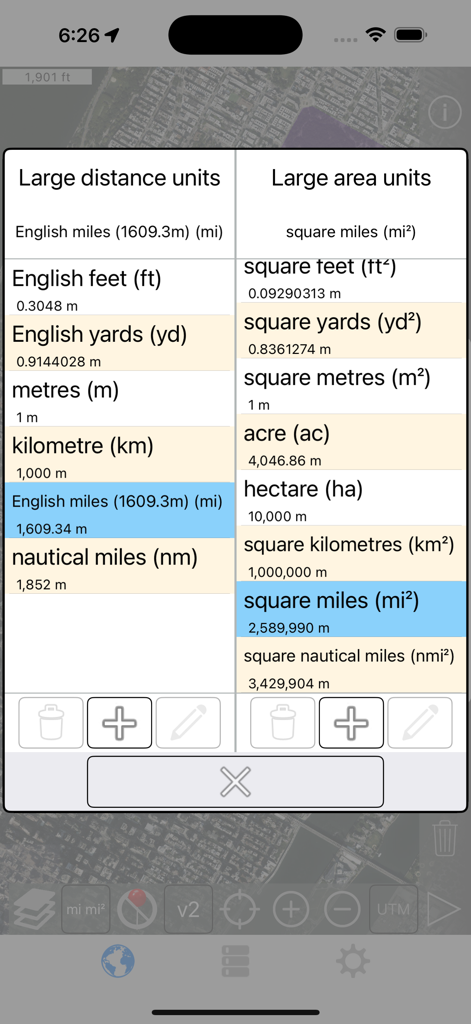
Selection screen for large distance and area units in the mobile application
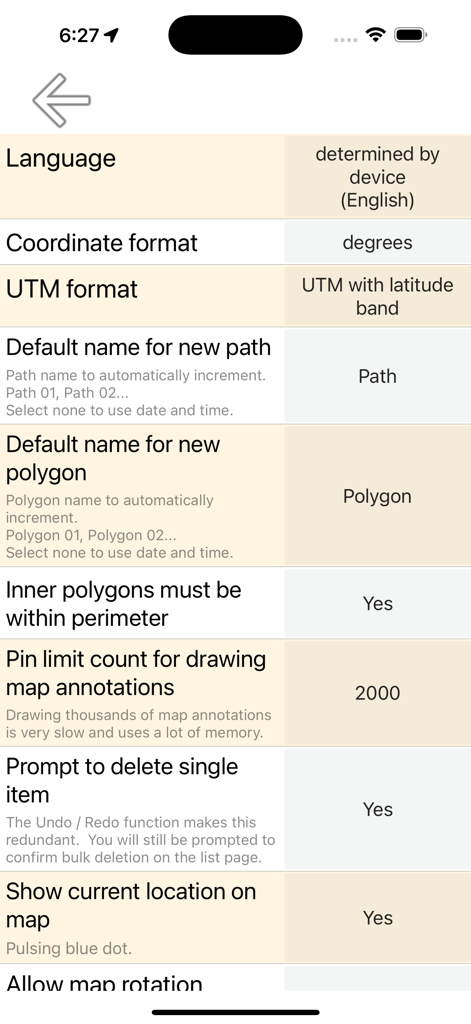
Settings menu of the Distance and Area Measure app showing coordinate and polygon configuration options.
Description
Download
More Like This
Top-ranked apps in the same category

ChatGPT
OpenAI OpCo, LLC

Google Gemini
Google LLC

Grok
X.AI Corporation

Gmail - Email by Google
Google LLC

千问 - 阿里最强大模型官方AI助手
Shanghai Zhixin Puhui Technology Co., Ltd.

Google Drive
Google LLC

Microsoft Authenticator
Microsoft Corporation

Google Sheets
Google LLC

Google Docs
Google LLC
This page is not an official page of the app or its developer, but an independent editorial publication created for informational and commentary purposes. Unless expressly stated otherwise, neither the app nor its developer is affiliated with, endorsed by, sponsored by, authorized by, or otherwise officially connected with MWM, Apple, Google Play, the app publisher, or the app's developer, and nothing on this page implies that the app was developed using MWM's services. Any trademarks, logos, screenshots, and other content remain the property of their respective owners.