Doc Scan Pro - PDF Scanner

Doc Scan Pro - PDF Scanner

Download on App Store
Logo of Doc Scan Pro - PDF Scanner

Doc Scan Pro: The All-in-One PDF Scanner and Mobile Office for Professionals

Transform your iPhone into a powerful tool to scan, OCR, sign, and fax documents with ease. Streamline your workflow and go paperless with industry-leading security.

Download on App Store

Publisher

IFUNPLAY CO., LTD.

Category

Business

Downloads

234K+

User Rating

4.7/5

Total Ratings

1K+

Locales

3

Productivity in Focus

Discover the interface used by 234K+ users.
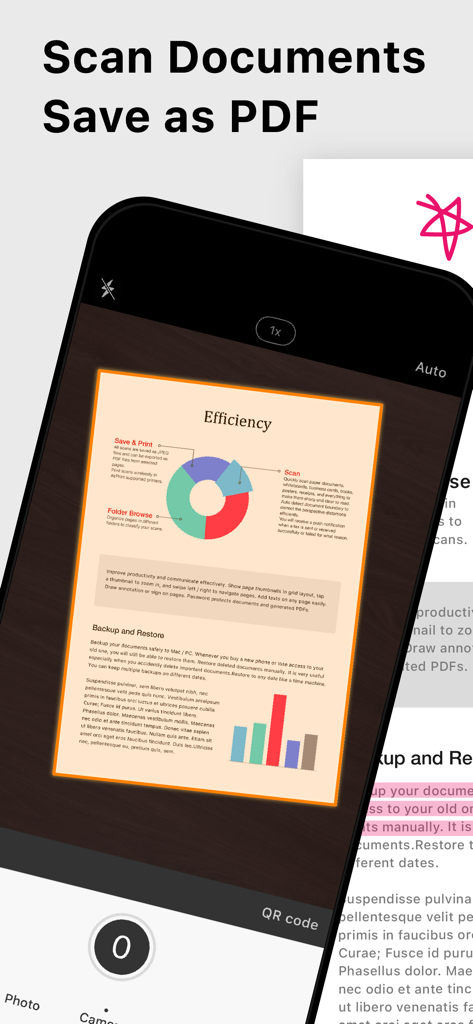
Interface of the Doc Scan Pro app showing a document being scanned into a PDF format

Interface of the Doc Scan Pro app showing a document being scanned into a PDF format

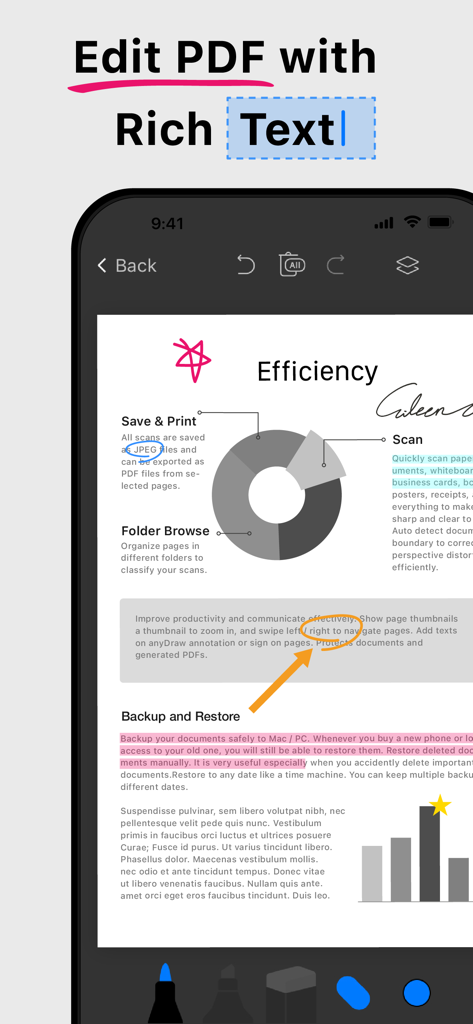
iPhone screen showing PDF editing with rich text and colorful annotations in the Doc Scan Pro app

iPhone screen showing PDF editing with rich text and colorful annotations in the Doc Scan Pro app

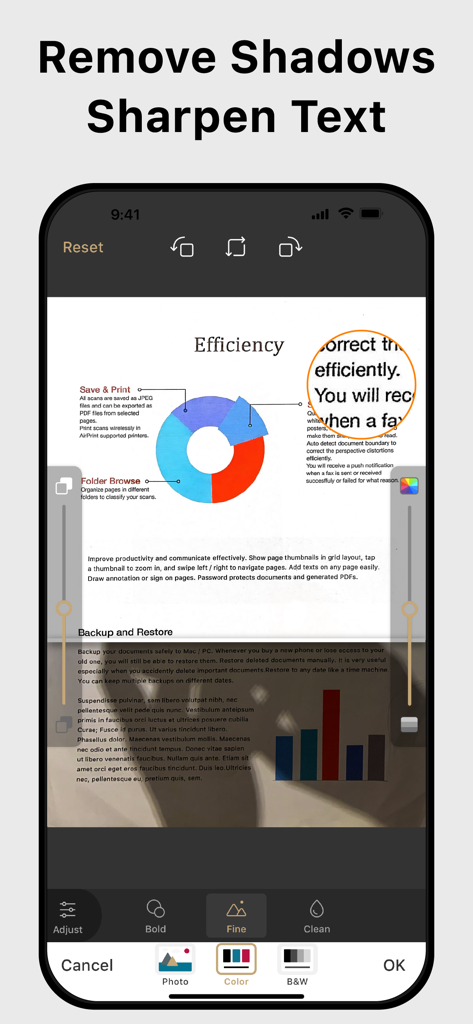
Smartphone screen showing document scan enhancement with shadow removal and sharpened text features

Smartphone screen showing document scan enhancement with shadow removal and sharpened text features

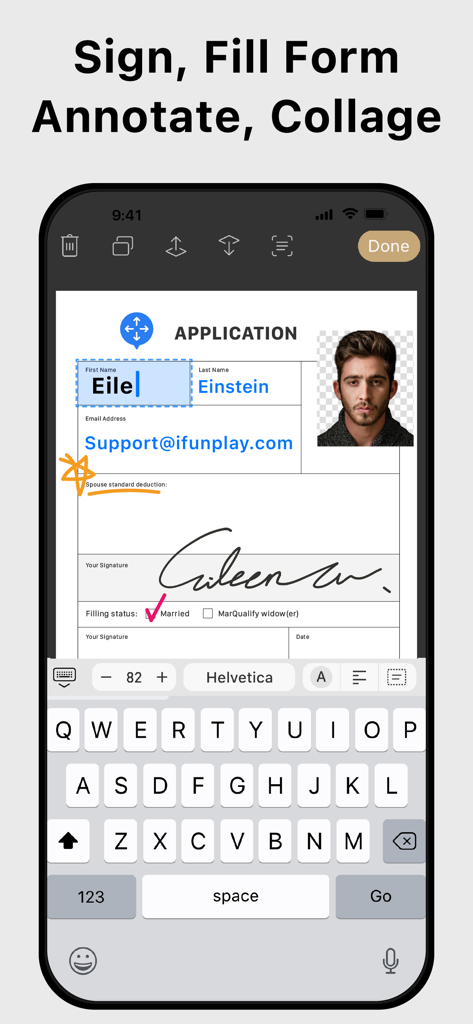
Mobile app interface showing a user filling out an application form with a digital signature and ID photo

Mobile app interface showing a user filling out an application form with a digital signature and ID photo

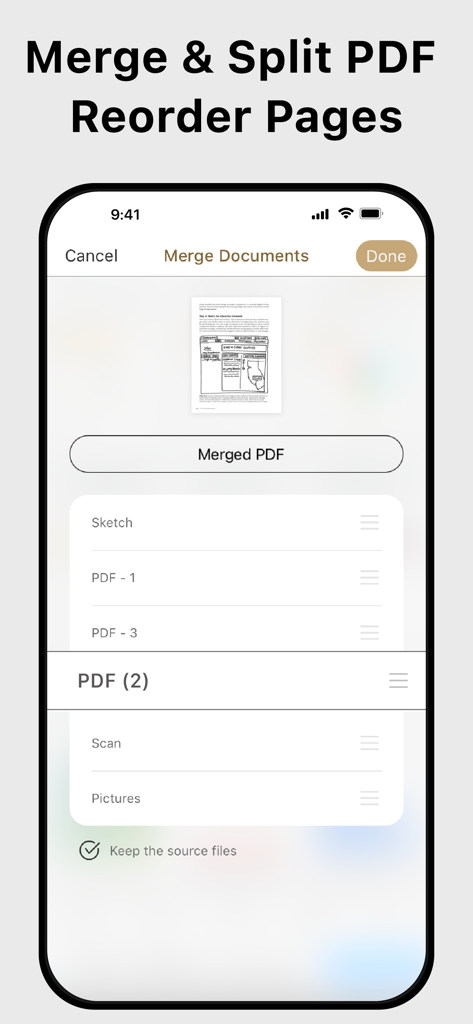
Mobile app interface showing features to merge and split PDF documents and reorder pages.

Mobile app interface showing features to merge and split PDF documents and reorder pages.

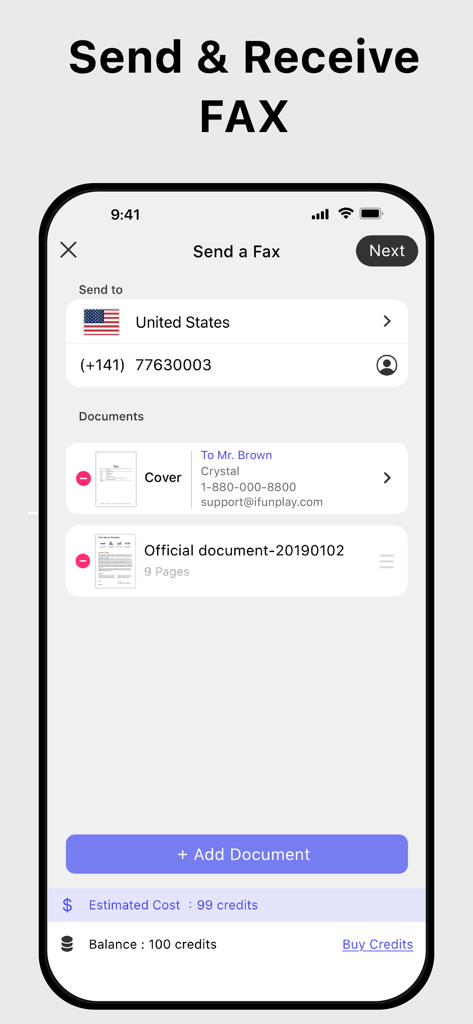
Mobile interface of the Doc Scan Pro app showing the process of sending a fax with selected documents and credit balance.

Mobile interface of the Doc Scan Pro app showing the process of sending a fax with selected documents and credit balance.

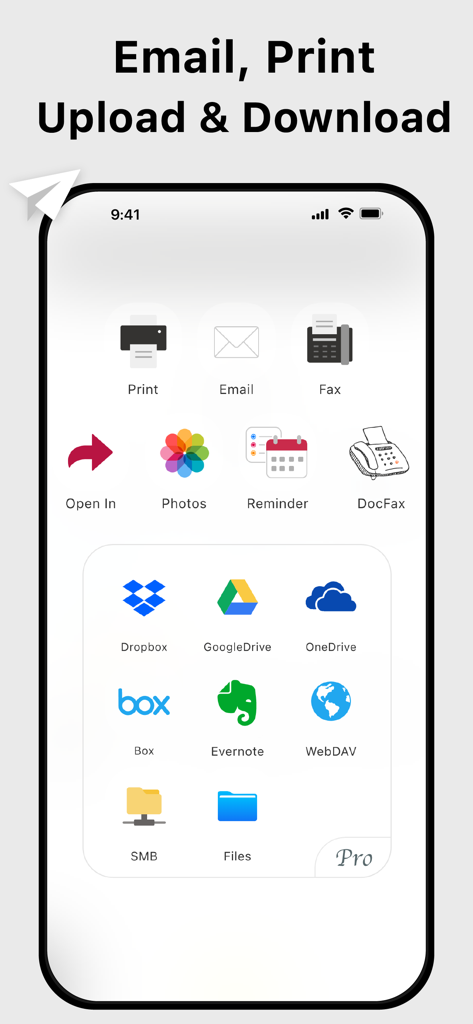
Smartphone screen displaying document sharing and cloud storage options including email, fax, Google Drive, and Dropbox

Smartphone screen displaying document sharing and cloud storage options including email, fax, Google Drive, and Dropbox

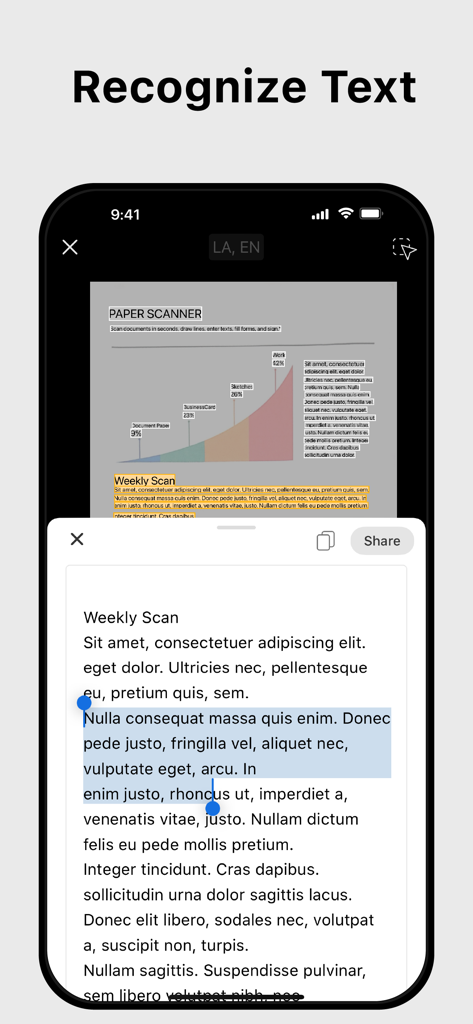
Doc Scan Pro app interface showing the text recognition and OCR feature

Doc Scan Pro app interface showing the text recognition and OCR feature

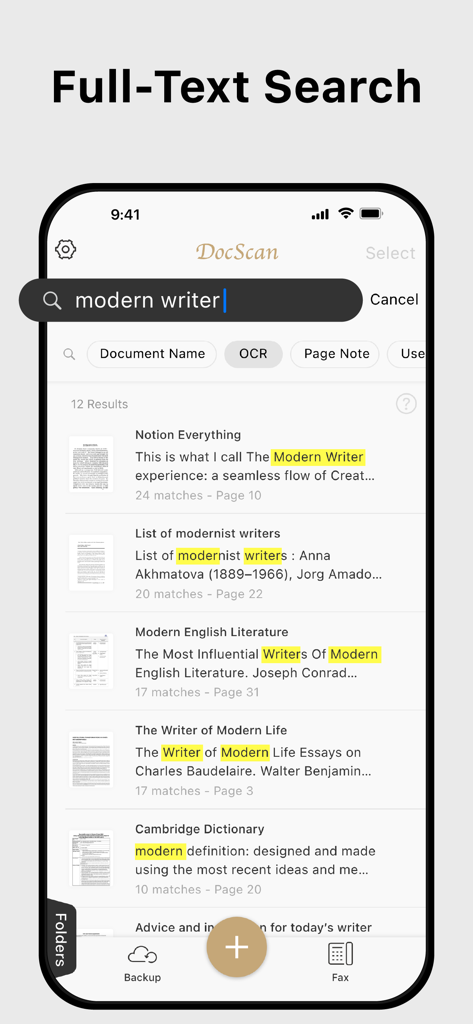
Full-text search interface in Doc Scan Pro showing OCR results for keywords in scanned PDF documents.

Full-text search interface in Doc Scan Pro showing OCR results for keywords in scanned PDF documents.

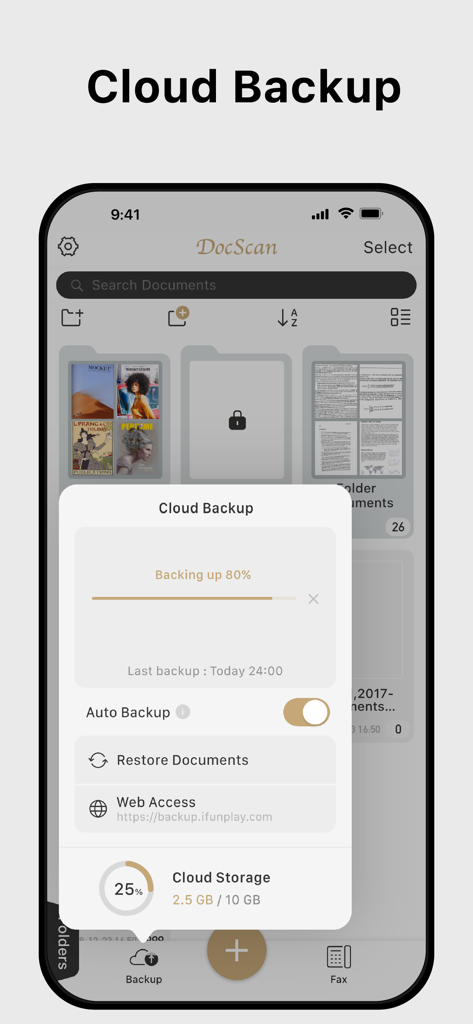
Cloud backup and storage management interface in the Doc Scan Pro app

Cloud backup and storage management interface in the Doc Scan Pro app

Your Entire Office in Your Pocket

The tools that make this app stand out, trusted by 234K+ users.

📄

High-Precision OCR & Scanning

Convert physical paperwork into searchable PDFs or editable Word docs instantly. Perfect for digitizing contracts, receipts, and multi-page reports.

✍️

Instant E-Sign & Form Filling

Finalize agreements in seconds. Fill out applications and add your secure electronic signature directly on your screen without ever needing a printer.

📠

Professional Global Faxing

Bridge the gap with legacy systems. Send and receive faxes to medical, legal, or government offices worldwide with real-time delivery notifications.

About the app

Everything you need to know about Doc Scan Pro - PDF Scanner.

Description

Scan, OCR, Edit & Share PDF Documents with Ease Transform your iPhone or iPad into a powerful pocket scanner, PDF editor, and photo collage maker. Quickly scan multi-page documents, edit text / image, fill forms, sign, and share them in various formats—anytime, anywhere. Key Features ● High-Quality Scanning & OCR • Auto-detect document borders and correct perspective distortion • Enhance images by removing shadows and sharpening text • Extract text from scanned images with OCR and export as TXT or DOCX ● Edit & Annotate • Fill out forms, highlight important details, or sign documents • Add text, lines, and images to scanned documents • Merge multiple scans into a single PDF ● Organize & Secure Your Documents • Easily search and manage files with folders and custom naming rules • Protect sensitive documents with password encryption ● Seamless Sharing & Cloud Integration • Share scans via PDF, JPEG, TXT, or DOCX through email, fax, SMB, WebDAV, and cloud storage (iCloud Drive, ● Dropbox, Google Drive, One Drive, Box, Evernote, etc.) • Print via AirPrint or save directly to Photo Albums ● Advanced Features • Photo Collage: Combine multiple pages into one sheet (e.g., two sides of an ID on a single A4 page) • QR Code Scanner: Scan from the camera or photo albums to open URLs, call numbers, send emails, or add contacts • Fax Anywhere: Send and receive faxes globally, with real-time status notifications ● Import & Export • Import PDFs and JPEGs from other apps or cloud storage • Support exporting searchable PDFs • Export documents to iTunes, Reminders, and Apple/Google/Outlook Calendars ● Receive Faxes: (non-auto-renew subscription) • Purchase a number to receive faxes • Deny all faxes when no need to receive any fax Subscription Plans Unlock premium features with Silver, or Gold plans, including: • Cloud Backup & Restore: Access previous versions of your documents anytime • Flexible subscription options: Monthly or annual plans available • Subscription renews automatically unless auto-renew is turned off at least 24 hours before the end of the current period • Account will be charged for renewal within 24 hours before the end of the current period. The cost depends on the selected plan • Subscriptions may be managed by the user, and auto-renewal may be turned off by going to the user's Account Settings after purchase • Any unused portion of the free trial will be forfeited when the user purchases a subscription or cancel it Terms of Service: https://ifunplay.com/legal.html

Latest Version

19.4.14

Size

268.8 MB

First Released

Nov 12, 2011

Put a Professional Office in Your Pocket

Join 234,000+ professionals who have ditched the desk scanner. Download Doc Scan Pro to scan, sign, and fax securely from anywhere today.

Download on App Store

App information, icons, screenshots, and descriptions displayed on this page are sourced from the Apple App Store and are the property of their respective developers. Download estimates and rankings are based on MWM's proprietary models and may not reflect actual figures. This page is provided for informational and analytical purposes only.

Believe this page infringes your intellectual property? File a dispute