
This page is not an official page of the app or its developer, but an independent editorial publication created for informational and commentary purposes. Unless expressly stated otherwise, neither the app nor its developer is affiliated with, endorsed by, sponsored by, authorized by, or otherwise officially connected with MWM, Apple, Google Play, the app publisher, or the app's developer, and nothing on this page implies that the app was developed using MWM's services. Any trademarks, logos, screenshots, and other content remain the property of their respective owners.

Doc Scanner : PDF Maker
Transform your iPhone into a professional-grade scanner. Enhance, fax, and sync your documents to the cloud instantly for a paperless, stress-free workflow.
Downloads
1K+User Rating
Total Ratings
0Publisher
Category
UtilitiesLocales
1Latest Version
3.0Size
27.4 MBFirst Released
Nov 26, 2024Your Portable Office, Reimagined
Professional-grade scanning tools designed for the modern professional. Effortlessly digitize, organize, and share documents from anywhere.
Crystal Clear Scans
Automatic enhancement and smart cropping remove noise and shadows, ensuring your documents look professional every time.
Seamless Cloud Sync
Instantly upload your PDFs to Google Drive or Dropbox. Organize your digital life with intuitive folder management.
Frequently Asked Questions
Everything you need to know about Doc Scanner : PDF Maker
How to scan documents with Doc Scanner : PDF Maker?
The Doc Scanner : PDF Maker app enables document scanning anywhere, anytime. It enhances scan quality automatically or manually, including smart cropping for professional results.
Can Doc Scanner : PDF Maker enhance scanned documents?
Yes, Doc Scanner : PDF Maker enhances scanned documents. It offers automatic and manual quality enhancements, including smart cropping. The app also optimizes PDFs into B/W, Lighten, Color, and Dark modes.
What PDF optimization options are available in Doc Scanner : PDF Maker?
Doc Scanner : PDF Maker optimizes PDFs into B/W, Lighten, Color, and Dark modes. This ensures scanned documents become clear and sharp, providing professional-looking PDF outputs.
Does Doc Scanner : PDF Maker support cloud uploads?
Yes, Doc Scanner : PDF Maker supports cloud uploads. Users can upload their scanned documents directly to services such as Google Drive and Dropbox from within the application.
Can Doc Scanner : PDF Maker create QR codes?
Yes, Doc Scanner : PDF Maker creates QR Codes. The app also scans QR Codes and Bar-codes, and allows users to share the generated or scanned QR Codes.
What subscription options does Doc Scanner : PDF Maker offer?
Doc Scanner : PDF Maker offers auto-renewing subscriptions for weekly, 1-month, and 1-year periods. These subscriptions grant full access to all app features without any ads.
How do I cancel my Doc Scanner : PDF Maker subscription?
You cancel your Doc Scanner : PDF Maker subscription by visiting your iTunes Account Settings after purchase. Auto-renewal must be turned off at least 24 hours before the current period ends.
Does Doc Scanner : PDF Maker have OCR functionality?
Yes, Doc Scanner : PDF Maker includes OCR (Optical Character Recognition) functionality. This feature is visible as an "OCR" button on the app's main screen in Screenshot #1.
Can I add a signature to documents in Doc Scanner : PDF Maker?
Yes, Doc Scanner : PDF Maker allows users to add signatures to their documents. Screenshot #4 demonstrates the dedicated signature editing interface available within the app.
Can I merge multiple PDFs using Doc Scanner : PDF Maker?
Yes, Doc Scanner : PDF Maker merges multiple PDFs. The app features a 'Merge PDF' option, enabling users to combine various selected documents efficiently.
Does Doc Scanner : PDF Maker allow printing or faxing documents?
Yes, Doc Scanner : PDF Maker allows direct printing and faxing of scanned documents. Users execute these actions directly from within the application.
The following screenshots and description are sourced directly from the app's official store listing and are the property of the app developer.
App Store
Screenshots
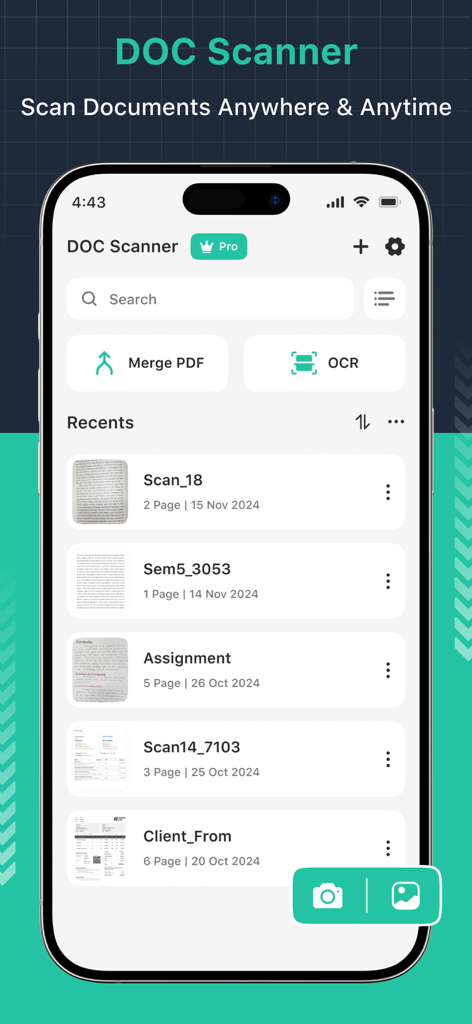
Main interface of Doc Scanner app on an iPhone showing a list of recent documents and OCR features.
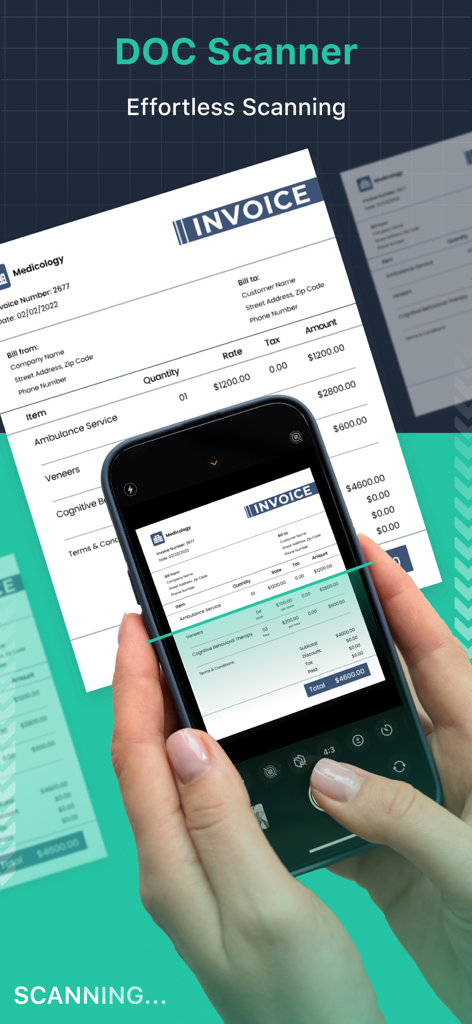
A hand holding a smartphone to scan a paper invoice using the Doc Scanner app interface
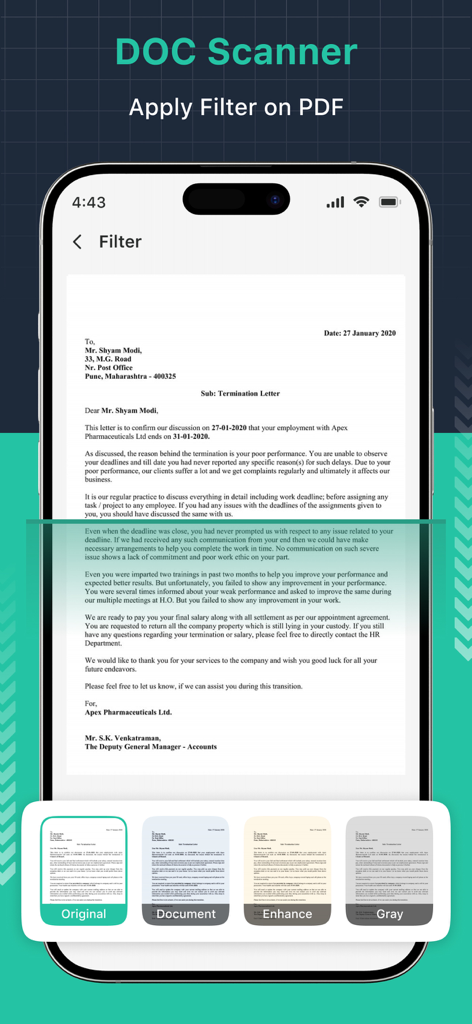
Interface of Doc Scanner app showing various filter options like Enhance and Gray for a scanned document
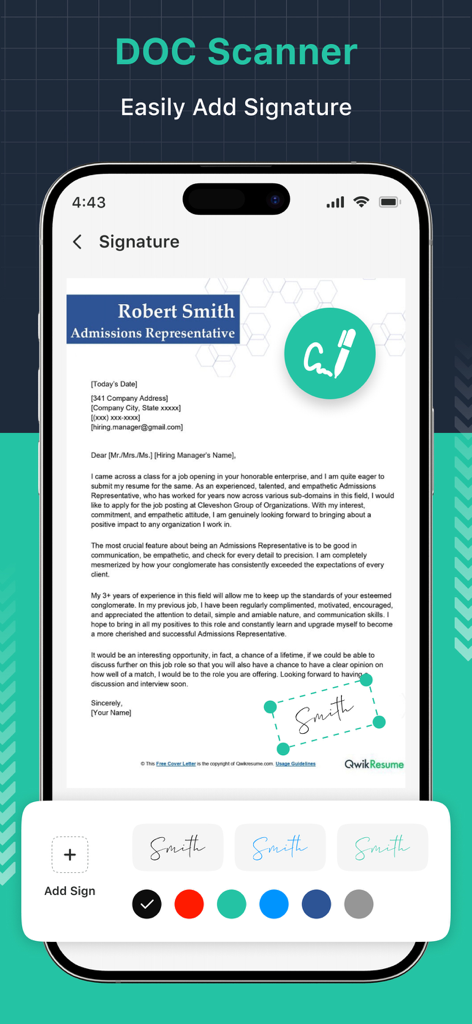
A mobile phone showing the document scanner app adding a digital signature to a cover letter
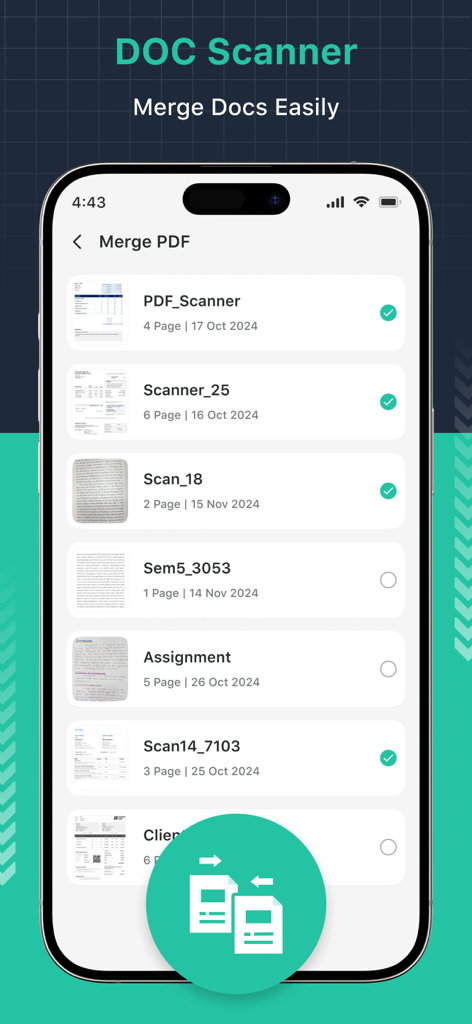
User interface of Doc Scanner app for merging multiple documents into a single PDF file
Description
Download
More Like This
Top-ranked apps in the same category

Google LLC

Google Chrome
Google LLC

中国移动(手机营业厅)
China Mobile Online Services Co., Ltd.

Google Authenticator
Google LLC

CNH do Brasil
Servicos e Informacoes do Brasil

Cleanup: Phone Storage Cleaner
DEEP FLOW SOFTWARE SERVICES - FZCO

gov.br
Servicos e Informacoes do Brasil

中国电信-全国统一官方服务平台
CHINA TELECOM Corporation Ltd.

Microsoft Edge: AI Browser
Microsoft Corporation
This page is not an official page of the app or its developer, but an independent editorial publication created for informational and commentary purposes. Unless expressly stated otherwise, neither the app nor its developer is affiliated with, endorsed by, sponsored by, authorized by, or otherwise officially connected with MWM, Apple, Google Play, the app publisher, or the app's developer, and nothing on this page implies that the app was developed using MWM's services. Any trademarks, logos, screenshots, and other content remain the property of their respective owners.