Docs To Go Standard: Professional Office Editing with Total Formatting Integrity
The trusted choice for experienced professionals to view, edit, and create Microsoft Office files anywhere. Powered by InTact Technology™ to ensure your documents, spreadsheets, and slides remain perfectly formatted, even offline.
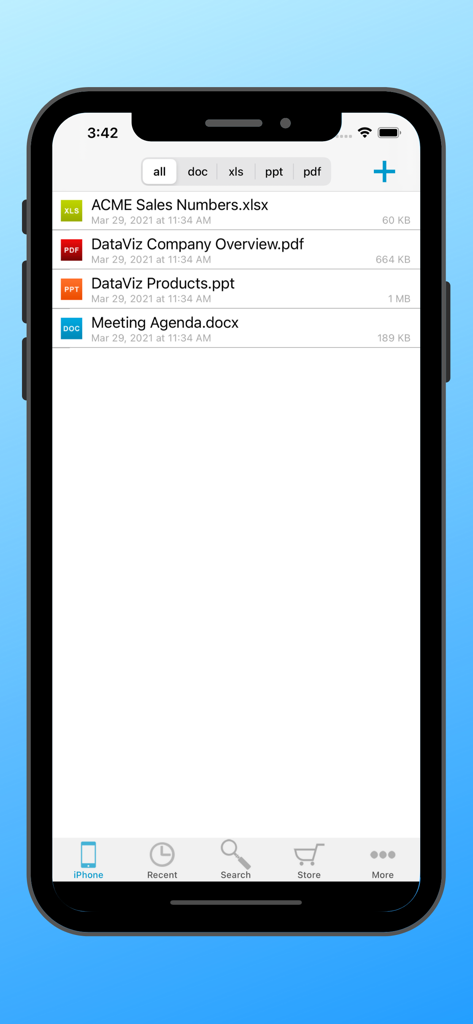
Docs To Go Standard file manager on iPhone displaying a list of office documents including Excel PDF PowerPoint and Word files
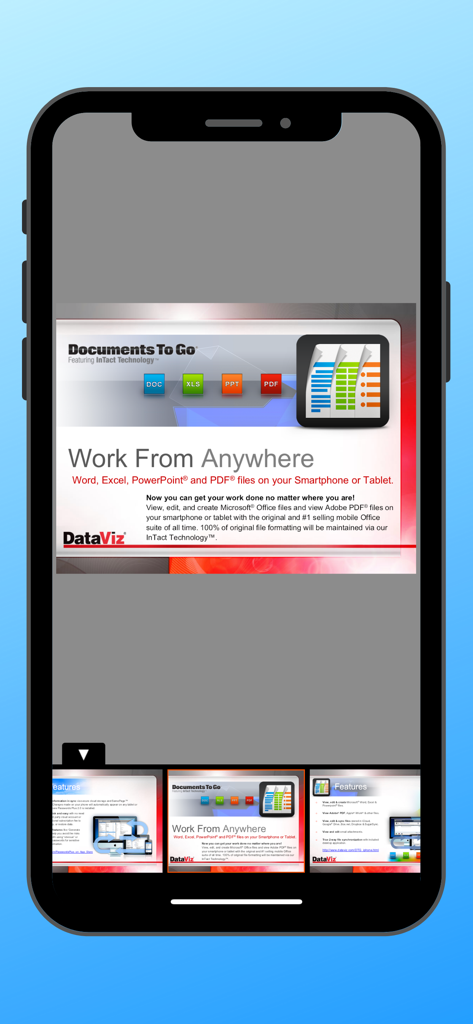
Presentation slide in the Docs To Go app showing support for Word Excel PowerPoint and PDF files on mobile devices
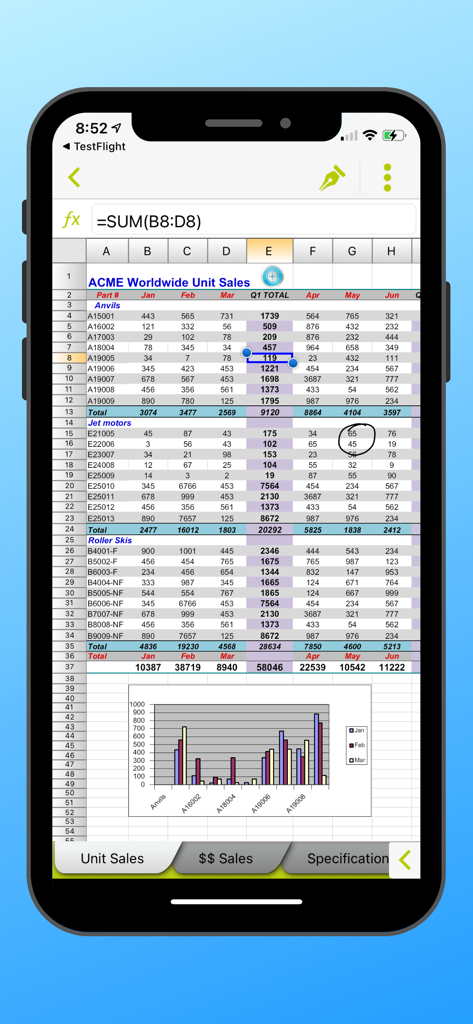
Docs To Go mobile interface showing an Excel spreadsheet with sales data and a bar chart
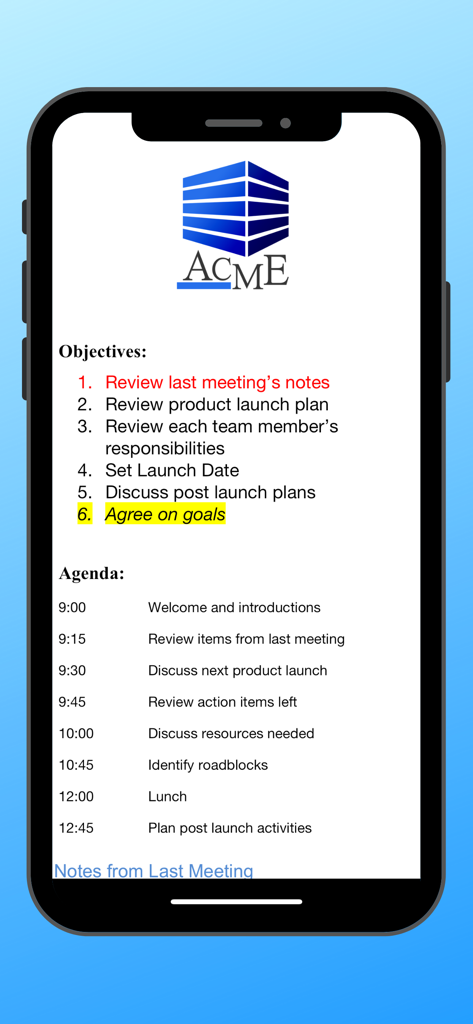
Meeting agenda and objectives document viewed in Docs To Go app
The Professional Standard for Mobile Productivity
The tools that make this app stand out, trusted by 454K+ users.
✨
InTact Technology™ Formatting
Edit with confidence knowing your original document formatting—including tables, margins, and complex formulas—remains 100% intact when shared back to your desktop.
📁
Local-First File Management
Take back control of your data. Manage, sort, and edit your files directly on your device without being forced into cloud-only subscriptions or unreliable internet connections.
🛠️
The All-In-One Power Suite
Eliminate app fatigue with a single, high-performance tool for Word, Excel, PowerPoint, and PDF files, optimized for the efficiency that seasoned professionals demand.
About the app
Everything you need to know about Docs To Go Standard.
Description
Office anywhere with Docs To Go: View, edit, and create Microsoft® Office files (Word, Excel, PowerPoint*) & view Adobe PDF® files on your iOS device with the original & #1 selling mobile MS Office suite of all time.
Docs To Go® Standard contains best-in-class document viewing & editing. Options for connecting to multiple cloud storage accounts, desktop file sync, and opening password-protected files are in our premium version which is available in an in-app purchase.
THE DATAVIZ® ADVANTAGE
• Founded in 1984, DataViz is an industry leader in developing mobile Office & productivity solutions for iOS, Mac, and more.
• Documents To Go, now in its 18th year, is currently preloaded on millions of devices around the world.
• InTact Technology™ retains original document formatting of edited files.
• Technical support is available via email by actual people in our home office & via our robust knowledge-base at DataViz.com.
OVERALL STANDARD VERSION FEATURES:
• Works on both iPhone and iPad
• View, edit, and create MS Office files (97-2018).
• View PDF, iWork, Text, .RTF files, and more!
• Send & receive supported email attachments using the built-in Mail app.
• Open & edit supported files within Docs To Go from any 3rd party app that supports the iOS "Open In" feature.
• File sorting manager (sort your file list by Name, Modified, Size, etc.)
WORD TO GO FEATURES:
• View, edit, and create Word (.doc, .docx) files
• Format font type, size, color, bold, italics, underline, and highlight text
• High fidelity viewing for embedded graphics, tables, comments, footnotes/endnotes, text boxes, table of contents, and hyperlinks
• Change paragraph alignment
• Edit and/or insert bullets and numbering
• Multiple undo/redo
• Find & replace
• Word count
SHEET TO GO FEATURES:
• View, edit, and create Excel (.xls, .xlsx) spreadsheets
• Freeze panes
• Sort
• Extensive cell & number formatting options, including: font type, size, color, alignment, fill, highlight, category, and decimal place)
• 111 functions supported
• Insert, delete, resize, hide/unhide rows & columns
• Rename, insert, and delete worksheets
• Multiple undo/redo
• Find/find next
SLIDESHOW TO GO FEATURES:
• In-slide PowerPoint editing - Edit slide contents & formatting directly in the slide vs. a separate/outline view.
• Thumbnail slide sorter/view
• High fidelity PowerPoint viewing, including: charts, MS Office SmartArt, and more
• View/edit/add speaker notes
• Sort slides
• Promote/demote bullets
• Open password protected PowerPoint 97-2018 files
PDF TO GO FEATURES:
• Pinch-to-zoom to desired PDF page size/width
• Open password-protected PDFs
*PowerPoint files are view and edit only.
Latest Version
5.6.6
Size
91.2 MB
First Released
Jun 14, 2009
Ready to Work with Absolute Confidence?
Join over 450,000 professionals who trust the industry leader for flawless document editing. Get the reliability of InTact Technology™ and manage your Office files anywhere, no cloud required.
App information, icons, screenshots, and descriptions displayed on this page are sourced from the Apple App Store and are the property of their respective developers. Download estimates and rankings are based on MWM's proprietary models and may not reflect actual figures. This page is provided for informational and analytical purposes only.
Believe this page infringes your intellectual property? File a dispute