DS1 Companion
DS1 Companion
Download on App Store

This page is not an official page of the app or its developer, but an independent editorial publication created for informational and commentary purposes. Unless expressly stated otherwise, neither the app nor its developer is affiliated with, endorsed by, sponsored by, authorized by, or otherwise officially connected with MWM, Apple, Google Play, the app publisher, or the app's developer, and nothing on this page implies that the app was developed using MWM's services. Any trademarks, logos, screenshots, and other content remain the property of their respective owners.

Logo of DS1 Companion
Download on App Store

DS1 Companion

Transform your radar detector into an intelligent command center. Experience advanced SpotLocks™ muting, high-resolution HUD visualization, and precision signal analysis designed for the serious driver.

Key Figures

Downloads

2K+

User Rating

4.8/5

Total Ratings

100

Publisher

Angela Mcarthur

Category

Utilities

Locales

1

Latest Version

1.10.8

Size

7.7 MB

First Released

Sep 1, 2023
Features

Master Your Drive

Unlock the full potential of your Radenso DS1 with professional-grade alerting, intelligent muting, and a high-definition tactical dashboard.

Precision SpotLocks™

Automatically silence recurring false alarms using GPS-based learning, ensuring your cabin stays quiet until a real threat appears.

Tactical HUD Display

Get high-resolution visual feedback with color-coded meters and proximity data that go far beyond the standard detector display.

The following screenshots and description are sourced directly from the app's official store listing and are the property of the app developer.

App Store

Screenshots
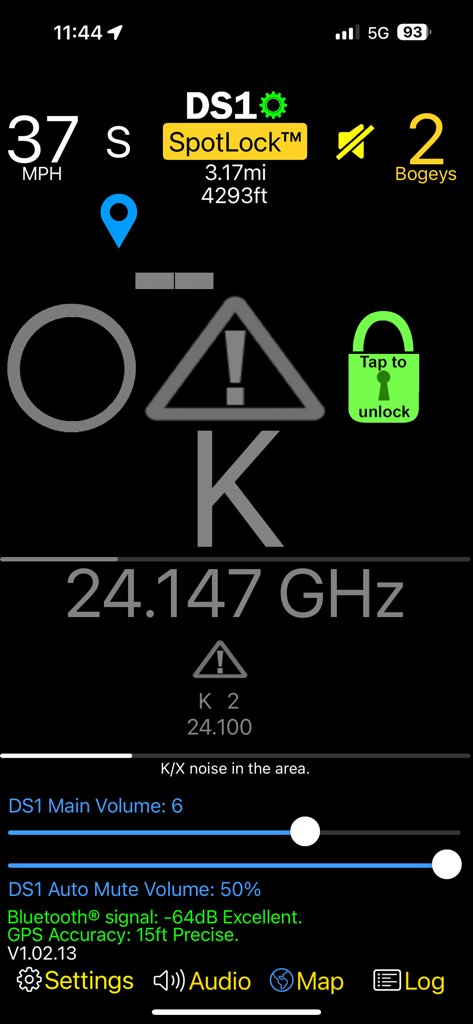
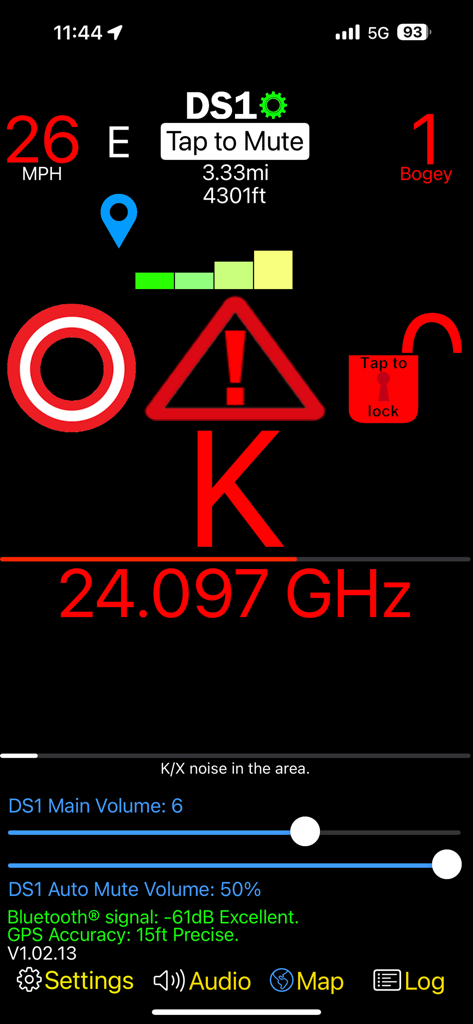
DS1 Companion - Interface of the DS1 Companion app displaying a K-band radar alert, frequency data, and vehicle speed
Interface of the DS1 Companion app displaying a K-band radar alert, frequency data, and vehicle speed

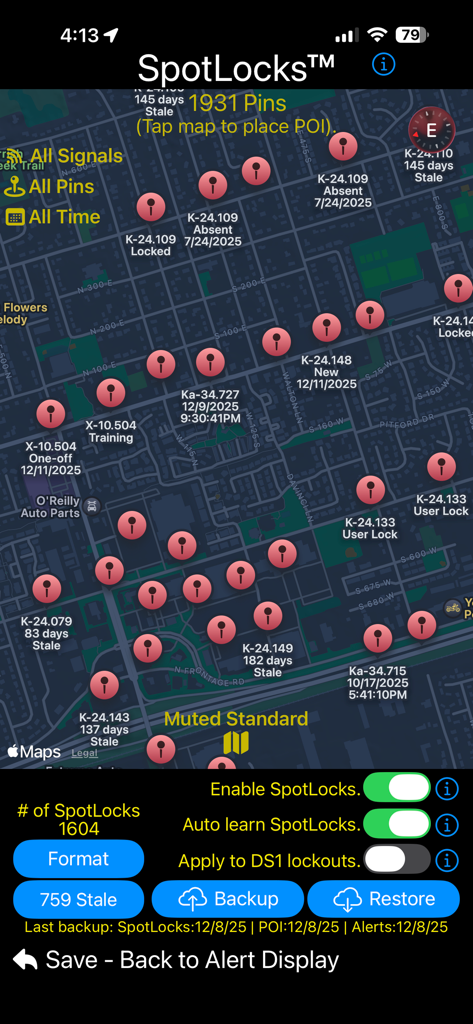
DS1 Companion - A map interface in the DS1 Companion app showing numerous radar signal pins and SpotLocks muting controls
A map interface in the DS1 Companion app showing numerous radar signal pins and SpotLocks muting controls

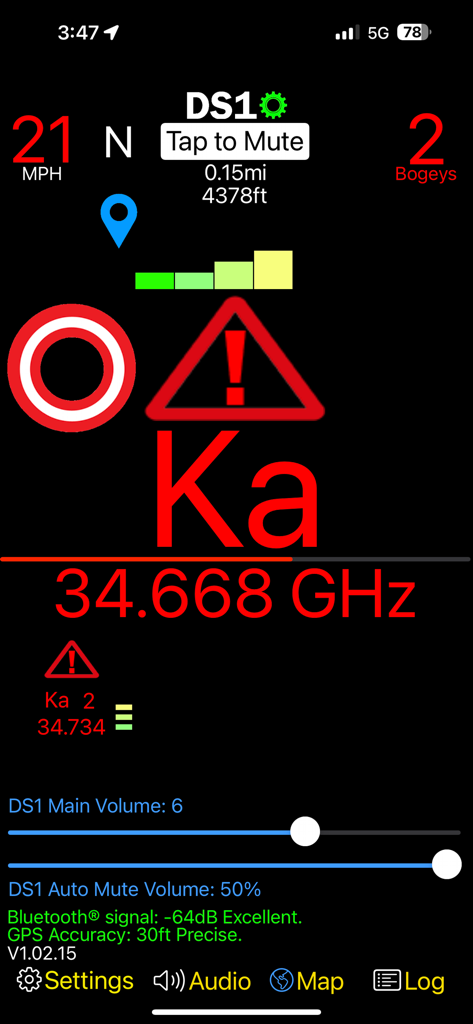
DS1 Companion - DS1 Companion app dashboard displaying a Ka band radar alert with frequency signal strength and vehicle speed
DS1 Companion app dashboard displaying a Ka band radar alert with frequency signal strength and vehicle speed

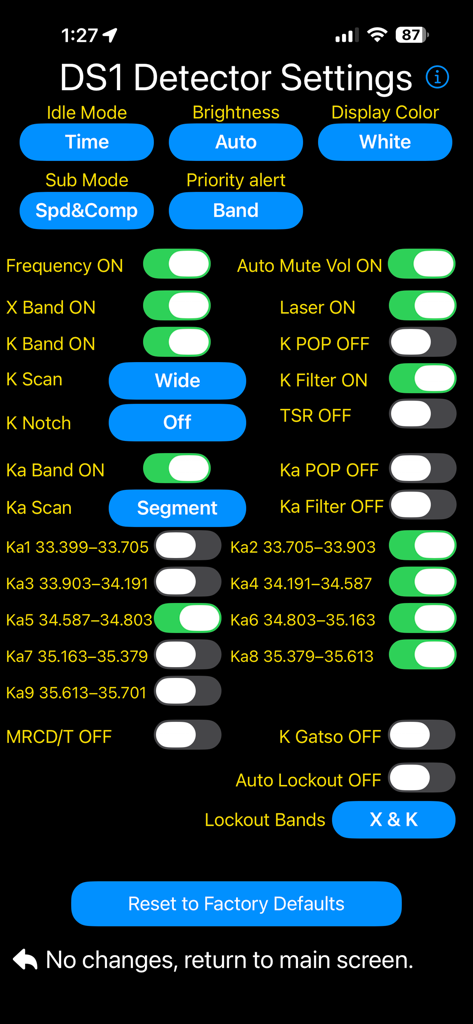
DS1 Companion - Detailed settings screen for the DS1 Companion radar detector app with various configuration toggles.
Detailed settings screen for the DS1 Companion radar detector app with various configuration toggles.

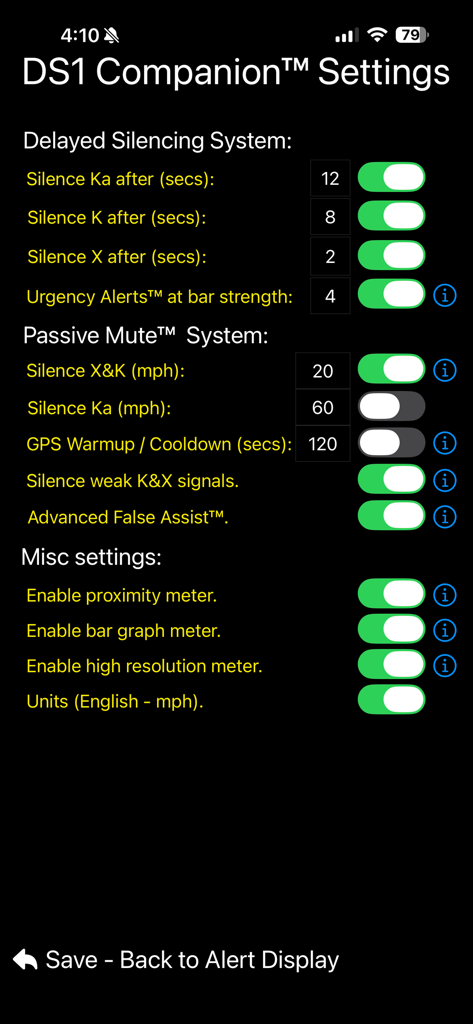
DS1 Companion - Settings screen of the DS1 Companion app showing silencing systems and passive mute options for radar detectors
Settings screen of the DS1 Companion app showing silencing systems and passive mute options for radar detectors

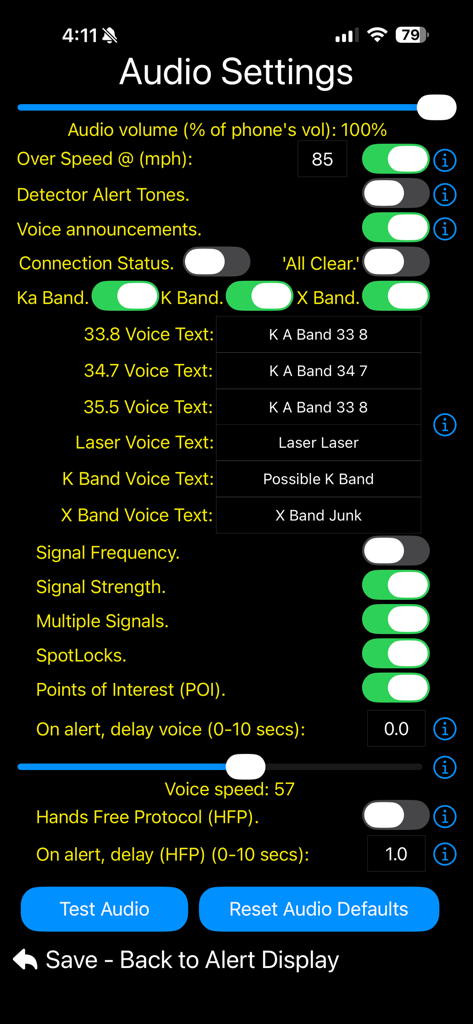
DS1 Companion - DS1 Companion app audio settings screen showing voice alert and volume configuration controls
DS1 Companion app audio settings screen showing voice alert and volume configuration controls

DS1 Companion - DS1 Companion app heads-up display showing a radar alert and frequency.
DS1 Companion app heads-up display showing a radar alert and frequency.

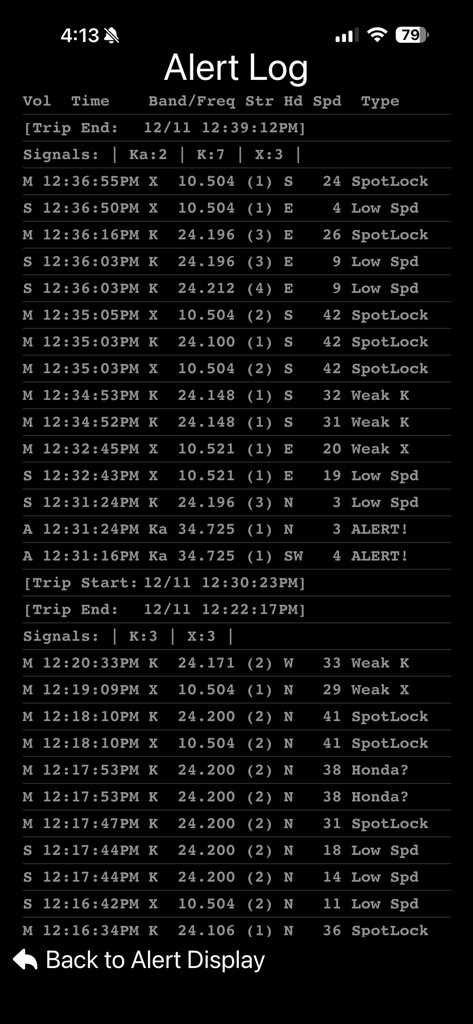
DS1 Companion - DS1 Companion app screen showing a detailed alert log with radar bands frequencies signal strength and vehicle speed
DS1 Companion app screen showing a detailed alert log with radar bands frequencies signal strength and vehicle speed

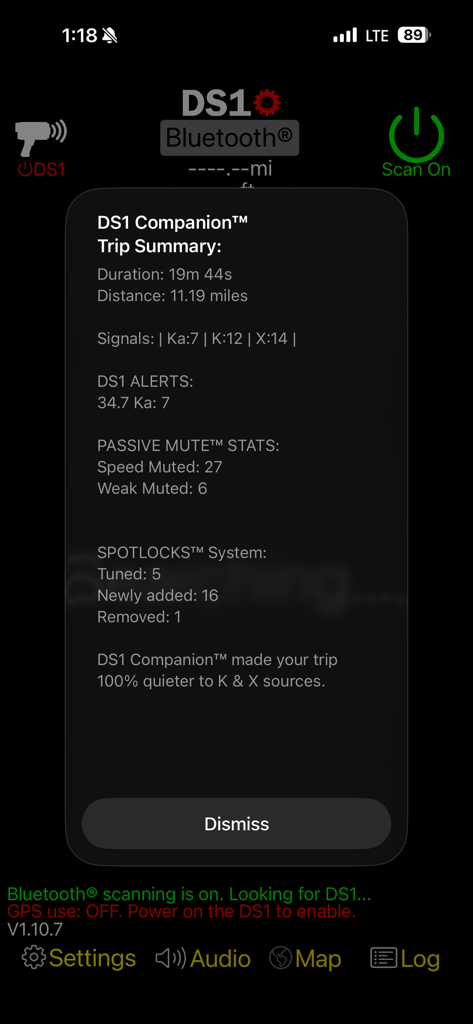
DS1 Companion - A trip summary screen from the DS1 Companion app displaying driving statistics and radar detection alerts
A trip summary screen from the DS1 Companion app displaying driving statistics and radar detection alerts

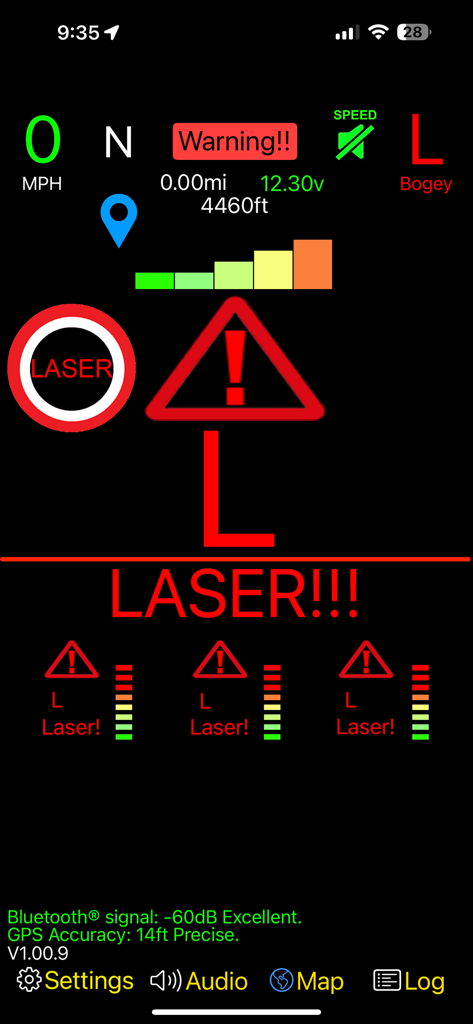
DS1 Companion - DS1 Companion app interface showing a high-resolution heads-up display with a prominent red laser alert and signal strength meters

DS1 Companion app interface showing a high-resolution heads-up display with a prominent red laser alert and signal strength meters

Description

DS1 Companion™ is a feature rich app, designed to give you the most out of your DS1 radar detector, while enhancing your driving experience along the way. Featuring intelligent alerts and advanced muting! DS1 Companion™ is the COMPLETE solution to enjoying your DS1. **** NOTE *** Make sure to upgrade your DS1's firmware to version 1.21. Previous versions prior to 1.15 will not keep the detector muted after you mute it. The DS1 Companion™ app leverages years of optimizations and features from V1 Companion™ (Available separately on the app store for owners of the Valentine One radar locator). Building on this legacy, the DS1 companion app adds new systems to support Radenso's detector's unique abilities and features. Enhanced GPS location based 'false muting' via SpotLocks™ - All future updates to this app are free to purchasers of DS1 Companion™ DS1 Companion™'s alerting and muting systems are fully optimized for the DS1 platform. Intelligent voice announcements and on-screen visuals will always keep you informed and aware of the situation around you. NOTE: DS1 Companion™ requires a Radenso DS1 radar detector with firmware 121 to function correctly. DS1 Companion™ full feature list: • SpotLocks™ - Location based false silencing has never been this good or easy. Turn on the intelligent location-based learning and let DS1 Companion™ do the rest. Or you can manually 'lock' or 'unlock' locations with ease from the main alert screen. • Works seamlessly with the DS1's auto mute memory, manual mute memory, k-block, and K X Low Speed built in muting. • Ability to set the DS1’s internal detector settings (more coming in free future upgrades). *Req US Version 1.21 firmware. Frequency K Notch Idle Display Sub Display Laser X Band K Band K Pop K Filter K Scans TSR Ka Band Ka Pop Ka Filter Ka Scans Ka 1-9 Segs Auto Mute Volume Display Color Display Brightness Priority Band Auto Lockout Auto Lockout Bands • SpotLocks™ works seamlessly with your DS1’s built in 'auto mute memory' locations. • 'Proximity' meter - leverages the high resolution signal strength information provided by the detector to show you a better representation of the signal's source. • 'K & X falses in area' meter shows you how many possible false alerts exist in the area you are traveling based on the accumulated SpotLock data™. • 'Custom Phrases' for a given threat's audio announcements. • High resolution meters for the priority alert (Not limited to the # of bars on the DS1 display). • Customizable heads-up display. • HUD displays the priority alert's band, signal strength, frequency. The HUD is color coded between real threats & false signals. • HUD of the secondary alerts' bands, signal strengths, frequencies, & bogey counts. • Advanced BSM/CAS/Ka False Muting (Optimized for the DS1 platform). • 'Ghost' muting quiets false alerts when you are stuck traveling near a false emitting vehicle. • "Passive Mute™"- Quiets the DS1 below user set speeds & during weak K & X signals. • Bogey count display showing total number of threats. • Vehicle speed (MPH or KMH) display. Speed is color coded for each alert type. • Mute status with the ability to manually mute/unmute alerts as you need. • Detailed & intelligent voice announcements of band, frequency, strength, number of alerts, occurrences of mixed signals and more. • Automatic muting of Ka, K, and X bands ('Time before mute' set for each band). • 'Reduce Speed' notification for user set speed. • ‘Urgency Alerts™’ - Unmutes growing threats & announces these alerts via voice & notifications. • ‘Alert History’ - View your past alerts with detailed information about each encounter. • Compass heading. • Imperial/metric units (mph/kmh). • Detailed trip summary at the end of your ride including duration, distance, alerts, muting stats and more. • Automatic and seamless connection via Bluetooth even while the app is in the background. • iPhone & Apple Watch notifications of band, & frequency of each alert. • Help system.

Download

Download on App Store

This page is not an official page of the app or its developer, but an independent editorial publication created for informational and commentary purposes. Unless expressly stated otherwise, neither the app nor its developer is affiliated with, endorsed by, sponsored by, authorized by, or otherwise officially connected with MWM, Apple, Google Play, the app publisher, or the app's developer, and nothing on this page implies that the app was developed using MWM's services. Any trademarks, logos, screenshots, and other content remain the property of their respective owners.








