DSLR Camera - Manual Camera

DSLR Camera - Manual Camera

Download on App Store
Logo of DSLR Camera - Manual Camera

DSLR Camera - Manual Camera: Pro-Grade Control for the Ultimate Mobile Creator

Take full command of your iPhone’s sensor. From 48MP ProRAW photography to 4K ProRes cinema recording with Apple Log support, unlock the technical precision your hardware was built for.

Publisher

Xiamen Miuhua Technology Co., Ltd.

Category

Photo & Video

Downloads

177K+

User Rating

4.7/5

Total Ratings

6K+

Locales

3

Master Every Frame

Discover the interface used by 177K+ users.

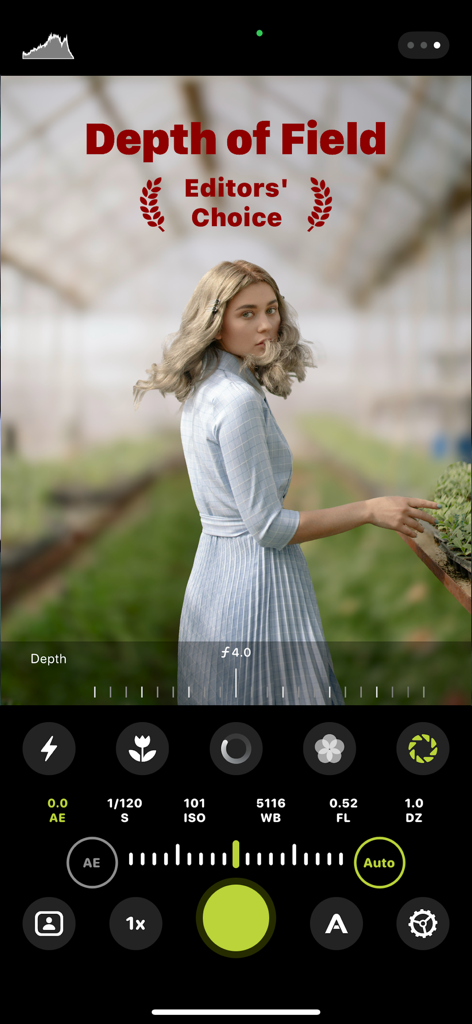
A mobile camera interface showcasing the depth of field mode with a blurred greenhouse background behind a woman.
A mobile camera interface showcasing the depth of field mode with a blurred greenhouse background behind a woman.

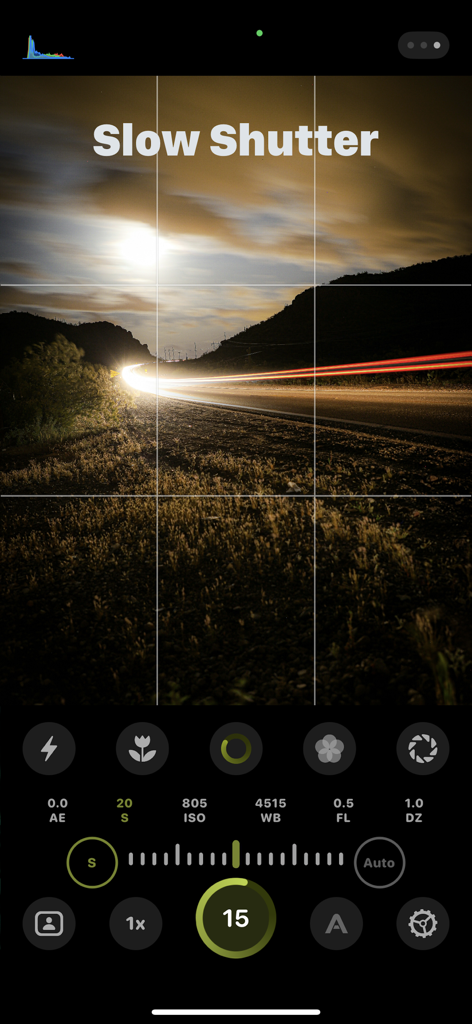
DSLR camera app manual interface showing slow shutter mode with long exposure car light trails
DSLR camera app manual interface showing slow shutter mode with long exposure car light trails

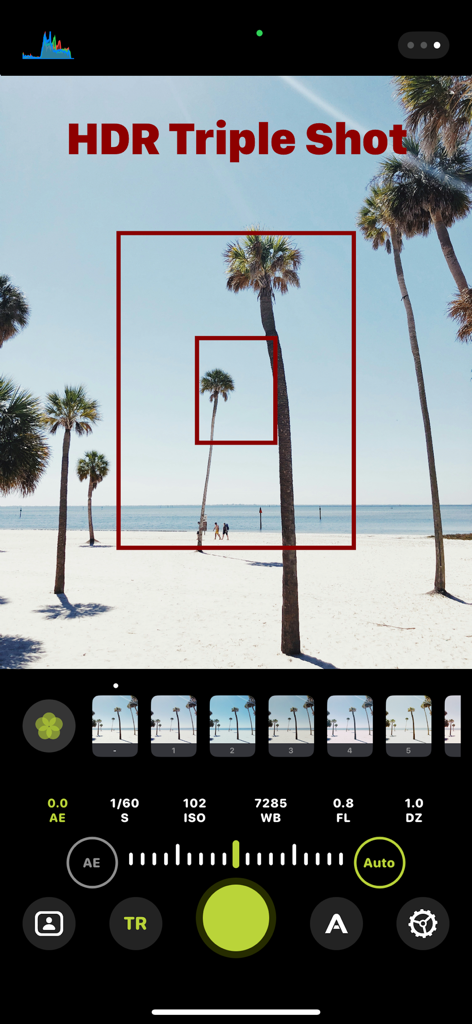
DSLR Camera app interface showing the HDR Triple Shot feature with manual ISO and shutter controls over a beach landscape.
DSLR Camera app interface showing the HDR Triple Shot feature with manual ISO and shutter controls over a beach landscape.

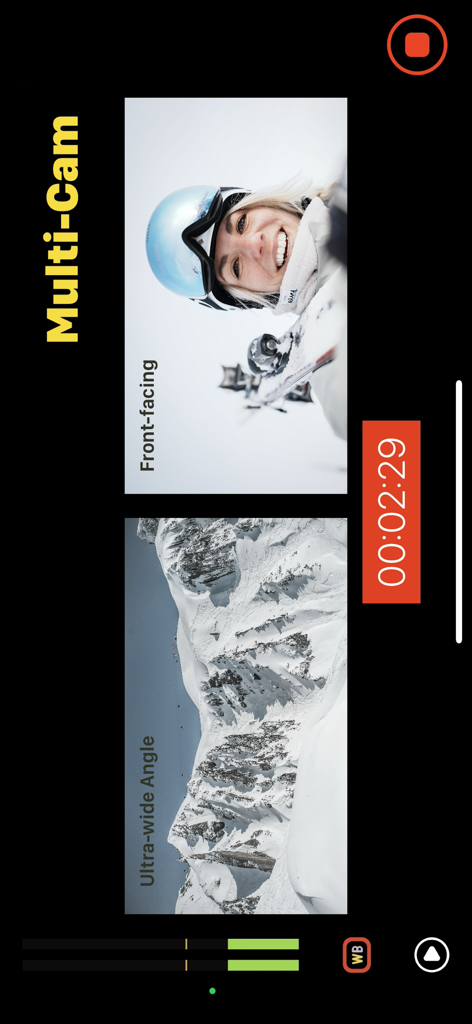
Split screen video recording interface in the DSLR Camera app featuring simultaneous front-facing and ultra-wide angle views.
Split screen video recording interface in the DSLR Camera app featuring simultaneous front-facing and ultra-wide angle views.

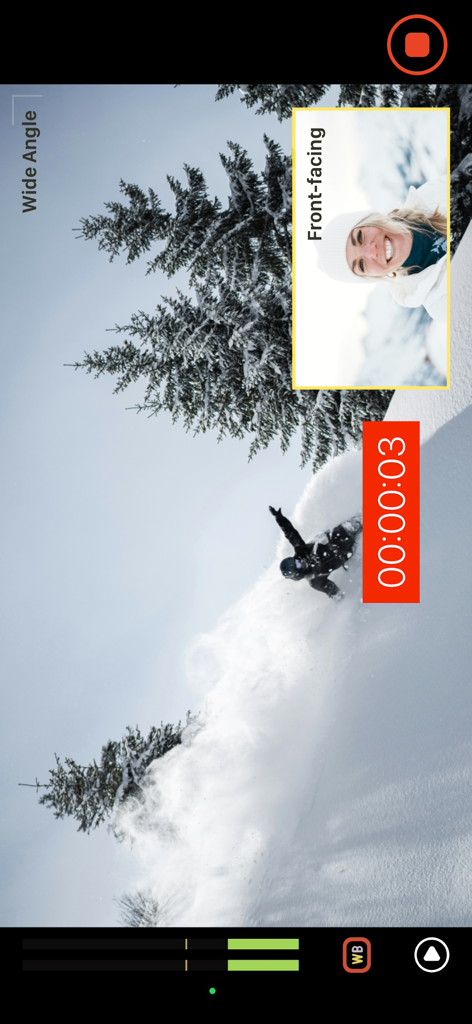
DSLR Camera app interface showing dual camera recording with picture-in-picture mode featuring a wide-angle shot of a snowboarder and a front-facing selfie view.
DSLR Camera app interface showing dual camera recording with picture-in-picture mode featuring a wide-angle shot of a snowboarder and a front-facing selfie view.

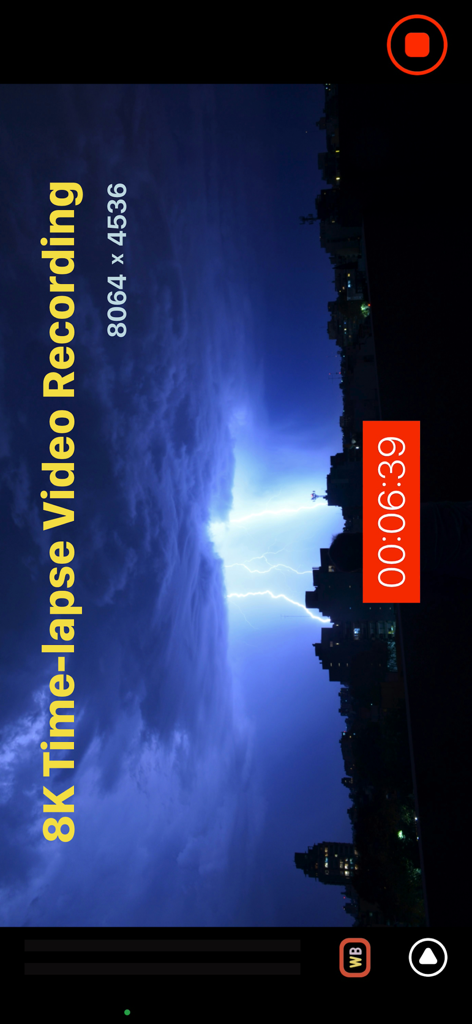
8K time-lapse video recording of lightning over a city at night
8K time-lapse video recording of lightning over a city at night

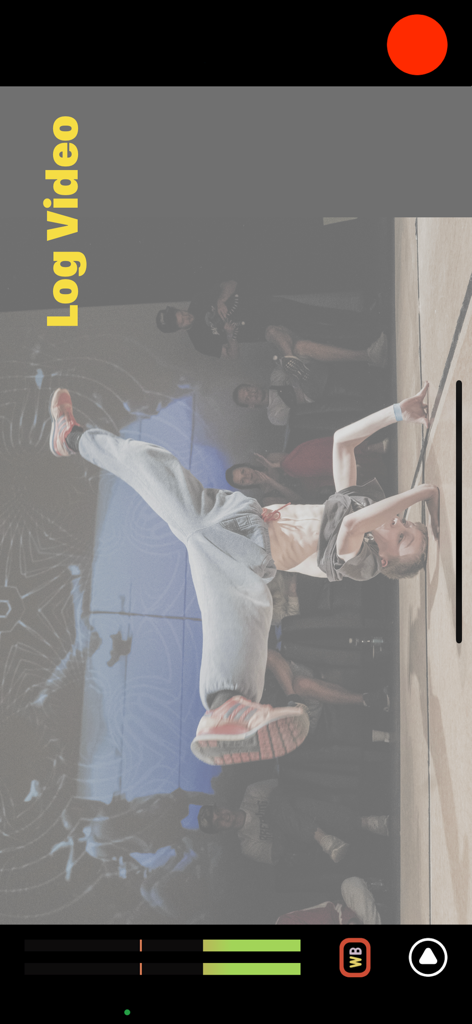
Breakdancer captured using Apple Log video recording in DSLR Camera Manual app
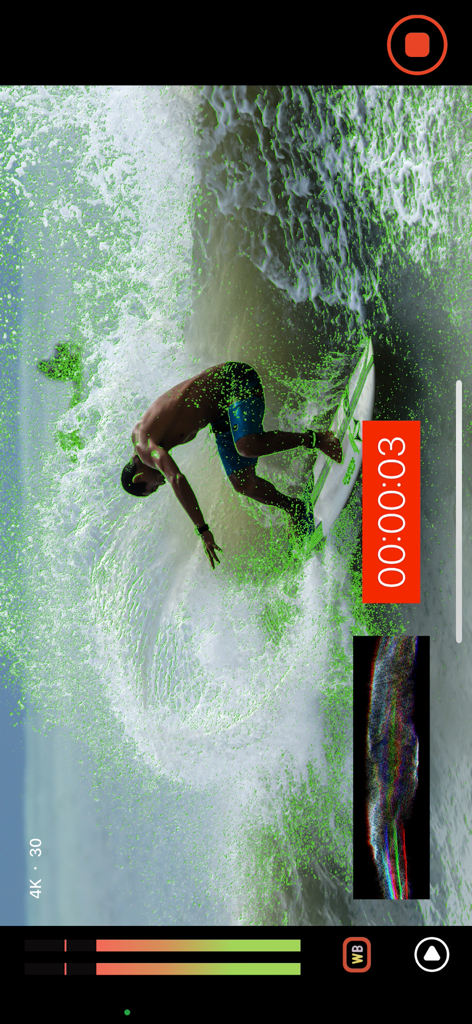
Breakdancer captured using Apple Log video recording in DSLR Camera Manual app

Professional manual video recording interface with focus peaking and 4K settings
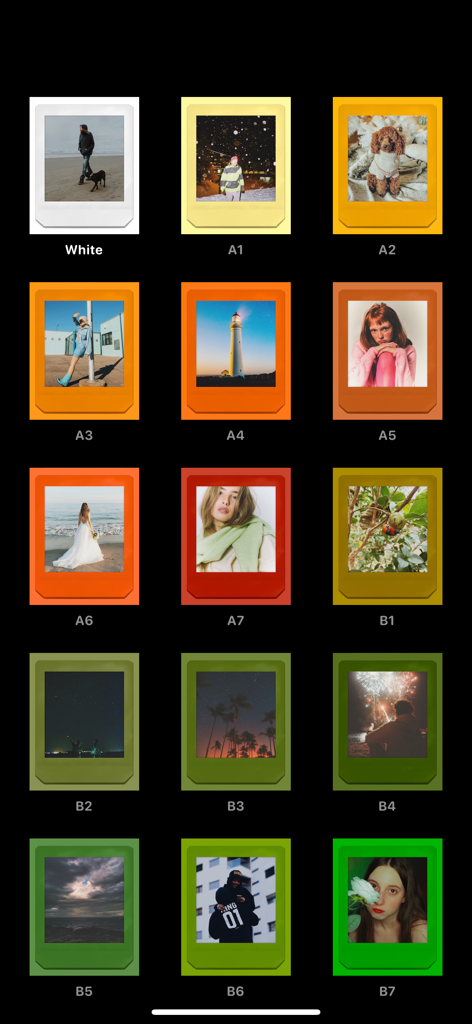
Professional manual video recording interface with focus peaking and 4K settings

A grid display of various vintage polaroid film presets and colorful photo frames within the DSLR Camera app interface.
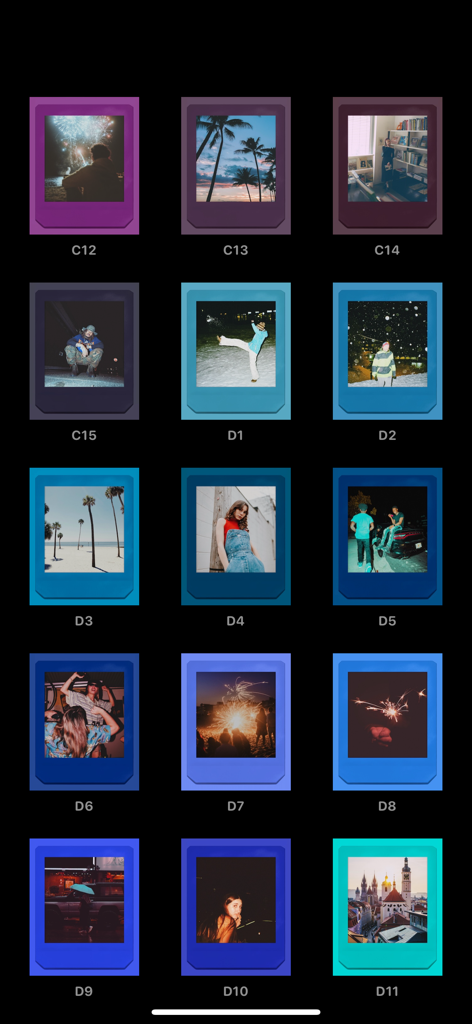
A grid display of various vintage polaroid film presets and colorful photo frames within the DSLR Camera app interface.

A grid of vintage film presets and filters shown in instant photo frames.

A grid of vintage film presets and filters shown in instant photo frames.

Professional Tools for Visual Perfectionists

The tools that make this app stand out, trusted by 177K+ users.

🎛️

Total Manual Precision

Command your Shutter Speed, ISO, and Focus with a tactile interface designed to eliminate the 'smartphone look' and give you full creative authority.

🎬

Cinema-Grade Workflow

Master your exposure with real-time Waveforms, Zebra lines, and Apple Log support, ensuring your footage is broadcast-ready and optimized for color grading.

📸

Uncompromised Image Quality

Capture in ProRAW, HEIF, or RAW formats and unlock up to 8K resolution for time-lapses, preserving every bit of detail for professional post-production.

About the app

Everything you need to know about DSLR Camera - Manual Camera.

Description

Shooting Modes: - Professional Camera - Professional Cinema Camera - Multiple Cameras - 8K Time-lapse Photography - Film Camera Professional Camera Features: - Manual/Automatic Exposure Control (Shutter, ISO) - Manual/Automatic Focus Control - Manual/Automatic White Balance Control (Color Temperature, Tint) - Manual Zoom Control - Exposure/Focus Points of Interest - Zebra Lines, Peak Focus, False Color Image Analysis - Brightness Histogram, RGB Histogram - Macro Mode - Depth Mode - Slow Shutter Mode - Live Photos - HDR photography - Burst - Presets - Triple Camera Simultaneous Shooting - Timed Photography - De-sharpening - Level - Assist Lines - Multiple aspect ratios - Photo Quality Settings - Photo Formats (RAW+JPEG, RAW+HEIF, JPEG, HEIF, TIFF, RAW, PRORAW, PRORAW+JPEG) - Photo Pixels (48MP, 24MP, 12MP, 8MP, 5MP, 0.3MP) - Front Camera Mirroring Professional Cinema Camera Features: - Manual/Automatic Exposure Control (Shutter, ISO) - Manual/Automatic Focus Control - Manual/Automatic White Balance Control (Color Temperature, Tint) - Manual Zoom Control - Exposure Points of Interest, Focus Points of Interest (Supports Exposure-Focus Separation) - Zebra Lines, Peak Focus, False Color Image Analysis - Real-time Oscilloscope, including Brightness Histogram, RGB Histogram, Brightness Waveform, RGB Component Waveform, RGB Overlay Waveform - Real-time Audio Analysis - Local Video Management, Batch Saving, Batch Deletion, Supports Viewing Video Information Video Resolutions: - 4K, 3K, 2K, 1080P, 720P, 540P Video FPS: - 4K, 3K, 2K Video Recording, 24 fps, 25 fps, 30 fps, 48 fps, 60 fps - 1080P Video Recording, 24 fps, 25 fps, 30 fps, 48 fps, 60 fps, 120 fps, 240 fps - 720P Video Recording, 24 fps, 25 fps, 30 fps, 48 fps, 60 fps, 120 fps, 240 fps - 540P Video Recording, 24 fps, 25 fps, 30 fps, 48 fps, 60 fps Video Aspect Ratios: - 16:9, 1:1, 2.2:1, 4:3, 2.39:1, 3:2 Video Codecs: - HEVC, H.264, ProRes Video Dynamic Range: - SDR8, SDR10, HDR (Dolby Vision), Apple Log (Only supports iPhone 15 Pro and above models) Video Color Mapping: - LTM, GTM Video Quality: - Low (30Mbps), Standard (60Mbps), High (100Mbps), Extreme (150Mbps) Video Storage Formats: - MOV, MP4 Audio Settings: - Microphone Position (Bottom, Front, Rear) - Audio Encoding Format (AAC, PCM) - Audio Sampling Frequency (44.1 kHz, 48 kHz) - Stereo Recording - Mute Recording Other Settings: - Assist Lines (Thirds, Crosshairs, Visual Safe Area, Golden Spiral, Golden Ratio, Golden Triangle) - Stabilization Support (Standard, Film, Extreme) - Video Storage Locations (Local, System, Dual Storage) Multi-Camera Shooting Features: - Picture in Picture (Displays a small window in the corner of the main screen containing the image captured by another camera) - Split Screen (Divides the screen into two parts, each displaying the image captured by different cameras) - Independent Storage (In multiple camera shooting mode, the image captured by each camera can be stored independently in different media files) Time-Lapse Photography Features: - Supports 8K resolution (Only supports iPhone 14 Pro and above models) Film Camera Features: - Film presets - Photo paper — About Subscription — Annual Subscription: $9.99 / Year About the subscription: After the trial period ends, it will automatically convert to a paid subscription. You can cancel the subscription before the trial period ends. Payment: When confirming the purchase, payment will be charged to your iTunes account. Auto-Renewal: The subscription will automatically renew unless auto-renewal is turned off at least 24 hours before the end of the current subscription period. Canceling Renewal: To cancel the renewal, please manually turn off the auto-renewal feature in the iTunes/Apple ID settings management at least 24 hours before the current subscription period expires. Privacy Policy: http://www.movieoff.com/privacypolicy.html User Agreement: http://www.movieoff.com/termsofuse.html

Latest Version

3.0.36

Size

61.8 MB

First Released

Jul 13, 2023

Ready to Outshoot the Algorithm?

Stop letting the stock camera over-process your vision. Join 177,000+ prosumers unlocking Apple Log, ProRAW, and total manual control to turn their iPhone into a professional cinema rig.

Download on App Store

App information, icons, screenshots, and descriptions displayed on this page are sourced from the Apple App Store and are the property of their respective developers. Download estimates and rankings are based on MWM's proprietary models and may not reflect actual figures. This page is provided for informational and analytical purposes only.

Believe this page infringes your intellectual property? File a dispute