
This page is not an official page of the app or its developer, but an independent editorial publication created for informational and commentary purposes. Unless expressly stated otherwise, neither the app nor its developer is affiliated with, endorsed by, sponsored by, authorized by, or otherwise officially connected with MWM, Apple, Google Play, the app publisher, or the app's developer, and nothing on this page implies that the app was developed using MWM's services. Any trademarks, logos, screenshots, and other content remain the property of their respective owners.


Easee
Take full control of your energy with real-time insights, remote access, and smart load balancing. Elegant design meets intelligent power management for the modern electric vehicle owner.
Downloads
528K+User Rating
Total Ratings
300Publisher
Category
UtilitiesLocales
12Latest Version
2.7.7Size
144.3 MBFirst Released
Mar 23, 2020Smarter Charging for a Modern Home
Effortlessly manage your energy, secure your equipment, and track every mile with the ultimate companion for your Easee charger.
Dynamic Load Balancing
Prevent overloaded circuits by setting power limits directly in the app, giving you total peace of mind for your home's electrical system.
Total Access Control
Remotely lock your cable and manage authorization via key tags to prevent unauthorized use and equipment theft, no matter where you are.
Frequently Asked Questions
Everything you need to know about Easee
How can I control my Easee charger remotely?
The Easee app provides full remote control for your charger. It operates via WiFi and a built-in eSIM, enabling management whether you are at home or on the go through the app.
What charging data can I monitor with the Easee app?
The Easee app allows you to monitor monthly charged amounts, current charging power, EV battery top-up, and power distribution. It also displays the charger and car connection status in real-time.
Does the Easee app allow users to schedule charging sessions?
Yes, the Easee app allows users to set detailed weekly charging schedules. You can define specific start and end times for charging on individual days of the week, optimizing your charging plan.
Can the Easee app secure my charging cable against theft?
Yes, the Easee app offers a security feature to lock your charging cable. You can choose to always lock the cable to the charger, ensuring it remains secure even when no charging session is active.
How does the Easee app prevent electrical fuse overloads?
The Easee app prevents fuse overloads by allowing users to limit the maximum power drawn by their chargers. This feature effectively manages consumption, ensuring your main fuse is not overloaded during charging.
Does the Easee app support key tag authentication for charging?
Yes, the Easee app supports key tag authentication. You can decide whether the charger is always open or requires key tags to initiate charging. Key tags are easily managed directly within the app.
Can I track my total charging expenses with the Easee app?
Yes, the Easee app allows you to track total charging expenses. It provides an overview of your total energy consumption and the corresponding cost, such as the 82.5 NOK displayed in the interface.
What are the connectivity features of the Easee charger?
The Easee charger offers integrated WiFi and a built-in eSIM. These features ensure continuous connectivity, allowing the Easee app to provide seamless remote control and monitoring capabilities at all times.
Is it possible to customize the Easee app's appearance?
Yes, you can customize the Easee app's appearance. It allows you to tailor the app's look to match your physical charger and personalize its display specifically for charging sessions.
The following screenshots and description are sourced directly from the app's official store listing and are the property of the app developer.
App Store
Screenshots
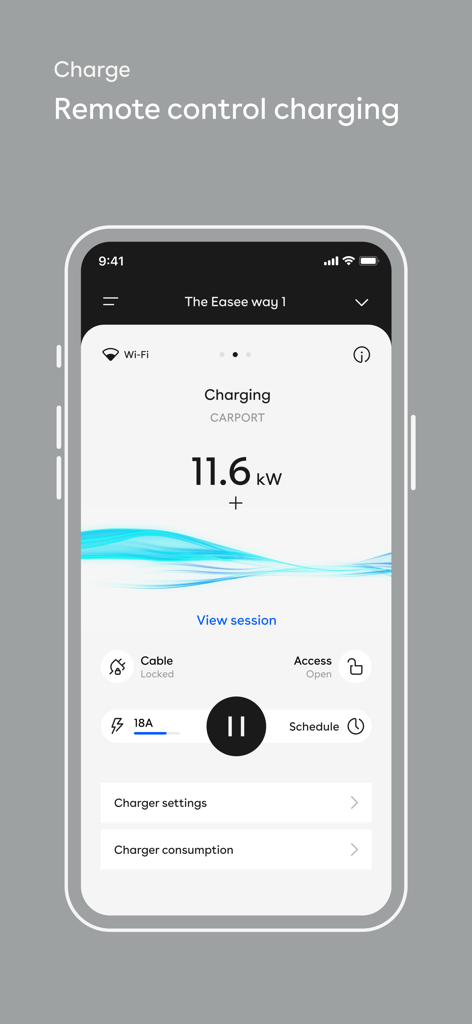
The Easee app interface on a smartphone showing remote control charging status for an electric vehicle.
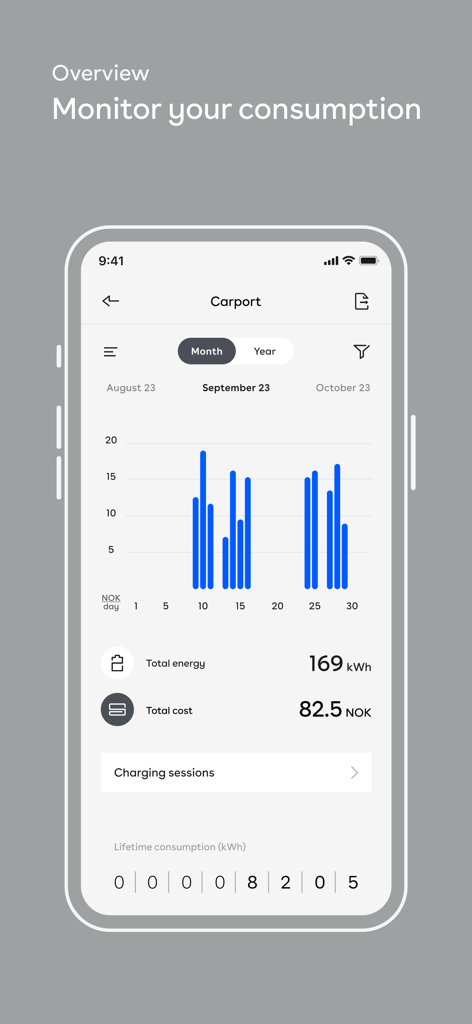
Easee app dashboard showing monthly energy consumption and charging costs for an electric vehicle.
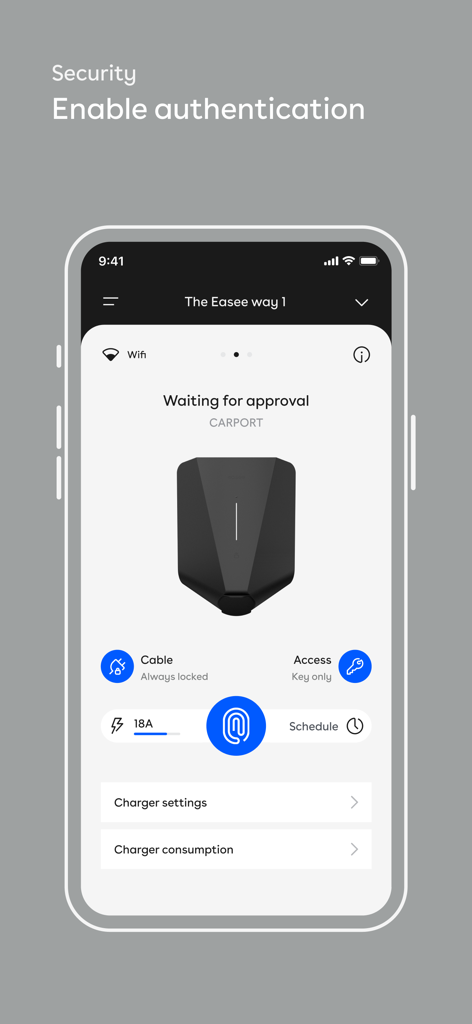
Easee app interface showing security authentication and access control settings for an EV charger
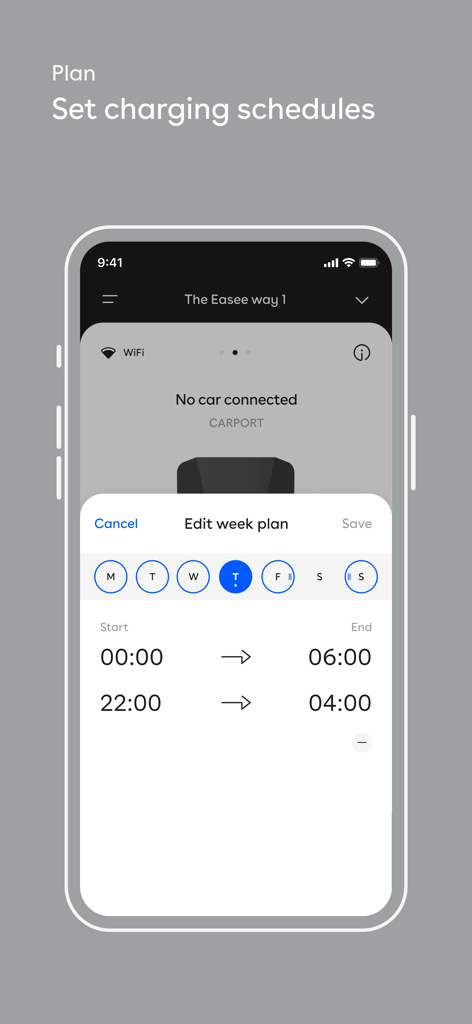
Interface of the Easee app showing options to set and edit weekly electric vehicle charging schedules
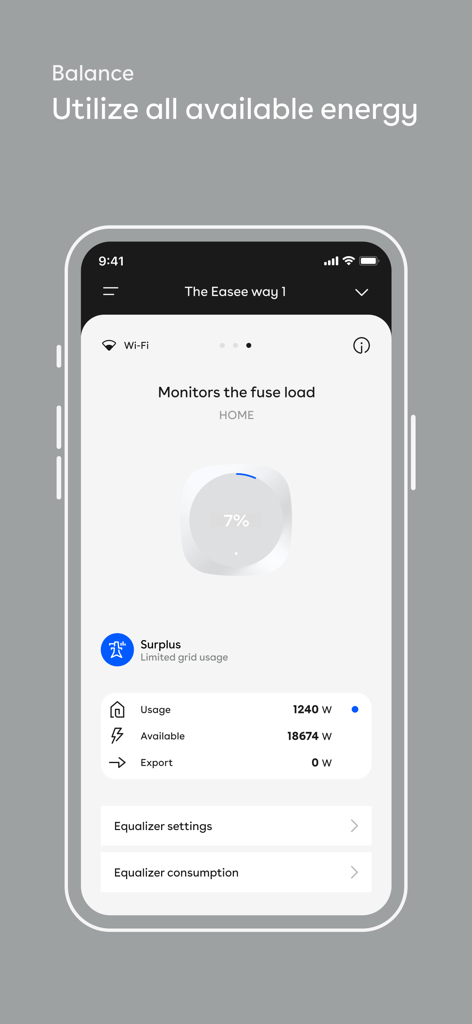
Easee app dashboard monitoring fuse load and grid energy usage
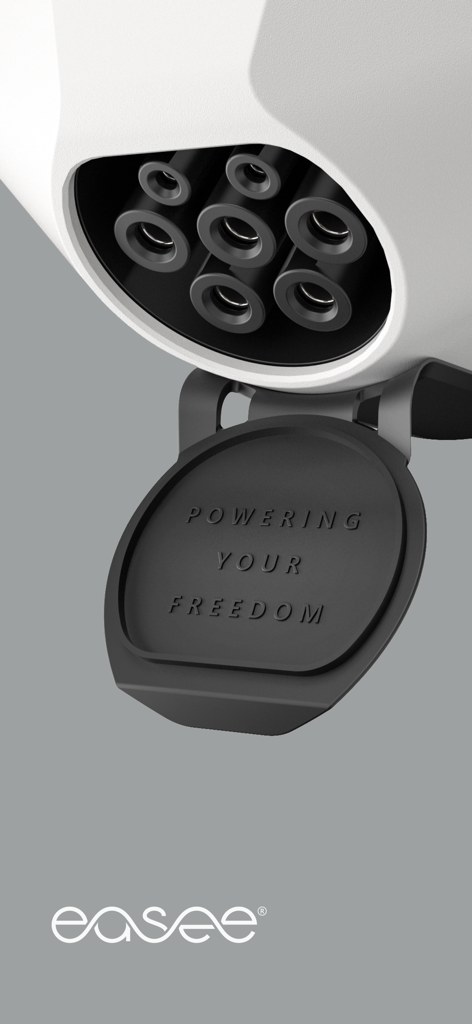
Close up view of an Easee electric vehicle charging socket with the embossed text Powering Your Freedom on the black cover

Introductory screen for the Easee app with the slogan Shaping the future of electricity.
Description
Download
More Like This
Apps with similar features and user experience

小米音箱
Beijing Xiaomi Co., Ltd

Starlink
Space Exploration Technologies Corp.

Bambu Handy
Shanghai Lunkuo Technology Co., Ltd

DREO
HESUNG INNOVATION LIMITED

My Verisure
Securitas Direct

Whisker
Automated Pet Care Products Inc.

geeni
Merkury Innovations LLC

ADT+
ADT LLC

X-Sense Home Security
X-Sense USA LLC.
This page is not an official page of the app or its developer, but an independent editorial publication created for informational and commentary purposes. Unless expressly stated otherwise, neither the app nor its developer is affiliated with, endorsed by, sponsored by, authorized by, or otherwise officially connected with MWM, Apple, Google Play, the app publisher, or the app's developer, and nothing on this page implies that the app was developed using MWM's services. Any trademarks, logos, screenshots, and other content remain the property of their respective owners.