Easy Scan - PDF Scanner

Easy Scan - PDF Scanner


Download on App Store
Logo of Easy Scan - PDF Scanner

Easy Scan - PDF Scanner: Your Professional Document Hub on the Go

Transform your iPhone into a powerful mobile office. Scan IDs, sign contracts, and manage PDFs with top-tier security and efficiency designed for the modern professional.

Publisher

Tung To Dinh

Category

Business

Downloads

135K+

User Rating

4.5/5

Total Ratings

800

Locales

11

Efficiency at a Glance

Discover the interface used by 135K+ users.
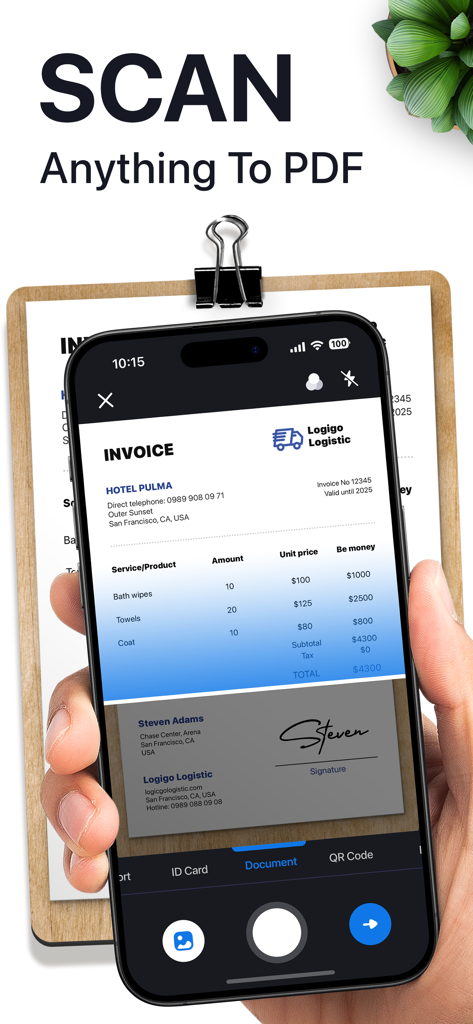
Hand holding a smartphone using Easy Scan app to digitize a paper invoice into a PDF document

Hand holding a smartphone using Easy Scan app to digitize a paper invoice into a PDF document

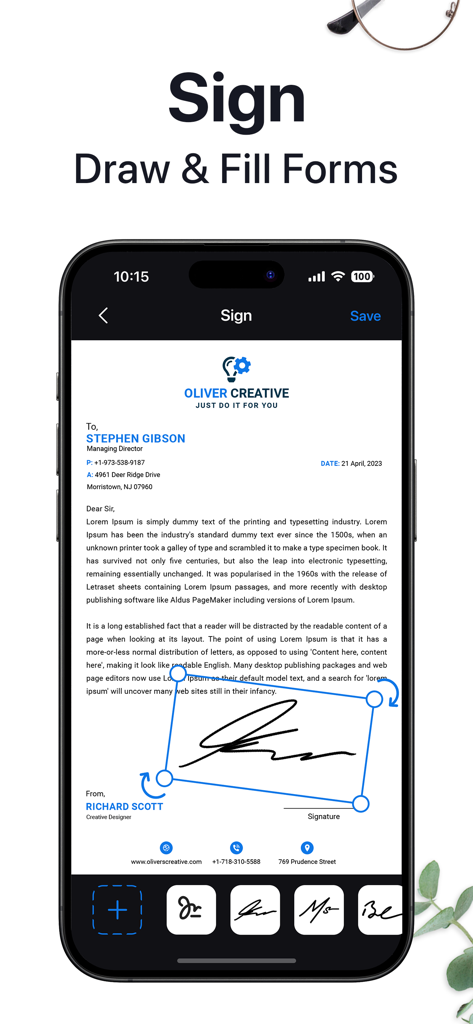
A professional document being signed digitally on a mobile screen with the Easy Scan app.

A professional document being signed digitally on a mobile screen with the Easy Scan app.

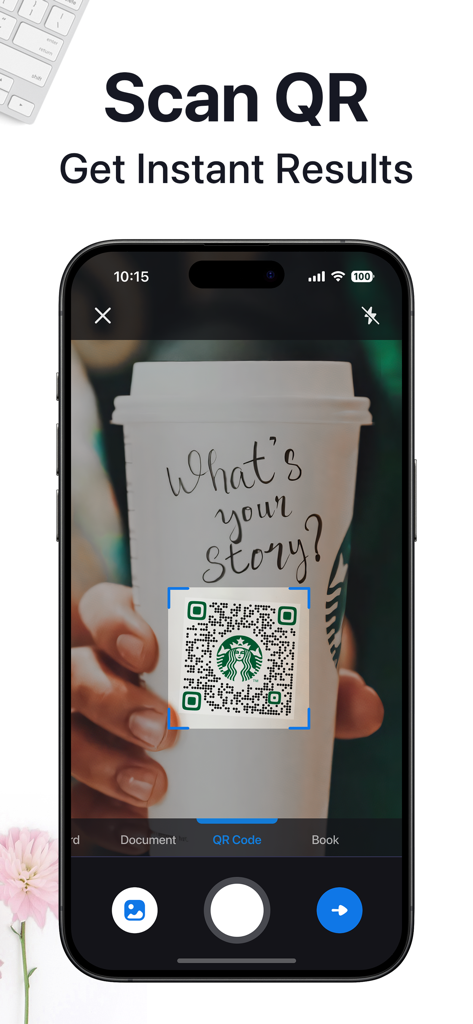
Easy Scan app interface on an iPhone showing a QR code being scanned from a coffee cup for instant results.

Easy Scan app interface on an iPhone showing a QR code being scanned from a coffee cup for instant results.

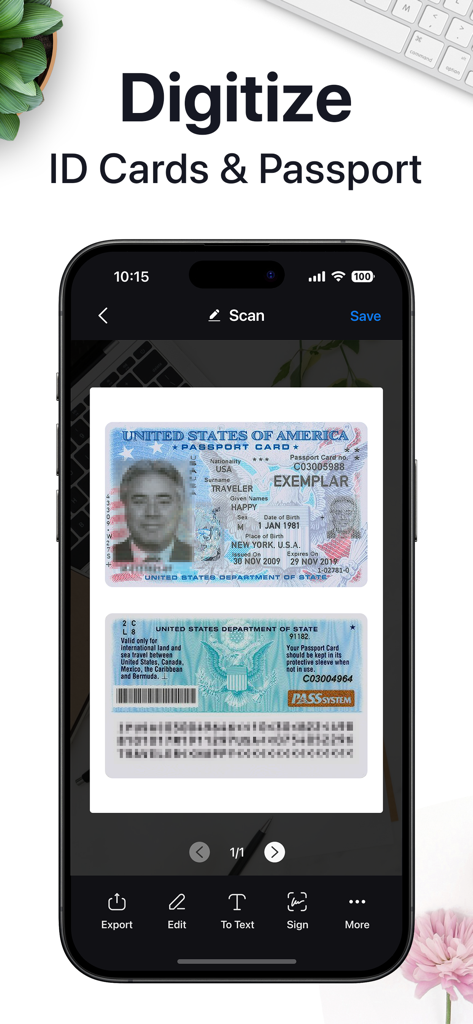
Mobile app interface showing the digitization of a US Passport Card using Easy Scan

Mobile app interface showing the digitization of a US Passport Card using Easy Scan

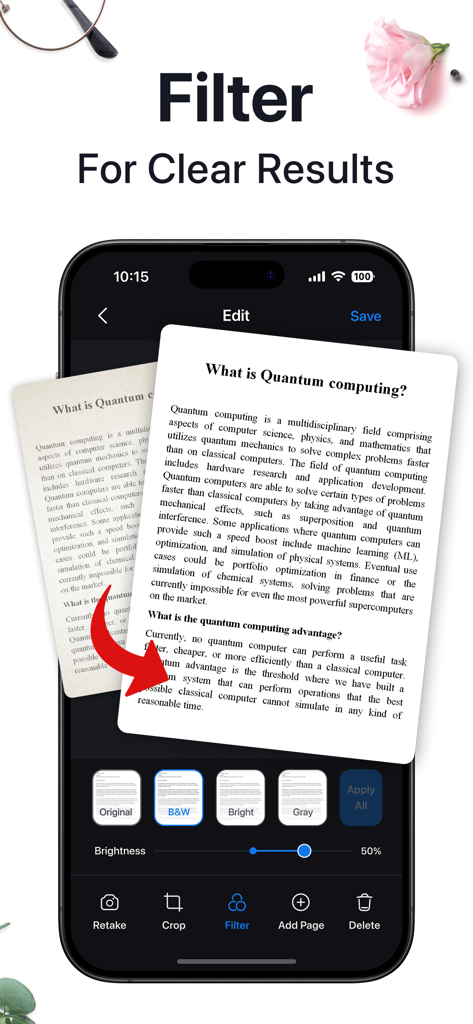
Mobile app interface showing document filters to improve scan clarity for professional PDFs

Mobile app interface showing document filters to improve scan clarity for professional PDFs

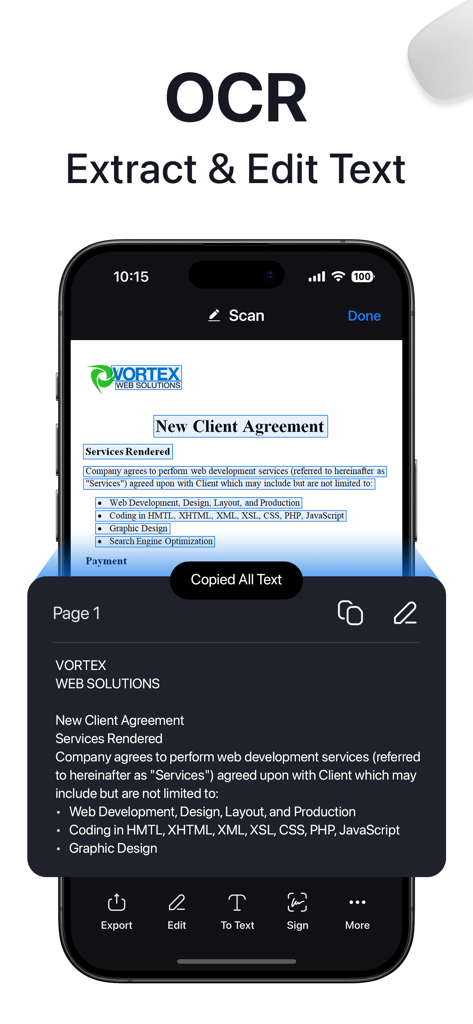
Smartphone screen showing OCR text extraction from a client agreement document

Smartphone screen showing OCR text extraction from a client agreement document

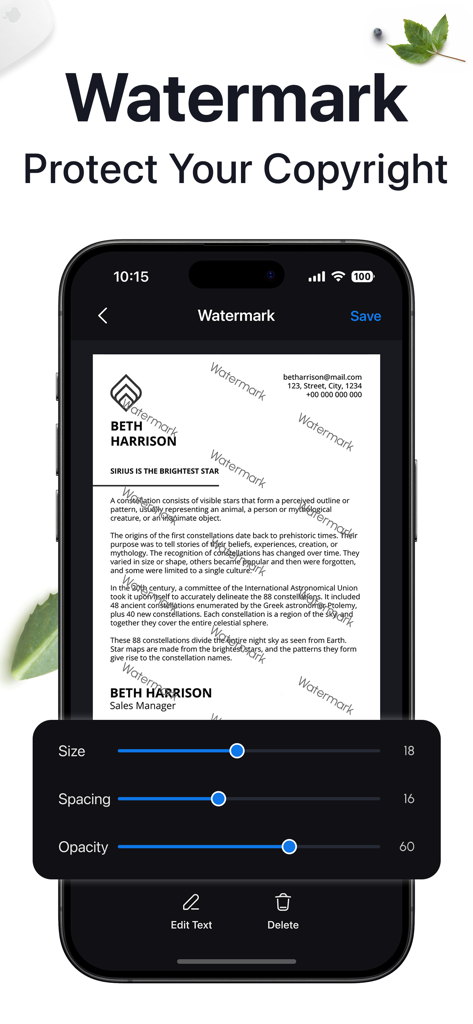
A mobile app interface showing a document watermark tool with controls for size, spacing, and opacity to protect professional files.

A mobile app interface showing a document watermark tool with controls for size, spacing, and opacity to protect professional files.

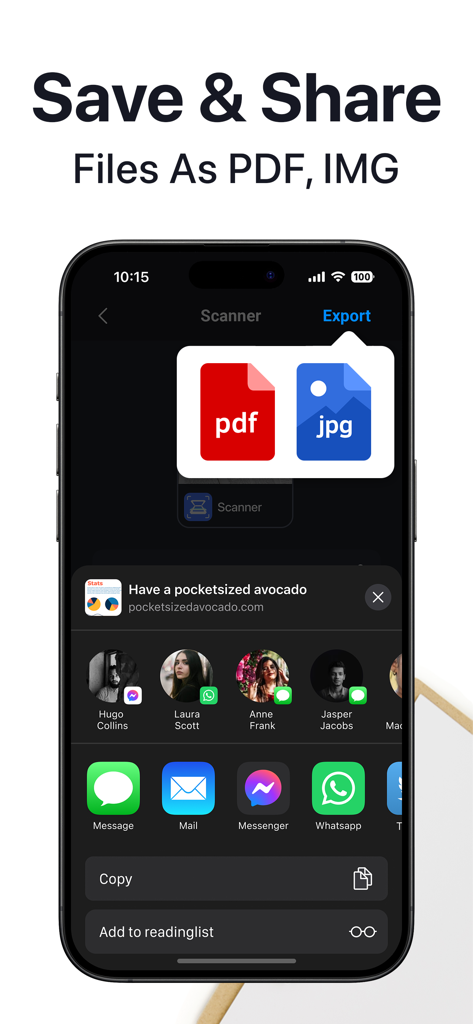
Easy Scan app screen displaying options to save and share documents as PDF or JPG files.

Easy Scan app screen displaying options to save and share documents as PDF or JPG files.

Streamline Your Workflow Anywhere

The tools that make this app stand out, trusted by 135K+ users.

🖋️

Sign & Edit Without a Printer

Apply professional signatures, fill out digital forms, and redact sensitive information directly from your device.

🛡️

Secure ID & Passport Storage

Digitize your most sensitive identity documents with high-quality scans and keep them safe with PIN-locked folder protection.

High-Speed Multipage Scanning

Capture complex documents in seconds with intelligent border detection and automatic noise removal for a professional finish.

About the app

Everything you need to know about Easy Scan - PDF Scanner.

Description

In search of an advanced and dependable scanning solution? Look no further! iScanner stands as the ultimate scanning and document management tool, simplifying the creation of professional documents on the go. Whether you're a remote worker, student, educator, accountant, realtor, manager, or lawyer, iScanner is a must-have. Work and study from anywhere, even without access to a laptop or scanning/printing machine. ID & PASSPORT SCAN Efficiently scan and store identification documents including driver's licenses, national IDs, and passports in high quality for secure storage and sharing. Easily extract and manage personal data from ID scans for quick access and record-keeping needs, saving precious time. DOCUMENT SCANNER Our intelligent scanner is indispensable for remote work, on-the-go professionals, students, educators, and small business enthusiasts, allowing you to save time and increase productivity. FULL-FEATURED PDF EDITOR & FILE MANAGER Edit scans with color correction and noise removal features for quick refinement. Manually sign your scans or add a signature from an image to expedite document approval. Mark up documents, cover or blur text as needed in seconds to maintain confidentiality. Add text over forms or autofill documents using custom templates, reducing data entry time. Utilize the file manager with folders and drag & drop functionality for easy organization and swift access. Protect confidential scans by locking folders and files with a PIN for peace of mind in moments. Merge documents or split files by pages with a few taps to streamline your document processing. Number document pages, insert footers, and add watermarks effortlessly to enhance professional appearance. VARIOUS SCANNING MODES DOCUMENTS: Scan multipage documents on the go in just a few minutes. QR CODE: Read any QR code with your device camera instantly. You can choose a one-time payment or a weekly subscription (with a 3-day free trial). – Payment will be charged to the iTunes Account at confirmation of purchase (After a free trial period if offered). – Subscription automatically renews unless auto-renew is turned off at least 24 hours before the end of the current period. – Account will be charged for renewal within 24 hours prior to the end of the current period, and identify the cost of the renewal. – The user and auto-renewal may manage subscriptions may be turned off by going to the user’s Account Settings after purchase. – Any unused portion of a free trial period, if offered, will be forfeited when the user purchases a subscription to that publication, where applicable. Privacy Policy: https://smart.southpolemob.com/policy.html Terms of Use: https://smart.southpolemob.com/terms.html

Latest Version

3.0.4

Size

194.5 MB

First Released

Dec 21, 2023

Transform Your Mobile Productivity Today

Join 135,000+ professionals and students who trust Easy Scan for secure, high-quality document management on the go. Start your free trial now.

Download on App Store

App information, icons, screenshots, and descriptions displayed on this page are sourced from the Apple App Store and are the property of their respective developers. Download estimates and rankings are based on MWM's proprietary models and may not reflect actual figures. This page is provided for informational and analytical purposes only.

Believe this page infringes your intellectual property? File a dispute