
This page is not an official page of the app or its developer, but an independent editorial publication created for informational and commentary purposes. Unless expressly stated otherwise, neither the app nor its developer is affiliated with, endorsed by, sponsored by, authorized by, or otherwise officially connected with MWM, Apple, Google Play, the app publisher, or the app's developer, and nothing on this page implies that the app was developed using MWM's services. Any trademarks, logos, screenshots, and other content remain the property of their respective owners.


Easy Video Speed Editor
The fastest way to create cinematic slow-mo or high-speed time-lapses for TikTok and Reels. Adjust speed with professional pitch control and export as MP4, GIF, or Live Photo in seconds.
Downloads
813K+User Rating
Total Ratings
4K+Publisher
Category
Photo & VideoLocales
17Latest Version
7.0.7Size
26.8 MBFirst Released
Dec 22, 2020Pro-Level Speed Editing Made Simple
Everything you need to create viral-ready slow-mo transitions and high-speed highlights in seconds, right from your iPhone.
Extreme Speed Range
Unlock creative freedom with precise speeds from 0.1x to 20x. Perfect for cinematic slow-motion golf swings or hyper-lapse DIY tutorials.
Smart Pitch Preservation
Keep your voice natural even when speeding up. Our advanced audio engine prevents the "chipmunk effect" so your vlogs always sound professional.
Frequently Asked Questions
Everything you need to know about Easy Video Speed Editor
What are the main features of Easy Video Speed Editor?
Easy Video Speed Editor creates slow-motion and high-speed videos. Users can select playback speed, flip videos horizontally, and adjust or maintain audio pitch.
Can I adjust the video playback speed with Easy Video Speed Editor?
Yes, Easy Video Speed Editor allows users to select playback speed. The Pro version offers free adjustment from 0.1x to 20x, as seen in the app's interface.
Does Easy Video Speed Editor allow flipping videos?
Yes, Easy Video Speed Editor allows users to flip videos horizontally. This feature is directly available in the app's editing interface.
How does Easy Video Speed Editor handle audio pitch during speed changes?
Easy Video Speed Editor can change the audio pitch to match the video speed or maintain the original pitch. The Pro version offers high-quality pitch preservation.
What are the benefits of the Easy Video Speed Editor Pro version?
The Pro version of Easy Video Speed Editor unlocks free playback speed setting from 0.1x to 20x, high-quality pitch preservation, and saving options like MP4, GIF, or Live Photo.
Can Easy Video Speed Editor save videos in different formats?
Yes, the Easy Video Speed Editor Pro version supports saving videos as MP4, GIF, or Live Photo. The app's interface also shows MOV and MP4 as available output formats.
What is the range of playback speeds available in Easy Video Speed Editor?
Easy Video Speed Editor allows selecting various playback speeds. The Pro version specifically enables free setting of speeds from 0.1x to 20x.
Are there any limitations when saving videos in Easy Video Speed Editor?
Yes, saving may fail if the playback time is shortened to less than 1 second. Also, videos not taken with an iPhone may not convert properly.
Can I adjust the Frames Per Second (FPS) in Easy Video Speed Editor?
Yes, Easy Video Speed Editor allows users to fine-tune the Frames Per Second (FPS). Options visible include 1, 3, 5, 12, 24, 30, and 60 FPS.
The following screenshots and description are sourced directly from the app's official store listing and are the property of the app developer.
App Store
Screenshots
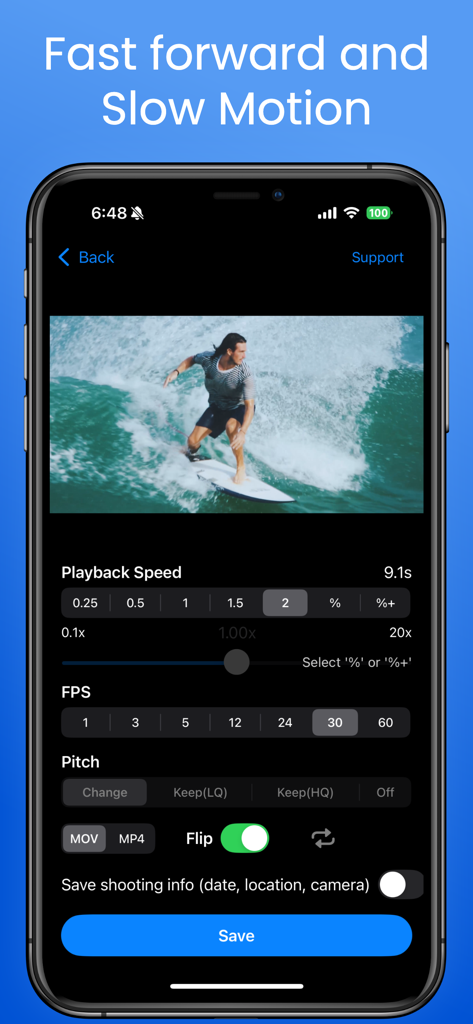
Interface of the Easy Video Speed Editor app showing playback speed and FPS controls for a surfing video.
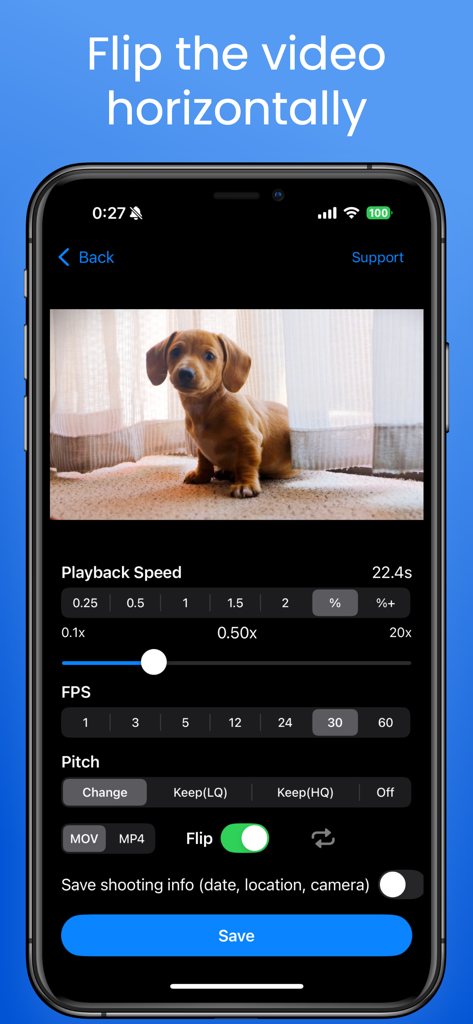
iPhone screenshot of Easy Video Speed Editor app showing the flip video horizontally feature and playback speed controls
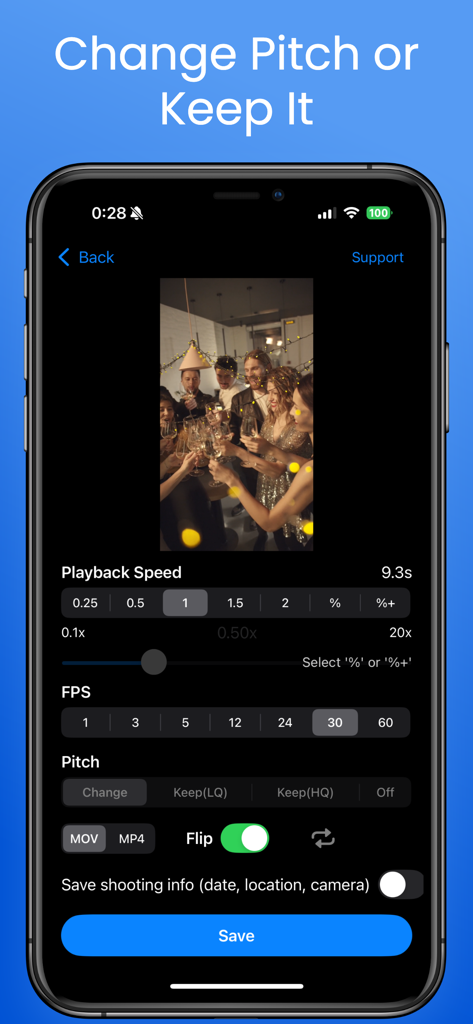
Easy Video Speed Editor app screen showing playback speed and audio pitch adjustment settings.
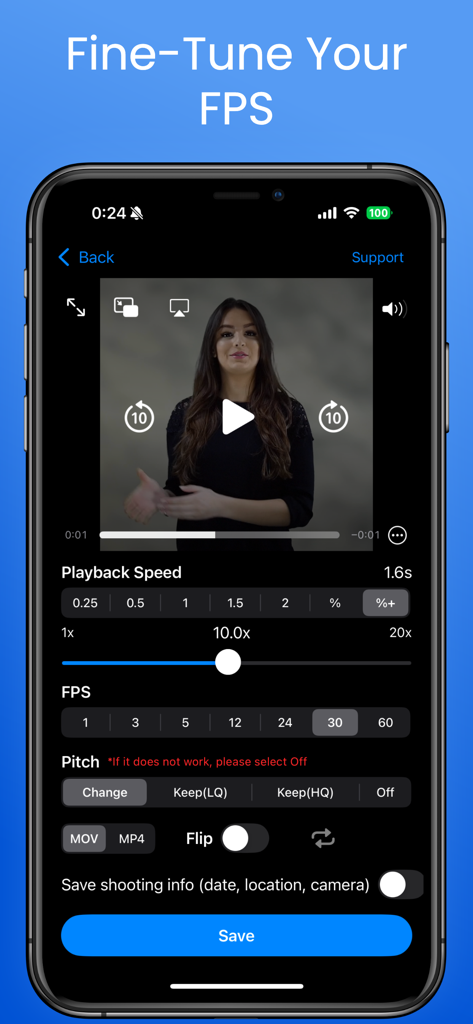
Easy Video Speed Editor user interface showing playback speed FPS and audio pitch settings
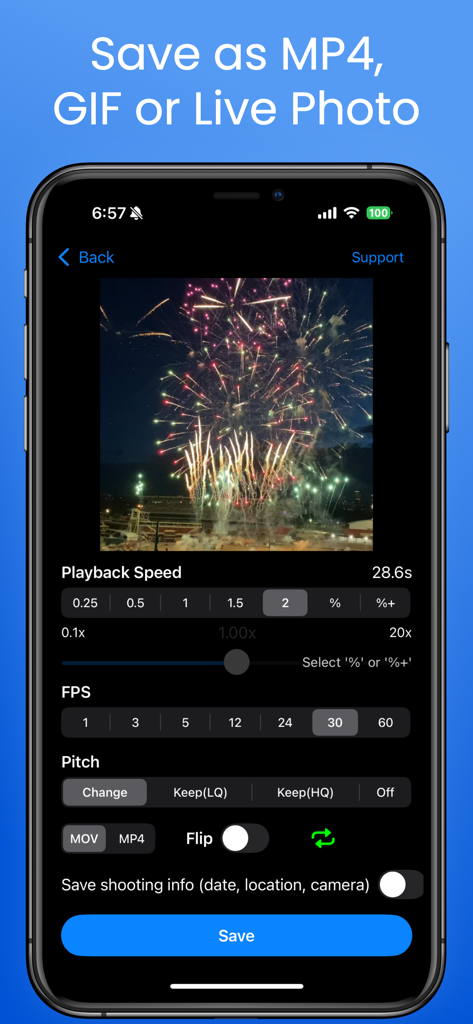
Easy Video Speed Editor app interface showing options to save video as MP4 GIF or Live Photo
Description
Download
More Like This
Apps with similar features and user experience

ImgPlay: GIF Maker & Meme
ImgBase, Inc.

quickLive-Video2Live Wallpaper
Changshu Chuang Shi Media Technology Co., Ltd.

Live - LivePhoto maker
Beyond Trading

Patternator Video Wallpapers
Bazaart Ltd.

GIF Maker & Editor Pro
Chengdu Siwen Culture Media Co., Ltd.
Gif Maker-meme & video to gifs
姿凤 陈

Mematic - The Meme Maker
Trilliarden Entertainment GmbH

Video to Live ◦
Anish Modan

Boomerang - Video Maker
Video Bakery Ltd.
This page is not an official page of the app or its developer, but an independent editorial publication created for informational and commentary purposes. Unless expressly stated otherwise, neither the app nor its developer is affiliated with, endorsed by, sponsored by, authorized by, or otherwise officially connected with MWM, Apple, Google Play, the app publisher, or the app's developer, and nothing on this page implies that the app was developed using MWM's services. Any trademarks, logos, screenshots, and other content remain the property of their respective owners.