
This page is not an official page of the app or its developer, but an independent editorial publication created for informational and commentary purposes. Unless expressly stated otherwise, neither the app nor its developer is affiliated with, endorsed by, sponsored by, authorized by, or otherwise officially connected with MWM, Apple, Google Play, the app publisher, or the app's developer, and nothing on this page implies that the app was developed using MWM's services. Any trademarks, logos, screenshots, and other content remain the property of their respective owners.


quickLive-Video2Live Wallpaper
The ad-free, one-click solution to transform your favorite videos into high-quality Live Photos. Perfect for creating the ultimate aesthetic lock screen and sharing on Lemon8.
Downloads
293K+User Rating
Total Ratings
8K+Publisher
Category
Photo & VideoLocales
8Latest Version
1.3.7Size
17.1 MBFirst Released
Dec 3, 2024Elevate Your Digital Aesthetic
Turn your favorite videos into stunning Live Wallpapers in seconds. No ads, no clutter—just your memories in motion.
Instant One-Tap Conversion
Transform any travel clip or party video into a high-quality Live Photo ready for your lock screen with just one click.
Seamless Batch Processing
Save time by converting multiple videos at once. Perfect for curators who want to refresh their phone's look effortlessly.
Frequently Asked Questions
Everything you need to know about quickLive-Video2Live Wallpaper
What is quickLive-Video2Live Wallpaper?
quickLive-Video2Live Wallpaper is an application designed to convert videos into Live Photos and Live Wallpapers with one-click operation. It supports sharing on platforms like Lemon8, Facebook, and Instagram.
How does quickLive convert videos into Live Photos?
quickLive converts videos into high-quality Live Photos with a single tap. Users select videos directly from their album, and the app processes them quickly while preserving every detail and movement.
Can quickLive process multiple videos simultaneously?
Yes, quickLive supports batch conversion, allowing users to process multiple videos at once. This feature saves time and streamlines the conversion of numerous video clips into Live Photos or Wallpapers.
Is the quickLive app ad-free?
Yes, quickLive provides a completely ad-free experience. The app ensures a pure and seamless user journey without any distractions from advertisements, focusing solely on its conversion functionality.
Does quickLive-Video2Live Wallpaper support Live Wallpaper creation?
Yes, quickLive-Video2Live Wallpaper allows users to convert videos into Live Wallpapers. The app offers a direct option for this conversion alongside Live Photo creation.
Is quickLive simple to use for video conversion?
Yes, quickLive is designed for ease of use with a clear and intuitive interface. It simplifies the process by enabling one-click conversion directly from the user's album.
Which social media platforms are compatible with quickLive exports?
quickLive exports are compatible with several social media platforms. Users can easily share converted Live Photos on Lemon8, Facebook, and Instagram to capture dynamic memories.
The following screenshots and description are sourced directly from the app's official store listing and are the property of the app developer.
App Store
Screenshots
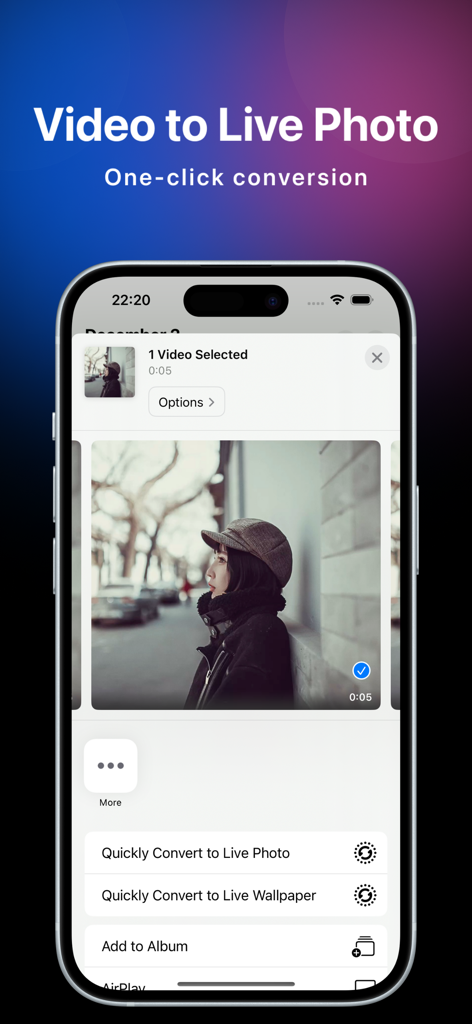
quickLive mobile app interface showing video to live photo conversion options on an iPhone screen
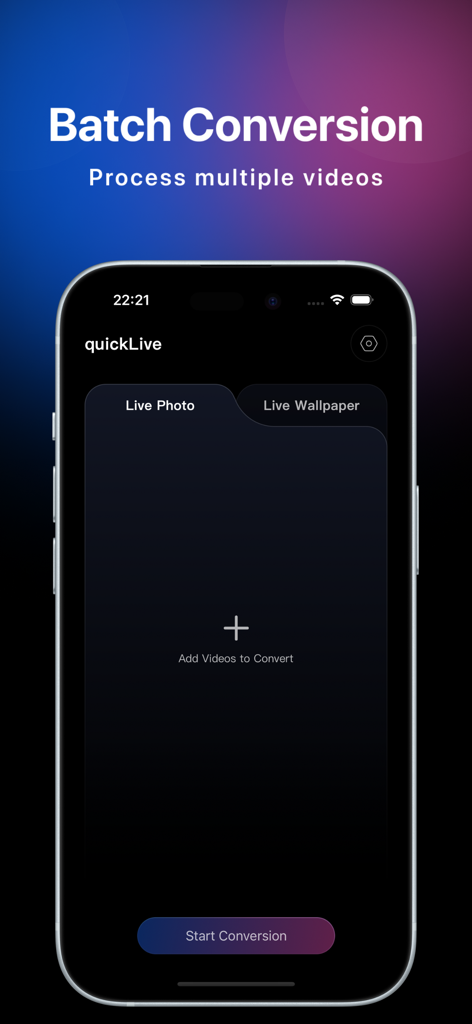
Interface of the quickLive app showing the batch conversion feature for processing multiple videos into live photos.
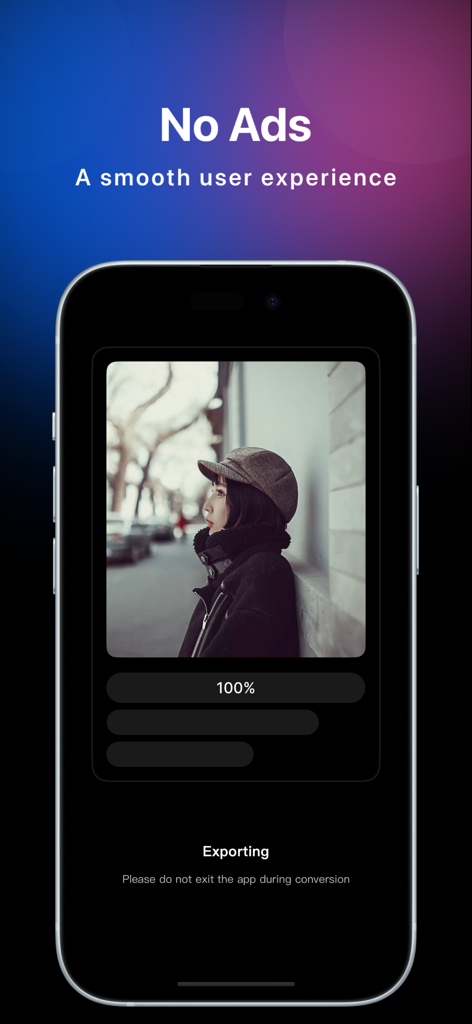
Smartphone screen showing the quickLive app exporting a video to a live photo with a no ads message.
Description
Download
More Like This
Apps with similar features and user experience

ImgPlay: GIF Maker & Meme
ImgBase, Inc.

Live - LivePhoto maker
Beyond Trading

Patternator Video Wallpapers
Bazaart Ltd.

GIF Maker & Editor Pro
Chengdu Siwen Culture Media Co., Ltd.

Gif Maker-meme & video to gifs
姿凤 陈

Mematic - The Meme Maker
Trilliarden Entertainment GmbH

Video to Live ◦
Anish Modan

Boomerang - Video Maker
Video Bakery Ltd.

Easy Video Speed Editor
Osawa Shunsuke
This page is not an official page of the app or its developer, but an independent editorial publication created for informational and commentary purposes. Unless expressly stated otherwise, neither the app nor its developer is affiliated with, endorsed by, sponsored by, authorized by, or otherwise officially connected with MWM, Apple, Google Play, the app publisher, or the app's developer, and nothing on this page implies that the app was developed using MWM's services. Any trademarks, logos, screenshots, and other content remain the property of their respective owners.