
This page is not an official page of the app or its developer, but an independent editorial publication created for informational and commentary purposes. Unless expressly stated otherwise, neither the app nor its developer is affiliated with, endorsed by, sponsored by, authorized by, or otherwise officially connected with MWM, Apple, Google Play, the app publisher, or the app's developer, and nothing on this page implies that the app was developed using MWM's services. Any trademarks, logos, screenshots, and other content remain the property of their respective owners.


Live - LivePhoto maker
Transform your favorite videos, GIFs, and memories into stunning dynamic wallpapers. Customize your lock screen with 100+ trendy themes and show off your unique vibe to the world in seconds.
Downloads
250K+User Rating
Total Ratings
8K+Publisher
Category
Photo & VideoLocales
12Latest Version
3.4.8Size
85.0 MBFirst Released
Aug 25, 2021Level Up Your Lock Screen Vibe
Turn any video, GIF, or trend into a stunning dynamic wallpaper. Express your unique aesthetic with the ultimate toolkit designed for digital creators.
Instant Video-to-Live
Convert your favorite TikToks or personal memories into high-quality Live Photos. Keep your favorite moments moving every time you wake your phone.
100+ Aesthetic Themes
Browse a massive library of Anime, K-Pop, and Cybercore dynamics. Find the perfect look to match your current obsession and stand out from the crowd.
Frequently Asked Questions
Everything you need to know about Live - LivePhoto maker
How does Live - LivePhoto maker create Live Photos?
Live - LivePhoto maker creates Live Photos by converting videos, pictures, GIFs, or burst photos. Users can also set custom backgrounds and crop videos for personalized results.
Can Live - LivePhoto maker convert videos to Live Photos?
Yes, Live - LivePhoto maker converts videos into Live Photos. It supports features like two-finger pinch to zoom, resize, and video repetition for Live Photo creation.
Does Live - LivePhoto maker support dynamic wallpapers on all iPhones?
No, Live - LivePhoto maker only supports dynamic wallpaper functionality on devices above iPhone 6s. Users can set them via iPhone Settings > Wallpaper.
What types of pre-made wallpapers does photolive offer?
photolive provides a sea of popular high-definition wallpapers with different styles, including themes, ringtones, transparency, games, anime, and couples. It features over 100 categorized options.
Can users customize dynamic wallpapers in Live - LivePhoto maker?
Yes, users can customize dynamic wallpapers in Live - LivePhoto maker. The app allows for custom backgrounds, various background colors, and cropping videos for Live Photos.
How can I save Live Photos created with Live - LivePhoto maker?
Live - LivePhoto maker automatically saves the produced Live Photos to the device's photo album. This ensures easy access and management of your creations.
Does photolive allow cropping videos for Live Photo creation?
Yes, photolive allows arbitrary cropping of videos. It supports adjusting speed, duration, and orientation, and facilitates both landscape and portrait live wallpaper creation.
The following screenshots and description are sourced directly from the app's official store listing and are the property of the app developer.
App Store
Screenshots
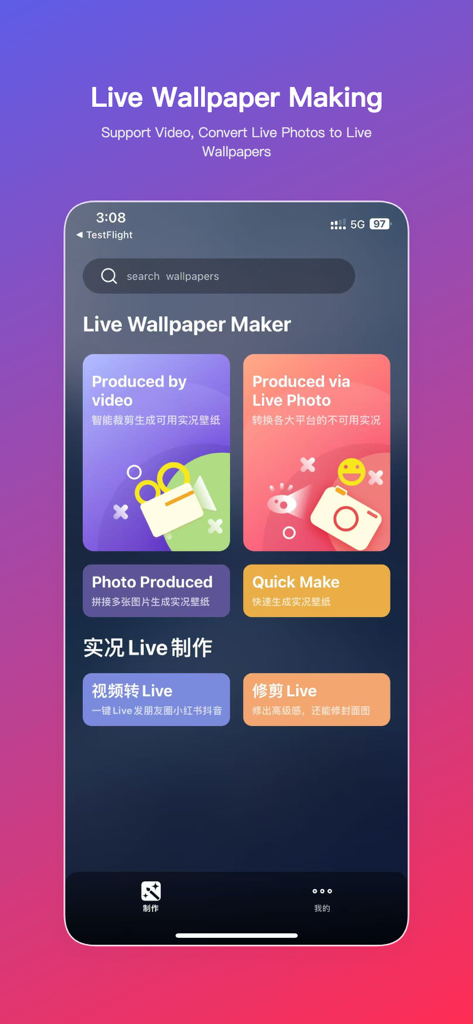
Interface of the Live Photo maker app showing options to convert video and photos into live wallpapers
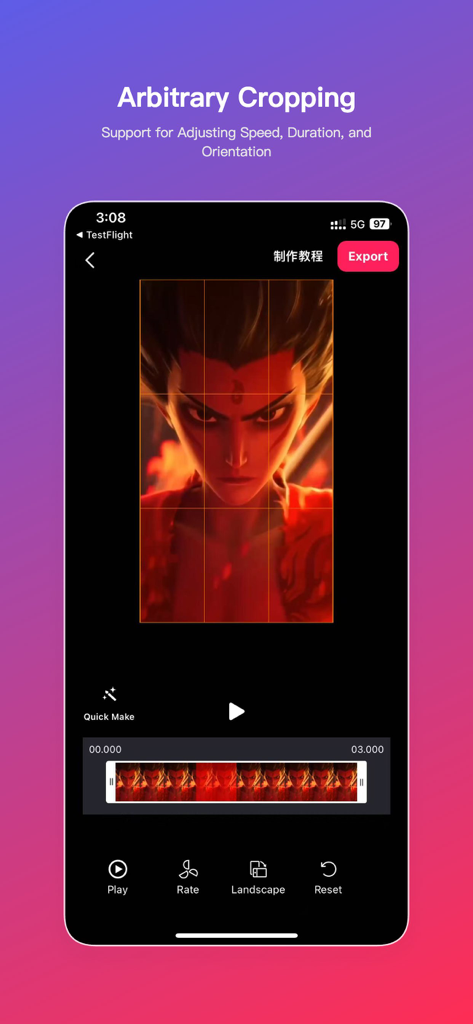
Smartphone screen showing the arbitrary cropping feature in the Live Photo maker app with an anime character video
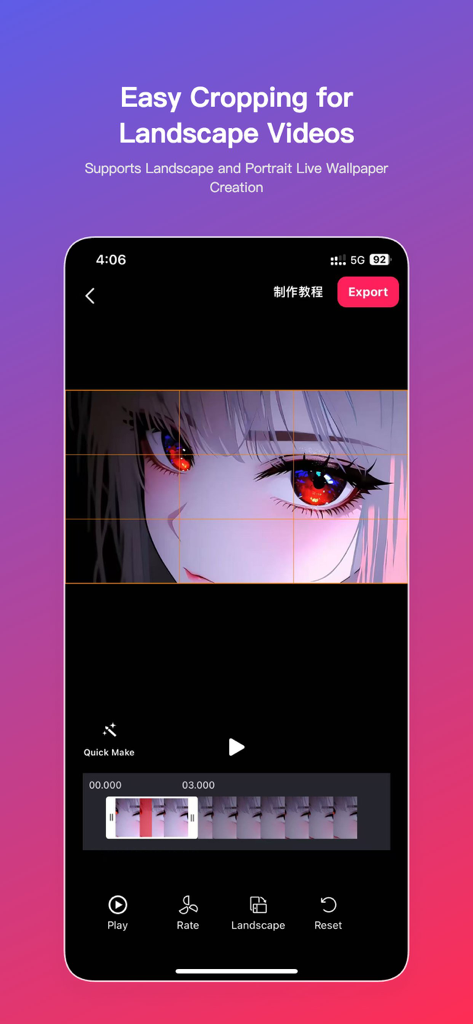
Interface of Live Photo maker app showing landscape video cropping for an anime wallpaper
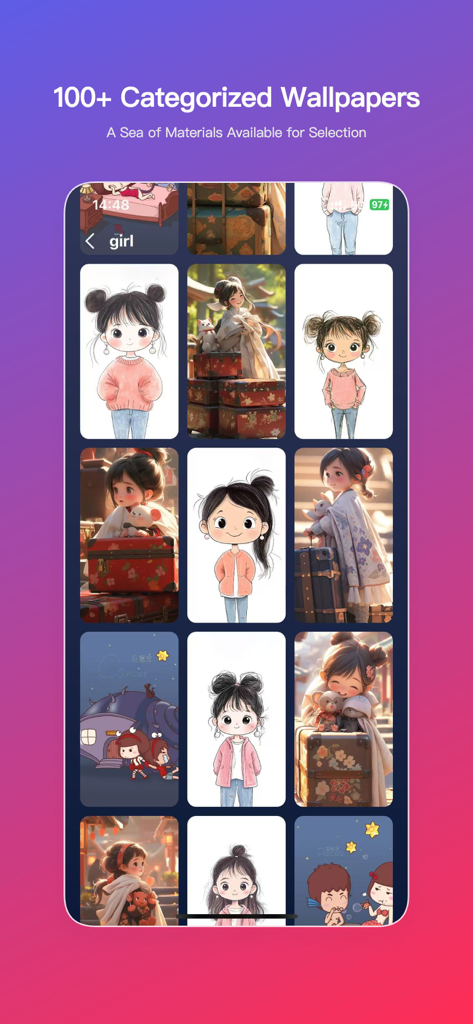
A gallery of cute and aesthetic girl-themed live wallpapers in the app interface
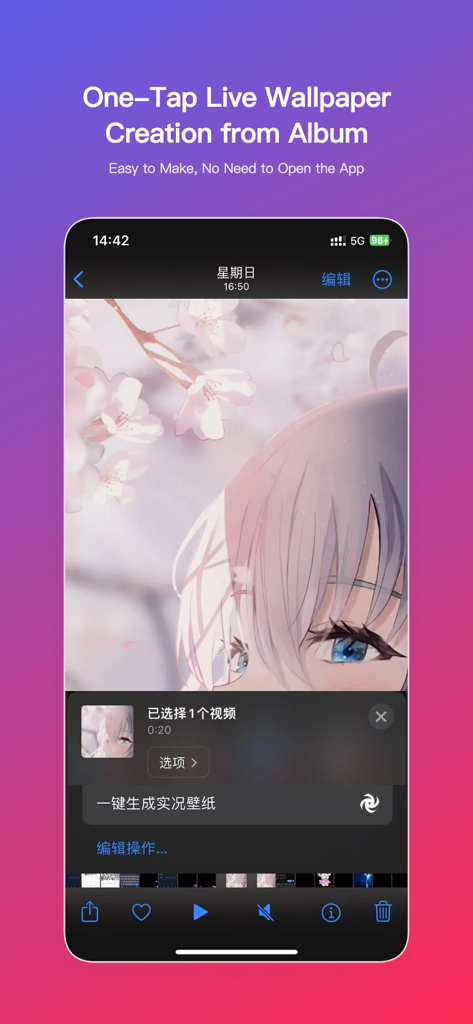
iPhone interface demonstrating quick live wallpaper creation from a photo album using an anime theme.
Description
Download
More Like This
Apps with similar features and user experience

ImgPlay: GIF Maker & Meme
ImgBase, Inc.

quickLive-Video2Live Wallpaper
Changshu Chuang Shi Media Technology Co., Ltd.

Patternator Video Wallpapers
Bazaart Ltd.

GIF Maker & Editor Pro
Chengdu Siwen Culture Media Co., Ltd.
Gif Maker-meme & video to gifs
姿凤 陈

Mematic - The Meme Maker
Trilliarden Entertainment GmbH

Video to Live ◦
Anish Modan

Boomerang - Video Maker
Video Bakery Ltd.

Easy Video Speed Editor
Osawa Shunsuke
This page is not an official page of the app or its developer, but an independent editorial publication created for informational and commentary purposes. Unless expressly stated otherwise, neither the app nor its developer is affiliated with, endorsed by, sponsored by, authorized by, or otherwise officially connected with MWM, Apple, Google Play, the app publisher, or the app's developer, and nothing on this page implies that the app was developed using MWM's services. Any trademarks, logos, screenshots, and other content remain the property of their respective owners.