
This page is not an official page of the app or its developer, but an independent editorial publication created for informational and commentary purposes. Unless expressly stated otherwise, neither the app nor its developer is affiliated with, endorsed by, sponsored by, authorized by, or otherwise officially connected with MWM, Apple, Google Play, the app publisher, or the app's developer, and nothing on this page implies that the app was developed using MWM's services. Any trademarks, logos, screenshots, and other content remain the property of their respective owners.


Easy zip - Manage zip/rar file
Unzip RAR, ZIP, and 7Z files in seconds. View documents, play high-quality media, and sync seamlessly with iCloud and Dropbox—all in one powerful app.
Downloads
1M+User Rating
Total Ratings
22K+Publisher
Category
UtilitiesLocales
25Latest Version
6.23.1Size
92.7 MBFirst Released
Oct 31, 2017Take Full Control of Your Mobile Workspace
Bridge the gap between your iPhone and desktop with a powerful suite of tools designed for seamless file compression, management, and instant previews.
Unrestricted Format Support
Effortlessly open and extract .rar, .7z, and .zip files that the standard iOS system can't handle, making you more productive on the go.
All-In-One Workflow Hub
Download archives via the built-in browser and instantly preview docs, movies, or music without the friction of switching between multiple apps.
Frequently Asked Questions
Everything you need to know about Easy zip - Manage zip/rar file
What file formats can Easy zip compress and decompress?
Easy zip decompresses zip, rar, and 7z file formats. It compresses files exclusively into the zip format. The app facilitates efficient file management.
Can Easy zip view files directly within the application?
Yes, Easy zip allows viewing of extracted image, movie, and document files. Supported formats include JPEG, PNG, GIF, MP4, MOV, PDF, DOC, and XLS directly within the application.
Does Easy zip support cloud storage integration?
Yes, Easy zip supports file linkage with Dropbox and iCloud. This allows users to access and manage their files directly from these cloud storage services within the app.
What are the main functions of the Easy zip application?
Easy zip compresses and decompresses zip, rar, and 7z files. It offers in-app file viewing, camera roll compression, and integrates with cloud services like Dropbox and iCloud.
Does Easy zip include an in-app browser?
Yes, Easy zip features an in-app browser. It enables users to download zip/rar files and open QR codes directly within the application for convenience.
Does the Easy zip app support a URL scheme for integration?
Yes, Easy zip supports the URL scheme "easyzip://". This allows for external applications or web pages to launch the app directly for specific actions.
Can Easy zip compress files directly from the camera roll?
Yes, Easy zip provides the functionality to compress files directly from the camera roll. Users can select photos and videos to archive them into a zip file.
The following screenshots and description are sourced directly from the app's official store listing and are the property of the app developer.
App Store
Screenshots
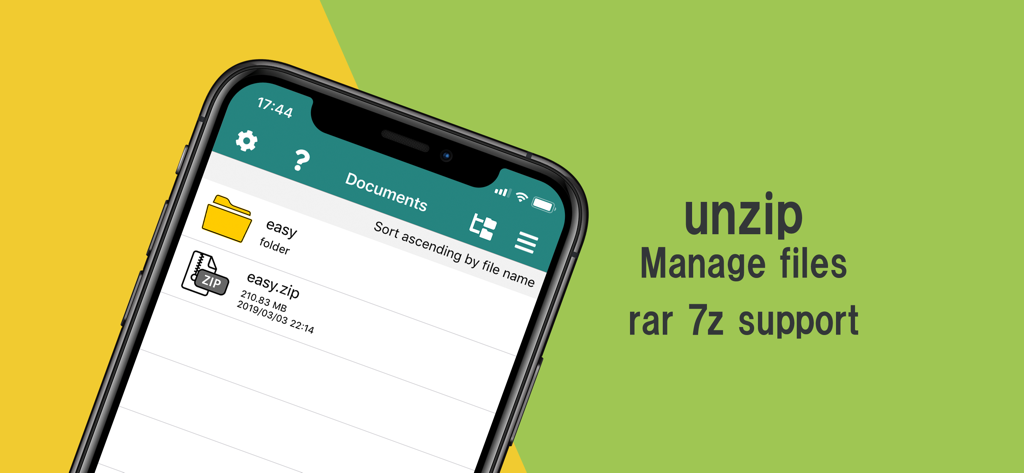
Easy zip app interface on iPhone showing file management and unzip support for rar and 7z
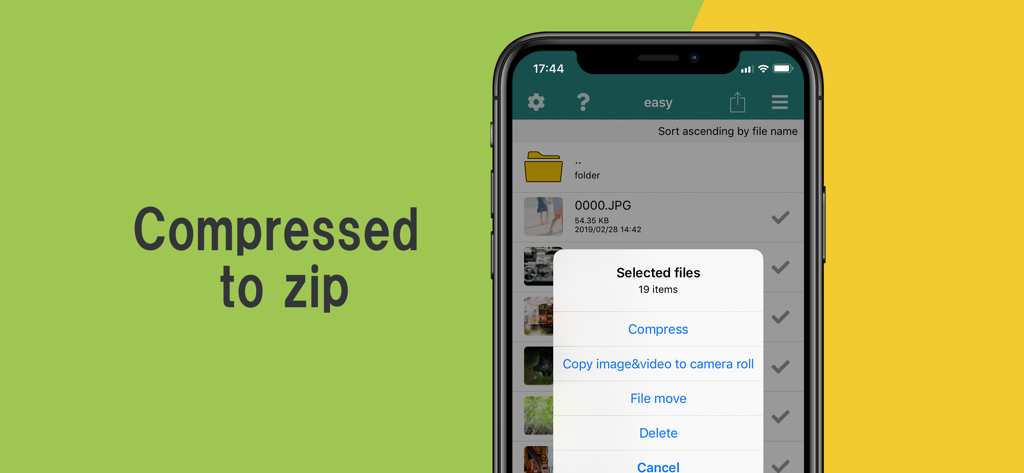
iPhone screen showing the Easy zip app with a menu to compress multiple selected files

Smartphone screen displaying a beach photo within the Easy zip app photo viewer

iPhone screen showing the Easy zip app video player playing a video of clouds above the horizon
Description
Download
More Like This
Top-ranked apps in the same category

Google LLC

Google Chrome
Google LLC

中国移动(手机营业厅)
China Mobile Online Services Co., Ltd.

Google Authenticator
Google LLC

CNH do Brasil
Servicos e Informacoes do Brasil

Cleanup: Phone Storage Cleaner
DEEP FLOW SOFTWARE SERVICES - FZCO

gov.br
Servicos e Informacoes do Brasil

中国电信-全国统一官方服务平台
CHINA TELECOM Corporation Ltd.

Microsoft Edge: AI Browser
Microsoft Corporation
This page is not an official page of the app or its developer, but an independent editorial publication created for informational and commentary purposes. Unless expressly stated otherwise, neither the app nor its developer is affiliated with, endorsed by, sponsored by, authorized by, or otherwise officially connected with MWM, Apple, Google Play, the app publisher, or the app's developer, and nothing on this page implies that the app was developed using MWM's services. Any trademarks, logos, screenshots, and other content remain the property of their respective owners.