
This page is not an official page of the app or its developer, but an independent editorial publication created for informational and commentary purposes. Unless expressly stated otherwise, neither the app nor its developer is affiliated with, endorsed by, sponsored by, authorized by, or otherwise officially connected with MWM, Apple, Google Play, the app publisher, or the app's developer, and nothing on this page implies that the app was developed using MWM's services. Any trademarks, logos, screenshots, and other content remain the property of their respective owners.


EasyConnect
Finally, unrestricted corporate access. EasyConnect grants users an essential tether to their work, wherever they are.
Downloads
2.5M+User Rating
Total Ratings
4.1KPublisher
Category
BusinessLocales
2Latest Version
7.6.31Size
15.1 MBFirst Released
Aug 16, 2011Analyzing core functionalities for secure, accelerated, and reliable access on iOS devices for business professionals.
EasyConnect: A Technical Evaluation for Corporate Mobility
Secure Corporate Access
The app provides robust security for accessing internal corporate applications and resources over SSL VPN, protecting against data disclosure.
Ubiquitous Reliable Access
It allows users to connect reliably to business applications from any location, ensuring continuous productivity for remote and traveling staff.
Performance Acceleration
This tool features optimized performance, accelerating user interactions and access to business applications to enhance efficiency.
SSL VPN Connectivity
The app integrates seamlessly with Sangfor SSL VPN (5.2 or later), providing a secure tunnel for corporate resource access.
VDI Solution Compatibility
It supports connection to Sangfor VDI (1.0 or later), enabling secure access to virtual desktop infrastructure for eligible users.
iOS Device Native Support
This tool is specifically designed for iOS devices, allowing corporate employees to utilize their preferred mobile platform for work.
Frequently Asked Questions
Everything you need to know about EasyConnect
What is EasyConnect?
EasyConnect is an SSL VPN mobile client developed by Sangfor Technology. It enables iOS devices to securely access corporate applications and resources from anywhere.
What are the main features of EasyConnect?
EasyConnect provides secure and reliable SSL VPN access to corporate applications and resources. It accelerates access to business applications and protects against data disclosure.
What are the system requirements for EasyConnect?
EasyConnect requires Sangfor SSL VPN 5.2 or later, or VDI 1.0 or later. Users must verify readiness with their corporate IT department before use.
Does EasyConnect collect user data?
Yes, EasyConnect collects device information, data packets, and account information. It also collects program logs for stability but does not collect user business data.
How does EasyConnect handle user account information?
EasyConnect offers an option to save encrypted account information (username, password) in the app's private storage. It does not share this information with third parties.
Does EasyConnect share user data with third parties?
No, EasyConnect does not share user account passwords with third parties. It also does not collect or modify user business data, only transmitting it as required.
How does EasyConnect transmit VPN data?
EasyConnect creates an SSL VPN tunnel between the mobile device and the corporate network. It uses a virtual network card to transmit application data packets without collecting or modifying user data.
How do I initiate a connection using EasyConnect?
To initiate a connection with EasyConnect, users must enter an access address into the designated '地址:' field on the main screen and then tap the '连接' (Connect) button.
What permissions does EasyConnect request on iOS devices?
Based on the provided documentation, the disclaimer details specific mobile device permission calls only for the Android platform. No specific iOS permissions are listed in the available text.
The following screenshots and description are sourced directly from the app's official store listing and are the property of the app developer.
App Store
Screenshots
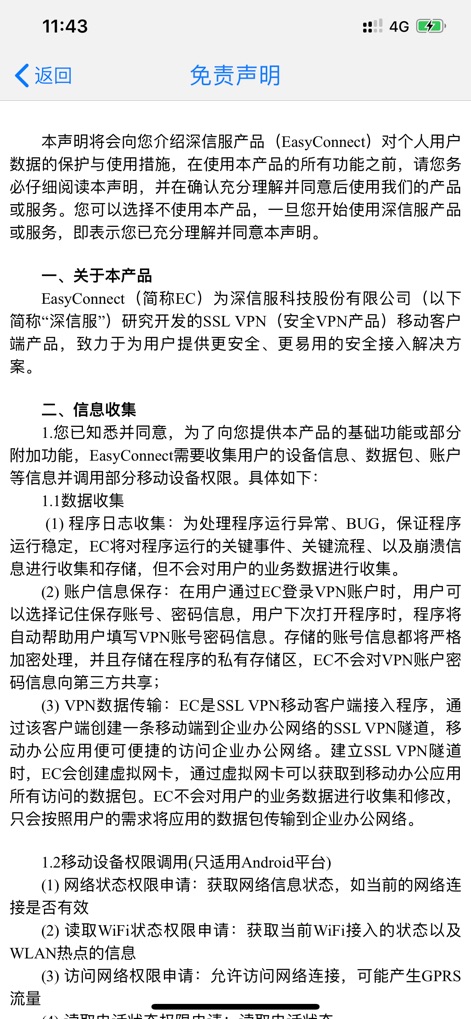
This screen presents the app's detailed legal text and the prominent 'Disclaimer' heading.
Privacy Policy Details
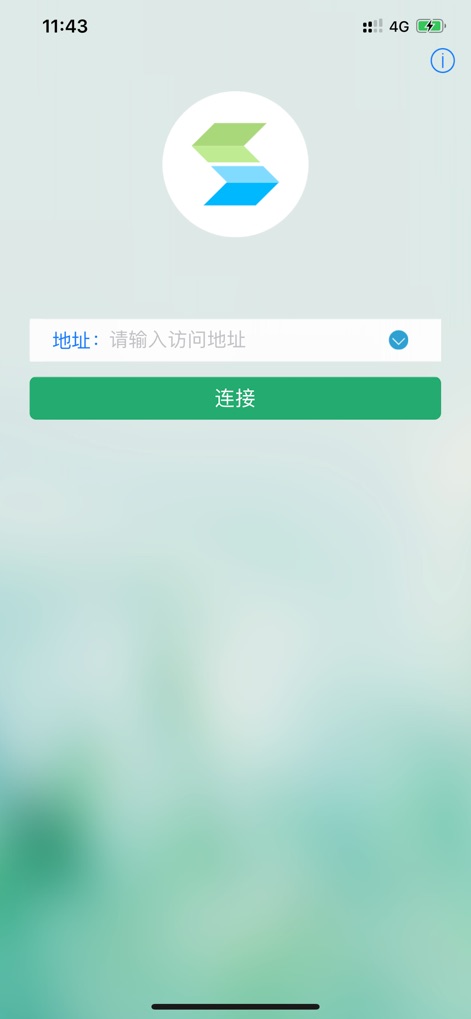
This view shows the app's intuitive login interface, featuring the distinctive EasyConnect logo and the essential 'Connect' button for access.
Gateway to Resources
Description
Download
More Like This
Apps with similar features and user experience

OpenVPN Connect
OpenVPN Inc.
GlobalProtect™
Palo Alto Networks

Ivanti Secure Access Client
Pulse Secure LLC

Adios Alpha
Pickpointio LLC

BeiRui Pgy Management
Shanghai best oray information s&t co.,ltd

FortiClient
Fortinet, Inc

Cisco Secure Client
Cisco

publicroam
Publicroam B.V.

Zscaler Client Connector
Zscaler inc
This page is not an official page of the app or its developer, but an independent editorial publication created for informational and commentary purposes. Unless expressly stated otherwise, neither the app nor its developer is affiliated with, endorsed by, sponsored by, authorized by, or otherwise officially connected with MWM, Apple, Google Play, the app publisher, or the app's developer, and nothing on this page implies that the app was developed using MWM's services. Any trademarks, logos, screenshots, and other content remain the property of their respective owners.