
This page is not an official page of the app or its developer, but an independent editorial publication created for informational and commentary purposes. Unless expressly stated otherwise, neither the app nor its developer is affiliated with, endorsed by, sponsored by, authorized by, or otherwise officially connected with MWM, Apple, Google Play, the app publisher, or the app's developer, and nothing on this page implies that the app was developed using MWM's services. Any trademarks, logos, screenshots, and other content remain the property of their respective owners.

GlobalProtect™
Experience seamless, always-on security that connects you to your corporate network automatically, ensuring your data stays protected wherever you work.
Downloads
2M+User Rating
Total Ratings
6K+Publisher
Category
BusinessLocales
7Latest Version
6.1.10Size
14.3 MBFirst Released
Sep 16, 2018Seamless Security for the Modern Professional
GlobalProtect™ empowers your hybrid work life by delivering enterprise-grade security that works silently in the background of your iPhone or iPad.
Frictionless Connectivity
Eliminate the hassle of manual logins with Always-On VPN and iOS On-Demand technology that secures your connection automatically.
Optimized Performance
Stay productive with intelligent gateway discovery that automatically connects you to the fastest server based on your current location.
Frequently Asked Questions
Everything you need to know about GlobalProtect™
What is GlobalProtect for iOS?
GlobalProtect for iOS connects mobile users to a GlobalProtect gateway on a Palo Alto Networks next-generation firewall, providing enterprise security protection for their devices.
What VPN modes does GlobalProtect for iOS support?
GlobalProtect for iOS supports Always-On VPN, Remote Access VPN, and Per App VPN modes. Enterprise administrators configure these connection modes.
Does GlobalProtect for iOS automatically select the best gateway?
Yes, GlobalProtect for iOS automatically adapts to the user's location and connects them to the best available gateway, ensuring optimal performance without user intervention.
Do I need a GlobalProtect gateway subscription to use GlobalProtect for iOS?
Yes, a GlobalProtect gateway subscription, enabled on your organization's Palo Alto Networks firewall, is required to use GlobalProtect for iOS. Check with your IT department.
Does GlobalProtect for iOS support VPN On-Demand?
Yes, GlobalProtect for iOS supports automatic VPN connection using iOS VPN On-Demand functionality, providing seamless access.
Does GlobalProtect for iOS support BYOD?
Yes, GlobalProtect for iOS supports Bring Your Own Device (BYOD) by offering Remote Access VPN and App Level VPN capabilities.
Can I manually select a gateway in GlobalProtect for iOS?
Yes, GlobalProtect for iOS provides a manual gateway selection capability. Users can choose from a list of available gateways to connect.
What protocols does GlobalProtect for iOS use for connection?
GlobalProtect for iOS establishes connections over IPSec or SSL protocols. This ensures secure and encrypted communication for enterprise users.
Can users change expired passwords with GlobalProtect for iOS?
Yes, GlobalProtect for iOS supports users changing expired Active Directory (AD) or RADIUS passwords when they connect remotely.
Does GlobalProtect for iOS support two-factor authentication?
Yes, GlobalProtect for iOS supports two-factor authentication (2FA) using RADIUS or SAML for One Time Password (OTP) based methods.
What PAN-OS versions are required for GlobalProtect for iOS?
GlobalProtect for iOS requires Palo Alto Networks next-generation firewalls running PAN-OS versions 7.1, 8.0, 8.1, or any later releases.
What iOS versions does GlobalProtect for iOS support?
GlobalProtect for iOS is supported on devices running iOS 10 and all subsequent later releases, ensuring broad compatibility.
How do I sign in to GlobalProtect for iOS?
Users sign in to GlobalProtect for iOS by entering their username and password on the dedicated login screen for the specified portal.
How do I know if GlobalProtect for iOS is connected?
GlobalProtect for iOS indicates a connected status with a prominent "CONNECTED" message and a shield icon on the main screen, alongside a "TAP TO DISCONNECT" prompt.
What connection details does GlobalProtect for iOS display?
GlobalProtect for iOS displays connection details such as the IP address, connected gateway, protocol (e.g., IPSec), bytes in/out, packets in/out, error packets, and uptime.
The following screenshots and description are sourced directly from the app's official store listing and are the property of the app developer.
App Store
Screenshots
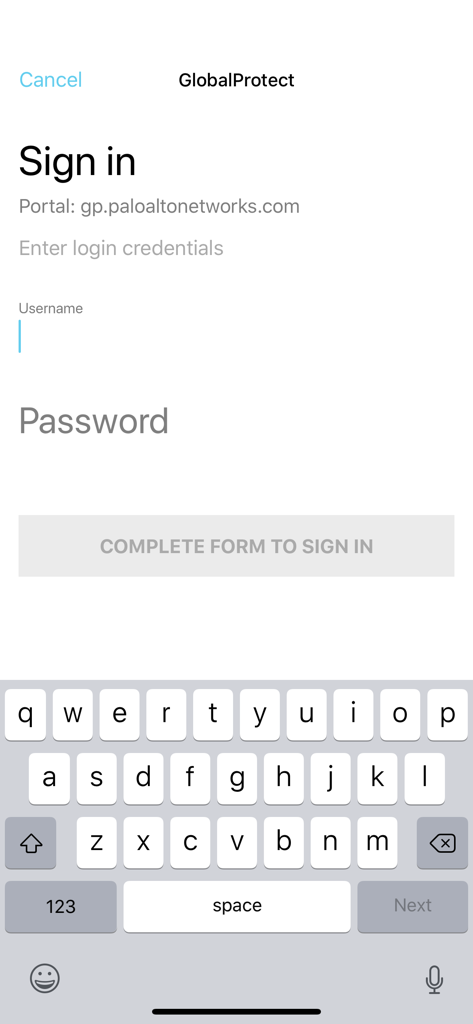
GlobalProtect mobile app sign in screen
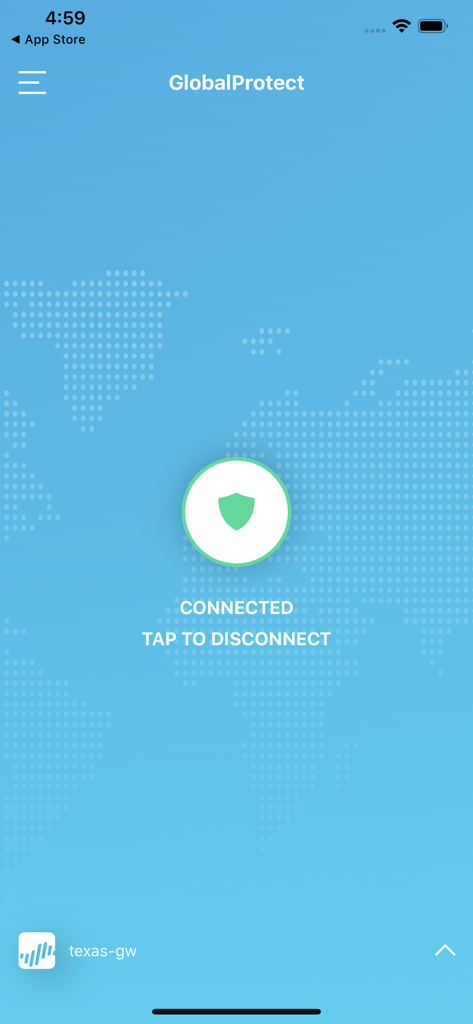
GlobalProtect mobile app interface showing a successful VPN connection status with a shield icon
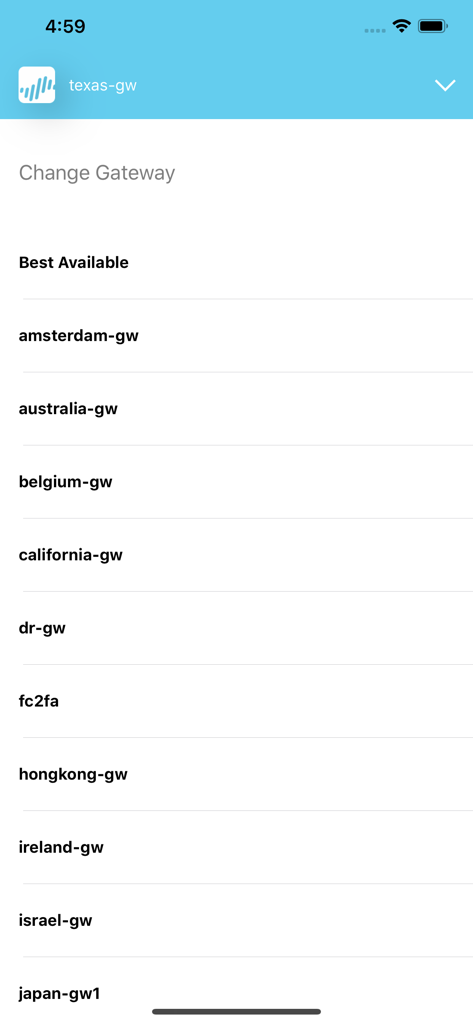
Interface of the GlobalProtect app showing a list of available VPN gateways for secure enterprise connection
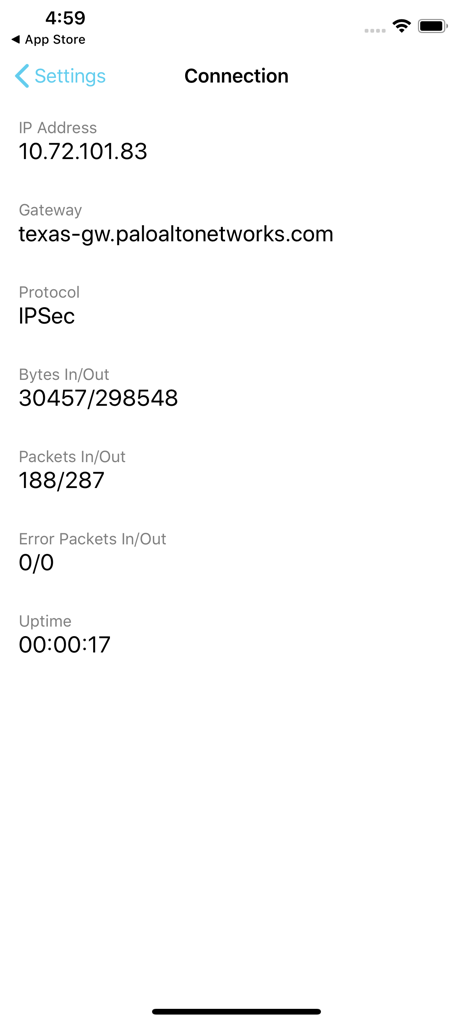
GlobalProtect app interface displaying active VPN connection status with IP address and gateway information
Description
Download
More Like This
Apps with similar features and user experience

OpenVPN Connect
OpenVPN Inc.

Ivanti Secure Access Client
Pulse Secure LLC

Adios Alpha
Pickpointio LLC

BeiRui Pgy Management
Shanghai best oray information s&t co.,ltd

FortiClient
Fortinet, Inc

Cisco Secure Client
Cisco

publicroam
Publicroam B.V.

Zscaler Client Connector
Zscaler inc

Check Point Capsule Connect
Check Point Software Technologies Ltd.
This page is not an official page of the app or its developer, but an independent editorial publication created for informational and commentary purposes. Unless expressly stated otherwise, neither the app nor its developer is affiliated with, endorsed by, sponsored by, authorized by, or otherwise officially connected with MWM, Apple, Google Play, the app publisher, or the app's developer, and nothing on this page implies that the app was developed using MWM's services. Any trademarks, logos, screenshots, and other content remain the property of their respective owners.