
This page is not an official page of the app or its developer, but an independent editorial publication created for informational and commentary purposes. Unless expressly stated otherwise, neither the app nor its developer is affiliated with, endorsed by, sponsored by, authorized by, or otherwise officially connected with MWM, Apple, Google Play, the app publisher, or the app's developer, and nothing on this page implies that the app was developed using MWM's services. Any trademarks, logos, screenshots, and other content remain the property of their respective owners.


Zscaler Client Connector
Experience seamless access to corporate applications and the web with zero-trust security that stays out of your way while keeping you protected anywhere you work.
Downloads
632K+User Rating
Total Ratings
100Publisher
Category
ProductivityLocales
1Latest Version
4.4.3Size
53.6 MBFirst Released
Aug 1, 2017Work Anywhere, Securely
Empower your hybrid workflow with seamless, zero-friction access to corporate tools and secure web browsing on your iOS devices.
Frictionless Access
Connect automatically with a lightweight tunnel that replaces clunky VPNs, letting you work without interruptions.
Enterprise-Grade Security
Protect your data and device from web-based threats with industry-leading cloud security scrubbing every connection.
Frequently Asked Questions
Everything you need to know about Zscaler Client Connector
What modules does the Zscaler Client Connector for iOS include?
The Zscaler Client Connector for iOS includes both Zscaler Internet Access and Zscaler Private Access modules, providing comprehensive security and access functionalities.
Do I need a subscription to use the Zscaler Client Connector app?
Yes, the Zscaler Client Connector app requires an active enterprise subscription to Zscaler's Mobile Security service. Users must follow instructions from their IT organization to use the app.
How does the Zscaler Client Connector connect to the cloud security platform?
The Zscaler Client Connector automatically creates a lightweight HTTP tunnel. This tunnel connects the user's endpoint to Zscaler’s cloud security platform without requiring PAC files or authentication cookies.
Does Zscaler Client Connector support multifactor authentication?
Yes, the Zscaler Cloud Service, utilized by Zscaler Client Connector, supports multifactor authentication via SAML. This enables a streamlined one-step enrollment process for users.
Does Zscaler Client Connector collect personal information?
No, Zscaler Client Connector does not collect any personal information about the user or their device. However, company administrators can view device traffic sent to websites and SaaS applications.
What is the current service status of Zscaler Client Connector?
The Zscaler Client Connector displays the service status as "ON" and indicates an "Off-Trusted Network" status. The authentication status is shown as "Authenticated."
What tunnel protocol does Zscaler Client Connector use?
The Zscaler Client Connector uses the TLS tunnel protocol for secure connectivity. The app displays the Tunnel SDK Version, which is 4.3, under its connection details.
What network statistics does Zscaler Client Connector display?
The Zscaler Client Connector displays network statistics such as "Bytes Sent." An example shows 232.39 MB. It also details the Server IP and Client IP addresses.
How can users troubleshoot issues within Zscaler Client Connector's Digital Experience?
Users can troubleshoot issues within Zscaler Client Connector's Digital Experience by selecting options like "Clear ZDX Data" or "Restart ZDX Service" directly from the app interface.
What troubleshooting tools are available in the Zscaler Client Connector app?
The Zscaler Client Connector app offers troubleshooting tools including "Start Packet Capture," "Report An Issue," "Restart Service," "Export Logs," and "Clear Logs" within its settings.
Can Zscaler Client Connector users control notifications?
Yes, users of Zscaler Client Connector can control notifications. Settings include toggles for "Show Notifications on app icon" and "ZPA Reauthentication Notification."
Where can I find the Zscaler Client Connector app version?
The Zscaler Client Connector app version, for example, "4.3.4 (12)," is located in the "About" section of the app's settings menu.
The following screenshots and description are sourced directly from the app's official store listing and are the property of the app developer.
App Store
Screenshots
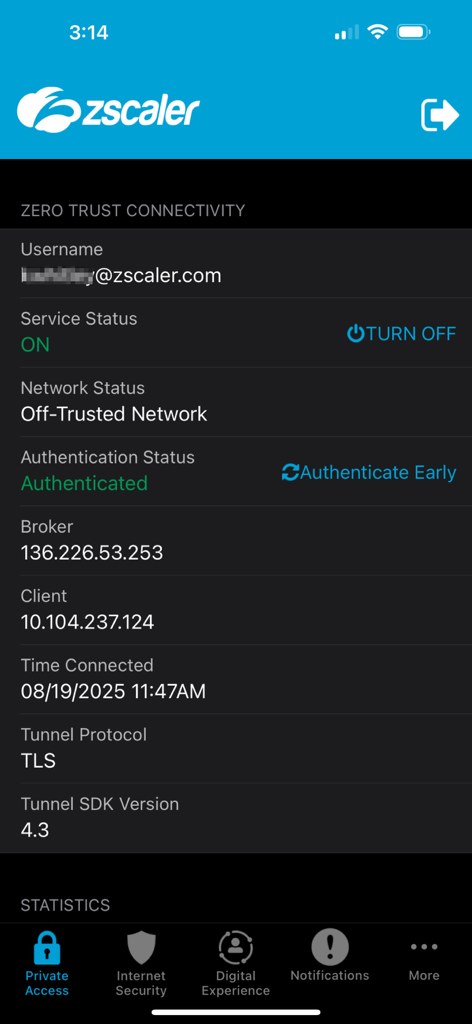
Screenshot of Zscaler Client Connector app showing active Zero Trust connectivity status and service details.
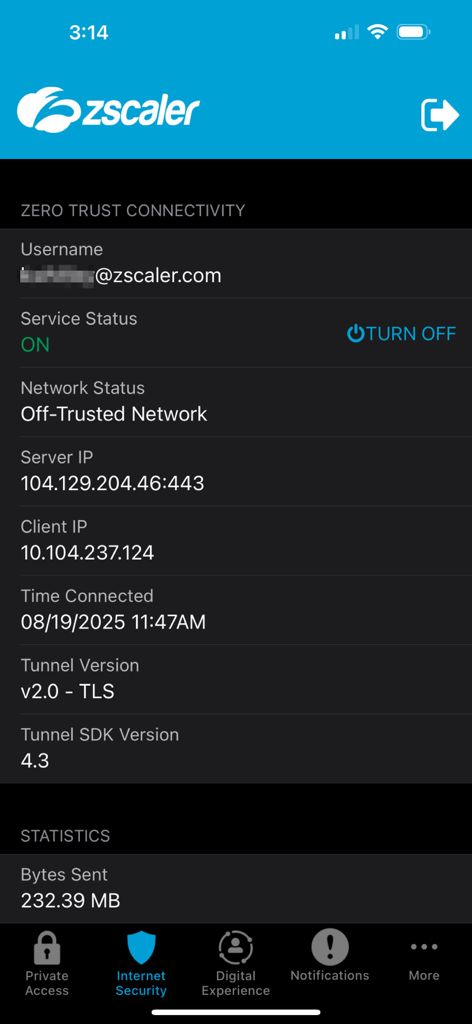
Zscaler Client Connector app interface showing active zero trust connectivity status and network details.
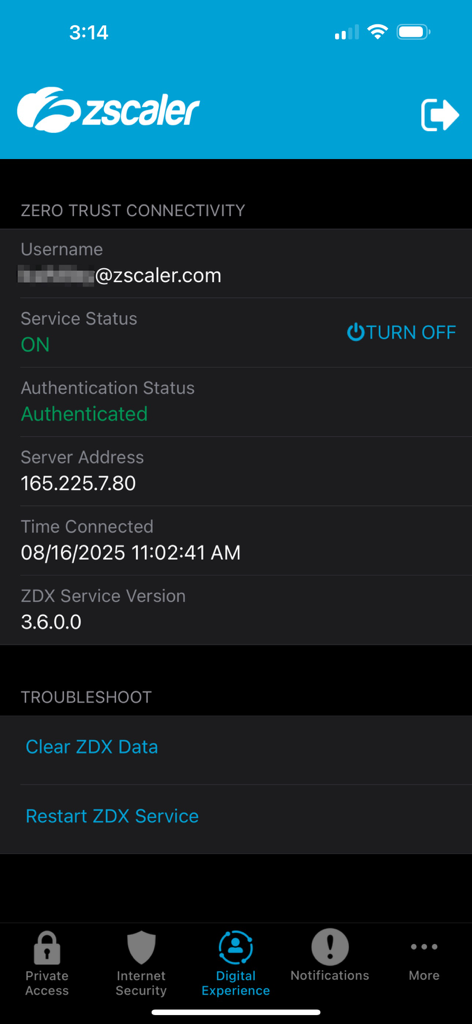
Interface of Zscaler Client Connector app showing service status and zero trust connectivity details
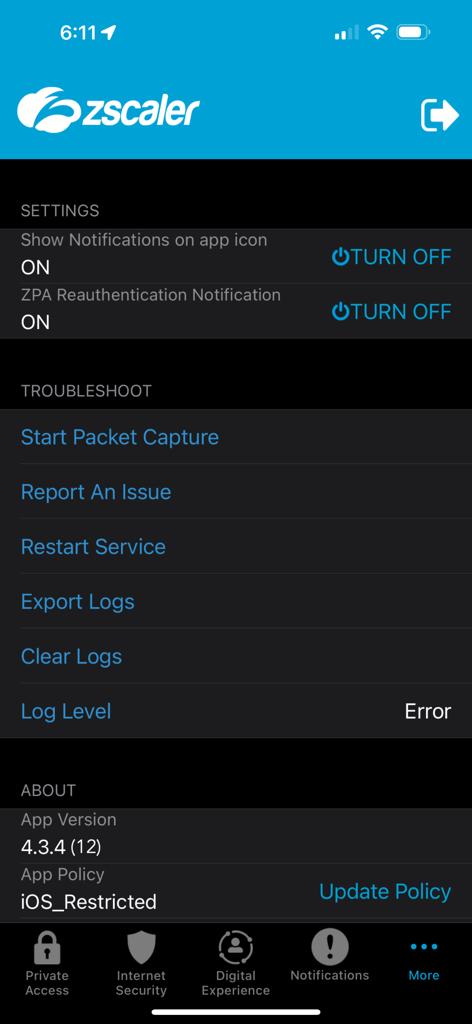
Zscaler Client Connector settings and troubleshooting menu
Description
Download
More Like This
Apps with similar features and user experience

OpenVPN Connect
OpenVPN Inc.
GlobalProtect™
Palo Alto Networks

Ivanti Secure Access Client
Pulse Secure LLC

Adios Alpha
Pickpointio LLC

BeiRui Pgy Management
Shanghai best oray information s&t co.,ltd

FortiClient
Fortinet, Inc

Cisco Secure Client
Cisco

publicroam
Publicroam B.V.

Check Point Capsule Connect
Check Point Software Technologies Ltd.
This page is not an official page of the app or its developer, but an independent editorial publication created for informational and commentary purposes. Unless expressly stated otherwise, neither the app nor its developer is affiliated with, endorsed by, sponsored by, authorized by, or otherwise officially connected with MWM, Apple, Google Play, the app publisher, or the app's developer, and nothing on this page implies that the app was developed using MWM's services. Any trademarks, logos, screenshots, and other content remain the property of their respective owners.