
This page is not an official page of the app or its developer, but an independent editorial publication created for informational and commentary purposes. Unless expressly stated otherwise, neither the app nor its developer is affiliated with, endorsed by, sponsored by, authorized by, or otherwise officially connected with MWM, Apple, Google Play, the app publisher, or the app's developer, and nothing on this page implies that the app was developed using MWM's services. Any trademarks, logos, screenshots, and other content remain the property of their respective owners.


Ivanti Secure Access Client
Empower your professional life with instant, reliable SSL VPN access to corporate applications and data, ensuring your work remains secure from any location on your iOS device.
Downloads
2M+User Rating
Total Ratings
17K+Publisher
Category
BusinessLocales
10Latest Version
22.8.5Size
36.8 MBFirst Released
Jan 11, 2015Empowering Your Secure Digital Workspace
Ivanti Secure Access Client bridges the gap between mobility and security, providing professionals with seamless, encrypted access to corporate resources on the go.
Enterprise-Grade Security
Protect sensitive corporate data and intellectual property with robust SSL VPN encryption, ensuring every connection remains private and compliant.
Work from Anywhere
Gain instant access to internal business applications, files, and networks from your iPhone or iPad, whether you're at home, in a cafe, or traveling.
Frequently Asked Questions
Everything you need to know about Ivanti Secure Access Client
What is Ivanti Secure Access Client?
Ivanti Secure Access Client enables secure connectivity over SSL VPN to corporate applications and data. It allows users to connect securely to corporate SSL VPN gateways for instant access to business resources from any location.
How does Ivanti Secure Access Client provide secure access?
Ivanti Secure Access Client provides secure access using SSL VPN technology. This secures the connection to corporate applications and data, allowing users to access resources as if they are directly on the corporate network.
Is Ivanti Secure Access Client deployed via MDM solutions?
Yes, it is recommended to deploy Ivanti Secure Access Client through MDM solutions. This deployment method allows administrators to effectively control the client on various endpoint devices.
How do users connect using Ivanti Secure Access Client?
Users connect by entering a company-provided URL into the Ivanti Secure Access Client interface and then tapping the "Connect" button. The application then establishes an SSL VPN connection.
What VPN protocols does Ivanti Secure Access Client use?
Ivanti Secure Access Client utilizes SSL for its VPN type and "VPN" for its tunnel type. It establishes secure connections to corporate resources over an SSL VPN gateway.
Can Ivanti Secure Access Client display connection details?
Yes, Ivanti Secure Access Client displays detailed connection information. This includes status, server URL, assigned IP addresses (IPv4 and IPv6), VPN type, tunnel type, and FIPS status.
How do I disconnect an active connection in Ivanti Secure Access Client?
Users can disconnect an active connection in Ivanti Secure Access Client by tapping the "Disconnect" button shown within the connection details screen. They can also swipe and tap on the main connections screen.
Does Ivanti Secure Access Client provide diagnostic tools?
Yes, Ivanti Secure Access Client includes a Diagnostics screen. Users can input a summary and steps to reproduce an issue, attach files, and share diagnostic information for troubleshooting purposes.
The following screenshots and description are sourced directly from the app's official store listing and are the property of the app developer.
App Store
Screenshots
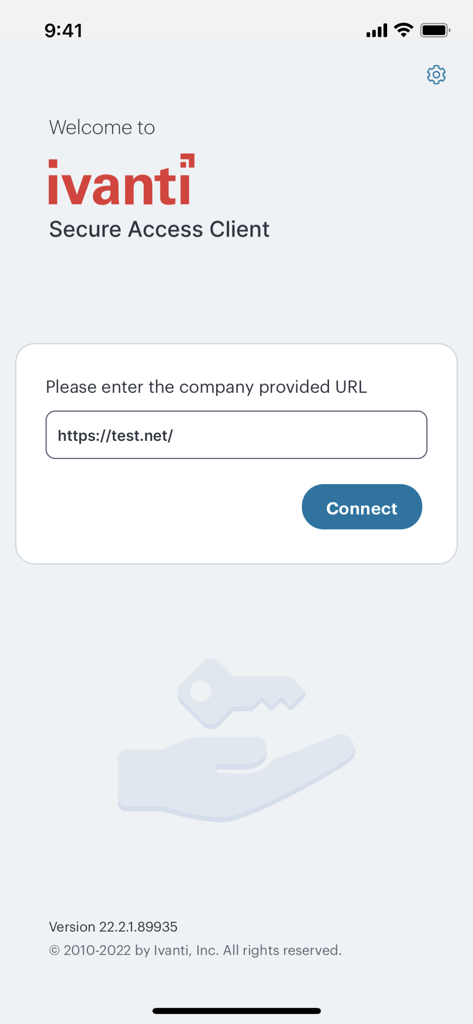
Ivanti Secure Access Client welcome screen with a text field to enter a company URL and a connect button
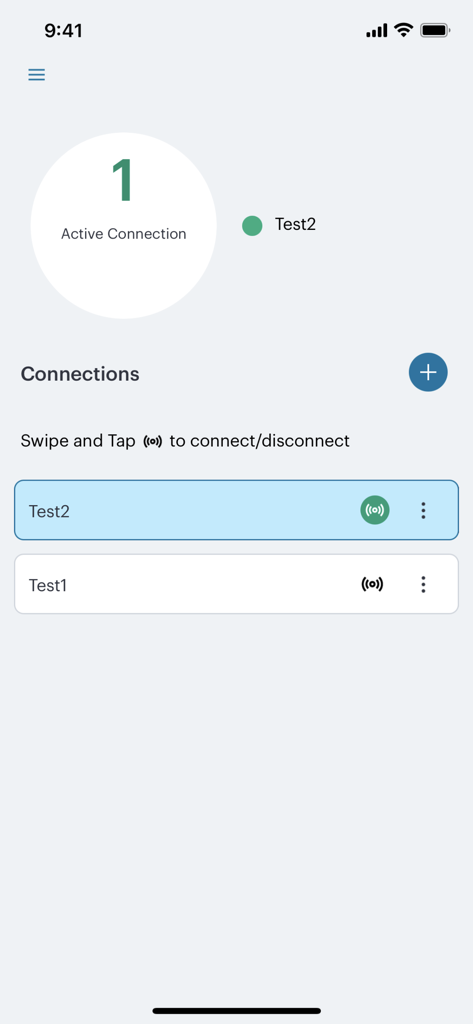
Ivanti Secure Access Client interface showing active VPN connections and connection list
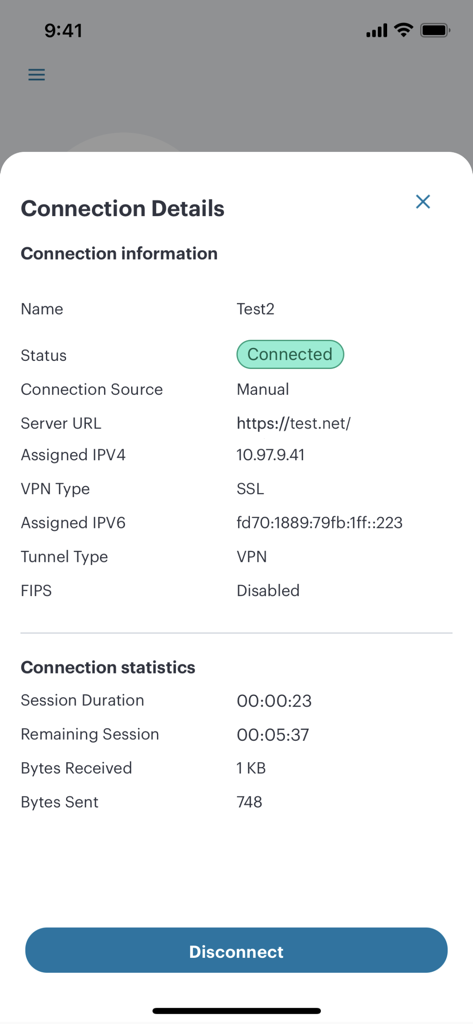
Ivanti Secure Access Client app showing active VPN connection details and statistics including session duration and bytes sent
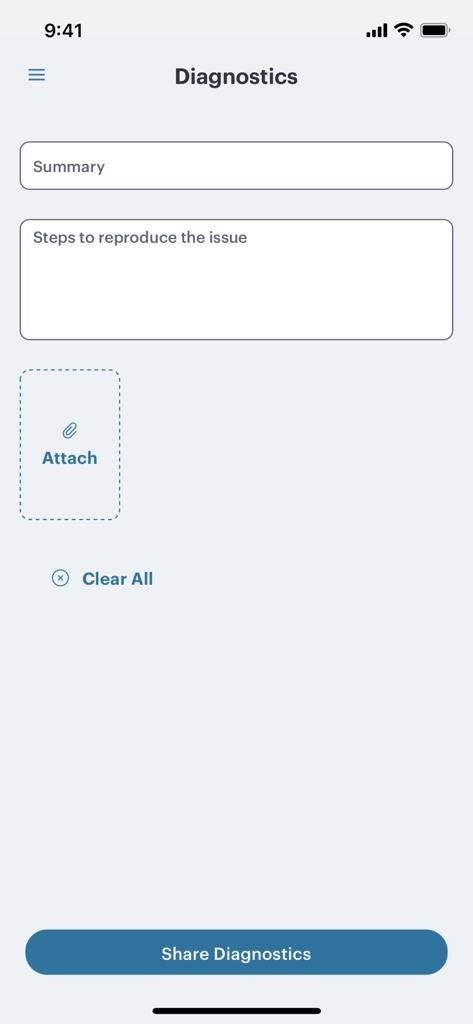
Diagnostics screen for reporting issues within the Ivanti Secure Access Client app.
Description
Download
More Like This
Apps with similar features and user experience

OpenVPN Connect
OpenVPN Inc.
GlobalProtect™
Palo Alto Networks

Adios Alpha
Pickpointio LLC

BeiRui Pgy Management
Shanghai best oray information s&t co.,ltd

FortiClient
Fortinet, Inc

Cisco Secure Client
Cisco

publicroam
Publicroam B.V.

Zscaler Client Connector
Zscaler inc

Check Point Capsule Connect
Check Point Software Technologies Ltd.
This page is not an official page of the app or its developer, but an independent editorial publication created for informational and commentary purposes. Unless expressly stated otherwise, neither the app nor its developer is affiliated with, endorsed by, sponsored by, authorized by, or otherwise officially connected with MWM, Apple, Google Play, the app publisher, or the app's developer, and nothing on this page implies that the app was developed using MWM's services. Any trademarks, logos, screenshots, and other content remain the property of their respective owners.