
This page is not an official page of the app or its developer, but an independent editorial publication created for informational and commentary purposes. Unless expressly stated otherwise, neither the app nor its developer is affiliated with, endorsed by, sponsored by, authorized by, or otherwise officially connected with MWM, Apple, Google Play, the app publisher, or the app's developer, and nothing on this page implies that the app was developed using MWM's services. Any trademarks, logos, screenshots, and other content remain the property of their respective owners.


EasyCut : Video Editor & Maker
The all-in-one studio for the modern creator. Effortlessly craft viral-ready videos and aesthetic photos with simple tools that deliver professional results—no experience needed.
Downloads
43K+User Rating
Total Ratings
1K+Publisher
Category
Photo & VideoLocales
11Latest Version
4.0Size
67.7 MBFirst Released
Apr 7, 2025Your All-in-One Creative Studio
Turn your daily moments into viral-ready content with professional photo and video tools designed for creators who value speed and style.
Built for Every Social Feed
Stop worrying about the algorithm. Instantly resize your content for TikTok, Reels, or YouTube Shorts with one-tap canvas presets.
Trend-Setting Aesthetics
Elevate your personal brand with cinematic filters, stylish typography, and expressive stickers that make your feed pop.
Frequently Asked Questions
Everything you need to know about EasyCut : Video Editor & Maker
What is EasyCut: Video Editor & Maker?
EasyCut is a powerful yet simple application that transforms photos and videos into professional-quality content. It offers comprehensive editing tools for creating memories and social media posts effortlessly.
Does EasyCut include photo editing features?
Yes, EasyCut: Video Editor & Maker includes photo editing tools. Users can adjust brightness, apply filters, add text and stickers, crop, rotate, and choose from multiple layout grid styles.
What video editing tools are available in EasyCut?
EasyCut provides extensive video editing tools including trim, cut, crop, and resize. It also allows adding music, applying filters and effects, and controlling volume for seamless sound mixing and platform optimization.
Can users add music to videos in EasyCut: Video Editor & Maker?
Yes, EasyCut: Video Editor & Maker allows users to import their favorite music tracks for the perfect video soundtrack. It also includes volume control to adjust audio levels precisely.
What are the subscription options for EasyCut: Video Editor & Maker?
EasyCut: Video Editor & Maker offers auto-renewing subscriptions. Users can choose weekly ($2.99), monthly ($4.99), or annual ($29.49) plans. These options provide access to all app features without ads.
How does EasyCut handle auto-renewal for subscriptions?
EasyCut subscriptions automatically renew. Users must turn off auto-renewal at least 24 hours before the current period ends to prevent charges. Subscriptions are managed through iTunes Account Settings.
Can I create GIFs with EasyCut: Video Editor & Maker?
Yes, EasyCut: Video Editor & Maker includes a dedicated GIF Maker feature. This tool allows users to create GIF animations directly within the application interface.
Where can I find the Privacy Policy for EasyCut: Video Editor & Maker?
The Privacy Policy for EasyCut: Video Editor & Maker is available at https://easyvideomakerandeditor.blogspot.com/2025/04/privacy-policy.html. This link is provided in the app's store description.
Does EasyCut: Video Editor & Maker allow users to trim and cut videos?
Yes, EasyCut: Video Editor & Maker provides precise trim and cut functionality. Users can easily remove unwanted sections from their videos using these dedicated editing tools.
Does EasyCut support multiple video canvas sizes?
Yes, EasyCut supports multiple canvas sizes for video editing. This feature optimizes videos for various platforms like Instagram, TikTok, and YouTube, ensuring content fits perfectly.
The following screenshots and description are sourced directly from the app's official store listing and are the property of the app developer.
App Store
Screenshots
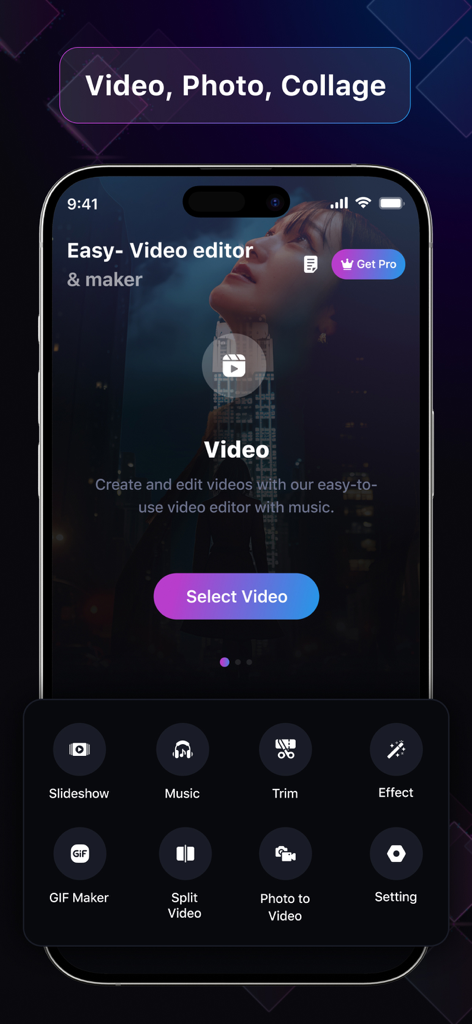
Home screen of EasyCut Video Editor and Maker app featuring video editing tools like trim music and effects
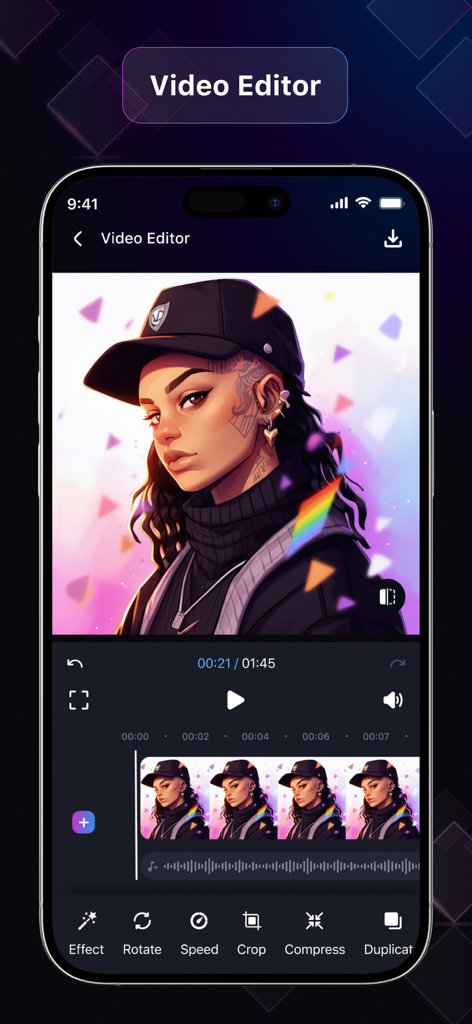
Mobile video editing screen with timeline and tool icons in the EasyCut app
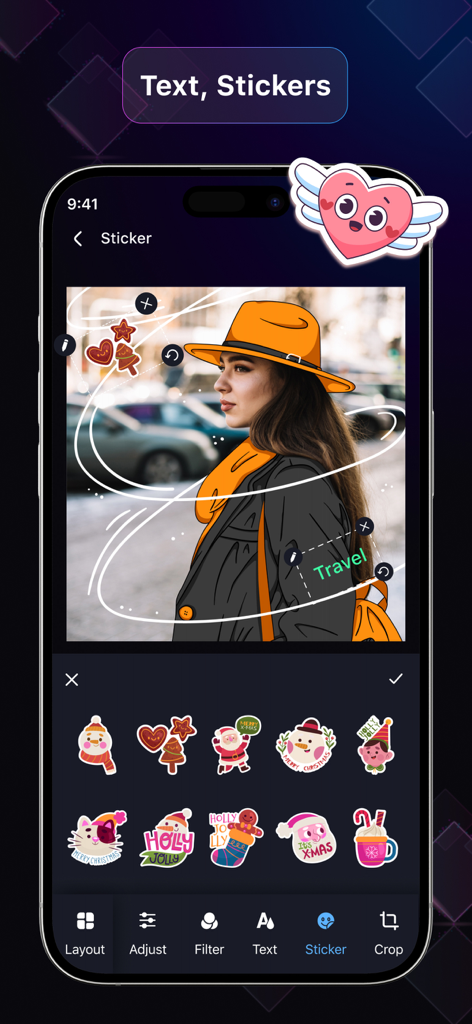
Interface of EasyCut app showing a photo being edited with decorative stickers and text
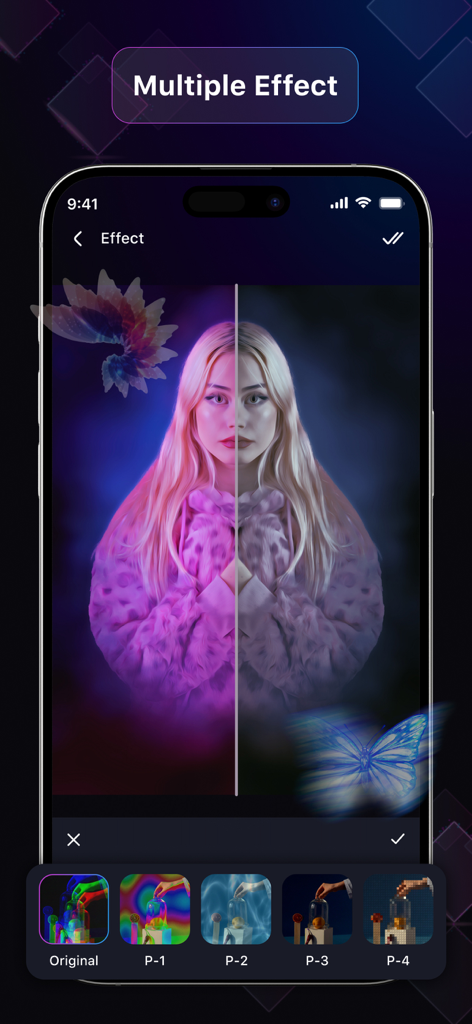
EasyCut app interface showing multiple aesthetic photo filters and effects applied to a portrait
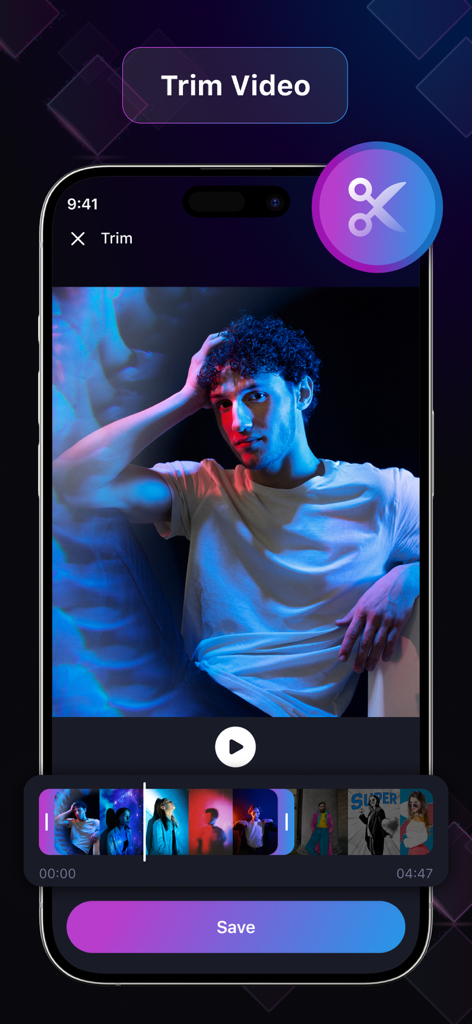
Mobile interface of EasyCut app showing the video trim and cut feature with a frame by frame timeline.
Description
Download
More Like This
Top-ranked apps in the same category

CapCut: Photo & Video Editor
BYTEDANCE PTE. LTD.

Instagram, Inc.

YouTube
Google LLC

Canva: AI Photo & Video Editor
Canva Pty Ltd

Snapchat
Snap, Inc.

快手
Beijing Kwai Technology Co., Ltd.

Edits: Video Editor
Instagram, Inc.

Meitu- AI Photo & Video Editor
Xiamen Meitu Technology Co., Ltd.

Google Photos: Backup & Edit
Google LLC
This page is not an official page of the app or its developer, but an independent editorial publication created for informational and commentary purposes. Unless expressly stated otherwise, neither the app nor its developer is affiliated with, endorsed by, sponsored by, authorized by, or otherwise officially connected with MWM, Apple, Google Play, the app publisher, or the app's developer, and nothing on this page implies that the app was developed using MWM's services. Any trademarks, logos, screenshots, and other content remain the property of their respective owners.