
This page is not an official page of the app or its developer, but an independent editorial publication created for informational and commentary purposes. Unless expressly stated otherwise, neither the app nor its developer is affiliated with, endorsed by, sponsored by, authorized by, or otherwise officially connected with MWM, Apple, Google Play, the app publisher, or the app's developer, and nothing on this page implies that the app was developed using MWM's services. Any trademarks, logos, screenshots, and other content remain the property of their respective owners.

eDOKLADY
Ditch the physical wallet and embrace the future. Securely store, manage, and verify your official documents directly on your iPhone with state-of-the-art encryption designed for your mobile-first lifestyle.
Downloads
50K+User Rating
Total Ratings
200Publisher
Category
UtilitiesLocales
1Latest Version
1.0.8Size
14.1 MBFirst Released
Apr 13, 2025Your Identity, Fully Digital
Say goodbye to your physical wallet. Securely store and present your official documents with a single tap, backed by government-grade encryption.
Wallet-Free Freedom
Leave the plastic behind. Carry your ID securely on your phone and simplify your daily essentials.
Private & Secure Storage
Your data stays in your private storage, protected by biometrics and official ministry-level encryption.
Frequently Asked Questions
Everything you need to know about eDOKLADY
What is the eDOKLADY application?
eDOKLADY is an application that stores a digital copy of your official documents, such as an ID card, in your private storage. It enables the presentation and verification of these digital documents through a government-managed system.
How do I add a document to the eDOKLADY app?
Yes, you can easily add documents to eDOKLADY. The application provides a clear interface with an 'Add eDoklad' button. Once added, your digital ID card details are displayed within the app.
Is my digital ID safe and privately stored in eDOKLADY?
Yes, your electronic ID is stored in your private storage within eDOKLADY. The application emphasizes user control over the document through individual actions, ensuring security and privacy for your digital ID.
How can I present my digital document using eDOKLADY?
You can present your digital document using eDOKLADY via a QR code. The app generates this code to establish a secure connection between your application and the verifier, without containing sensitive document data.
What information does the eDOKLADY QR code transmit during presentation?
The eDOKLADY QR code does not transmit your document data. It solely serves to establish a secure connection between the eDOKLADY application and the official verifier for the presentation of your digital document.
Can I delete a digital document from eDOKLADY?
Yes, eDOKLADY allows you to manage your digital documents. You can delete an eDoklad using the 'Zmazať eDoklad' option found within the actions menu for your document.
How are digital documents verified with eDOKLADY?
Digital documents in eDOKLADY are verified exclusively through a verification information technology managed by the Ministry of Interior. This ensures official and secure validation of your digital ID.
The following screenshots and description are sourced directly from the app's official store listing and are the property of the app developer.
App Store
Screenshots
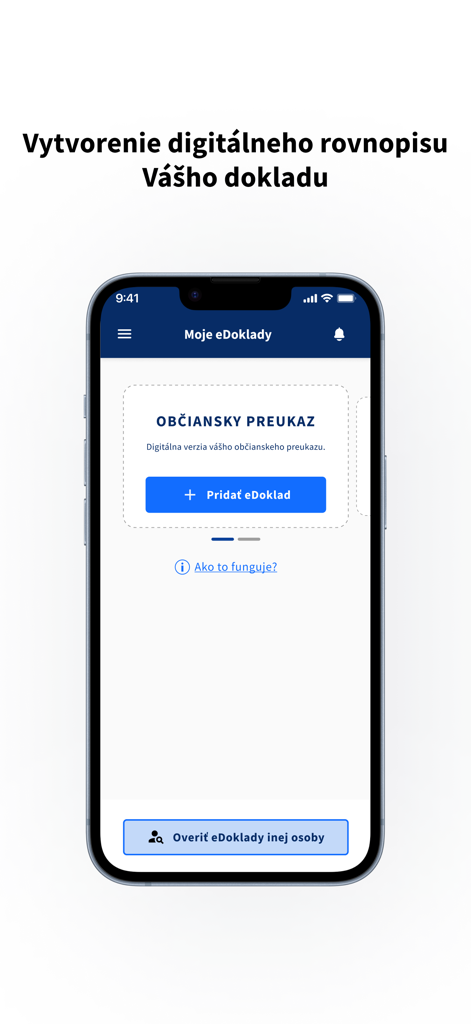
Mobile interface for adding a digital identity card in the eDOKLADY app
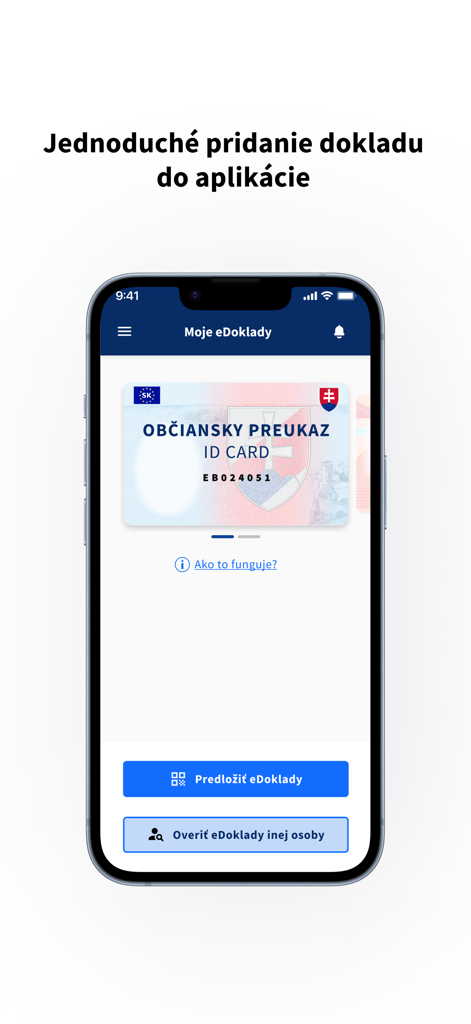
Slovak eDOKLADY app showing a digital identity card on an iPhone screen.
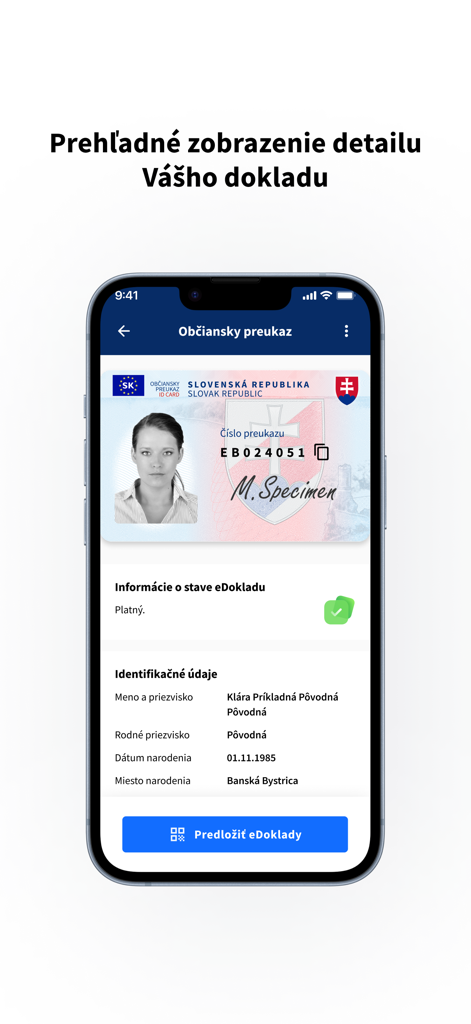
A smartphone screen displaying a digital version of a Slovak identity card within the eDOKLADY app interface.
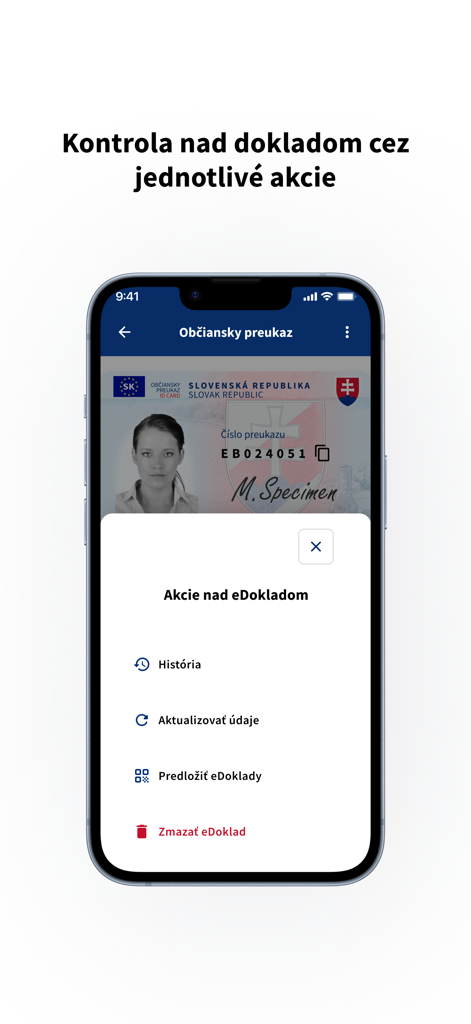
Smartphone screen showing the eDOKLADY app with a digital identity card and an action menu for document management
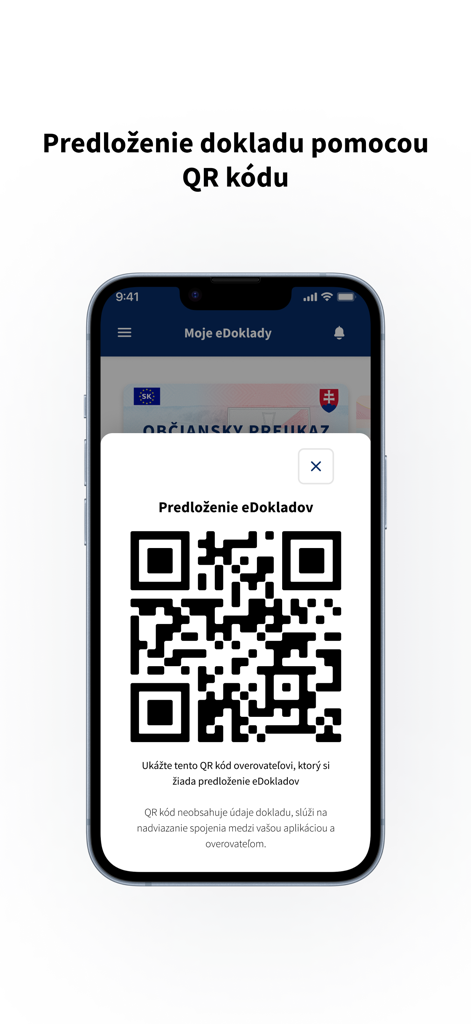
Smartphone screen showing a QR code within the eDOKLADY app for digital identity verification
Description
Download
More Like This
Top-ranked apps in the same category

Google LLC

Google Chrome
Google LLC

中国移动(手机营业厅)
China Mobile Online Services Co., Ltd.

Google Authenticator
Google LLC

CNH do Brasil
Servicos e Informacoes do Brasil

Cleanup: Phone Storage Cleaner
DEEP FLOW SOFTWARE SERVICES - FZCO

gov.br
Servicos e Informacoes do Brasil

中国电信-全国统一官方服务平台
CHINA TELECOM Corporation Ltd.

Microsoft Edge: AI Browser
Microsoft Corporation
This page is not an official page of the app or its developer, but an independent editorial publication created for informational and commentary purposes. Unless expressly stated otherwise, neither the app nor its developer is affiliated with, endorsed by, sponsored by, authorized by, or otherwise officially connected with MWM, Apple, Google Play, the app publisher, or the app's developer, and nothing on this page implies that the app was developed using MWM's services. Any trademarks, logos, screenshots, and other content remain the property of their respective owners.