
This page is not an official page of the app or its developer, but an independent editorial publication created for informational and commentary purposes. Unless expressly stated otherwise, neither the app nor its developer is affiliated with, endorsed by, sponsored by, authorized by, or otherwise officially connected with MWM, Apple, Google Play, the app publisher, or the app's developer, and nothing on this page implies that the app was developed using MWM's services. Any trademarks, logos, screenshots, and other content remain the property of their respective owners.


Email for Hotmail, Outlook
Complexity? Gone. The app delivers absolute command over your Microsoft email, cutting through the clutter.
Downloads
75k+User Rating
Total Ratings
3.8KPublisher
Category
UtilitiesLocales
1Latest Version
2.2Size
32.8 MBFirst Released
Apr 18, 2025An in-depth analysis of key functionalities and their user impact.
Email for Hotmail, Outlook: App Feature Analysis
Secure & Easy Account Setup
The app provides a fast and secure sign-in process for Hotmail, Outlook, Live Mail, and MSN accounts, leveraging the OAuth2 protocol for enhanced security and ease of adding multiple email accounts.
Unified Multi-Account Management
This tool features comprehensive support for managing multiple email accounts (Hotmail, Outlook, Live Mail, MSN) within a single, unified interface, enabling quick and easy switching between them for efficient communication.
Enhanced Privacy & Security
The app offers robust privacy features, including secure access via Face ID or password settings, ensuring that sensitive email data remains protected from unauthorized access.
Real-Time Email Notifications
It provides instant push notifications for new emails, ensuring users are promptly informed of important messages and can respond without delay, enhancing responsiveness.
Comprehensive Email Functionality
The app supports all essential email operations, allowing users to effortlessly send, receive, reply, and forward messages, forming the core of any effective email client.
Advanced Email Filtering & Search
The app provides robust filtering options by Unread, Starred, or Attachments, alongside an advanced search function (by Date, Recipient, Subject), allowing users to quickly locate specific emails.
Versatile Attachment Handling
This tool allows users to view a wide range of attachment file types, including images, documents (doc, xls), and PDFs, directly within the application, facilitating quick review of shared content.
Intuitive Gesture Navigation
It features an intuitive interface with touch and swipe gestures, enabling users to quickly manage their mailbox by archiving or marking emails as unread, streamlining email organization.
Folder Synchronization
The app supports folder synchronization, enabling users to access and manage emails from various custom folders within their inbox, enhancing organizational capabilities.
Customizable Email Signatures
It allows users to customize email signatures for each individual account, maintaining professional branding and consistency across different email identities.
Frequently Asked Questions
Everything you need to know about Email for Hotmail, Outlook
What email providers does Email for Hotmail, Outlook support?
Email for Hotmail, Outlook supports Hotmail, Outlook, Live Mail, and MSN mail accounts. Users can add multiple accounts from these providers.
How does Email for Hotmail, Outlook ensure secure access?
Email for Hotmail, Outlook ensures secure access through the OAuth2 protocol for sign-in, Face ID authentication, and optional password settings.
Can I manage multiple email accounts with Email for Hotmail, Outlook?
Yes, Email for Hotmail, Outlook supports managing multiple email accounts within a unified interface. Users can easily switch between accounts.
What features does Email for Hotmail, Outlook offer for email management?
Email for Hotmail, Outlook provides full email features including sending, receiving, replying, and forwarding. It also supports attachment viewing, push notifications, and folder sync.
Does Email for Hotmail, Outlook allow filtering and advanced search?
Yes, Email for Hotmail, Outlook offers fast email filtering by Unread, Starred, or Attachments. It also provides advanced search by Date, Recipient, Subject, Unread, Starred, or Attachments.
How does Email for Hotmail, Outlook handle attachments?
Email for Hotmail, Outlook supports viewing various attachment files like JPG, DOC, XLS, and PDF. Users can also customize image compression before sending emails.
Where can I find the privacy policy for the Email for Hotmail, Outlook app?
The privacy policy for Email for Hotmail, Outlook is available at https://emailgo.pro/privacy-policy/. This link is provided within the app's description and settings.
Can I customize my email signature in Email for Hotmail, Outlook?
Yes, Email for Hotmail, Outlook allows users to customize a unique email signature for each of their added email accounts.
The following screenshots and description are sourced directly from the app's official store listing and are the property of the app developer.
App Store
Screenshots
This initial view highlights the app's clean branding and the prominent 'EmailGo' logo, inviting users to a simplified email experience.
EmailGo Introduction
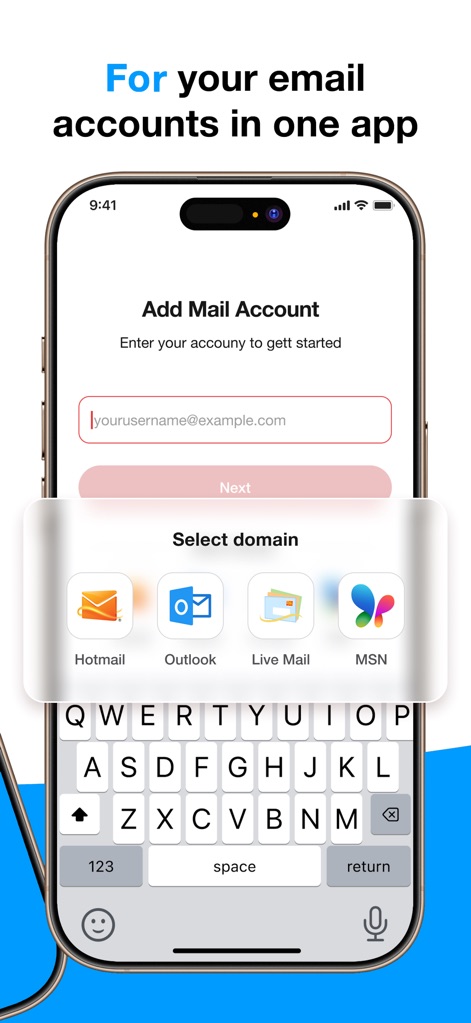
Users can quickly add their email accounts by selecting from popular providers like Hotmail and Outlook, streamlining the initial setup process.
Effortless Account Setup
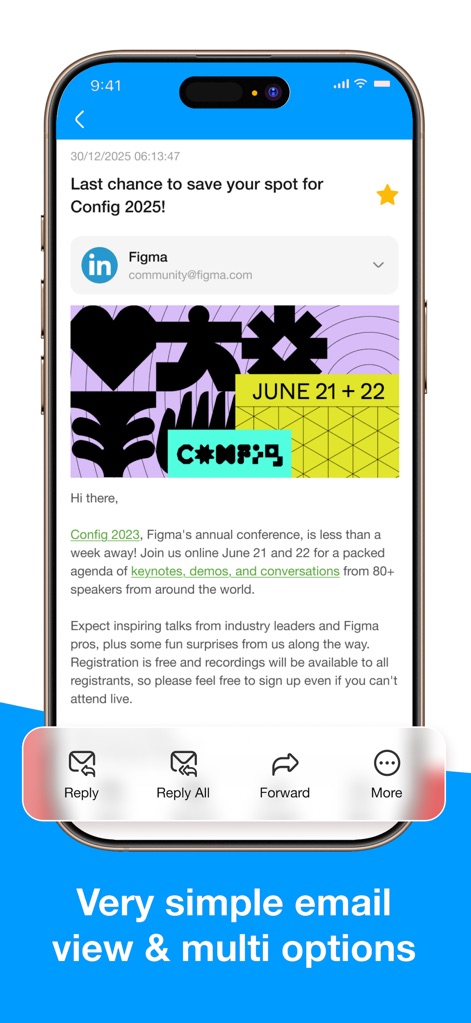
The app presents a clear email message display, accompanied by quick action buttons for replying and forwarding at the bottom for convenient engagement.
Streamlined Email Interaction
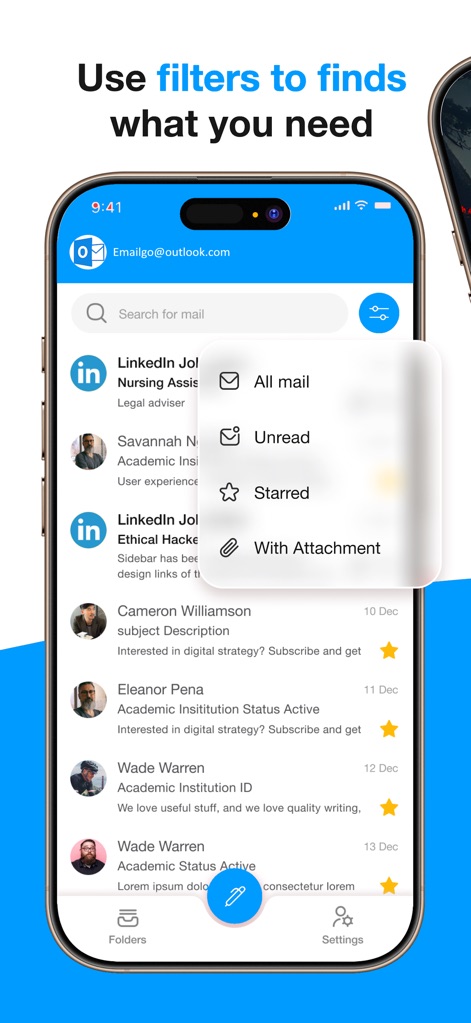
This tool allows users to efficiently locate emails using smart filters such as 'Unread' and 'With Attachment', enhancing message retrieval.
Intelligent Inbox Filtering
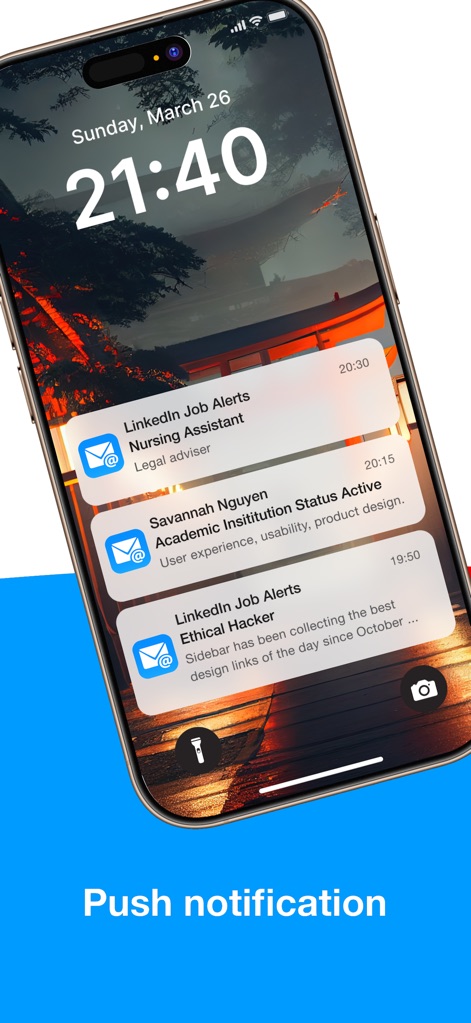
Users receive timely push notifications directly on their lock screen, displaying new email summaries and sender information to keep them informed.
Instant Notification Alerts
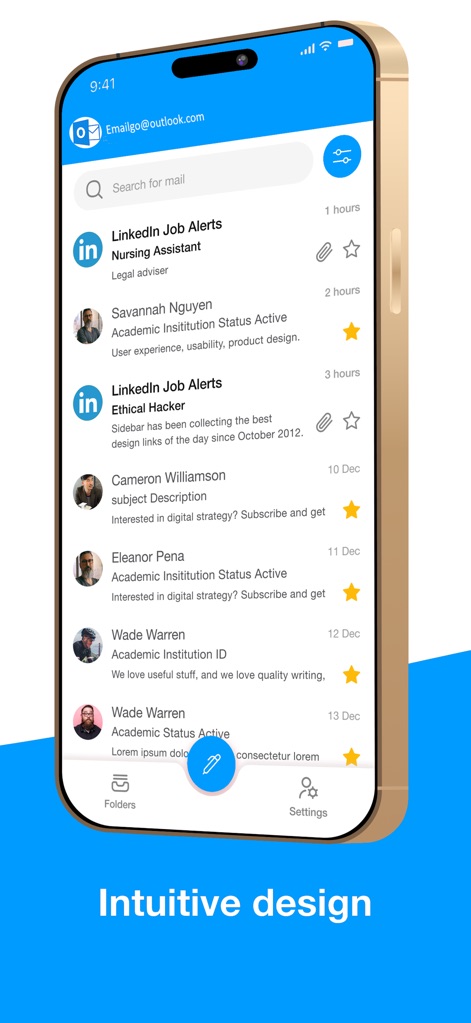
The app showcases a highly intuitive interface with a prominent search bar and clearly organized email list, ensuring easy navigation and readability.
Clean Inbox Layout
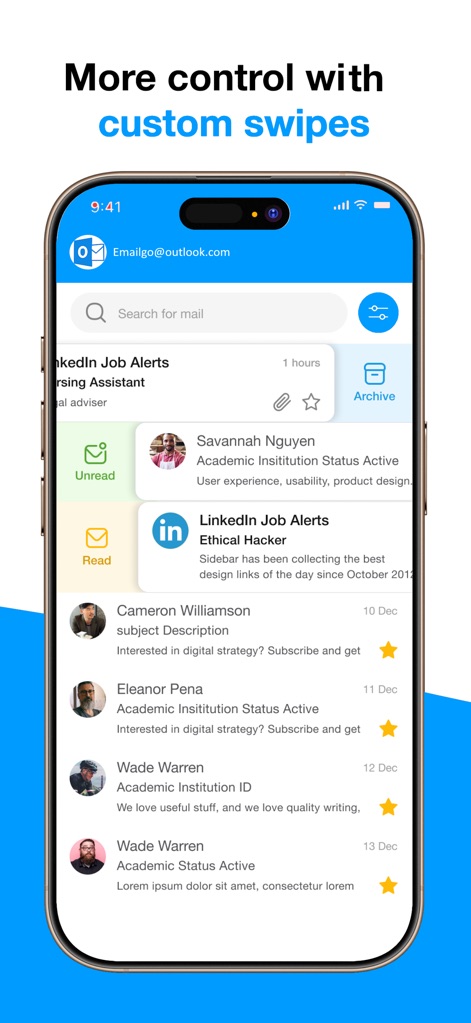
This view demonstrates customizable swipe gestures for managing emails, offering quick options like 'Archive' and 'Mark as Unread' for enhanced productivity.
Efficient Swipe Actions
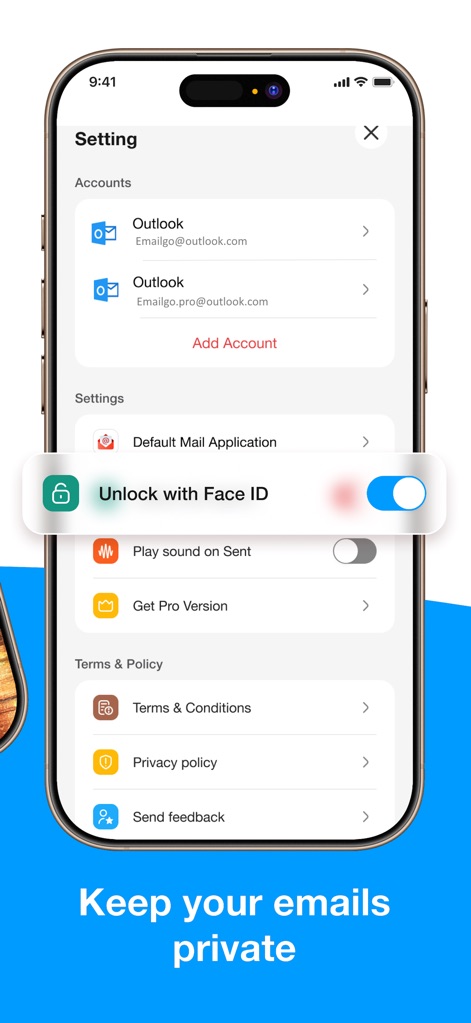
The app prioritizes user privacy, featuring options like 'Unlock with Face ID' and an easy-to-manage 'Accounts' list for secure access.
Enhanced Security Settings
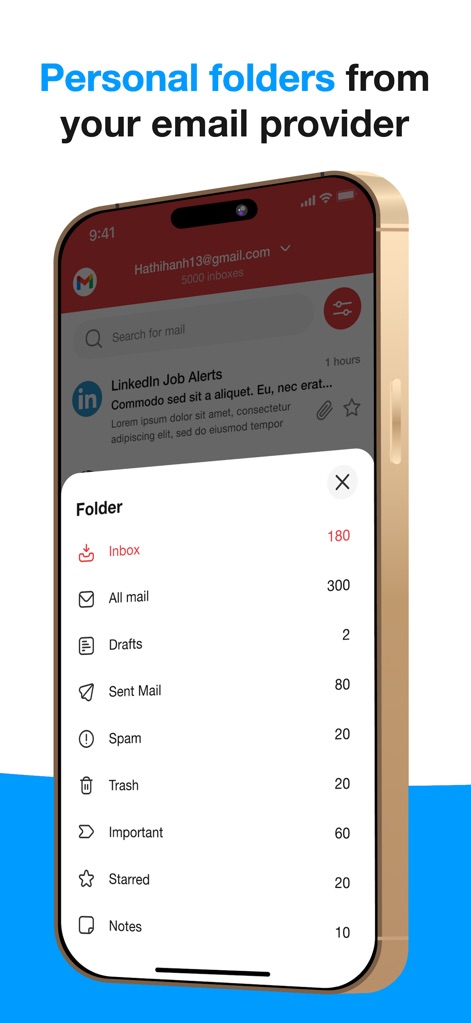
Users can effortlessly navigate their email structure through a detailed folder list showing 'Inbox' and 'Sent Mail', complete with unread counts for better organization.
Comprehensive Folder Management
Description
Download
More Like This
Apps with similar features and user experience

Microsoft Outlook
Microsoft Corporation

Mail: Email, Cloud, Calendar
V Kontakte OOO

Yandex Mail: Email & Cloud
DIRECT CURSUS COMPUTER SYSTEMS TRADING LLC

Gmail - Email by Google
Google LLC

Yahoo Mail
Yahoo Inc.

Proton Mail - Encrypted Email
Proton AG

Email - Edison Mail
Edison Software Inc.

Zoho Mail - Email and Calendar
Zoho Corporation

GMX - Mail & Cloud
1&1 Mail & Media GmbH
This page is not an official page of the app or its developer, but an independent editorial publication created for informational and commentary purposes. Unless expressly stated otherwise, neither the app nor its developer is affiliated with, endorsed by, sponsored by, authorized by, or otherwise officially connected with MWM, Apple, Google Play, the app publisher, or the app's developer, and nothing on this page implies that the app was developed using MWM's services. Any trademarks, logos, screenshots, and other content remain the property of their respective owners.