Emulsio 5 › Video Enhancer

Emulsio 5 › Video Enhancer

Download on App Store
Logo of Emulsio 5 › Video Enhancer

Emulsio 5: Cinematic Stabilization & AI Enhancement

Rescue shaky shots and polish your footage with professional-grade tools. Upscale to 4K, generate fluid AI slow motion, and unlock the full power of your device’s Neural Engine to create stunning, high-quality video content.

Publisher

Creaceed SRL

Category

Photo & Video

Downloads

638K+

User Rating

3.9/5

Total Ratings

100

Locales

24

Cinematic Power at a Glance

Discover the interface used by 638K+ users.

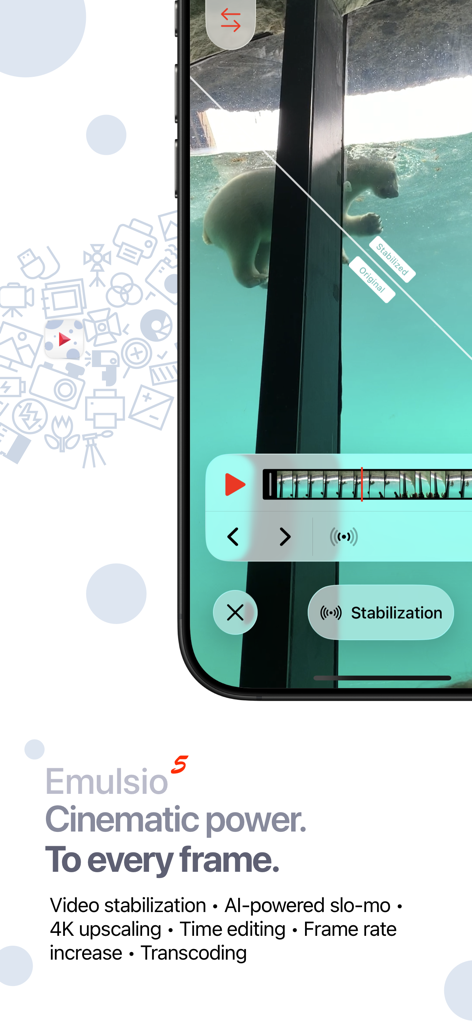
Emulsio 5 app interface showing real-time video stabilization with split-screen comparison
Emulsio 5 app interface showing real-time video stabilization with split-screen comparison

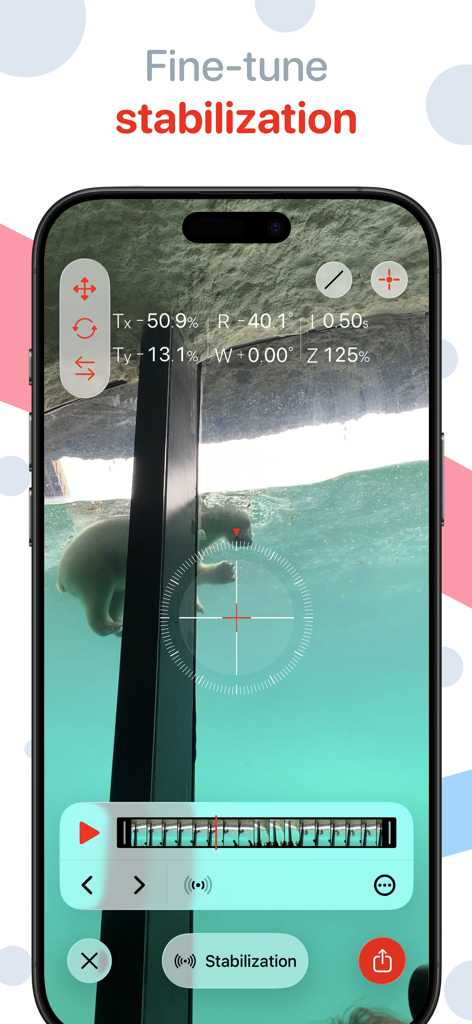
Interface of Emulsio 5 app showing fine-tune stabilization controls over a video clip.
Interface of Emulsio 5 app showing fine-tune stabilization controls over a video clip.

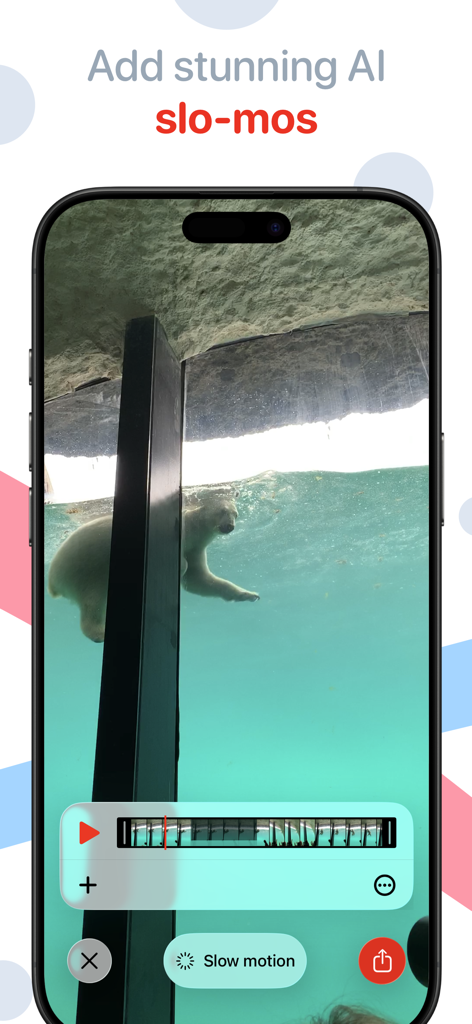
Emulsio 5 app interface displaying the AI slow motion editing feature on a video of a swimming polar bear
Emulsio 5 app interface displaying the AI slow motion editing feature on a video of a swimming polar bear

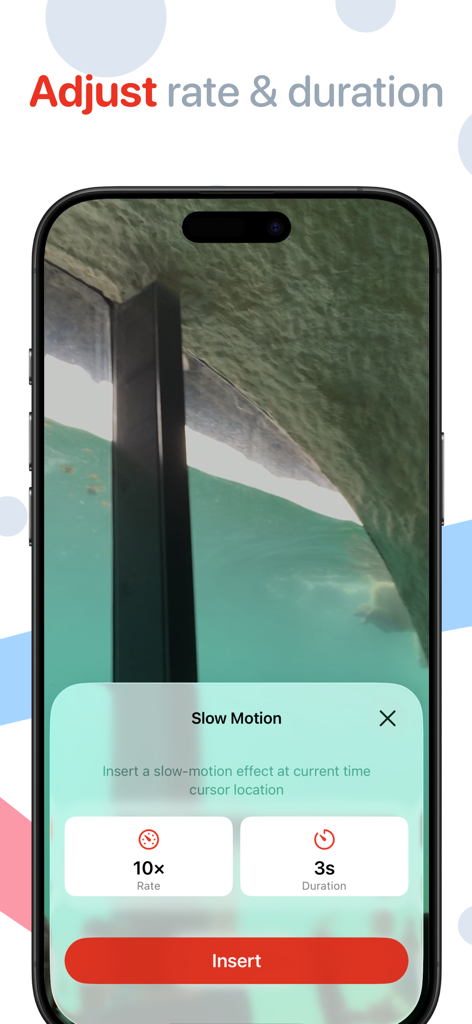
Interface for adjusting slow motion rate and duration in the Emulsio video enhancer app
Interface for adjusting slow motion rate and duration in the Emulsio video enhancer app

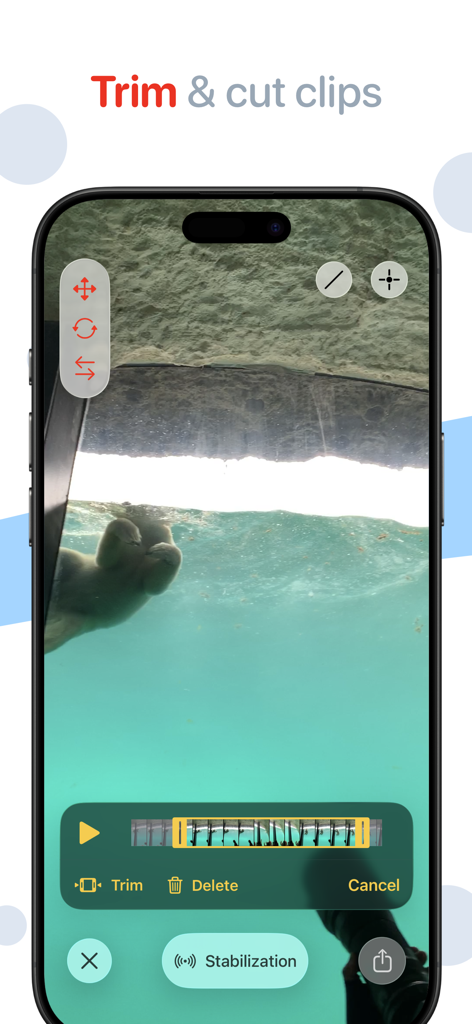
User interface of Emulsio 5 app demonstrating how to trim and cut video clips on an iPhone.
User interface of Emulsio 5 app demonstrating how to trim and cut video clips on an iPhone.

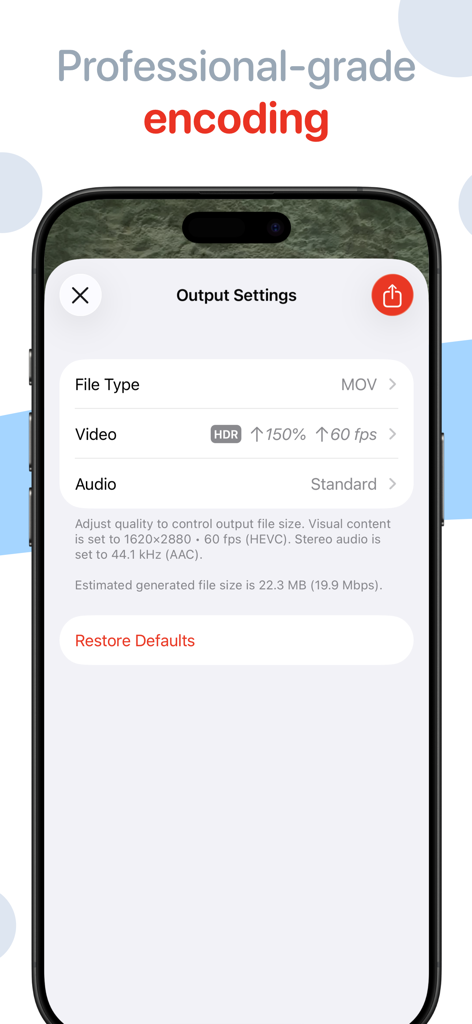
Professional video encoding settings in Emulsio 5 for adjusting file type, frame rate, and resolution.
Professional video encoding settings in Emulsio 5 for adjusting file type, frame rate, and resolution.

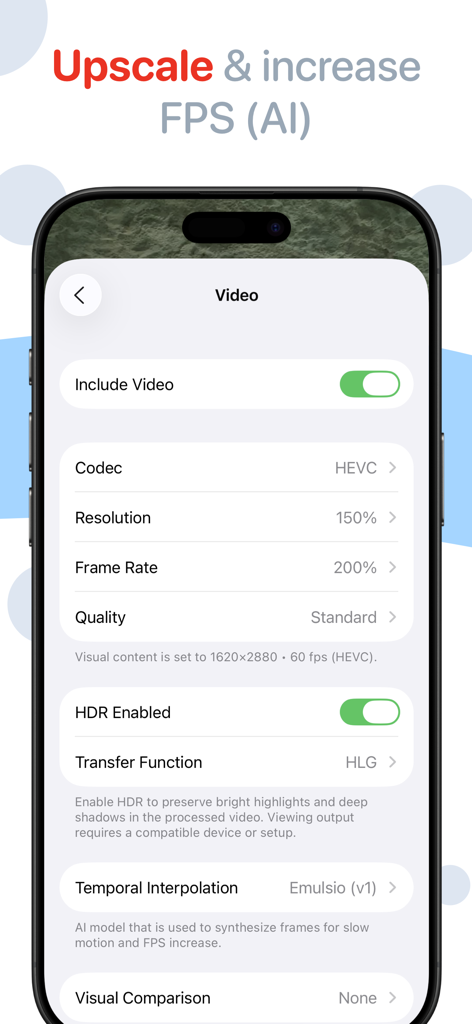
Video export settings for upscaling and increasing FPS using AI in the Emulsio 5 app
Video export settings for upscaling and increasing FPS using AI in the Emulsio 5 app

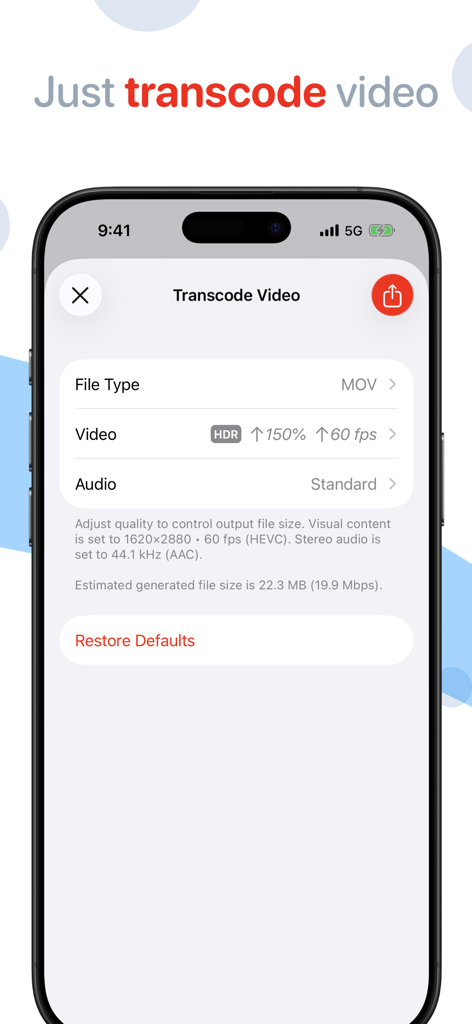
Mobile interface for transcoding video with custom settings in Emulsio app
Mobile interface for transcoding video with custom settings in Emulsio app

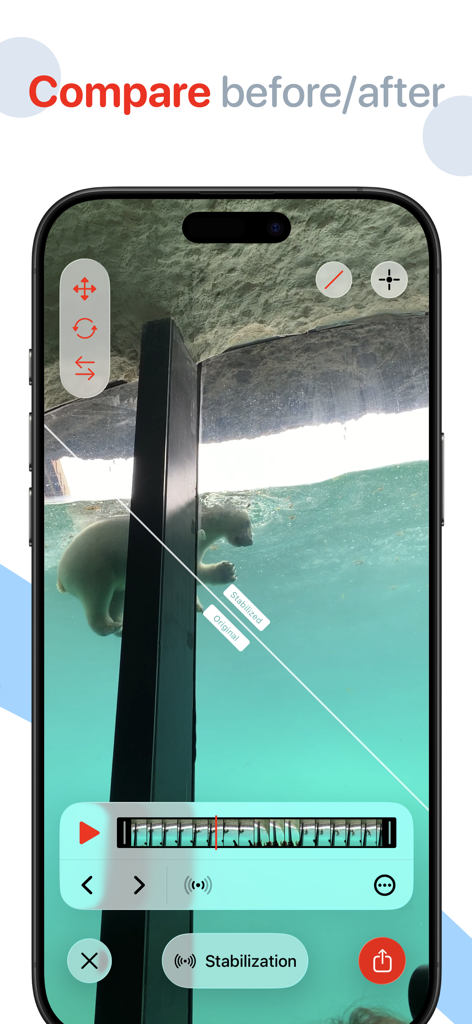
Emulsio app split screen comparison showing original versus stabilized video footage

Emulsio app split screen comparison showing original versus stabilized video footage

Professional-Grade Video Enhancement

The tools that make this app stand out, trusted by 638K+ users.

🎥

Precision Stabilization

Go beyond basic filters. Adjust stabilization strength in real-time to remove jitters while preserving natural camera movement.

AI-Driven Upscaling

Give your content a premium edge. Upscale resolution to 4K and increase frame rates for ultra-crisp, high-fidelity visuals.

🐌

Pro-Level Slow Motion

Achieve stunning dramatic effects with AI frame generation. Create smooth slow-motion sequences up to 10x slower than the original.

About the app

Everything you need to know about Emulsio 5 › Video Enhancer.

Description

** Macworld Conference ‘Best of Show’ winner (San Francisco) ** Bring cinematic power to every frame. Emulsio is a powerful video editing app that helps you transform ordinary footage into polished, cinematic moments. Instantly stabilize shaky shots, upscale to crisp 4K, enhance frame rate, and even add stunning AI-generated slow motion for dramatic effect — all with intuitive control. "The BEST iOS Video Stabilizer App Just Got BETTER!" — iPhoneographers (USA) "A serious and sophisticated stabilization app [...] This is my gold standard stabilization app." — Josh S. (USA) "Very useful, accurate, efficient, simple to use and an affordable stabilizer app! [...] highly recommend it to any mobile phone videographer and content creator." — Ashdeli (Canada) Perfect for content creators, Emulsio gives you precise tools to shape your vision. Adjust stabilization strength in real time. Insert slow-motion segments exactly where you want them, with custom timing and playback speed. Trim, cut, and fine-tune before export, all while maintaining full control over output quality, including HDR support. Emulsio works seamlessly with video shot from Apple devices, drones, action cams, and more. Available on iPhone, iPad, and Mac. STABILIZER & SLOW MOTION • Import any video from your album or from Files. • Fine-tune stabilization strength to remove unwanted shake with precision • Smooth out horizontal, vertical and rotational camera motion, even rolling shutter distortion • Advanced border handling options, including motion limits and multi-frame inpainting • Instantly preview stabilization results with interactive split-screen playback • Insert slow motion anywhere in the timeline with custom speed (up to 10x slower) and duration, on-device AI-powered frame generation(*) is performed during export OTHER FEATURES • Adjust video frame rate up(*) or down • Up to 400% frame rate increase (ex. 30 → 120 FPS) • Upscale lower-res video with on-device AI processing (ex. HD → 4K) • Trim or cut clips non-destructively with timeline editing • Full HDR support, including Dolby Vision/HLG & PQ, ensures dynamic range stays intact from import to export • Fully exposed video encoder settings: format (mov, mp4, m4a), codec (H.264, HEVC), quality/bitrate, resolution to customize output for smaller size or better quality • Share your final video anywhere, from social platforms to pro workflows • Video transcoding: convert video without applying edits or effects • Supports high-speed video (up to 240 FPS) while maintaining native frame rates • Modern OS features: import and export with hardware accelerated HEVC, on-device CoreML processing optimized for Apple Neural Engine, Metal optimized rendering, Drag & Drop, and modern video browsing / searching PRICING Emulsio is available as a free download to try it out. You can unlock all Emulsio 5 features with Pro Pack 5, a one-time purchase that includes feature updates up to the next major release, or with Pro Plan, a subscription that also includes all future updates. Upgrade pricing is available within the app if you own a previous version. HELP & FEEDBACK Visit creaceed.com/emulsio for more information. Send your questions and feedback to emulsio@creaceed.com Terms of Use: https://creaceed.com/terms Privacy Policy: https://creaceed.com/privacy (*) an iPhone or iPad with at least 6GB of RAM (iPhone 12 Pro / iPhone 14 or above) is required for best quality slo-mo or frame rate increase.

Latest Version

5.2.1

Size

154.4 MB

First Released

Jan 11, 2011

Ready to Make Every Frame Cinematic?

Join over 600,000 creators using Emulsio’s on-device AI to stabilize, upscale, and polish their footage. Download now and experience professional-grade video power on your iPhone, iPad, and Mac.

Download on App Store

App information, icons, screenshots, and descriptions displayed on this page are sourced from the Apple App Store and are the property of their respective developers. Download estimates and rankings are based on MWM's proprietary models and may not reflect actual figures. This page is provided for informational and analytical purposes only.

Believe this page infringes your intellectual property? File a dispute