eWallet - Password Manager
Download on App Store

This page is not an official page of the app or its developer, but an independent editorial publication created for informational and commentary purposes. Unless expressly stated otherwise, neither the app nor its developer is affiliated with, endorsed by, sponsored by, authorized by, or otherwise officially connected with MWM, Apple, Google Play, the app publisher, or the app's developer, and nothing on this page implies that the app was developed using MWM's services. Any trademarks, logos, screenshots, and other content remain the property of their respective owners.

Logo of eWallet - Password Manager
Download on App Store

eWallet - Password Manager

Protect your passwords, banking, and sensitive info with military-grade encryption. Join over 10,000 users who value data sovereignty and a simple one-time purchase—no monthly subscriptions, ever.

Key Figures

Downloads

164K+

User Rating

4.5/5

Total Ratings

10K+

Publisher

Ilium Software, Inc.

Category

Productivity

Locales

1

Latest Version

8.14

Size

30.5 MB

First Released

Jan 31, 2019
Features

Your All-in-One Secure Digital Vault

Take back control of your privacy with military-grade encryption and a one-time purchase model that eliminates monthly subscription fees forever.

Military-Grade Security

Protect your financial data and passwords with 256-bit AES encryption, backed by over 28 years of mobile security expertise.

No Monthly Subscriptions

Escape subscription fatigue. Try for 30 days and pay once to own your digital wallet, ensuring long-term value without recurring costs.

The following screenshots and description are sourced directly from the app's official store listing and are the property of the app developer.

App Store

Screenshots
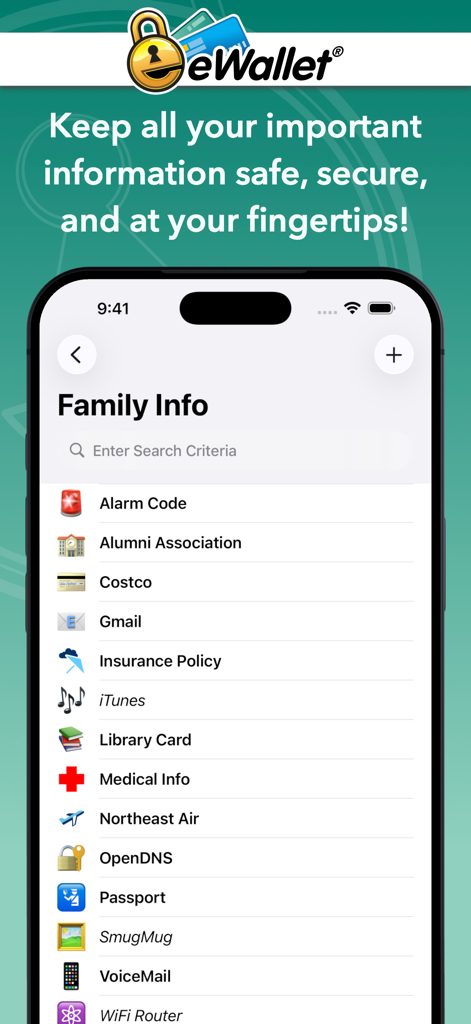
eWallet - Password Manager - eWallet password manager app showing a list of secure family information including insurance and passport details
eWallet password manager app showing a list of secure family information including insurance and passport details

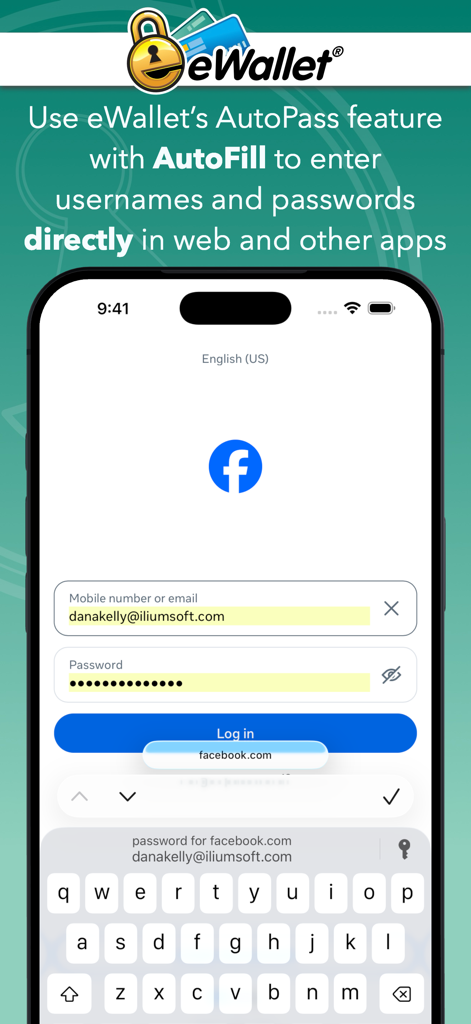
eWallet - Password Manager - iPhone screen showing eWallet AutoFill feature entering login details into a mobile app
iPhone screen showing eWallet AutoFill feature entering login details into a mobile app

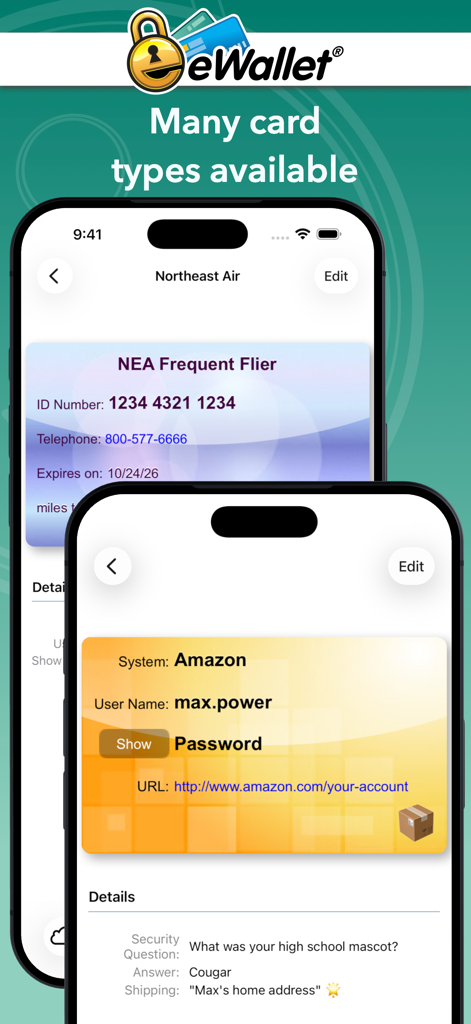
eWallet - Password Manager - Two iPhone screens showing different digital cards for frequent flyer and Amazon account information in the eWallet app
Two iPhone screens showing different digital cards for frequent flyer and Amazon account information in the eWallet app

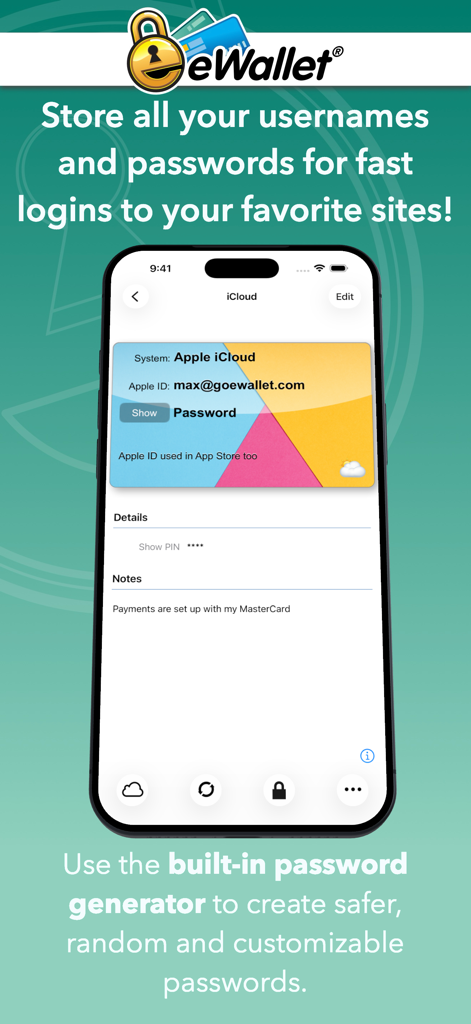
eWallet - Password Manager - eWallet password manager app interface displaying an iCloud login card with username and password details.
eWallet password manager app interface displaying an iCloud login card with username and password details.

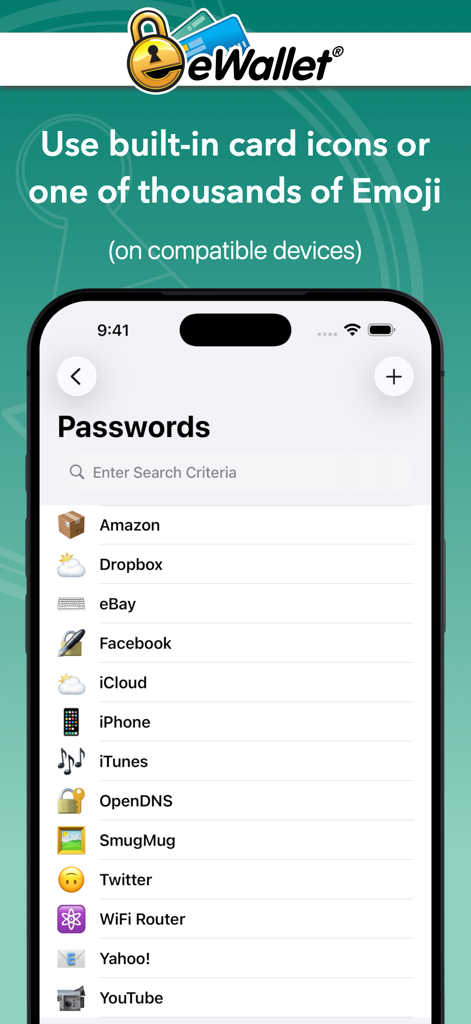
eWallet - Password Manager - eWallet app interface showing password list with custom icons and emojis
eWallet app interface showing password list with custom icons and emojis

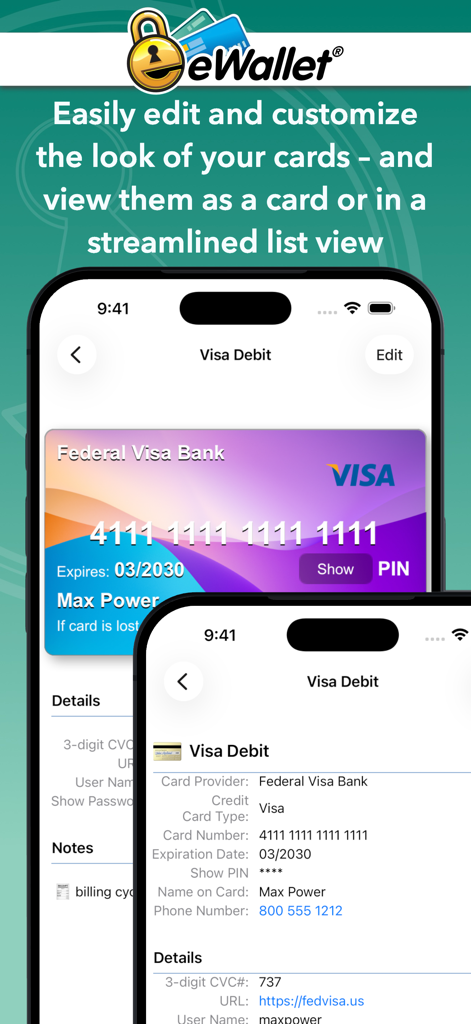
eWallet - Password Manager - eWallet app interface showing a visual credit card representation and a detailed text list of account information.
eWallet app interface showing a visual credit card representation and a detailed text list of account information.

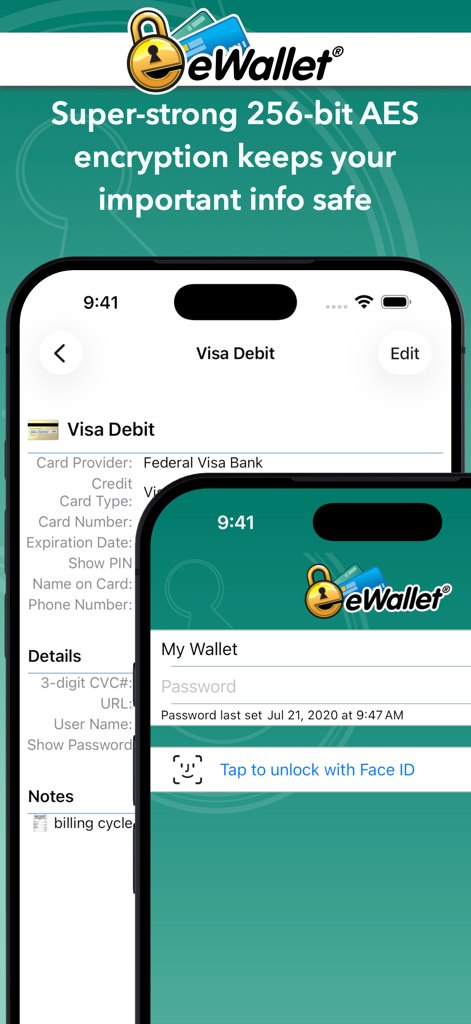
eWallet - Password Manager - eWallet app screenshot displaying 256-bit AES encryption and Face ID unlock functionality
eWallet app screenshot displaying 256-bit AES encryption and Face ID unlock functionality

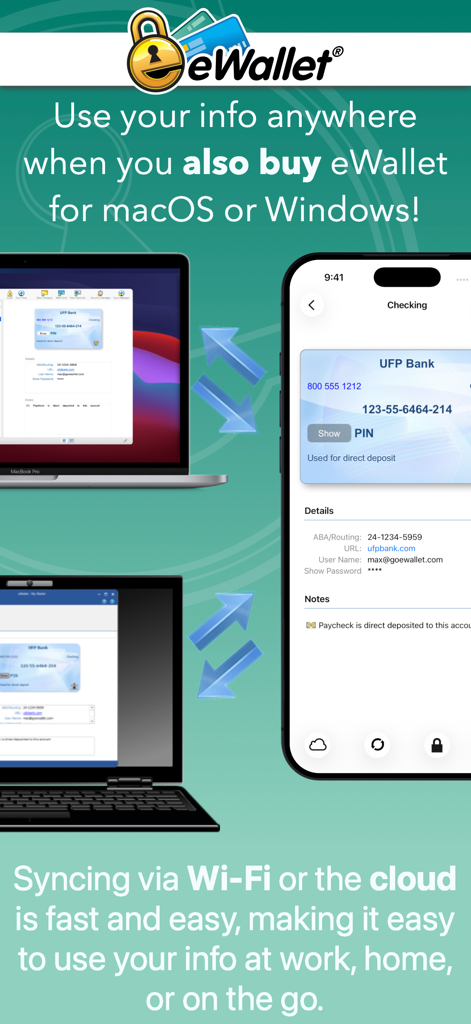
eWallet - Password Manager - eWallet app showing data synchronization between an iPhone and desktop computers
eWallet app showing data synchronization between an iPhone and desktop computers

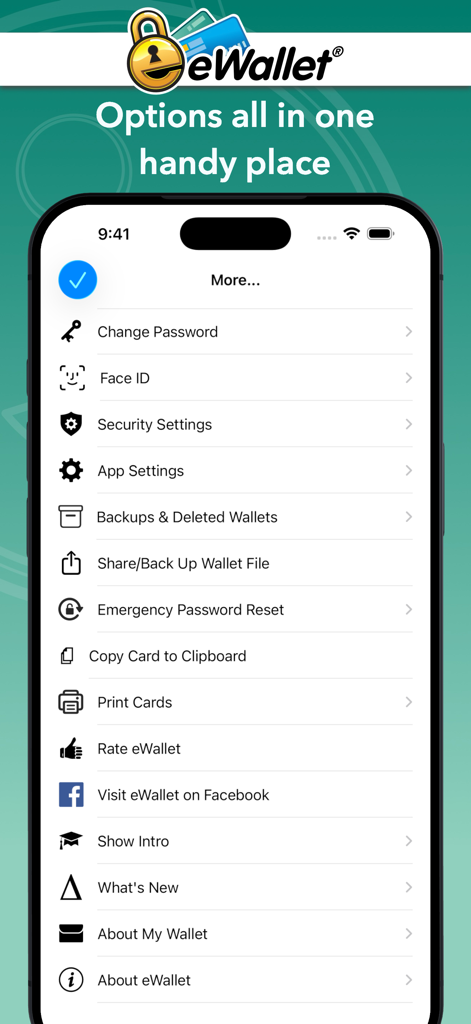
eWallet - Password Manager - A list of security and backup settings in the eWallet password manager app
A list of security and backup settings in the eWallet password manager app

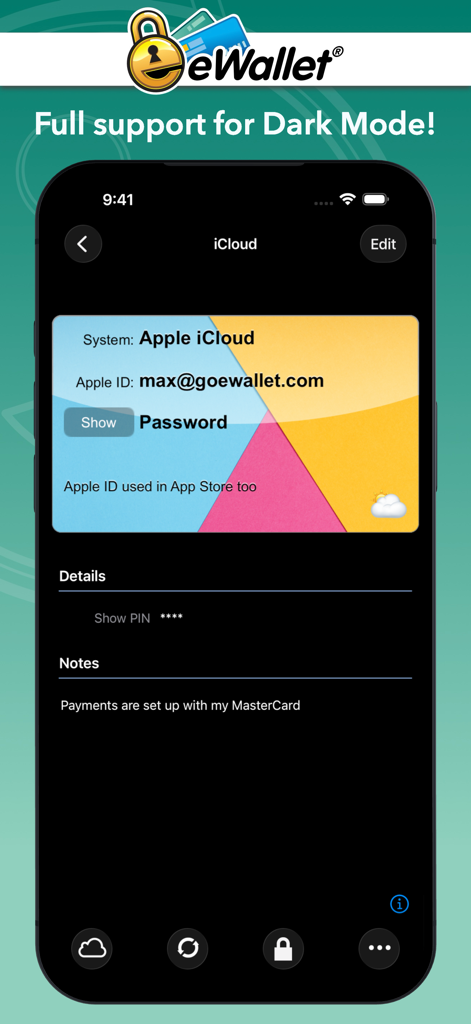
eWallet - Password Manager - eWallet app interface in dark mode showing an iCloud account digital card

eWallet app interface in dark mode showing an iCloud account digital card

Description

Lock your passwords, credit cards and bank account numbers behind military-grade encryption and carry them with you wherever you go by installing the most sophisticated and easy to-use password manager app on your iPhone and iPad. Stay safe, stay strong, stay smart with the universal iPhone & iPad app, eWallet®. Try before you buy! Try eWallet completely free for 30 days with full functionality (see details below). COMPLETE PASSWORD MANAGEMENT Your digital life is at risk if you aren’t using secure passwords, but you needn’t worry about carrying sensitive information around in your pocket any more thanks to eWallet. This robust security app provides password storage on-the-go, so you can still log in to your bank account, store your credit card and PIN numbers, and lock your online life away while still having full and free access whenever you want it. SAFETY AND SIMPLICITY With full iCloud, Dropbox, Google Drive, or Microsoft OneDrive backup of your secure “wallets” and the option to seamlessly sync data between devices and computers, eWallet is as convenient as it is strong. Check out its powerhouse features below, and find out more at https://www.iliumsoft.com/ewallet. FEATURES: * 256-bit military-grade AES encryption * Touch ID and Face ID support for secure yet convenient access on compatible devices * Optimized for large and high resolution screens * Dark Mode (iOS / iPadOS 13+) * Supports multitasking (Slide Over and Split View) * Sync your data seamlessly over the cloud (iCloud, Dropbox, Google Drive, or Microsoft OneDrive)  * Or sync via Wi-Fi with eWallet’s macOS or Windows versions (purchased separately) * Random password generator to keep your login details safe and secure * Store bank account, insurance and personal details — keep all your info close at hand, and secure * Auto-locking feature * Create and sync multiple wallets between computers and devices * Customize your wallets with great-looking cards, backgrounds and categories * Choose a built-in icon or one of over three thousand possible emoji to customize your cards (iOS / iPadOS 14.2+) * AutoPass automatic password entering through built-in browser control * AutoFill provider for entering usernames and passwords directly in Safari and other apps * Supports printing cards to AirPrint enabled printers Ilium Software has over 28 years of mobile security software experience and is trusted by users around the world to deliver the most comprehensive, user-friendly solution to personal data security. Don’t risk being without eWallet. Notes on the trial version: * It's completely free to use for 30-days * Any time during or after the trial, you can purchase eWallet via an in-app purchase * There is no subscription fee (monthly, yearly, or otherwise) * If you elect not to purchase eWallet and the trial expires, you'll still be able to access your existing info but you won't be able to update it * Purchasing eWallet extends its functionality beyond the trial period and you'll be able to continue to change your information, add new info, generate new passwords, sync, etc.

Download

Download on App Store

This page is not an official page of the app or its developer, but an independent editorial publication created for informational and commentary purposes. Unless expressly stated otherwise, neither the app nor its developer is affiliated with, endorsed by, sponsored by, authorized by, or otherwise officially connected with MWM, Apple, Google Play, the app publisher, or the app's developer, and nothing on this page implies that the app was developed using MWM's services. Any trademarks, logos, screenshots, and other content remain the property of their respective owners.








