Expert Scan PDF Scanner

Expert Scan PDF Scanner

Download on App Store
Logo of Expert Scan PDF Scanner

Expert Scan PDF Scanner: Your Professional Mobile Office

High-quality document scanning, advanced OCR text extraction, and seamless QR code management. Streamline your workflow and go paperless with ease.

Download on App Store

Publisher

Julien meyer

Category

Utilities

Downloads

3K+

User Rating

4.5/5

Total Ratings

300

Locales

7

A Glimpse of True Productivity

Discover the interface used by 3K+ users.
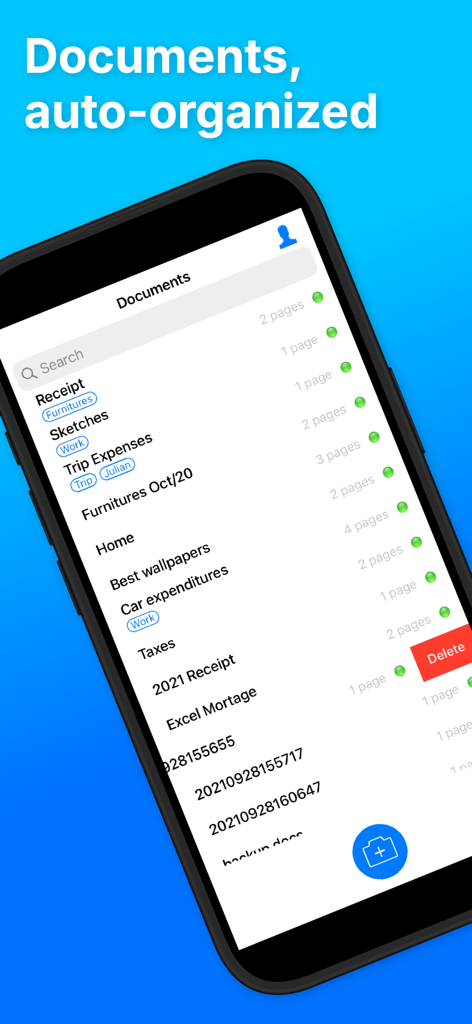
Expert Scan app interface showing a list of organized scanned documents with custom tags and search functionality

Expert Scan app interface showing a list of organized scanned documents with custom tags and search functionality

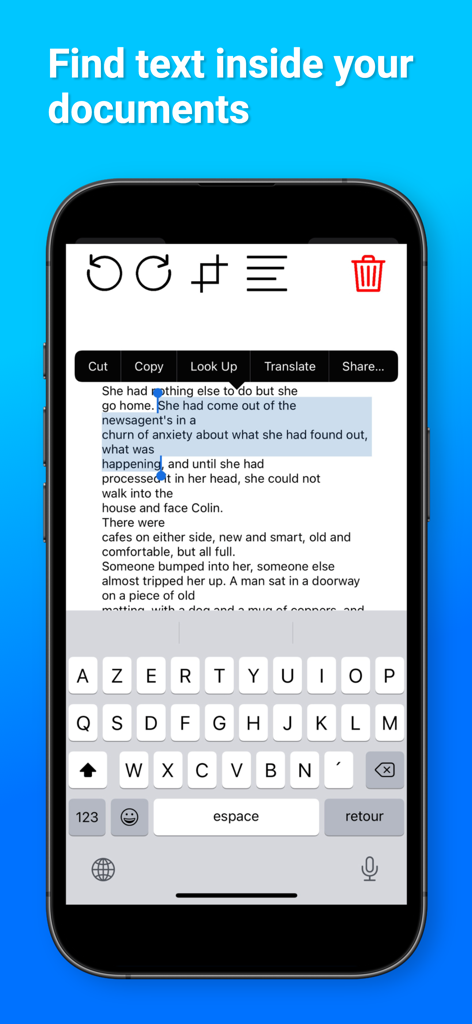
iPhone interface showing text selection and OCR feature in the Expert Scan PDF Scanner app

iPhone interface showing text selection and OCR feature in the Expert Scan PDF Scanner app

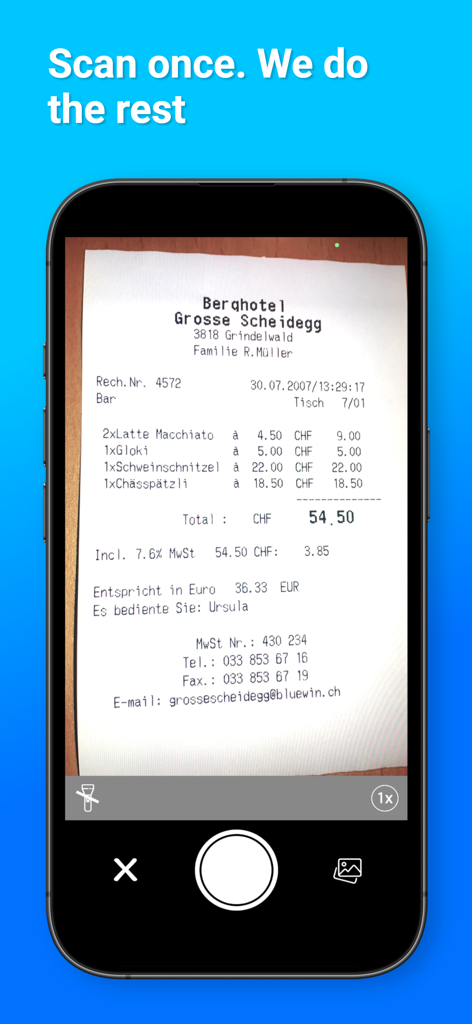
iPhone scanning a restaurant receipt using the Expert Scan PDF Scanner app interface

iPhone scanning a restaurant receipt using the Expert Scan PDF Scanner app interface

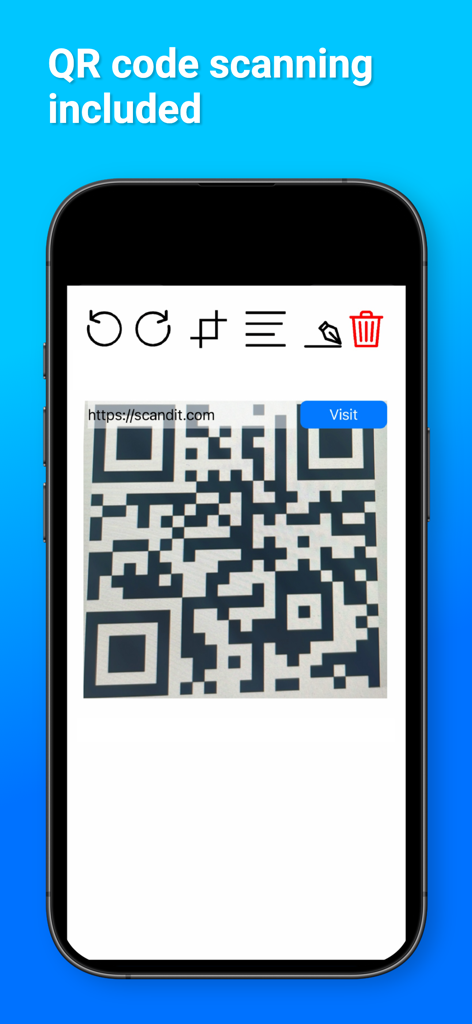
Expert Scan app interface displaying a QR code scanner on an iPhone screen

Expert Scan app interface displaying a QR code scanner on an iPhone screen

Master Your Mobile Productivity

The tools that make this app stand out, trusted by 3K+ users.

📝

Intelligent Text Recognition

Convert images into editable text instantly with advanced OCR, saving you hours of manual typing and streamlining your research.

📄

Professional-Grade PDFs

Auto-detect edges and crop with precision to create crystal-clear documents that maintain your professional edge while working remotely.

☁️

Seamless Multi-Device Backup

Keep your contracts and receipts organized and accessible across all your devices with secure, unlimited cloud synchronization.

About the app

Everything you need to know about Expert Scan PDF Scanner.

Description

Turn Your iPhone into a Powerful Scanner with “QR Code Scan: PDF Scanner”. Designed for maximum efficiency, our app allows you to scan, read, and manage QR codes and barcodes with unparalleled ease. Beyond simple scans, “QR Code Scan: PDF Scanner” elevates your productivity with advanced OCR technology, enabling you to convert images and documents into editable text, perfect for professional and personal use. Capture documents, receipts, tickets, and more in a snap. Our precision scanning tool ensures high-quality PDF or JPEG outputs, ready for sharing or storing. With “OCR, Barcode, Text, Image Doc” as its core, our app turns your device into a versatile document manager. From scanning to reading barcodes, generating PDFs from scanned documents, to extracting text from images, we’ve got you covered. QR Code Scan app features : - auto detect QR Codes - auto detect document edges - auto scan multiple documents HD images - archive multi scan documents - easy cropping - extract texts (OCR) - easy Tags - Auto detect document edges - Crop easy with zoom corners - export to multi page PDF by email - Import from media library - Rename documents - Swipe right to left on documents to delete them - Add new Scan images within any document - Rotate Left images within any document - Rotate Right images within any document - Delete any image within any document The paid subscription within the app gives : - unlimited clouds backup of documents - sync data between all user devices - Document Texts recognition (OCR) - Documents export to DropBox Speed and Efficiency: Quick scanning and processing to save you time. Versatility: From professional documents to personal photos, scan and manage with ease. User-Friendly: A simple, intuitive interface that makes digital scanning accessible to everyone. Download “QR Code Scan: PDF Scanner” today and transform how you manage documents and codes. Whether it’s for work, school, or personal projects, our app is the ultimate tool for all your scanning needs. Send us your feedback : jadeware@gmail.com PREMIUM SUBSCRIPTION QR Code Pro Cloud is a paid subscription. It provides you with an account that backs up your documents in the cloud. Without it, they are stored on the device. You can subscribe for QR Code Pro Cloud. Once a premium member you can store and sync all your tickets with all your devices. - The subscription is $1.99 month or $9.99 yearly - Payment will be charged to iTunes Account at confirmation of purchase - Subscription automatically renews unless auto-renew is turned off at least 24-hours before the end of the current period - Account will be charged for renewal within 24-hours prior to the end of the current period at the cost of the chosen package - Subscriptions may be managed by the user and auto-renewal may be turned off by going to the user's iTunes Store Settings after purchase - No cancellation of the current subscription is allowed during active subscription period - Any unused portion of a free trial period, if offered, will be forfeited when the user purchases a subscription to that publication, where applicable - QR Code Pro Cloud Pass is an option and the app can be used for free without it Terms : https://jmapp.com/terms/qrcodescan.html

Latest Version

2.0.4

Size

62.4 MB

First Released

Aug 5, 2019

Ready to Go Paperless?

Transform your iPhone into a professional-grade mobile office. Join thousands of productive professionals and digitize your workflow with Expert Scan today.

Download on App Store

App information, icons, screenshots, and descriptions displayed on this page are sourced from the Apple App Store and are the property of their respective developers. Download estimates and rankings are based on MWM's proprietary models and may not reflect actual figures. This page is provided for informational and analytical purposes only.

Believe this page infringes your intellectual property? File a dispute