
This page is not an official page of the app or its developer, but an independent editorial publication created for informational and commentary purposes. Unless expressly stated otherwise, neither the app nor its developer is affiliated with, endorsed by, sponsored by, authorized by, or otherwise officially connected with MWM, Apple, Google Play, the app publisher, or the app's developer, and nothing on this page implies that the app was developed using MWM's services. Any trademarks, logos, screenshots, and other content remain the property of their respective owners.


Families
Take your genealogy research into the field with the power to view and edit your Legacy files on the go. Whether you're at a family reunion or a local archive, your entire history is now as mobile as you are.
Downloads
73K+User Rating
Total Ratings
100Publisher
Category
ProductivityLocales
9Latest Version
3.6.1Size
82.2 MBFirst Released
Aug 5, 2010Your Family History, Always Within Reach
Carry your entire Legacy Family Tree database in your pocket. Designed for serious genealogists who need powerful research tools in the field.
Field-Ready Discovery
Update records and take photos at family reunions or cemeteries directly into your tree without needing an internet connection.
Pro-Grade Performance
Smoothly navigate massive files with over 300,000 individuals on your iPad or iPhone, keeping decades of research at your fingertips.
Frequently Asked Questions
Everything you need to know about Families
What is the Families app?
The Families app is a mobile genealogy application designed to view and edit Legacy Family Tree files on iPhone, iPod Touch, or iPad devices. It allows users to manage their family history data on the go.
Which genealogy software does Families app work with?
The Families app operates in conjunction with Legacy Family Tree, a Windows-based genealogy software. It supports Legacy 6, 7, 8, and 9 family files.
Can I create new family files directly within the Families app?
Yes, the Families app allows users to create new family files from scratch directly on their iPhone, iPod Touch, or iPad.
How do I transfer family files to the Families app?
To transfer family files, the Families app requires access to a Wi-Fi network or a USB connection. A companion PC program, Families Sync, is also necessary for file transfer.
What types of files and media does the Families app support?
The Families app supports GEDCOM and Legacy files. It allows users to include pictures, documents, audio, and video files within family records, with the ability to add pictures from a camera or photo album.
Does Families app display family tree information in different views?
Yes, the Families app supports various display options for family information. These include Family View, Pedigree View, Descendant View, and Timeline.
Can Families app map locations for individuals?
Yes, the Families app includes functionality for locations and addresses. It provides a mapping display feature to visualize geographical data associated with family members.
What editing capabilities are available in the Families app for individual records?
The Families app allows users to edit individual fields, delete individuals, unlink them from parents or spouses, and add new events or spouses to records.
Does Families app support modern genealogical features like same-sex relationships?
Yes, the Families app supports features introduced in Legacy 9, including same-sex relationships, hashtags, and stories, ensuring compatibility with modern genealogical practices.
What is the maximum number of individuals the Families app can handle?
The Families app uses an efficient database, allowing it to support very large family files. Users have successfully displayed and edited files with over 300,000 individuals on an iPhone.
The following screenshots and description are sourced directly from the app's official store listing and are the property of the app developer.
App Store
Screenshots
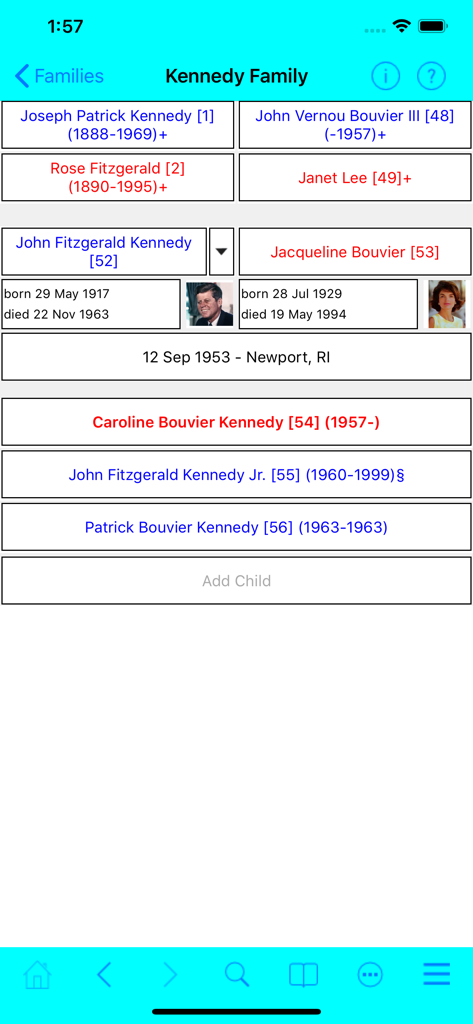
Families app interface showing a family tree view for the Kennedy family including John F. Kennedy and Jacqueline Bouvier with birth and death dates
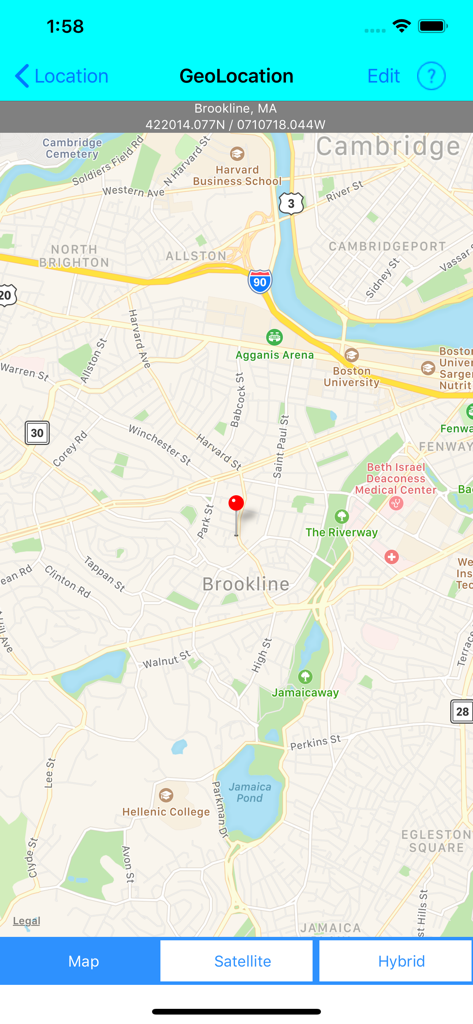
Geolocation screen in the Families app showing a map pin in Brookline Massachusetts
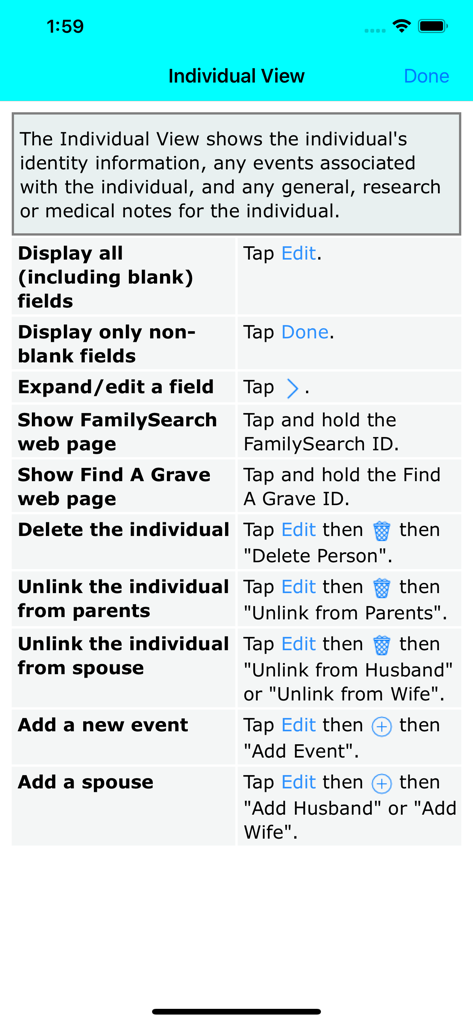
Individual View instructions for the Families genealogy app showing editing and navigation options
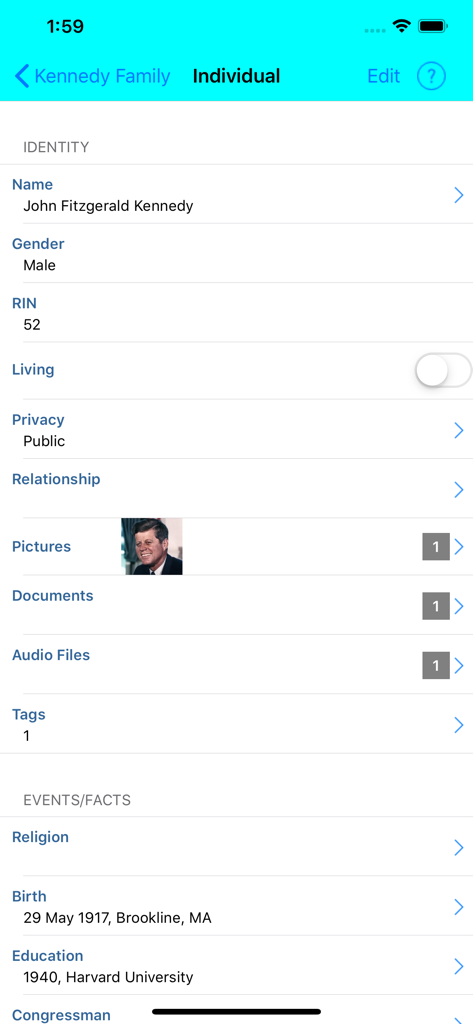
Individual profile view in the Families app showing biographical data and life events.
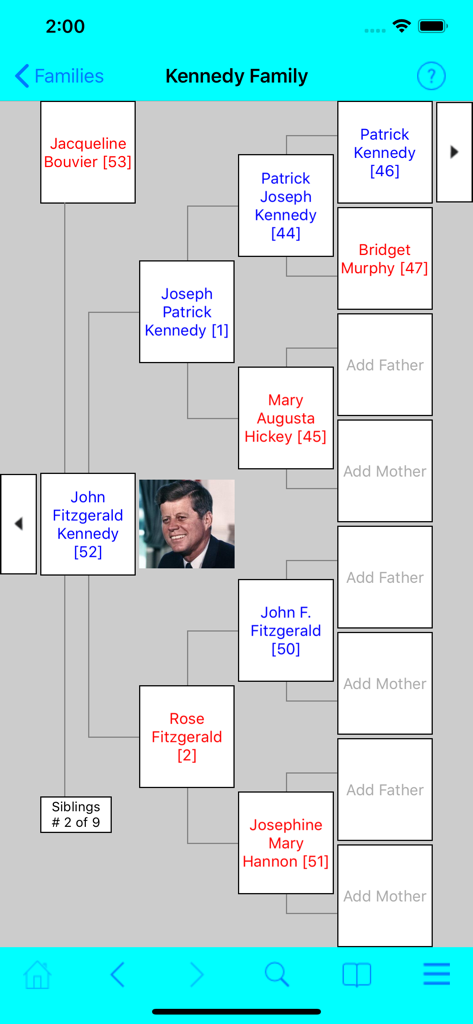
Pedigree view of a family tree in the Families genealogy app showing ancestors and photos
Description
Download
More Like This
Top-ranked apps in the same category

ChatGPT
OpenAI OpCo, LLC

Google Gemini
Google LLC

Grok
X.AI Corporation

Gmail - Email by Google
Google LLC

千问 - 阿里最强大模型官方AI助手
Shanghai Zhixin Puhui Technology Co., Ltd.

Google Drive
Google LLC

Microsoft Authenticator
Microsoft Corporation

Google Sheets
Google LLC

Google Docs
Google LLC
This page is not an official page of the app or its developer, but an independent editorial publication created for informational and commentary purposes. Unless expressly stated otherwise, neither the app nor its developer is affiliated with, endorsed by, sponsored by, authorized by, or otherwise officially connected with MWM, Apple, Google Play, the app publisher, or the app's developer, and nothing on this page implies that the app was developed using MWM's services. Any trademarks, logos, screenshots, and other content remain the property of their respective owners.