Fax Print Share
Fax Print Share
Download on App Store

This page is not an official page of the app or its developer, but an independent editorial publication created for informational and commentary purposes. Unless expressly stated otherwise, neither the app nor its developer is affiliated with, endorsed by, sponsored by, authorized by, or otherwise officially connected with MWM, Apple, Google Play, the app publisher, or the app's developer, and nothing on this page implies that the app was developed using MWM's services. Any trademarks, logos, screenshots, and other content remain the property of their respective owners.

Logo of Fax Print Share
Download on App Store

Fax Print Share

Print to 1,400+ printers, send faxes globally, and mail physical letters directly from your iPhone. The reliable, all-in-one tool built for professionals on the move.

Key Figures

Downloads

103K+

User Rating

4.2/5

Total Ratings

0

Publisher

Ndili Technologies, Inc

Category

Business

Locales

1

Latest Version

5.1

Size

171.9 MB

First Released

Feb 22, 2010
Features

A Professional Office in Your Pocket

Streamline your business workflow with the most reliable tool for mobile printing, global faxing, and document management—no bulky hardware required.

Secure Global Faxing

Send faxes to 220+ countries and receive documents with a dedicated USA toll-free number directly on your phone.

Universal Printer Support

Print to over 1,400 printer models including HP, Canon, and Epson. No drivers or extra software needed—just hit print.

The following screenshots and description are sourced directly from the app's official store listing and are the property of the app developer.

App Store

Screenshots
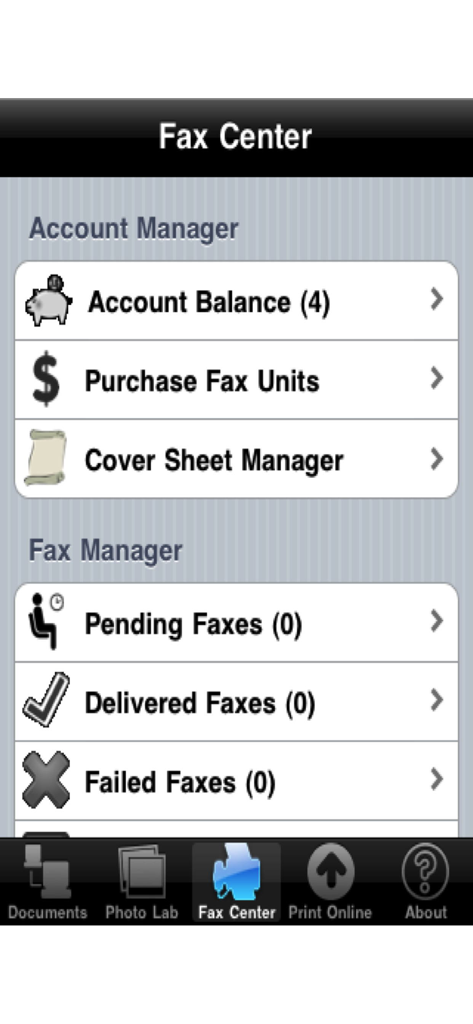
Fax Print Share - Fax Center dashboard in the Fax Print Share app showing account management and fax tracking options.
Fax Center dashboard in the Fax Print Share app showing account management and fax tracking options.

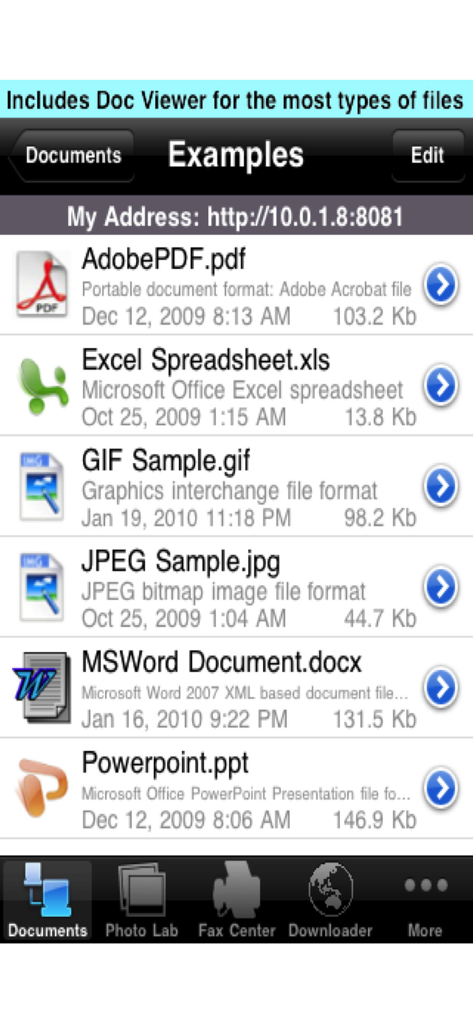
Fax Print Share - Fax Print Share app screen displaying a list of various supported document file types including PDF Word and Excel
Fax Print Share app screen displaying a list of various supported document file types including PDF Word and Excel

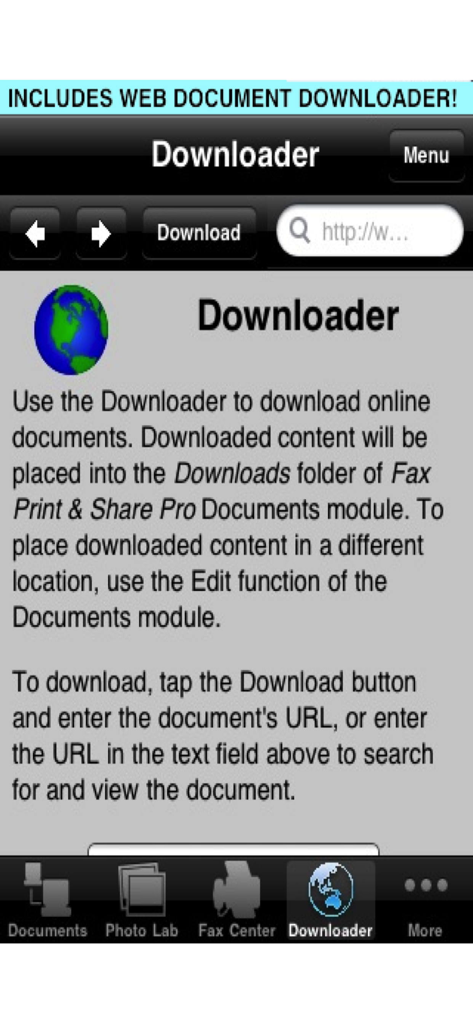
Fax Print Share - User interface for the Web Document Downloader within the Fax Print Share app.
User interface for the Web Document Downloader within the Fax Print Share app.

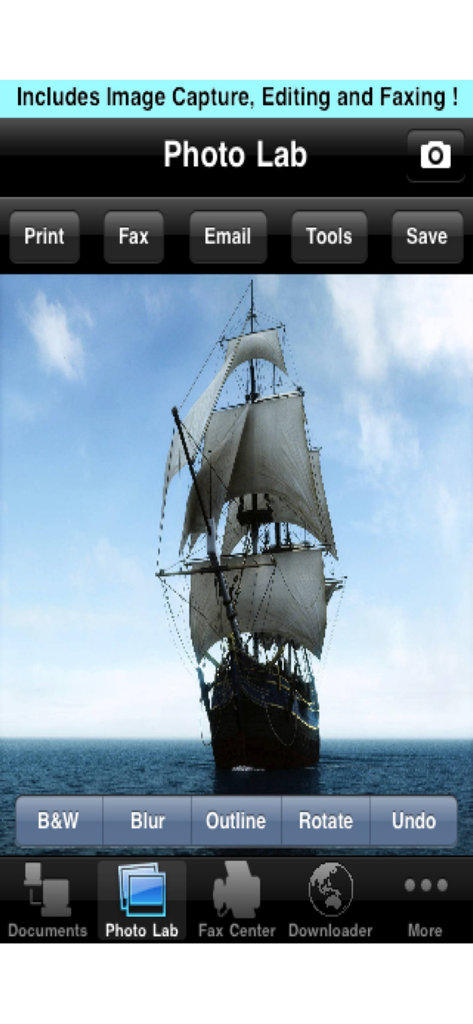
Fax Print Share - Interface of the Photo Lab feature in the Fax Print Share app displaying photo editing and sharing tools.

Interface of the Photo Lab feature in the Fax Print Share app displaying photo editing and sharing tools.

Description

Fax Print & Share enables the printing, faxing, and sharing of documents and photos, and online printing. In addition, the Pro version supports the printing/downloading of web-based files. "IT WORKS GREAT! This latest update had the driver for my printer. I am very pleased. I've also used the fax feature in the past which impressed my client." - J - Fax Print & Share Pro - Version 3.0 - Dec 9, 2011 "WORKS PERFECTLY. Now your iPad is a fax machine" - S.89 - Fax Print & Share - Dec 17, 2011 REVIEWS (PRO VERSION) "10 Best iPad Apps For Business", LA News Monitor (lanewsmonitor.com), Oct 2010. "12 iPad Apps that mean business", Computer World (computerworld.com), Oct 2010. FEATURES • View/print many document types, including PDF, Word, Excel, bitmap, TIFF, text, HTML, Open Office, GIF, and encapsulated PostScript. • Create new text documents. • Use a web browser to transfer files between your computer and this app. • Print to networked or shared printers. No additional software is necessary. This app includes support for over 1,400 printers from HP, Epson, Canon, Samsung, Brother, Lexmark, Xerox, Ricoh, Oki, Kyocera, Infotec, NRG, Lanier, and many more! • Send faxes to over 220 countries and territories worldwide - no subscription required![1] • Get a professional USA-based toll-free number for your incoming faxes and voicemail.[2] • Send postcards and letters via USPS (postal mail). • Print remote files on MobileMe, Box.net, or Dropbox, or download them into this app. • Print web-based files or download them into this app. (Pro version only) • Capture and process images from your onboard camera or photo album. DOES THIS APP SUPPORT MY PRINTER? See the list of printer models this app supports at http://www.ndilitechnologies.com/help.html. HOW DO I USE THIS APP TO PRINT/FAX FROM MY OTHER APPS? Import the files from your other iPhone/iPad apps into this app, and then use this app to print/fax them. (The iOS does not support/allow third party system-wide drivers. The iOS cannot use this app to print files within another app's storage space. Therefore, files created in other apps must be imported into this app.) Notes Regarding the optional Toll Free Number Subscription: • Title of service: Toll-Free Number Subscription • Length of subscription: 1,3, 6 or 12 month options • Price of subscription: $14.99,$39.99,$79.99,$14.99/year. • Payment will be charged to iTunes Account at confirmation of purchase • Subscription automatically renews unless auto-renew is turned off at least 24-hours before the end of the current period • Account will be charged for renewal within 24-hours prior to the end of the current period, and identify the cost of the renewal • No cancellation of the current subscription is allowed during active subscription period • Any unused portion of a free trial period, if offered, will be forfeited when the user purchases a subscription to that publication. • Subscriptions may be managed by the user and auto-renewal may be turned off by going to the user’s Account Settings after purchase • Privacy policy and terms of use: http://www.ndilitechnologies.com/privacy [1] Each fax unit purchases a one-page fax that can be sent in 60 seconds or less to a destination in the USA or Canada. The number of fax units needed to transmit a one-page 60-second fax to a destination in another country is listed in the rate card within this app. Please note that a page that requires a longer transmission time (for example, a page containing high resolution graphics) consumes additional fax units. [2] To receive voicemail or faxes, you must setup an incoming toll-free phone number. The toll-free phone number requires a monthly subscription. 60 minutes/month are included free with subscription. Toll-free numbers are USA-based numbers and are accessible in the USA only.

Download

Download on App Store

This page is not an official page of the app or its developer, but an independent editorial publication created for informational and commentary purposes. Unless expressly stated otherwise, neither the app nor its developer is affiliated with, endorsed by, sponsored by, authorized by, or otherwise officially connected with MWM, Apple, Google Play, the app publisher, or the app's developer, and nothing on this page implies that the app was developed using MWM's services. Any trademarks, logos, screenshots, and other content remain the property of their respective owners.








