FengShui Transparent Compass
Download on App Store

This page is not an official page of the app or its developer, but an independent editorial publication created for informational and commentary purposes. Unless expressly stated otherwise, neither the app nor its developer is affiliated with, endorsed by, sponsored by, authorized by, or otherwise officially connected with MWM, Apple, Google Play, the app publisher, or the app's developer, and nothing on this page implies that the app was developed using MWM's services. Any trademarks, logos, screenshots, and other content remain the property of their respective owners.


Logo of FengShui Transparent Compass
Download on App Store

FengShui Transparent Compass

Master your environment with the ultimate digital Luopan. Overlay high-precision compass scales directly onto architectural plans and maps to optimize energy flow with professional-grade accuracy.

Key Figures

Downloads

12K+

User Rating

3.2/5

Total Ratings

0

Publisher

fate amtb

Category

Utilities

Locales

4

Latest Version

6.6

Size

70.7 MB

First Released

Sep 26, 2018
Features

Professional-Grade Feng Shui Analysis Tools

Transform your device into a precision Luopan. Master the flow of energy in any space with advanced overlays designed for homeowners, designers, and practitioners.

Transparent Digital Luopan

Seamlessly overlay more than a dozen professional compass faces onto house floor plans or live maps for instant orientation and assessment.

Precise Space Mapping

Accurately define energy sectors using the Nine Palaces Grid and Polygon tools to locate the true center of any architectural layout.

The following screenshots and description are sourced directly from the app's official store listing and are the property of the app developer.

App Store

Screenshots
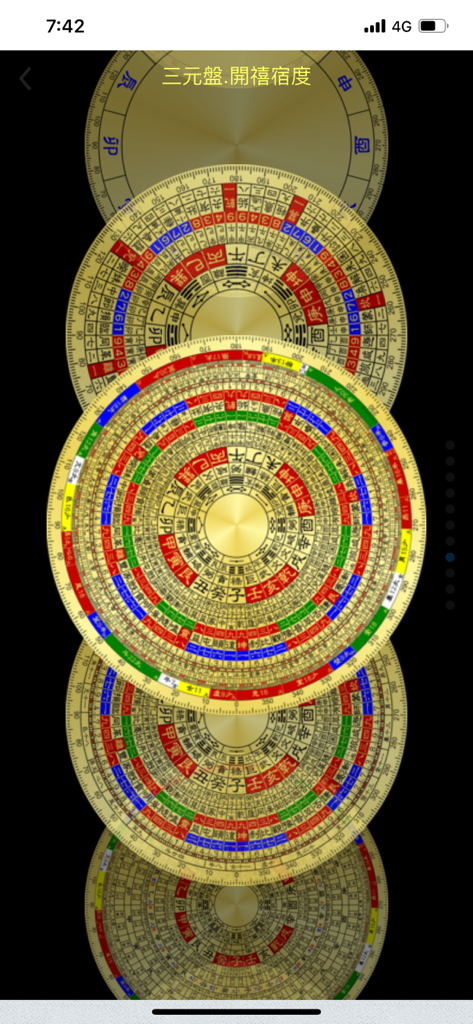
FengShui Transparent Compass - A vertical stack of various digital Feng Shui Luopan compass designs with traditional Chinese markings.
A vertical stack of various digital Feng Shui Luopan compass designs with traditional Chinese markings.

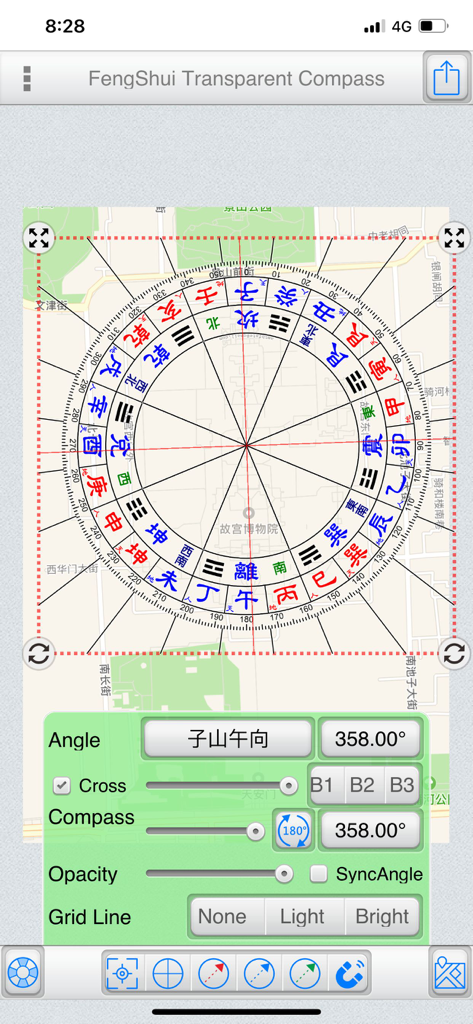
FengShui Transparent Compass - A digital Feng Shui Luopan compass overlaid on a city map with angle and opacity adjustment controls
A digital Feng Shui Luopan compass overlaid on a city map with angle and opacity adjustment controls

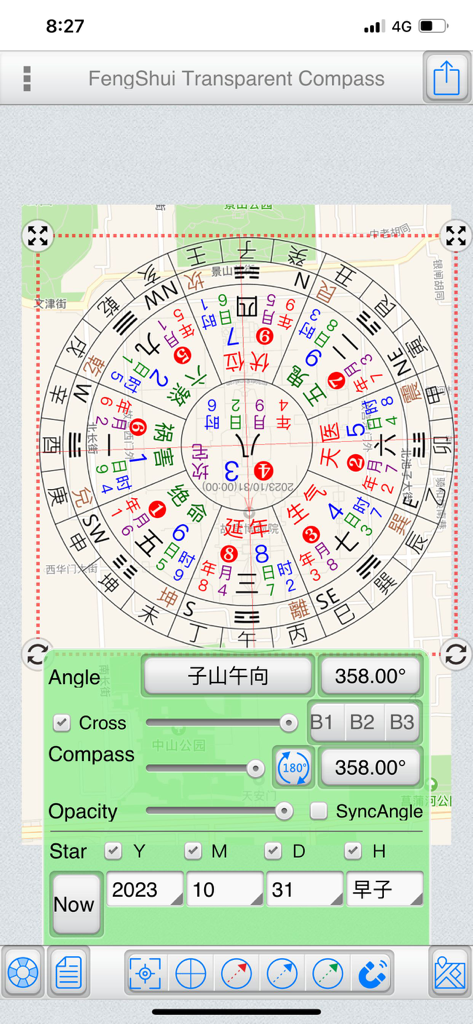
FengShui Transparent Compass - A digital Feng Shui compass tool overlaid on a map with adjustable settings for angle and transparency
A digital Feng Shui compass tool overlaid on a map with adjustable settings for angle and transparency

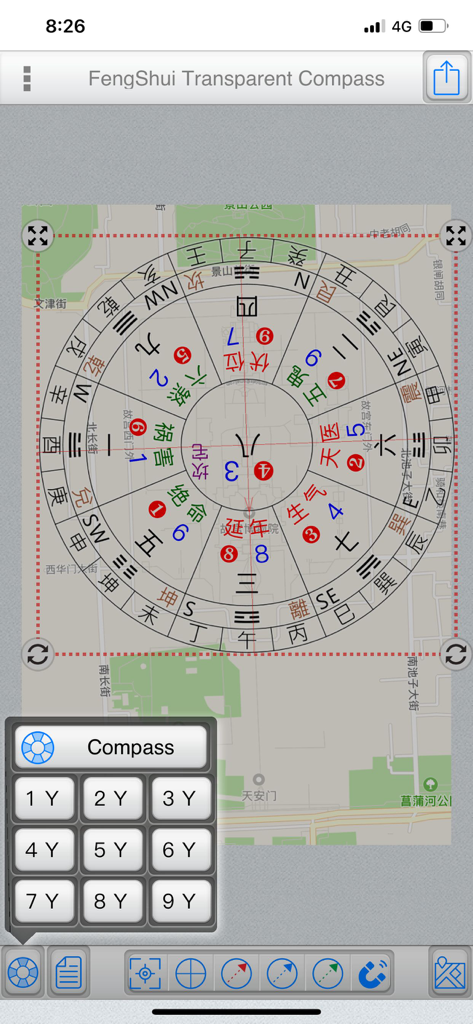
FengShui Transparent Compass - Digital Feng Shui compass tool overlaid on a street map for orientation analysis
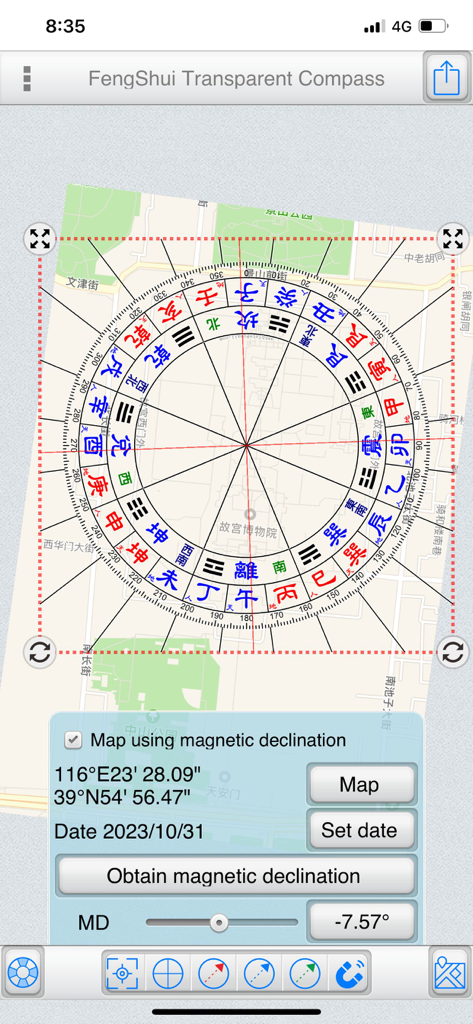
Digital Feng Shui compass tool overlaid on a street map for orientation analysis

FengShui Transparent Compass - A transparent Feng Shui compass overlaid on a city map with magnetic declination controls
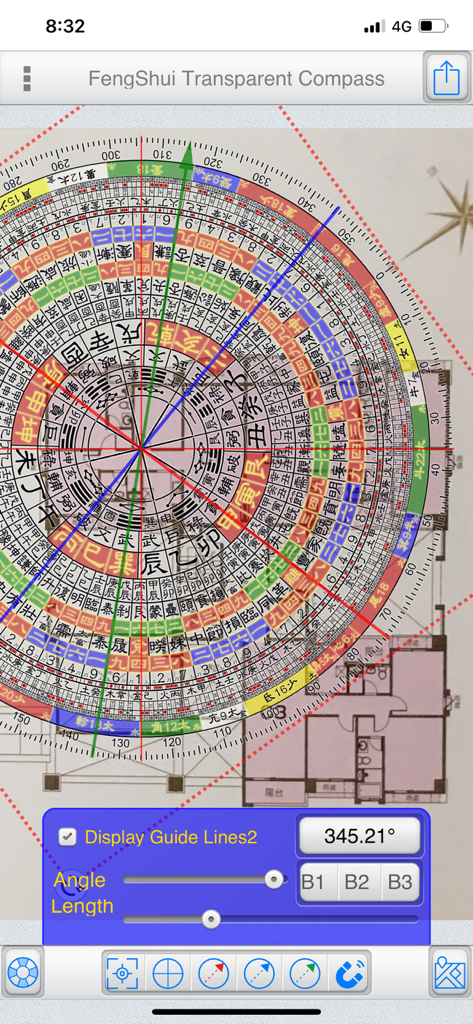
A transparent Feng Shui compass overlaid on a city map with magnetic declination controls

FengShui Transparent Compass - Digital Feng Shui compass overlay on an architectural floor plan for orientation measurement
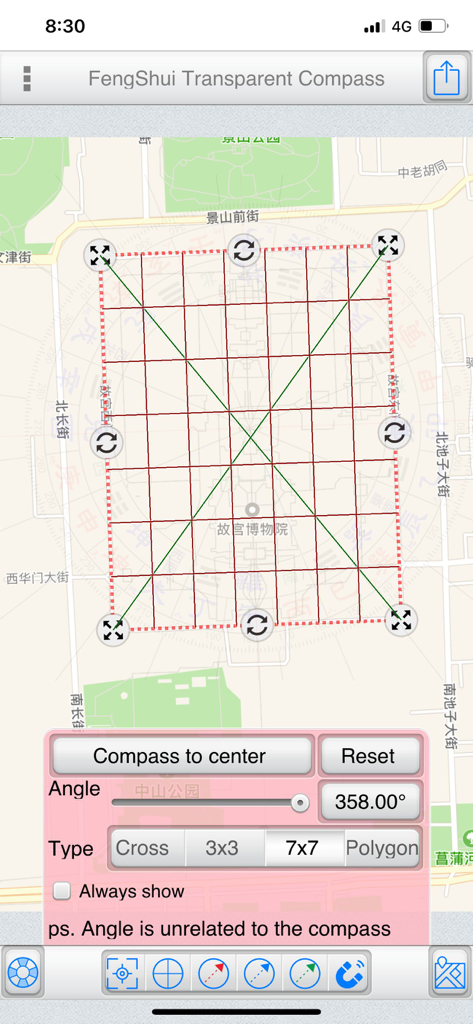
Digital Feng Shui compass overlay on an architectural floor plan for orientation measurement

FengShui Transparent Compass - A screenshot of the FengShui Transparent Compass app showing a 7x7 grid overlaid on a city map with orientation and angle controls.
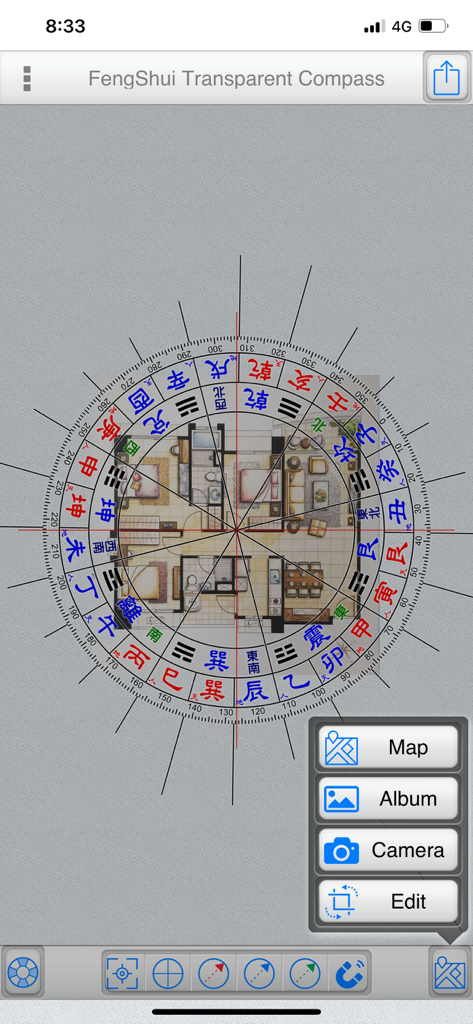
A screenshot of the FengShui Transparent Compass app showing a 7x7 grid overlaid on a city map with orientation and angle controls.

FengShui Transparent Compass - A digital Feng Shui compass overlaid on a house architectural floor plan for orientation measurement
A digital Feng Shui compass overlaid on a house architectural floor plan for orientation measurement

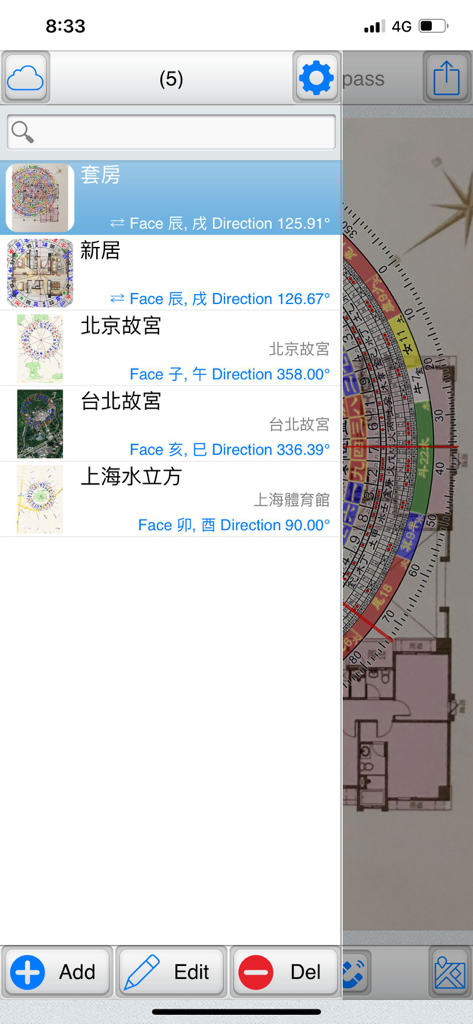
FengShui Transparent Compass - File management screen showing a list of saved floor plans and their orientation data in the FengShui Transparent Compass app
File management screen showing a list of saved floor plans and their orientation data in the FengShui Transparent Compass app

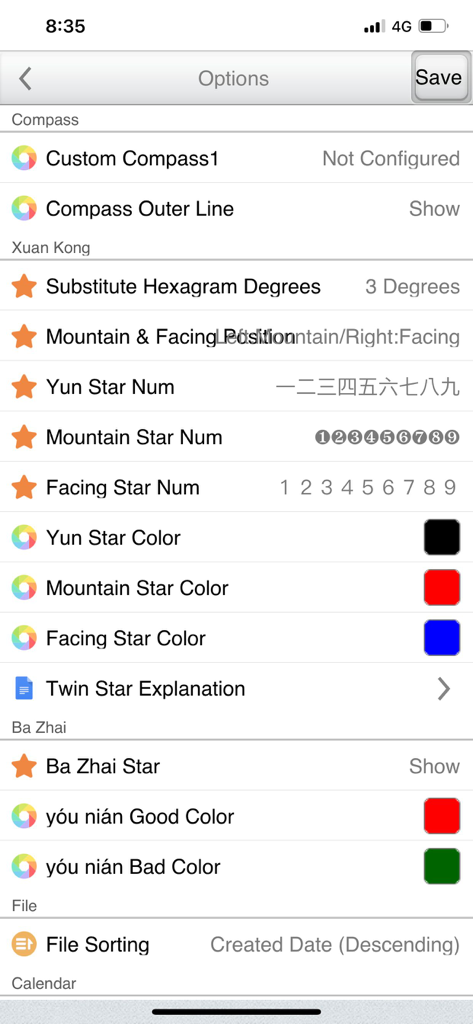
FengShui Transparent Compass - Settings screen of the FengShui Transparent Compass app showing customization options for Xuan Kong and Ba Zhai analysis

Settings screen of the FengShui Transparent Compass app showing customization options for Xuan Kong and Ba Zhai analysis

Description

"FengShui Transparent Compass" is a tool used for measuring orientation on "maps" and "house architectural floor plans." It provides various polar scales, acting as a transparent compass overlaid on a map or image to facilitate orientation measurement and Feng Shui assessment. Provides more than a dozen compass face options. File Management: (Offers file management with thumbnail previews to easily manage all manipulated files) Supports iCloud Cloud Backup and Data Recovery functions (backing up overlay files and settings). Base Maps:  ●Map: Capture maps to use as base maps, with three display modes: Normal, Satellite, and Hybrid. You can also search for addresses (which can be recorded in the current file).  ●Album: Choose images from the device's photo album as base maps.  ●Camera: Use the camera to take photos and use them as base maps.  ●Edit: Crop and rotate base maps. Central Positioning:  ●Purpose: Measure the central position of a specific area on the base map.  ●Styles: Offers four styles – Crosshair, Nine Palaces Grid, 7x7 Grid, and Polygon.  ●Fixed Display: Check to keep it displayed continuously and save the state.  ●Operating Steps:   ●Place a polygon and align it with a specific area on the base map.   ●Adjust its size and rotation freely.   ●Tap "Place Polar Scale in Center" to position the polar scale at the center. Note that the rotation angle does not affect the polar scale; the primary purpose is alignment with the base map.  ●Polygon Operation:   ●Drag the red dot to align with the measured area.   ●Tap on a line and drag to add a new point. The blue central dot represents the center of the polygon. Polar Scale:  ●Adjust the angles of the "Polar Scale" and "Crosshair" to align with the orientation of the buildings on the base map.  ●Input angles or use sliders to adjust them.  ●Sync Option:   ●Map as the base map: Uncheck synchronization since the map's orientation is fixed at True North, and you only need to adjust the crosshair orientation.   ●Photo as the base map: Synchronization is automatically checked. If the bottom is "Zuo Shan" and the top is "Xiang Shan," synchronization is adjusted accordingly. (Exceptional cases can uncheck synchronization and adjust separately.)  ●Transparency: Adjust the transparency of the polar scale based on the base map's color.  ●Crosshair: Show or hide the crosshair.  ●Gesture Controls:   ●Tap the polar scale once to reveal buttons at its four corners.    ●Hold the top-left and top-right corners to resize and rotate the polar scale.    ●Hold the bottom-left and bottom-right corners to resize the polar scale (use this if you don't want to change the angle).   ●Two fingers to zoom in and out.  ●You can also share the overlay via Google Cloud Print, WeChat, Line, Messenger, and other platforms depending on device sharing options. Double Star Explanation:  ●When using a 1-9 Yun Xuan Kong Flying Star chart, tapping on a palace will display a double star explanation (editable in settings). Auxiliary Lines:  ●Offers three auxiliary line colors: Red, Blue, Green.  ●Tap the bottom function to display a specific auxiliary line, or uncheck it to hide.  ●Methods to adjust auxiliary line angles:   1.From within the polar scale, drag to rotate the auxiliary lines.   2.Use the angle buttons below to input angles.   3.Use the slider below to adjust angles. Magnetic Declination:  ●Specify latitude, longitude, and date to obtain magnetic declination from the NOAA website, or manually input magnetic declination.  ●You can apply magnetic declination to correct the orientation of the base map. Preferences Settings... ● This tool is only an auxiliary tool for Feng Shui identification, and the user needs to have relevant knowledge of Feng Shui. ● Operation interface: Traditional Chinese, Simplified Chinese, Japanese, English. ● It also supports tablet large screen display in any direction.

Download

Download on App Store

This page is not an official page of the app or its developer, but an independent editorial publication created for informational and commentary purposes. Unless expressly stated otherwise, neither the app nor its developer is affiliated with, endorsed by, sponsored by, authorized by, or otherwise officially connected with MWM, Apple, Google Play, the app publisher, or the app's developer, and nothing on this page implies that the app was developed using MWM's services. Any trademarks, logos, screenshots, and other content remain the property of their respective owners.








