FieldMonitor
FieldMonitor
Download on App Store

This page is not an official page of the app or its developer, but an independent editorial publication created for informational and commentary purposes. Unless expressly stated otherwise, neither the app nor its developer is affiliated with, endorsed by, sponsored by, authorized by, or otherwise officially connected with MWM, Apple, Google Play, the app publisher, or the app's developer, and nothing on this page implies that the app was developed using MWM's services. Any trademarks, logos, screenshots, and other content remain the property of their respective owners.

Logo of FieldMonitor
Download on App Store

FieldMonitor

Turn your iPhone or iPad into a high-precision field monitor. Get professional tools like false color, waveforms, and 3D LUTs for your Sony, Canon, Panasonic, or Teradek workflow.

Key Figures

Downloads

244K+

User Rating

3.7/5

Total Ratings

200

Publisher

Adam Wilt

Category

Photo & Video

Locales

1

Latest Version

11.2

Size

39.0 MB

First Released

May 21, 2016
Features

Pro-Grade Monitoring in Your Pocket

Turn your iPhone or iPad into a high-performance wireless field monitor with the advanced scoping and control tools professional cinematographers demand.

Advanced Exposure Tools

Nail your exposure every time with built-in Waveform monitors, Histograms, and False Color—features usually reserved for expensive dedicated hardware.

Full Wireless Control

Remotely trigger recording and adjust shutter, ISO, and aperture directly from your device. Perfect for gimbal work and solo run-and-gun shoots.

The following screenshots and description are sourced directly from the app's official store listing and are the property of the app developer.

App Store

Screenshots
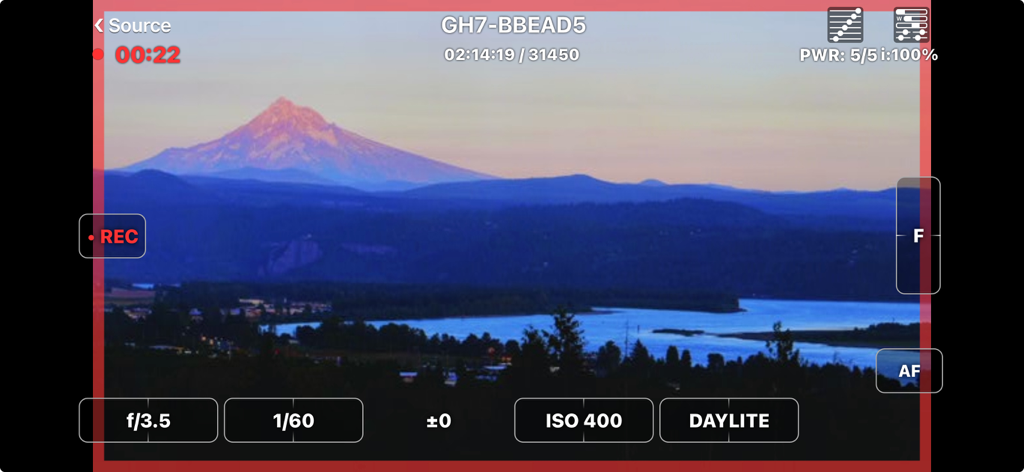
FieldMonitor - FieldMonitor app interface displaying live camera feed and professional exposure controls
FieldMonitor app interface displaying live camera feed and professional exposure controls

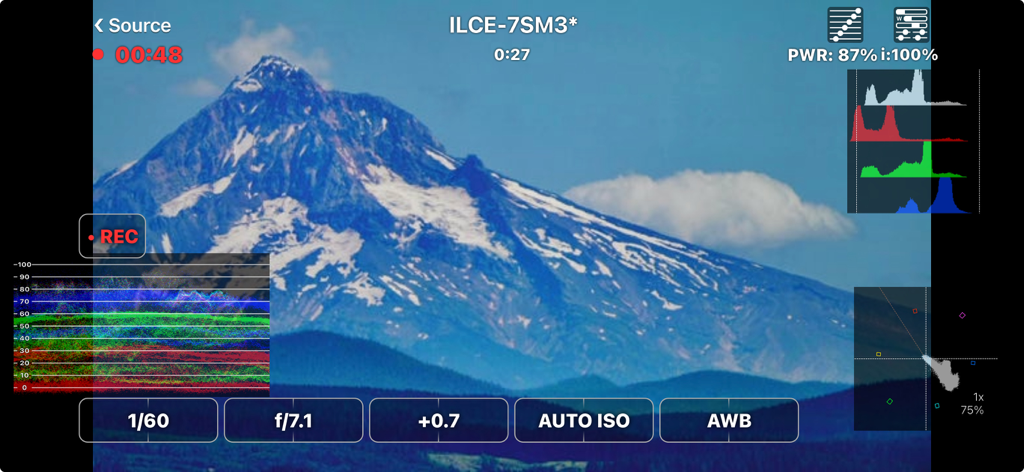
FieldMonitor - FieldMonitor app interface showing waveform histogram and camera controls on a mountain landscape shot
FieldMonitor app interface showing waveform histogram and camera controls on a mountain landscape shot

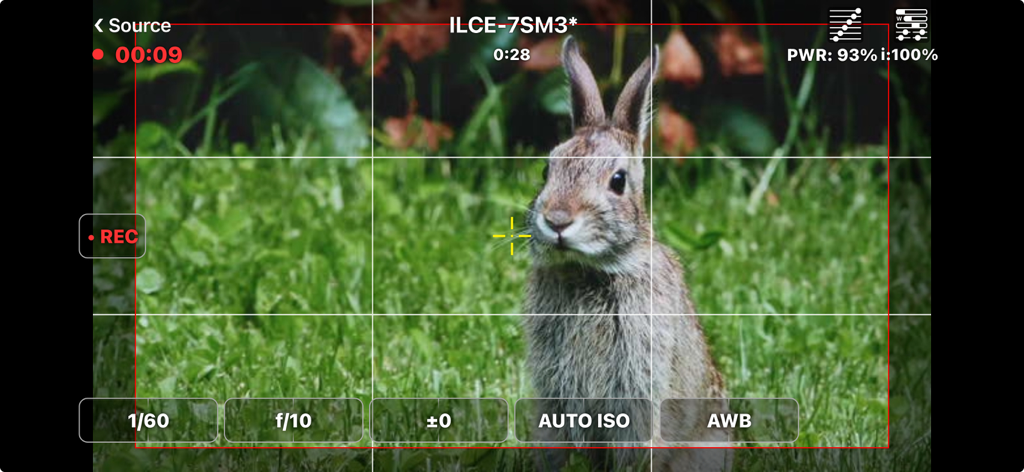
FieldMonitor - FieldMonitor app interface showing a live camera feed of a rabbit with professional filming settings and a framing grid.
FieldMonitor app interface showing a live camera feed of a rabbit with professional filming settings and a framing grid.

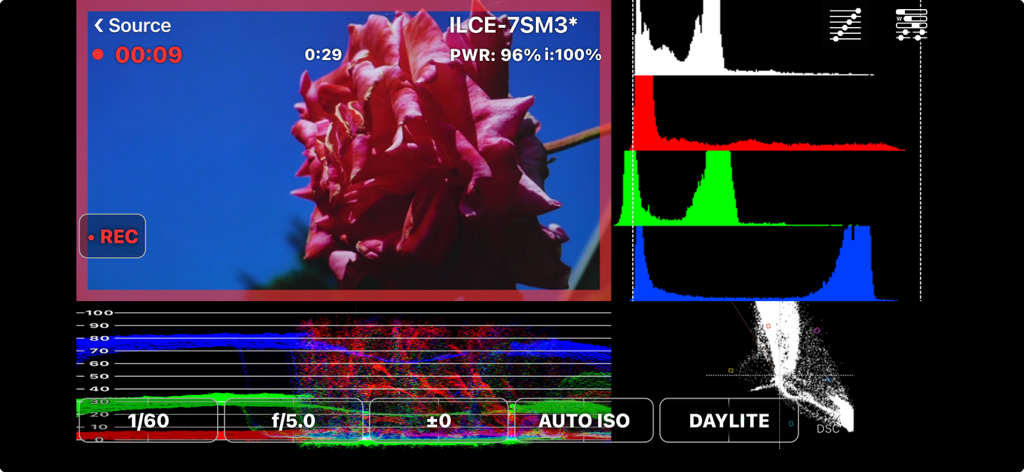
FieldMonitor - FieldMonitor app showing professional video scopes like histograms and waveforms for cinematography
FieldMonitor app showing professional video scopes like histograms and waveforms for cinematography

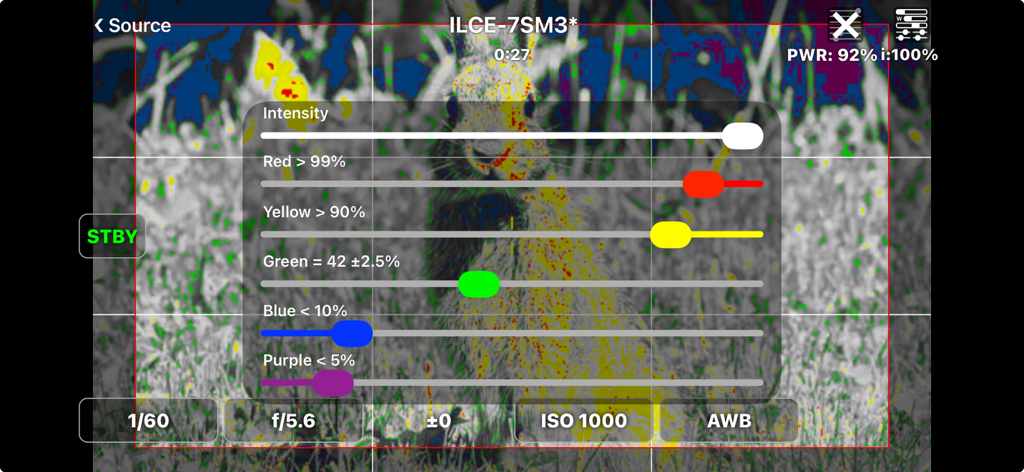
FieldMonitor - FieldMonitor app interface displaying false color exposure settings and intensity sliders on a Sony camera feed
FieldMonitor app interface displaying false color exposure settings and intensity sliders on a Sony camera feed

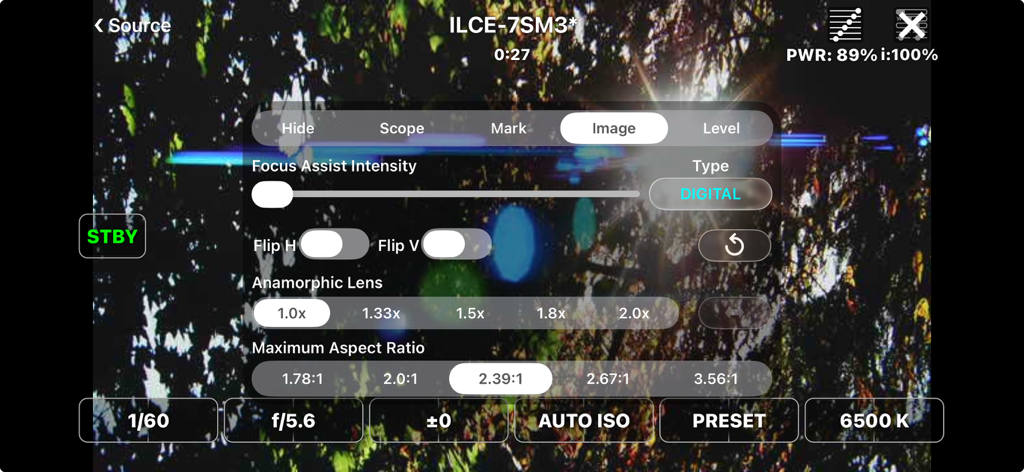
FieldMonitor - FieldMonitor app interface showing professional camera settings and anamorphic lens options over a live video feed
FieldMonitor app interface showing professional camera settings and anamorphic lens options over a live video feed

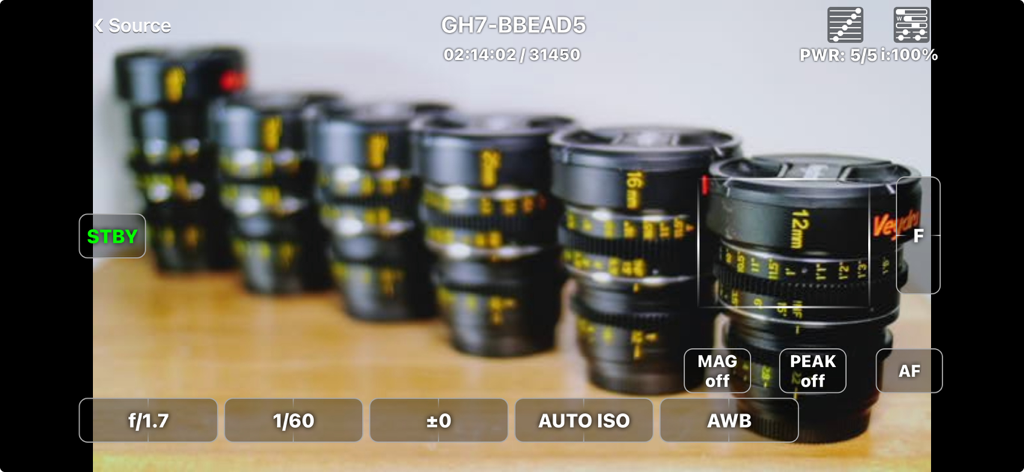
FieldMonitor - FieldMonitor app showing a live camera feed with professional exposure and focus controls
FieldMonitor app showing a live camera feed with professional exposure and focus controls

FieldMonitor - FieldMonitor app interface showing anamorphic lens and aspect ratio settings for professional video monitoring
FieldMonitor app interface showing anamorphic lens and aspect ratio settings for professional video monitoring

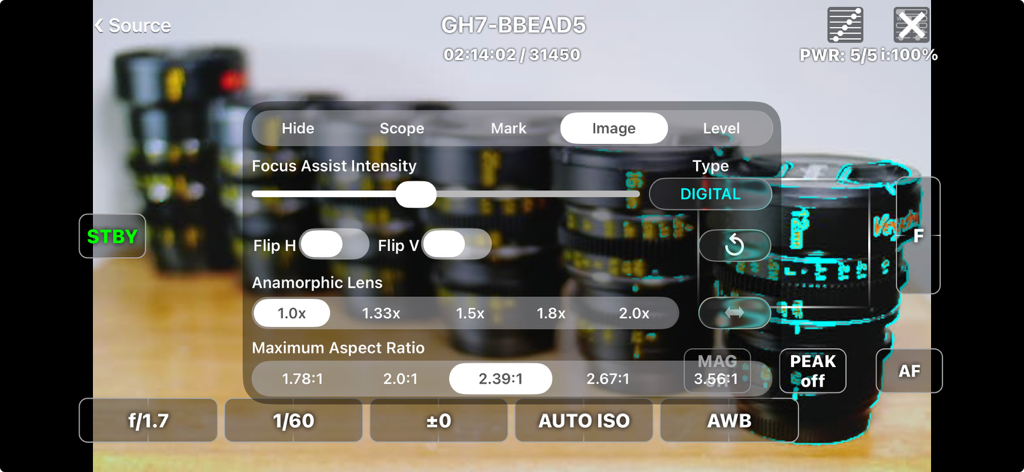
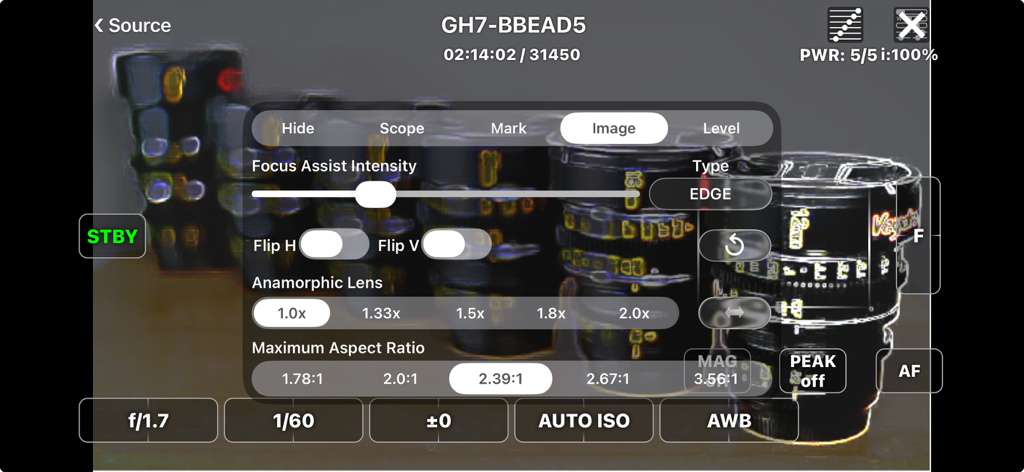
FieldMonitor - FieldMonitor app interface with settings for focus assist intensity, image flipping, and anamorphic lens desqueeze ratios.
FieldMonitor app interface with settings for focus assist intensity, image flipping, and anamorphic lens desqueeze ratios.

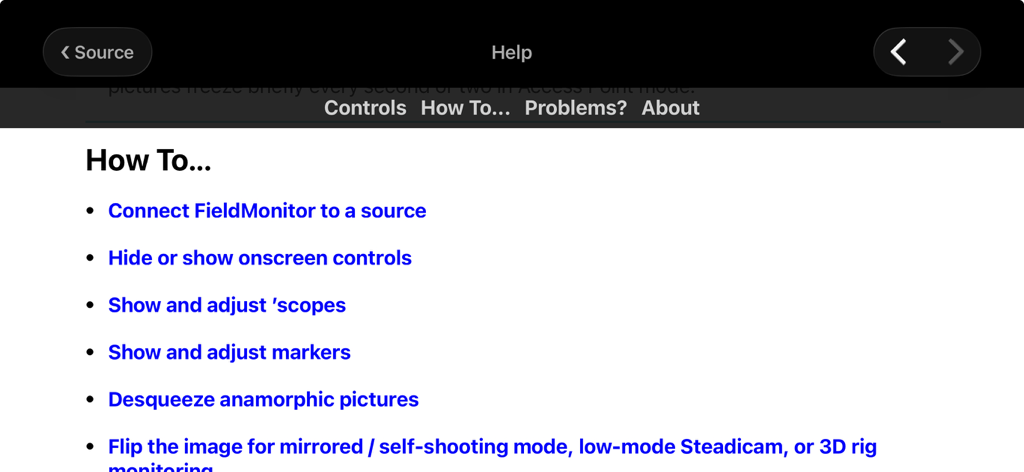
FieldMonitor - FieldMonitor app help interface showing various how-to topics for professional camera monitoring

FieldMonitor app help interface showing various how-to topics for professional camera monitoring

Description

FieldMonitor gives you wireless monitoring & control for Canons, Panasonics, Sonys, and Teradeks. IMPORTANT: DO NOT buy FieldMonitor without reading this ENTIRE description! Test your camera with its native Wi-Fi app to make sure your workflow and recording formats are supported BEFORE buying FieldMonitor. Make sure you have the controls you need with the native app, and that image quality and lag are acceptable. Contact me if you have any questions. • FieldMonitor has the same latency, resolution, and reliability as your camera’s native app. • If a camera control or feature does not work with the native app, it won’t work with FieldMonitor. • FieldMonitor has NO playback, review or download capability. • In areas with busy Wi-Fi networks and/or sources of radio interference, performance cannot be guaranteed, whether using FieldMonitor or your camera’s native app. WHAT IT DOES: FieldMonitor™ lets you monitor picture, exposure, and color on supported Canon™, Panasonic™, and Sony™ cameras, and Teradek™ H.264/HEVC transmitters. FieldMonitor runs on iPhone, iPad, iPod touch, and Apple Silicon (M1) Mac. Use markers to show safe areas, aspect ratios, and framing grids. Desqueeze anamorphic images, cropped to your final aspect ratio. Flip the image on either axis. Focus Assist helps you nail focus. Use a waveform monitor, vectorscope, histogram, false color, and 3D LUTs. With iPhone 5S or later, iPod touch 6G or later, iPad Air or later, iPad mini 2 or later, and iPad Pro, you can see a false-color picture with adjustable levels. With a supported camera and lens you can start/stop recording, control exposure and color settings, and zoom or focus remotely. Controls are designed for fast, realtime adjustments. See the FieldMonitor website for details. SUPPORTED SOURCES: • Canon: EOS mirrorless and DSLR cameras that support video recording in Wi-Fi remote mode when using Canon’s Camera Connect. • Panasonic: Lumix cameras that transmit a live view while recording when using Image App or Lumix Sync. GH3 and earlier cameras do NOT support video recording in Wi-Fi remote mode. • Sony: only Alpha and RX cameras that transmit a live view while recording when using Imaging Edge Mobile. A5000, A6000, A7, A7R, A99 and earlier cameras do NOT support video recording in Wi-Fi remote mode. • Teradek: H.264 and HEVC encoders only (Cube, Serv Pro), not uncompressed (Bolt). • More info on the FieldMonitor website’s support page. LIMITATIONS: • FieldMonitor does not work with cine cameras or camcorders, only “hybrid” still & video cameras (mirrorless or DSLR). • Audio is not transmitted from cameras, only Teradeks. • Camera Wi-Fi images are 512x288, 640x360, 320x180, or 1024x576 depending on the camera. Teradeks support 240p to 1080p. • “Smart Remote” Sonys do NOT allow use of Picture Profiles, S-Log, or S&Q Motion when using Wi-Fi remote control. Focus points can only be set in photo mode. • “Ctrl w/ Smartphone“ Sonys do not display focus area, battery level, and/or storage info. Focus points can’t be set in the app with most cameras other than A1, A7Siii, and FX3, in video mode only. • Fujifilm legacy support: ONLY X-T3 and X-T100 are supported. X-T3 only records 1080p / 29.97 fps; X-T100 only records 720p / 24 fps. See https://www.adamwilt.com/fieldmonitor/support.html#Fujifilm for other limitations. LEGAL: Canon, EOS, Camera Connect, Fujifilm, Panasonic, Lumix, Image App, Lumix Sync, Sony, Imaging Edge Mobile, Teradek, Cube, Clip, VidiU, Serv, & Bolt are all trademarks of their respective owners. FieldMonitor is an independently-developed app; Canon, Fujifilm, Panasonic, Sony, and Teradek are not responsible for FieldMonitor’s performance, suitability, or fitness for purpose.

Download

Download on App Store

This page is not an official page of the app or its developer, but an independent editorial publication created for informational and commentary purposes. Unless expressly stated otherwise, neither the app nor its developer is affiliated with, endorsed by, sponsored by, authorized by, or otherwise officially connected with MWM, Apple, Google Play, the app publisher, or the app's developer, and nothing on this page implies that the app was developed using MWM's services. Any trademarks, logos, screenshots, and other content remain the property of their respective owners.








