
This page is not an official page of the app or its developer, but an independent editorial publication created for informational and commentary purposes. Unless expressly stated otherwise, neither the app nor its developer is affiliated with, endorsed by, sponsored by, authorized by, or otherwise officially connected with MWM, Apple, Google Play, the app publisher, or the app's developer, and nothing on this page implies that the app was developed using MWM's services. Any trademarks, logos, screenshots, and other content remain the property of their respective owners.

film12
Transform your everyday moments into nostalgic masterpieces with 12 curated retro filters. Effortless editing designed for the perfect aesthetic—no professional skills required.
Downloads
656K+User Rating
Total Ratings
100Publisher
Category
Photo & VideoLocales
2Latest Version
3.0.0Size
83.4 MBFirst Released
Dec 18, 2016Analog Magic, Reimagined for Your Pocket
Transform your everyday shots into nostalgic masterpieces with our curated film simulations and effortless controls. No professional skills required—just pure vibe.
12 Curated Film Presets
From the gritty black-and-white of the 1970s to the soft glow of instant cameras, access a professional-grade library of timeless aesthetics.
Intuitive Slider Interface
Forget complex menus. Use simple vertical and horizontal sliders to dial in the perfect look and save your favorite custom parameters.
The following screenshots and description are sourced directly from the app's official store listing and are the property of the app developer.
App Store
Screenshots
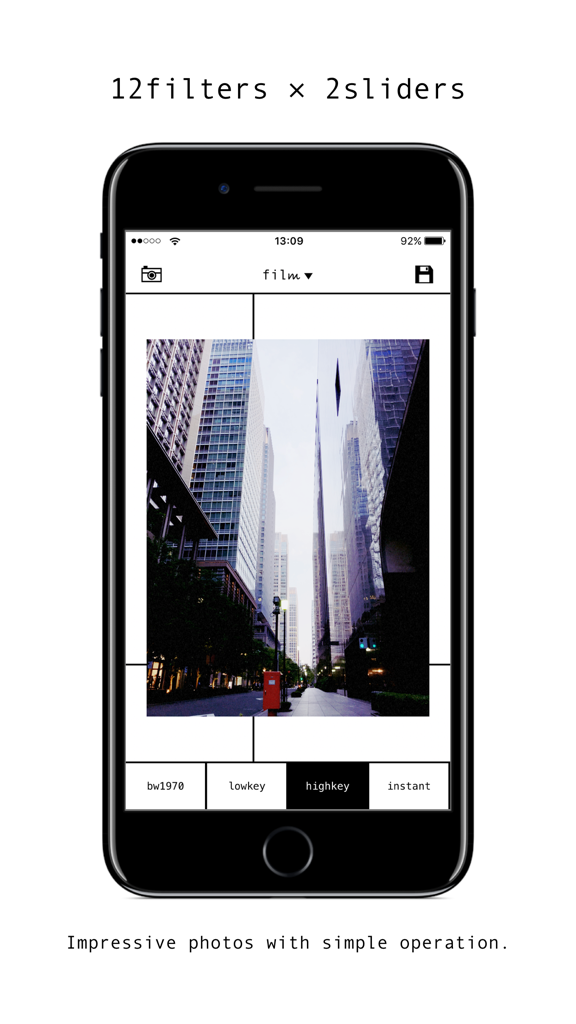
Smartphone screen displaying the film12 photo editing app with an urban building photo and retro filter selection menu
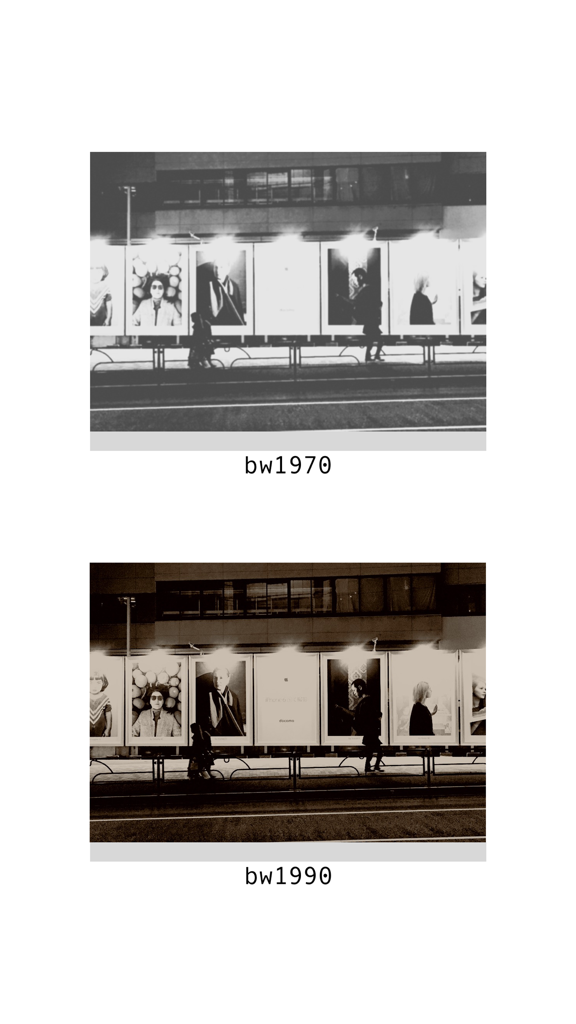
Comparison of bw1970 black and white and bw1990 sepia filters in film12
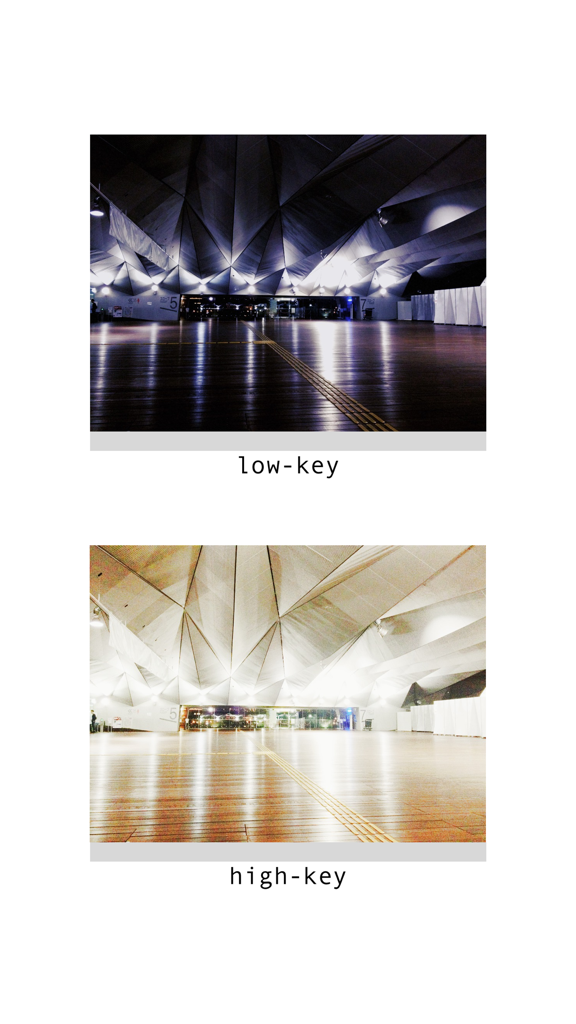
Comparison between lowkey and highkey photo filters on an architectural image
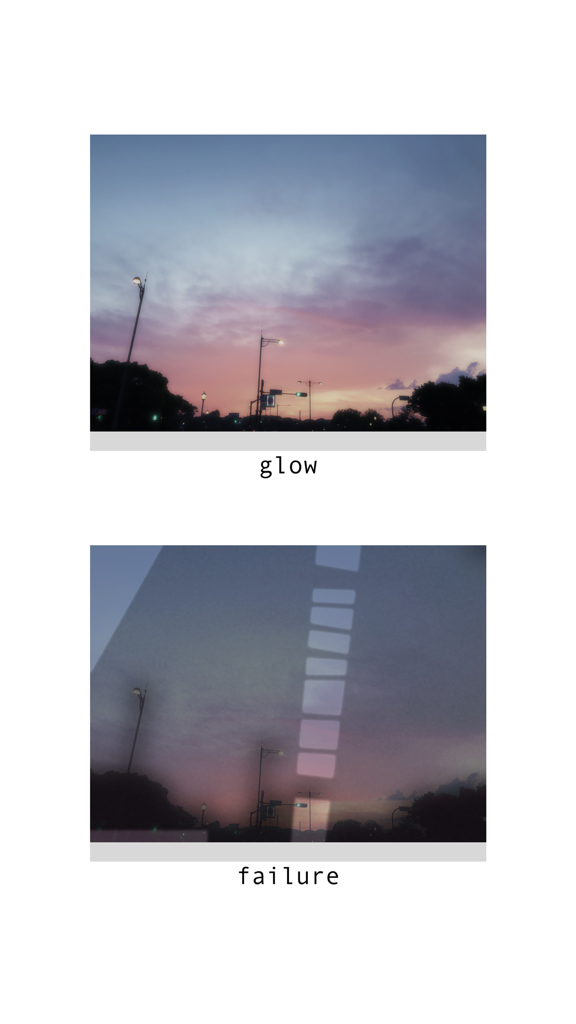
Comparison of glow and failure analog filters on a sunset photo
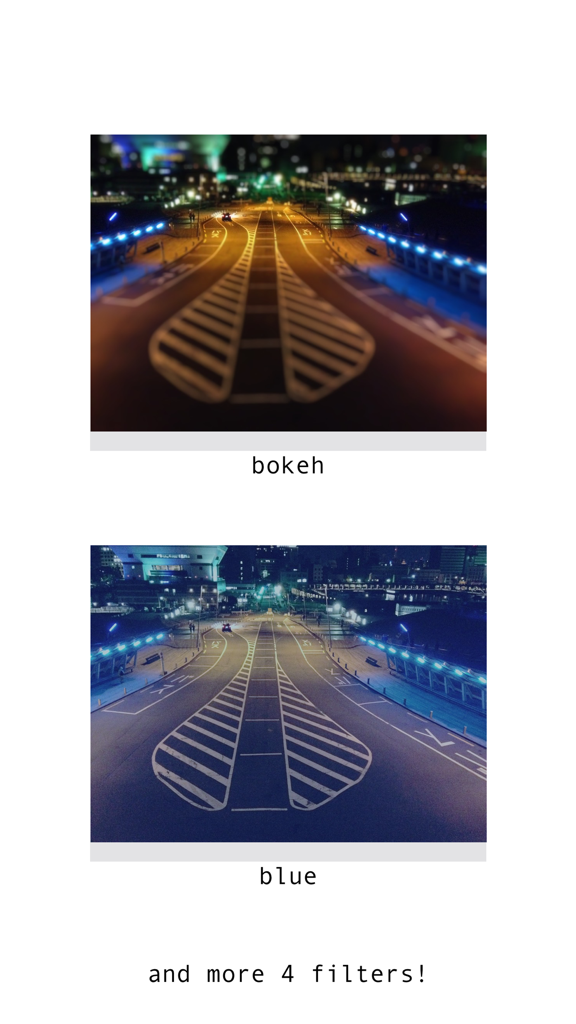
A comparison of bokeh and blue photo filters in the film12 app
Description
Download
More Like This
Top-ranked apps in the same category

CapCut: Photo & Video Editor
BYTEDANCE PTE. LTD.

Instagram, Inc.

YouTube
Google LLC

Canva: AI Photo & Video Editor
Canva Pty Ltd

Snapchat
Snap, Inc.

快手
Beijing Kwai Technology Co., Ltd.

Edits: Video Editor
Instagram, Inc.

Meitu- AI Photo & Video Editor
Xiamen Meitu Technology Co., Ltd.

Google Photos: Backup & Edit
Google LLC
This page is not an official page of the app or its developer, but an independent editorial publication created for informational and commentary purposes. Unless expressly stated otherwise, neither the app nor its developer is affiliated with, endorsed by, sponsored by, authorized by, or otherwise officially connected with MWM, Apple, Google Play, the app publisher, or the app's developer, and nothing on this page implies that the app was developed using MWM's services. Any trademarks, logos, screenshots, and other content remain the property of their respective owners.