
This page is not an official page of the app or its developer, but an independent editorial publication created for informational and commentary purposes. Unless expressly stated otherwise, neither the app nor its developer is affiliated with, endorsed by, sponsored by, authorized by, or otherwise officially connected with MWM, Apple, Google Play, the app publisher, or the app's developer, and nothing on this page implies that the app was developed using MWM's services. Any trademarks, logos, screenshots, and other content remain the property of their respective owners.

Filmora HD-Video Editor&Maker
Harness the power of desktop editing on your iPad and iPhone. From AI-driven beat detection to advanced keyframing and cloud sync across your Apple devices, turn your imagination into high-impact 4K stories for social media and beyond.
Downloads
1M+User Rating
Total Ratings
3K+Publisher
Category
Photo & VideoLocales
20Latest Version
14.3.27Size
380.8 MBFirst Released
Jun 30, 2020Professional Power Meets Mobile Simplicity
Transform your clips into cinematic stories with a full suite of advanced editing tools, AI automation, and seamless multi-device workflows designed for the modern creator.
AI-Driven Automation
Save hours of manual work with Speech-to-Text and Beat Detection that syncs your cuts perfectly to the rhythm of your soundtrack.
Cinematic Pro Tools
Master high-end techniques like Speed Ramping, Masking, and Keyframing with an intuitive interface optimized for iPad and iPhone.
Frequently Asked Questions
Everything you need to know about Filmora HD-Video Editor&Maker
What is Filmora HD-Video Editor&Maker?
Filmora is an easy yet powerful video editor that enables users to create video stories from clips, photos, and music. It includes advanced features, music, stickers, filters, effects, and transitions.
Can Filmora be used to create vlogs for social media platforms?
Yes, Filmora allows users to quickly make vlogs and share them on platforms like YouTube, TikTok, Facebook, and Instagram. It also supports creating project presentation videos.
Does Filmora support cross-device project editing?
Yes, Filmora supports mutual transfer of project files. Users can save projects in the cloud to edit videos anytime and anywhere, continuing projects across devices like iPad/iPhone and Mac.
What advanced editing features does Filmora offer?
Filmora offers advanced features such as Mask, Speech To Text (STT), Speed Ramping (Curve Speed), Keyframe animation, Picture-in-Picture (PIP), and 4K export.
Does Filmora provide audio editing capabilities and music resources?
Yes, Filmora includes features for audio editing like beat detection, splitting audio clips, and volume controls. It also offers a music library, sound effects, and voice-over options.
Can users add text and stickers in Filmora videos?
Yes, Filmora allows users to add and personalize text on videos or photos. It also provides a variety of fun stickers for creative expression.
What types of visual effects are available in Filmora?
Filmora offers various visual effects including brightness and temperature adjustments, customizable filters, overlays, and cool transitions to enhance video appearance.
What benefits does a Filmora Unlimited subscription offer?
A Filmora Unlimited subscription provides access to all features, paid editing materials like exclusive filters and effects, and 4K video export. It also automatically removes the watermark from videos.
What are the subscription options for Filmora?
Filmora offers subscription options including Monthly, Annually, or a One-time Purchase. Subscriptions automatically renew unless auto-renewal is turned off at least 24 hours prior.
Can Filmora export videos in 4K resolution?
Yes, Filmora supports 4K video export. This feature is included with the Filmora Unlimited subscription, enabling high-quality sharing of created videos.
Who developed the Filmora HD-Video Editor&Maker app?
Wondershare developed Filmora HD-Video Editor&Maker. Wondershare is a global leader in application software development, serving millions of users across over 150 countries.
Does Filmora HD-Video Editor&Maker have a multi-track editor?
Yes, Filmora HD-Video Editor&Maker features a multi-track editor. This allows for easy operation and efficient editing with a full view in one column, as depicted in the interface.
Can Filmora projects be shared and edited across multiple devices?
Yes, Filmora supports the mutual transfer of project files. Users can save projects in the cloud, enabling project sharing and editing at any time across different devices.
What on-the-go editing options are available in Filmora?
Filmora enables users to easily edit videos on the go with precise splitting, video cropping, and multiple scale canvas options, providing flexible mobile editing capabilities.
Does Filmora provide a variety of filters and effects?
Yes, Filmora offers a range of cool filters and effects, including cinematic filters, trending effects, and dynamic transitions to enhance video aesthetics.
What are Filmora's video sharing and export capabilities?
Filmora supports high-quality sharing, including 4K 60fps export and non-destructive export. It also offers one-click sharing to platforms like Instagram, Facebook, YouTube, and TikTok.
Does Filmora include an extensive library of resources?
Yes, Filmora provides an extensive resource library. It includes options for customized text and over 2000 trendy music tracks and stickers for creative video enhancement.
Does Filmora support keyframe animation for professional editing?
Yes, Filmora supports keyframe animation. This professional feature is designed for complex project editing needs, enabling precise control over video elements and effects.
Are professional editing features like Chroma key available in Filmora?
Yes, Filmora provides professional editing features, including Chroma key, Mask, Curved speed, Denoise, and Speech to text. The Chroma key tool is visible in the interface.
The following screenshots and description are sourced directly from the app's official store listing and are the property of the app developer.
App Store
Screenshots
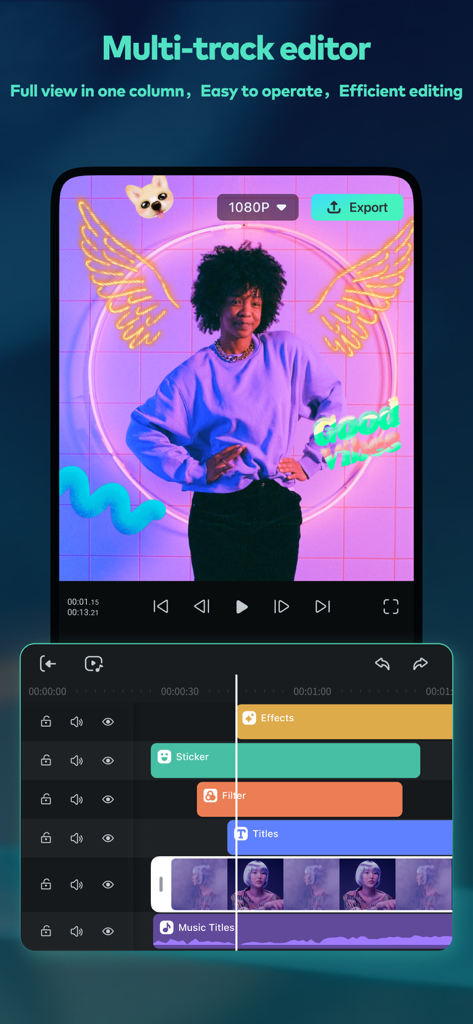
Filmora HD video editor app interface displaying a multi-track timeline with video effects and stickers
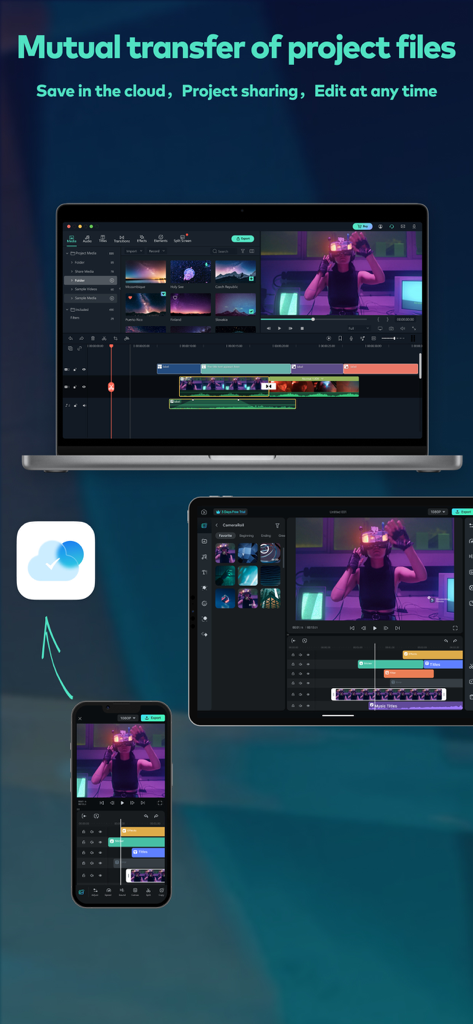
Filmora HD video editing project synced across iPhone iPad and Mac via cloud
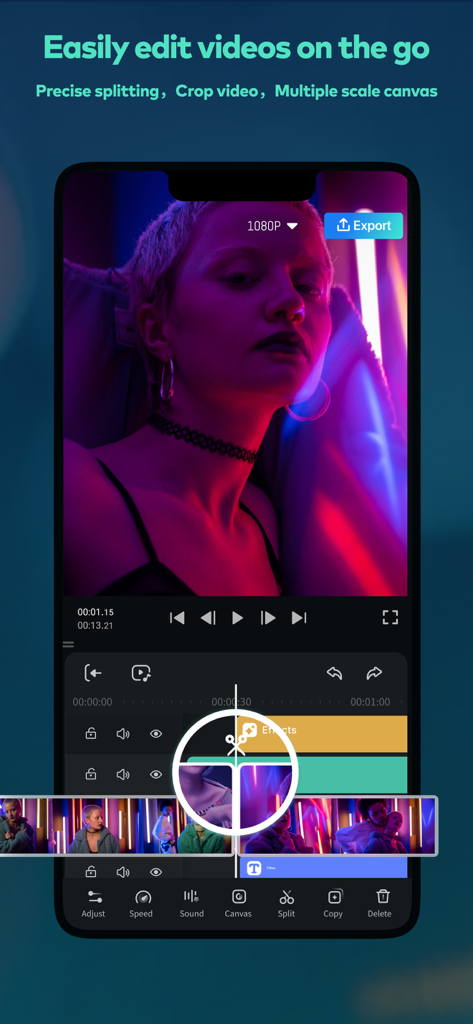
Filmora HD video editor interface showing precise splitting and multi track timeline tools on mobile
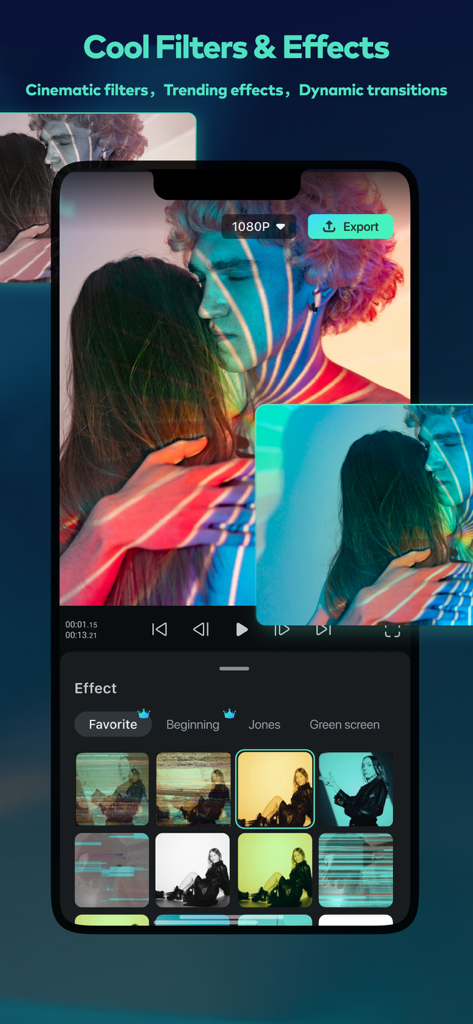
Filmora HD app interface showing a selection of cinematic filters and video effects
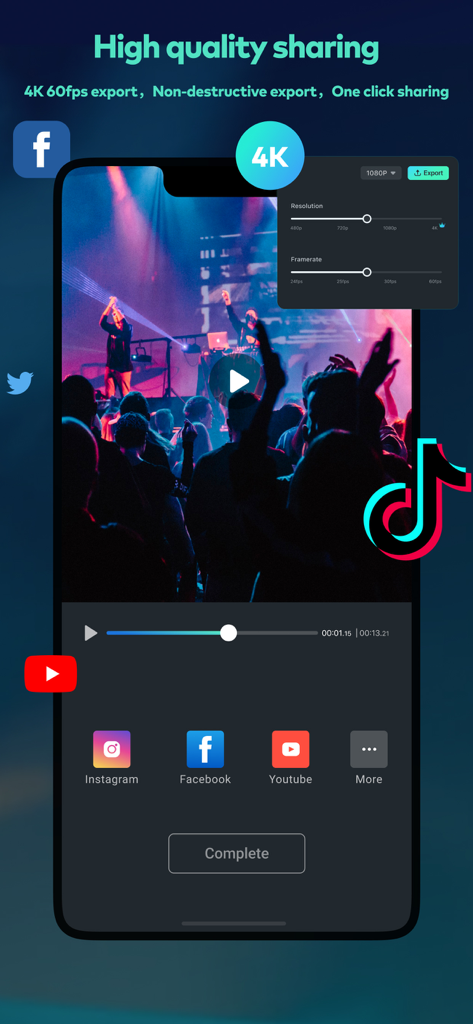
Filmora HD video editor interface for 4K export and social media sharing
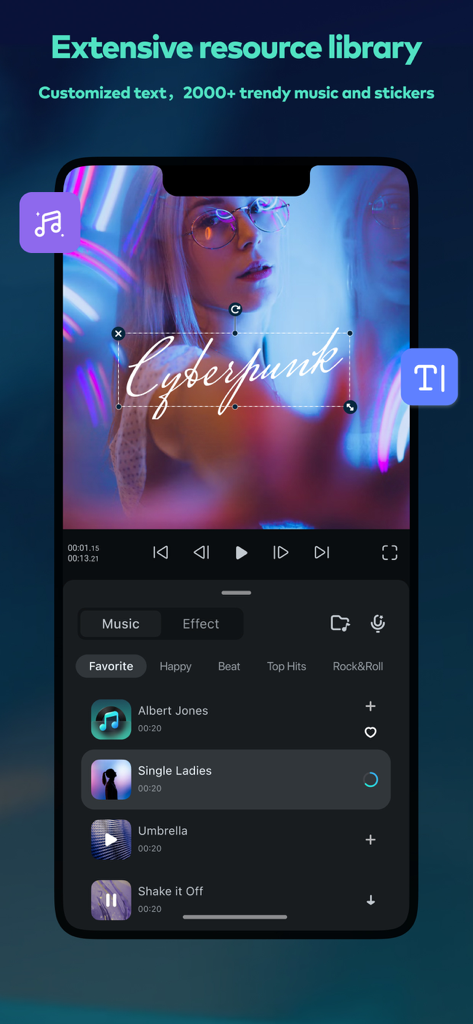
Filmora HD app interface showing a video with cyberpunk text overlay and a list of popular music tracks to add to projects
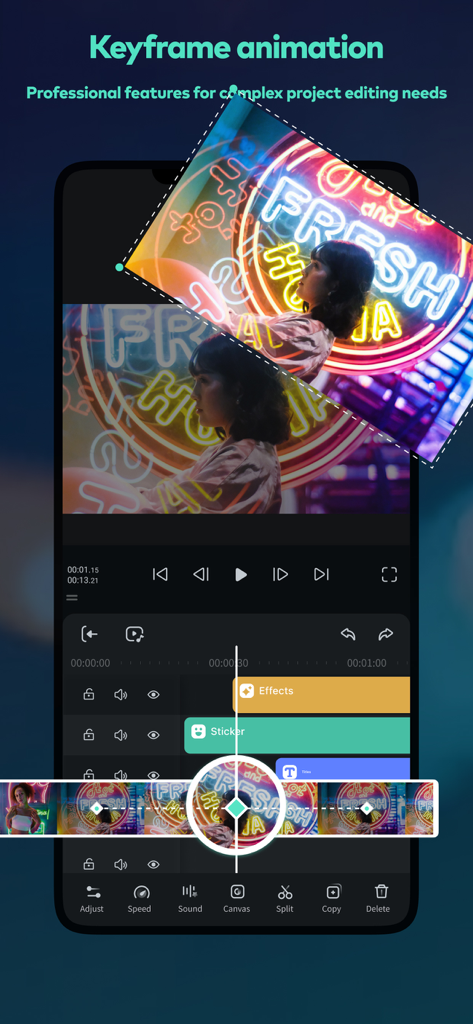
Smartphone screen showing keyframe animation editing in Filmora HD app
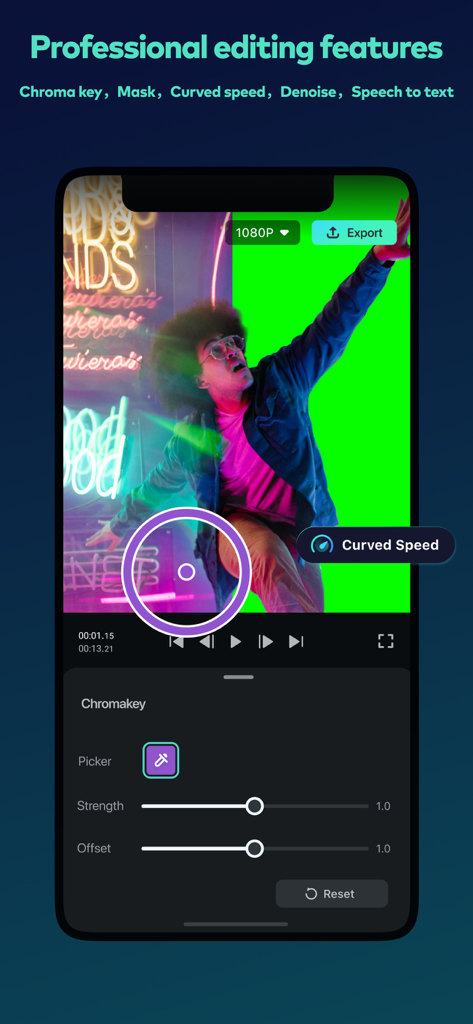
Filmora HD mobile app interface showing professional chroma key video editing with a green screen background
Description
Download
More Like This
Apps with similar features and user experience

Edits: Video Editor
Instagram, Inc.

VLLO- Video Editor, Vlog Edits
vimosoft

YouCut - AI Video Editor
SHANTANU PTE. LTD.

必剪-B站官方出品
Shanghai Bilibili Animation Co.,Ltd

剪影 - 视频剪辑 & 卡点影集制作
Shanghai Jian Ji Software Technology Co., Ltd

Videoshop - Video Editor
Jajijujejo Inc.

VDIT - Video Maker & Editor
ImgBase, Inc.

Video Editor with Music・VidLab
Onelight Apps CY Ltd

Video Maker-movie maker&Editor
Changsha Fugui Bamboo Network Technology Co., Ltd.
This page is not an official page of the app or its developer, but an independent editorial publication created for informational and commentary purposes. Unless expressly stated otherwise, neither the app nor its developer is affiliated with, endorsed by, sponsored by, authorized by, or otherwise officially connected with MWM, Apple, Google Play, the app publisher, or the app's developer, and nothing on this page implies that the app was developed using MWM's services. Any trademarks, logos, screenshots, and other content remain the property of their respective owners.