Fire TV Remote - Fire Stick
Download on App Store

This page is not an official page of the app or its developer, but an independent editorial publication created for informational and commentary purposes. Unless expressly stated otherwise, neither the app nor its developer is affiliated with, endorsed by, sponsored by, authorized by, or otherwise officially connected with MWM, Apple, Google Play, the app publisher, or the app's developer, and nothing on this page implies that the app was developed using MWM's services. Any trademarks, logos, screenshots, and other content remain the property of their respective owners.

Logo of Fire TV Remote - Fire Stick
Download on App Store

Fire TV Remote - Fire Stick

Say goodbye to lost remotes and slow on-screen typing. Control your Fire TV effortlessly from your iPhone with a full keyboard, voice search, and instant auto-connection.

Key Figures

Downloads

1K+

User Rating

2.7/5

Total Ratings

0

Publisher

Hamza El karmouni

Category

Utilities

Locales

1

Latest Version

3.3.8

Size

33.3 MB

First Released

Apr 20, 2023
Features

Take Full Command of Your Entertainment

Transform your iPhone into the ultimate Fire TV remote with advanced features designed for speed, comfort, and absolute convenience.

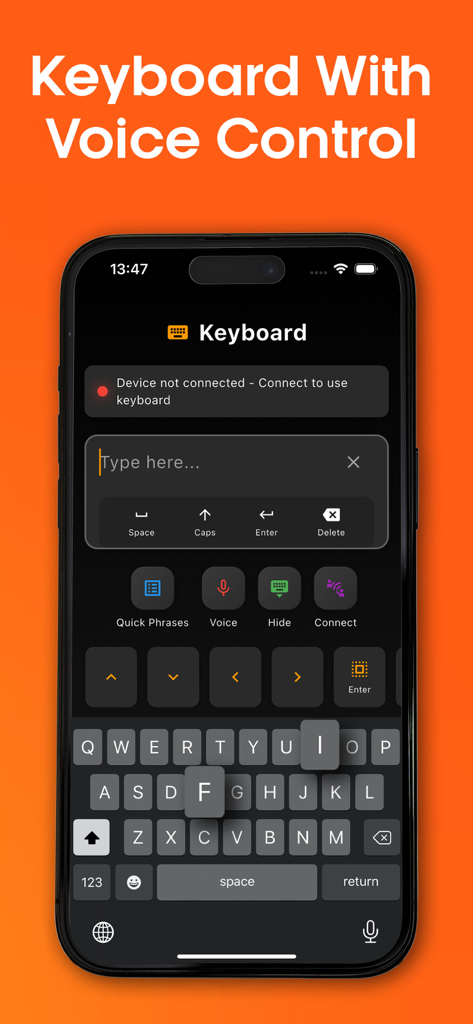
Lightning-Fast Typing

Ditch the frustrating D-pad. Use your phone’s keyboard to search for movie titles, passwords, and apps in seconds.

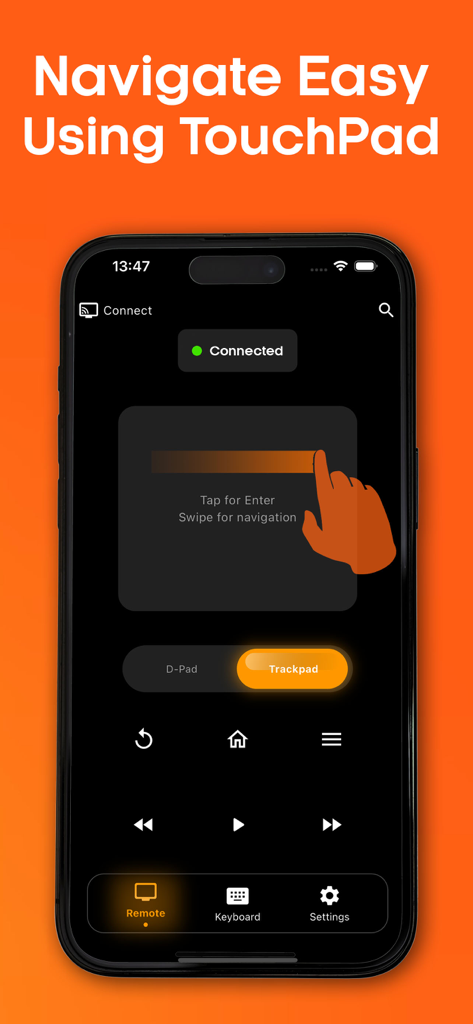
Intuitive Trackpad

Glide through streaming menus and browse the web on your TV with a responsive touch surface that mimics your laptop.

The following screenshots and description are sourced directly from the app's official store listing and are the property of the app developer.

App Store

Screenshots
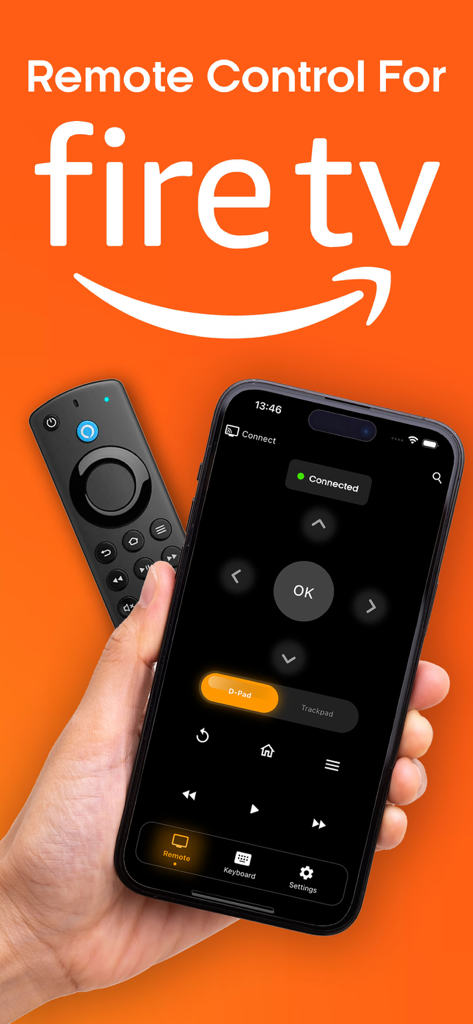
Fire TV Remote - Fire Stick - Smartphone showing the Fire TV remote app interface next to a physical remote control.
Smartphone showing the Fire TV remote app interface next to a physical remote control.

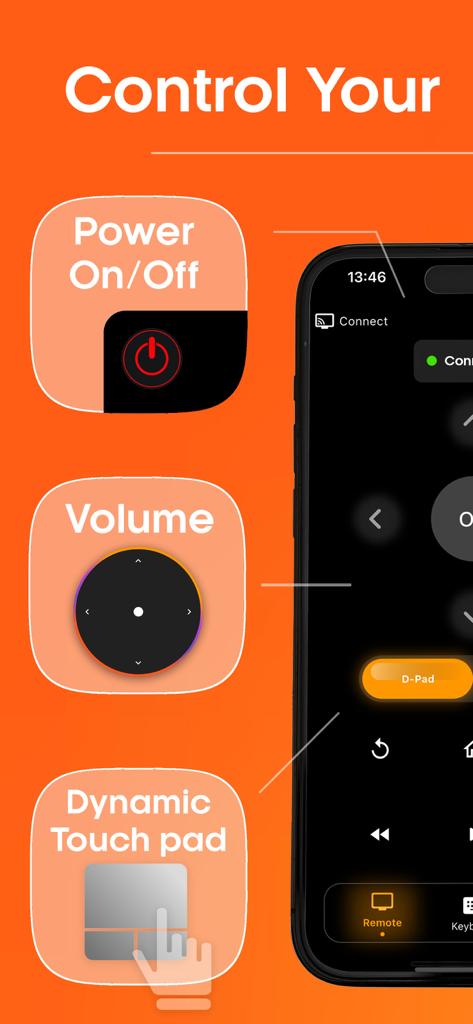
Fire TV Remote - Fire Stick - Fire TV remote app interface showing power volume and touchpad controls
Fire TV remote app interface showing power volume and touchpad controls

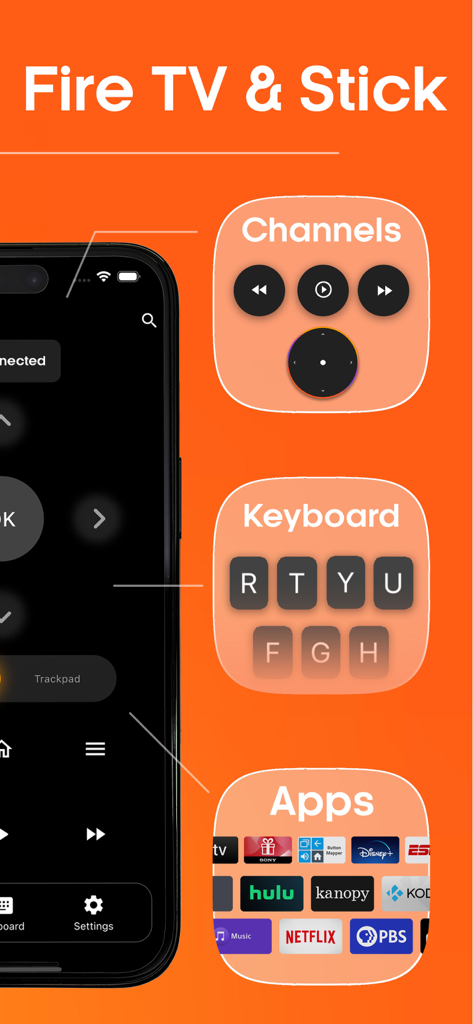
Fire TV Remote - Fire Stick - Interface of the Fire TV and Fire Stick remote app showing keyboard and app shortcuts
Interface of the Fire TV and Fire Stick remote app showing keyboard and app shortcuts

Fire TV Remote - Fire Stick - Smartphone displaying the touchpad navigation interface of a Fire TV remote app
Smartphone displaying the touchpad navigation interface of a Fire TV remote app

Fire TV Remote - Fire Stick - iPhone screen showing the Fire TV remote app keyboard and voice control interface for easy text entry.

iPhone screen showing the Fire TV remote app keyboard and voice control interface for easy text entry.

Description

Introducing Fire TV and Fire Stick remote control app. With our app, you can easily control your Fire Stick and Fire TV from your device, making it simple and easy to access your favorite apps and channels. Our built-in keyboard feature allows you to search for anything quickly and watch it on your Fire TV with ease. Navigating through your Fire Stick has never been simpler with our easy navigation, built-in keyboard and fast access to your favorite channels and apps. The Fire Stick Remote Control feature supports all Fire Stick functions and remote buttons, giving you full control over your device. Type quickly and efficiently with the built-in keyboard functionality, and use your device as a trackpad to navigate quickly. Voice control is also available, allowing you to use your voice to type or search for anything with Fire Stick Remote. And with the Auto Connection and Manual Connection options, connecting to your Fire Stick device has never been easier. The app will connect automatically or you can type in your device IP to connect manually. Experience the ultimate in convenience and control with our Fire TV and Fire Stick remote control app. Download now and take control of your Fire Stick and Fire TV experience. Premium Features: - Unlimited usage of the remote control - Unlimited usage of the built-in keyboard - Unlimited usage of the built-in trackPad - Remove Ads * Upon confirmation of purchase of your subscription, payment will be charged to your iTunes account. * Subscription will auto-renew unless auto-renew is turned off at least 24 hours before the end of the current period and payment is charged to your iTunes account. The renewal cost depends on your subscription plan. Our standard subscription plans: Weekly subscription is $ 5.99 Monthly subscription is $ 9.99 Lifetime subscription is $ 29.99 For other currencies, the price matches the price level in the App Store Price Matrix. * Subscription with a free trial period automatically renews to a paid subscription After the 3 days of free trial. You can cancel or manage the automatic renewal of the free trial by going to your Account Settings after purchase. Cancellation will take effect 24 hours after the last day of the current subscription period and you will be transferred to a free service. * Please note: Any unused portion of the three-day free trial period (if offered) will be forfeited when purchasing a premium subscription during the free trial period. * For any other information, see our privacy policy and terms of use. Privacy Policy : https://docs.google.com/document/d/1uSc7cUBKIfLVoA53qCr3nHx57s_octjfx8xOBv4hMzs/edit?usp=sharing Terms Of Use : https://docs.google.com/document/d/15tCWD9JjPQHrUB55zUMwOTMHt-o8aNDRiSyX_fkVYeY/edit?usp=sharing Disclaimer: Our App is not an affiliated entity of Amazon.com Inc. and "Fire Stick Remote - Fire TV" application is not an official product of Amazon.com Inc. or its affiliates. This app was not created or endorsed by Amazon. License: https://developer.amazon.com/support/legal/pml

Download

Download on App Store

This page is not an official page of the app or its developer, but an independent editorial publication created for informational and commentary purposes. Unless expressly stated otherwise, neither the app nor its developer is affiliated with, endorsed by, sponsored by, authorized by, or otherwise officially connected with MWM, Apple, Google Play, the app publisher, or the app's developer, and nothing on this page implies that the app was developed using MWM's services. Any trademarks, logos, screenshots, and other content remain the property of their respective owners.








