Floating Notes Teleprompter
Download on App Store

This page is not an official page of the app or its developer, but an independent editorial publication created for informational and commentary purposes. Unless expressly stated otherwise, neither the app nor its developer is affiliated with, endorsed by, sponsored by, authorized by, or otherwise officially connected with MWM, Apple, Google Play, the app publisher, or the app's developer, and nothing on this page implies that the app was developed using MWM's services. Any trademarks, logos, screenshots, and other content remain the property of their respective owners.


Logo of Floating Notes Teleprompter
Download on App Store

Floating Notes Teleprompter

The all-in-one script prompter and 4K video recorder designed for creators, solopreneurs, and remote professionals. Maintain perfect eye contact and deliver flawless speeches without memorizing a single line.

Key Figures

Downloads

0

User Rating

5.0/5

Total Ratings

0

Publisher

ZEROVIK INNOVATIONS PRIVATE LIMITED

Category

Productivity

Locales

1

Latest Version

2.0.22

Size

27.4 MB

First Released

Mar 24, 2023
Features

Master Every Take

Transform your iPhone into a professional recording studio and deliver flawless performances without the stress of memorization.

Perfect Eye Contact

Read your script directly next to the camera lens for an authentic, professional look that builds instant trust with your viewers.

Smart Floating Notes

Keep your script visible while recording directly in TikTok, Instagram, or Zoom. Perfect for live streams and remote presentations.

The following screenshots and description are sourced directly from the app's official store listing and are the property of the app developer.

App Store

Screenshots
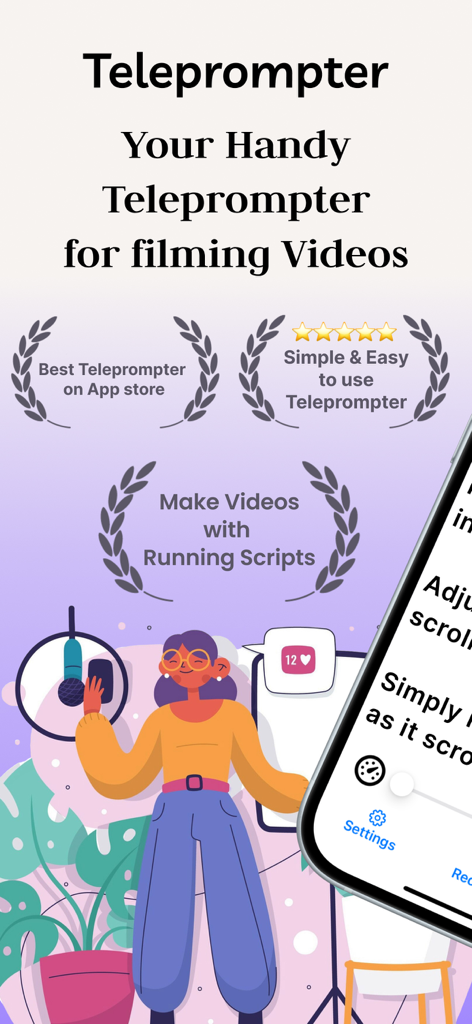
Floating Notes Teleprompter - Illustration of a content creator using the Floating Notes Teleprompter app for video production.

Illustration of a content creator using the Floating Notes Teleprompter app for video production.
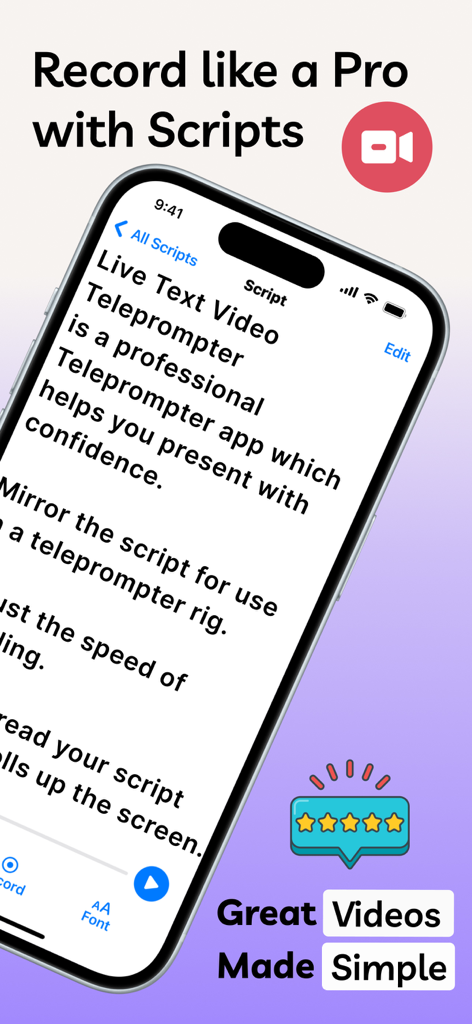
Floating Notes Teleprompter - A smartphone showing the script interface of the Floating Notes Teleprompter app with a five star rating badge.
A smartphone showing the script interface of the Floating Notes Teleprompter app with a five star rating badge.

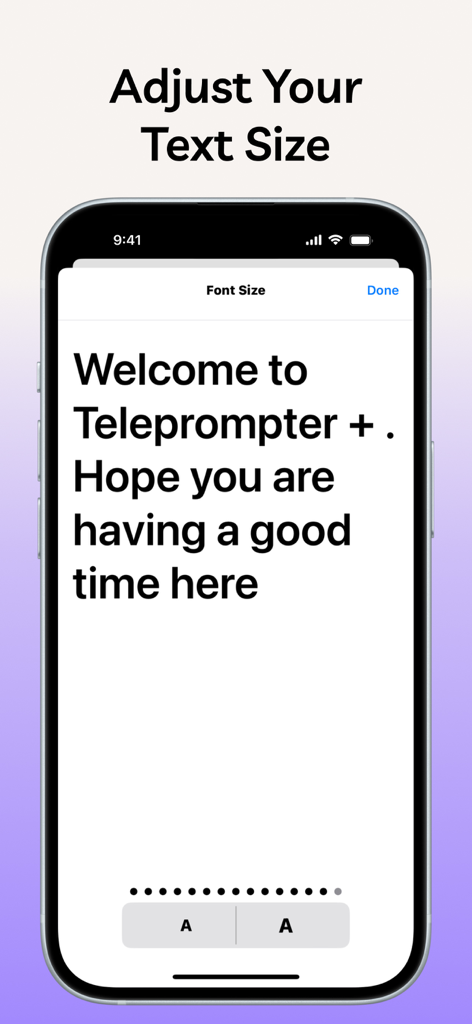
Floating Notes Teleprompter - A mobile interface for adjusting the font size of scripts within the Floating Notes Teleprompter app.
A mobile interface for adjusting the font size of scripts within the Floating Notes Teleprompter app.

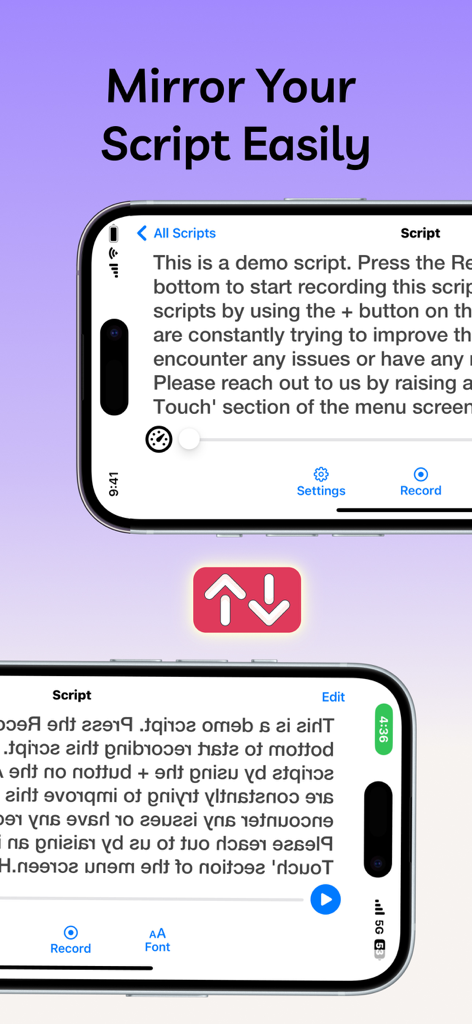
Floating Notes Teleprompter - iPhone screen showing the mirror text feature in the Floating Notes Teleprompter app for use with professional teleprompter rigs.
iPhone screen showing the mirror text feature in the Floating Notes Teleprompter app for use with professional teleprompter rigs.

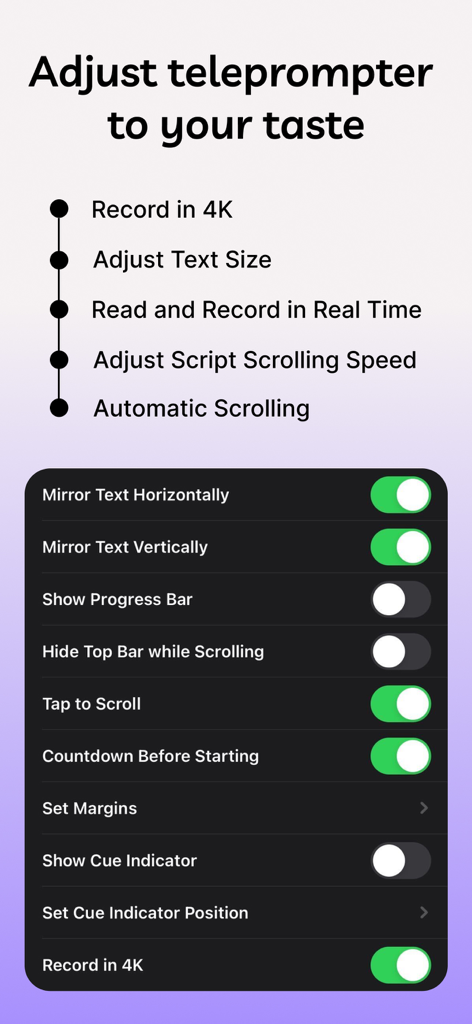
Floating Notes Teleprompter - A list of customizable features and settings for the Floating Notes Teleprompter app including 4K recording and script scrolling options.
A list of customizable features and settings for the Floating Notes Teleprompter app including 4K recording and script scrolling options.

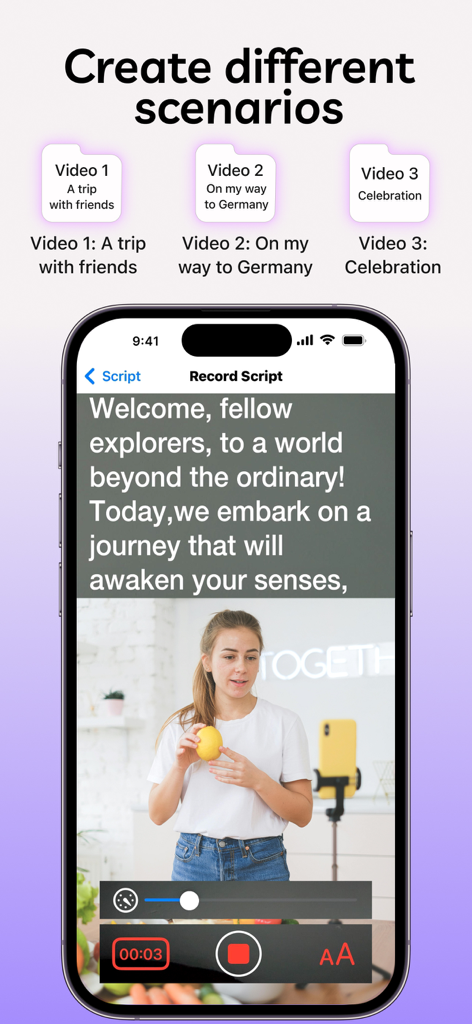
Floating Notes Teleprompter - A smartphone interface displaying a video recording session with an integrated teleprompter script and scenario management icons.
A smartphone interface displaying a video recording session with an integrated teleprompter script and scenario management icons.

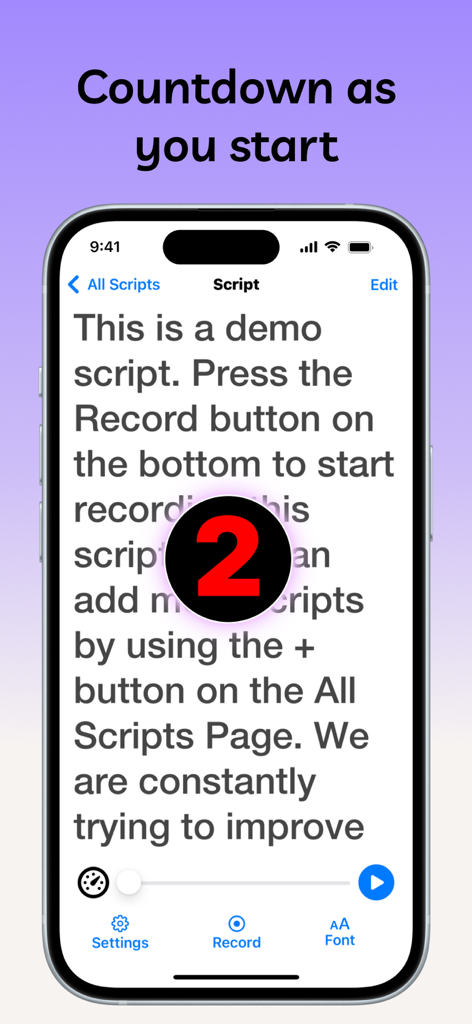
Floating Notes Teleprompter - iPhone screen showing the Floating Notes Teleprompter app with a large red countdown number two over a video script
iPhone screen showing the Floating Notes Teleprompter app with a large red countdown number two over a video script

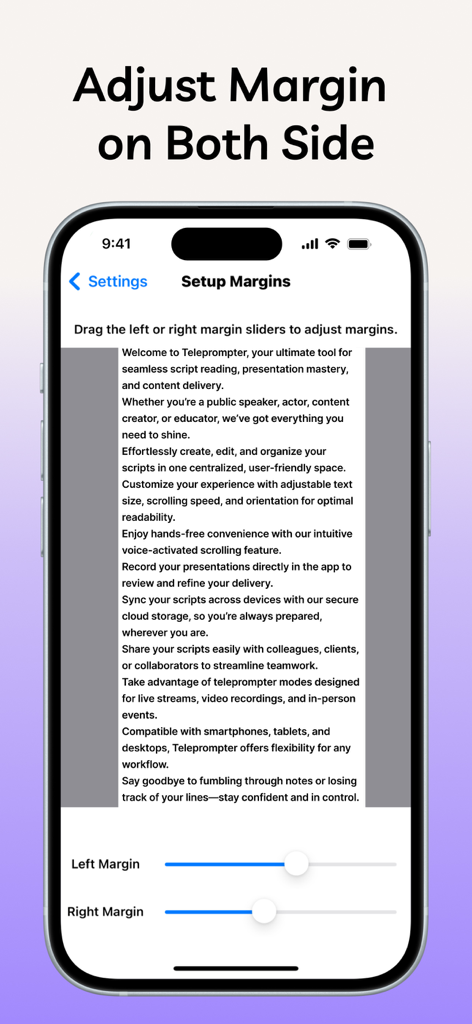
Floating Notes Teleprompter - Smartphone screen showing the margin adjustment settings for a teleprompter app script
Smartphone screen showing the margin adjustment settings for a teleprompter app script

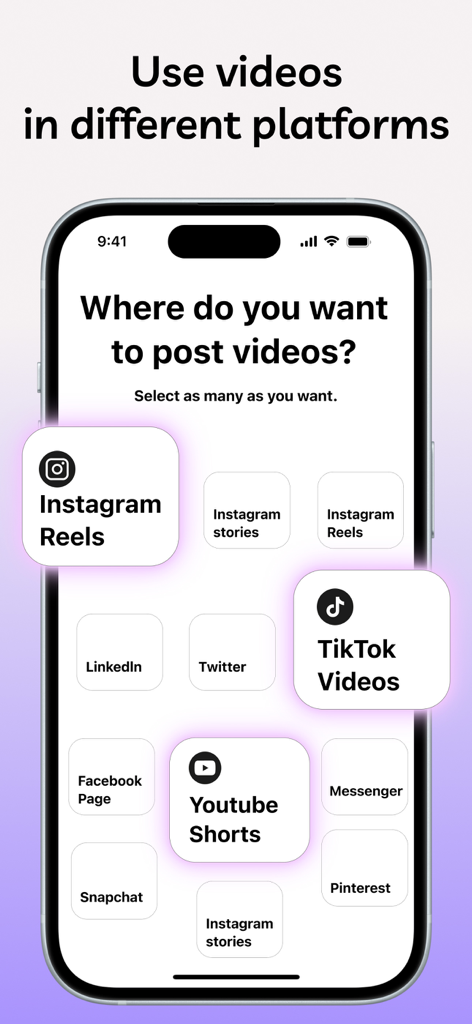
Floating Notes Teleprompter - Mobile app screen showing options to select social media platforms like Instagram TikTok and YouTube for posting videos

Mobile app screen showing options to select social media platforms like Instagram TikTok and YouTube for posting videos

Description

Introducing the iPrompter Teleprompter app, your all-in-one public speaking tele-prompter tool and video production assistant. Whether you're a professional speaker, video influencers, content creator, or just someone looking to make high-quality videos, iPrompter Teleprompter app has everything to make your content shine. iPrompter Teleprompter makes it Possible to Capture Videos while Reading Script at the Same time. It is easy to use free Teleprompter app with mirroring, no script limits, prompt smart pro and a lot of great features. With its advanced functionality, the Teleprompter app makes it easy to speechify and present with confidence & ease. You can customize the app to display your scriptable Script prompter exactly as you need, with adjustable scrolling speed, auto captions and more. The app is not just for public speaking, it's also an excellent Video recording assistance tool which can record videos using the front and rear-facing cameras on your device, choosing your camera resolution (Basic and 4K). Additionally, it allows you to record sound using both the in-built and external microphones, giving you great audio quality on your videos. If you're looking for video recorder with audio then with this, the app functions as a Performance support tool to assist you capture the perfect shot. The app has custom controls allowing you backstage to start and stop the video recording as well as control the autoscroll Script prompter (start / pause / resume / adjust speed). Overall, the app is an essential Speaking coach, Narration aid, video teleprompter record, and video recording software for anyone looking to make compelling videos, translate video, or deliver confident and engaging speeches within eye blinks. It lets you add captions to videos so you can speak fluently with live caption and lets you feel as it's captions free. Its advanced features, intuitive interface, and versatility make it an indispensable tool for creators of all levels and final draft mobile. Built for simplicity and ease of use. Useful In: • Public speaking • Video production • Content creation • Teleprompter pro rig device • Voice-over work • Language learning • Podcast recording • Dubbing video Some features of Teleprompter Require a Paid Subscription (Mentioned with asterisk *) • Read and Record in real time with ease • Scroll back to grab a quote or revisit a point • Mirror text for on-camera Teleprompter rig (*) • Scripts scroll smoothly and auto-scroll clearly on the display • Record videos with eye contact as on a real mirror and read the Teleprompter like captions for videos • Display your scripts full screen while scrolling (*) • Compose and manage unlimited scripts, automated text with no script length limit • Adjustable side margins on Teleprompter (*) • Add cue points to your running scripts (*) • Add a countdown timer before teleprompter scrolling begins (*) Upcoming Features: • Customize the text size and color of your scripts. • Customize the background color behind your script. • Re-arrange your scripts by title, date or arrange them in a custom order • Airdrop your saved scripts to nearby devices • Export and share your scripts with others quickly To have access to the "Teleprompter Full Access" functionality, you can choose between a monthly and yearly auto-renewable subscription. This is a recurring transaction that will be charged to your iTunes Account at confirmation of purchase and will automatically renew unless you cancel it at least 24 hours before the end of your subscription. Renewals will be charged the same cost within 24 hours prior to the end of the current period. You can manage your subscriptions and auto-renewal can be turned off by going to your iTunes Account Settings after purchase. Terms of Service (EULA) : https://www.apple.com/legal/internet-services/itunes/dev/stdeula/ Privacy Policy: https://www.freeprivacypolicy.com/live/cfeee37b-0c93-4bc8-ac4b-fd25ff754886

Download

Download on App Store

This page is not an official page of the app or its developer, but an independent editorial publication created for informational and commentary purposes. Unless expressly stated otherwise, neither the app nor its developer is affiliated with, endorsed by, sponsored by, authorized by, or otherwise officially connected with MWM, Apple, Google Play, the app publisher, or the app's developer, and nothing on this page implies that the app was developed using MWM's services. Any trademarks, logos, screenshots, and other content remain the property of their respective owners.