
This page is not an official page of the app or its developer, but an independent editorial publication created for informational and commentary purposes. Unless expressly stated otherwise, neither the app nor its developer is affiliated with, endorsed by, sponsored by, authorized by, or otherwise officially connected with MWM, Apple, Google Play, the app publisher, or the app's developer, and nothing on this page implies that the app was developed using MWM's services. Any trademarks, logos, screenshots, and other content remain the property of their respective owners.


Flydigi Game Center
Mobile gaming often frustrates. This app grants players total control, transforming their peripheral experience. Its focus: precision, personalization, and seamless play.
Downloads
1M+User Rating
Total Ratings
3.9KPublisher
Category
UtilitiesLocales
3Latest Version
5.2.7Size
163.6 MBFirst Released
May 8, 2019An analytical overview for enhancing mobile gaming performance.
Key Features of Flydigi Game Center
Advanced Customization Engine
It allows users to build highly personalized key configurations with a wide array of customizable attributes, tailoring controls precisely to their playstyle.
Optimized Flymapping Presets
This tool features proprietary Flymapping technology, enabling users to instantly apply recommended key configurations optimized for various games.
Cloud Configuration Backup
The app ensures that personalized configuration layouts are automatically backed up to the cloud after sign-in, supporting seamless sharing across multiple devices.
Seamless Gamepad Management
The app provides a streamlined process for connecting and managing Flydigi gamepads, simplifying device setup with a single tap.
The following screenshots and description are sourced directly from the app's official store listing and are the property of the app developer.
App Store
Screenshots
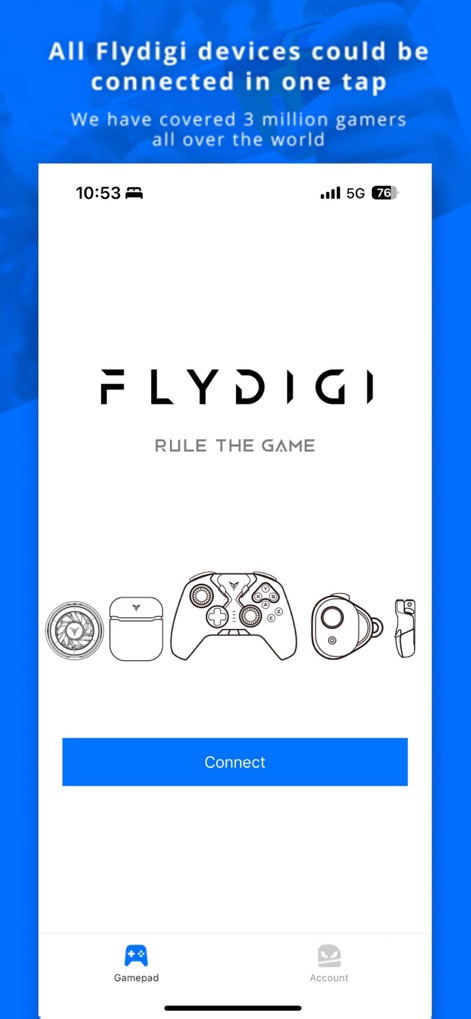
This central screen invites users to connect their Flydigi devices, showcasing a variety of peripheral illustrations and a prominent "Connect" button.
Device Connection Hub

Explore the extensive catalog of Flydigi devices, clearly organized by categories like "Mobile Gaming Controller" and showcasing specific product images such as the Vader 3 and B7X.
Device Catalog

This view presents the currently connected device, such as the "Wasp 2", alongside a personalized "My Games" library featuring popular titles like PUBG Mobile ready for launch.
Connected Device & Games
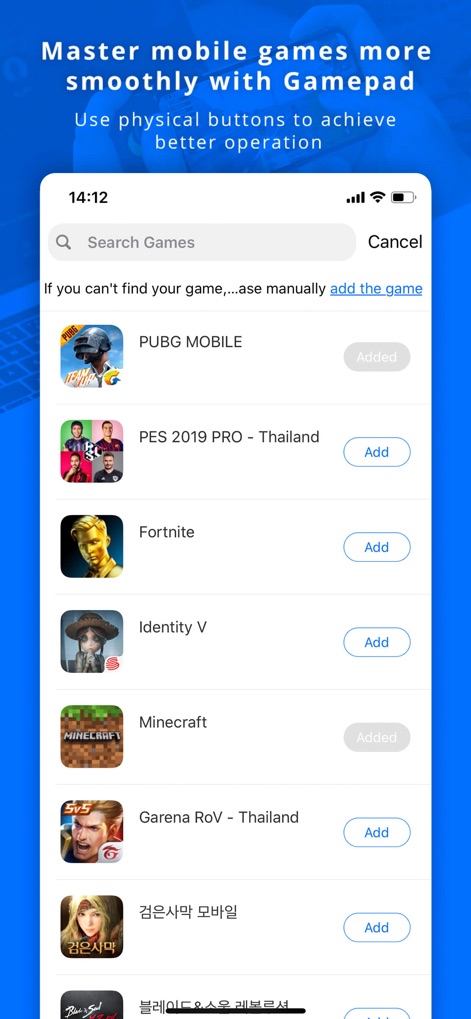
Effortlessly expand the gaming library by searching for new titles and adding them with a simple tap, revealing popular games like Fortnite and Minecraft available for integration.
Expanding Game Library

Leverage Flymapping Technology with seamless cloud backup, enabling users to manage and download personalized configurations for various devices such as the Wasp 2 and APEX 3.
Cloud Configuration Sync
Description
Download
More Like This
Apps with similar features and user experience
Game Controller Tester Gamepad
Emoji Apps GmbH

ShootingPlus V3
Shenzhen Qixiong Technology Co., Ltd.

8BitDo Ultimate Software
SHENZHEN 8BITDO TECH CO., LTD.

GameSir
Guangzhou Chicken Run Network Technology Co.,Ltd.

KeyLinker
ShenZhen ZhiXu Technology Co., Ltd

墨将助手
Shenzhen Warsong Technology Co., Ltd.
This page is not an official page of the app or its developer, but an independent editorial publication created for informational and commentary purposes. Unless expressly stated otherwise, neither the app nor its developer is affiliated with, endorsed by, sponsored by, authorized by, or otherwise officially connected with MWM, Apple, Google Play, the app publisher, or the app's developer, and nothing on this page implies that the app was developed using MWM's services. Any trademarks, logos, screenshots, and other content remain the property of their respective owners.