
This page is not an official page of the app or its developer, but an independent editorial publication created for informational and commentary purposes. Unless expressly stated otherwise, neither the app nor its developer is affiliated with, endorsed by, sponsored by, authorized by, or otherwise officially connected with MWM, Apple, Google Play, the app publisher, or the app's developer, and nothing on this page implies that the app was developed using MWM's services. Any trademarks, logos, screenshots, and other content remain the property of their respective owners.


Game Controller Tester Gamepad
Stop guessing. This app puts you in command, validating every input for flawless gameplay.
Downloads
1M+User Rating
Total Ratings
2.1KPublisher
Category
UtilitiesLocales
1Latest Version
2.4.1Size
46.1 MBFirst Released
Feb 5, 2020A detailed evaluation of the essential functionalities for mobile and cloud gamers.
Game Controller Tester Gamepad: Key Features Analysis
Advanced Input Sensitivity Testing
It allows users to meticulously test the pressure sensitivity of triggers and analog sticks, which is crucial for precise control and advanced gaming techniques.
Comprehensive Button & Stick Diagnostics
The app provides thorough testing capabilities for all standard buttons and joystick movements, ensuring complete functionality and responsiveness of gaming controllers.
Extensive Controller Compatibility
This tool features broad support for a wide array of controllers, including popular Xbox and PlayStation models, MFi devices, and various third-party gamepads, catering to diverse gaming setups.
Premium Feature Validation
For premium users, it unlocks the ability to test advanced controller functionalities such as haptic feedback and adaptive triggers, verifying their proper operation for an enhanced gaming experience.
Intuitive Controller Visualization
It provides a visual representation of different controller designs, offering an intuitive and clear interface for users to track their input tests and identify issues easily.
Multi-Controller Support
This tool enables the simultaneous connection and testing of multiple controllers, which is ideal for comparing devices or diagnosing issues across several gamepads.
Frequently Asked Questions
Everything you need to know about Game Controller Tester Gamepad
What is the purpose of the Game Controller Tester Gamepad app?
The Game Controller Tester Gamepad app tests and troubleshoots the functionality of your game controller. It allows users to connect their controller to an iOS device for comprehensive testing and analysis.
Which game controllers are compatible with Game Controller Tester?
The Game Controller Tester app supports specific Xbox Wireless, PlayStation (DualShock 4, DualSense), and "Made for iPhone" (MFI) Game Controllers. It lists various models like Razer Kishi and SteelSeries Nimbus+.
Can Game Controller Tester test pressure-sensitive triggers and sticks?
Yes, the Game Controller Tester app enables testing of pressure-sensitive triggers and sticks. This is a core feature designed to assess the full range of controller input responsiveness.
Does Game Controller Tester show visualizations of controller designs?
Yes, the Game Controller Tester app displays visualizations of different controller designs. These visual representations help users interact with and understand the testing process.
How do I remove advertisements in the Game Controller Tester app?
To remove ads in the Game Controller Tester app, users must purchase the Premium subscription. This subscription provides an ad-free experience while using the application.
What features does the Premium subscription unlock in Game Controller Tester?
The Premium subscription in Game Controller Tester removes ads and unlocks all controller features. These premium features include advanced functionalities like haptic feedback and adaptive triggers.
How are subscriptions charged and renewed for Game Controller Tester?
Payments for Game Controller Tester subscriptions are charged to the user’s Apple ID account upon purchase confirmation. Subscriptions automatically renew unless canceled 24 hours before the period ends.
How do I manage or cancel my Game Controller Tester subscription?
Users can manage and cancel their Game Controller Tester subscriptions through their account settings on the App Store. Cancellation must occur at least 24 hours before the current period concludes.
Can I connect multiple game controllers to the Game Controller Tester app?
Yes, the Game Controller Tester app supports connecting multiple controllers. This feature allows users to test and manage several gamepads simultaneously within the application.
Where is the privacy policy for the Game Controller Tester app?
The privacy policy for the Game Controller Tester app is located at https://emoji-apps.com/Apps/Game_Controller_Tester/terms_and_privacy/privacy_policy.html. Users can review the app's data handling practices there.
The following screenshots and description are sourced directly from the app's official store listing and are the property of the app developer.
App Store
Screenshots
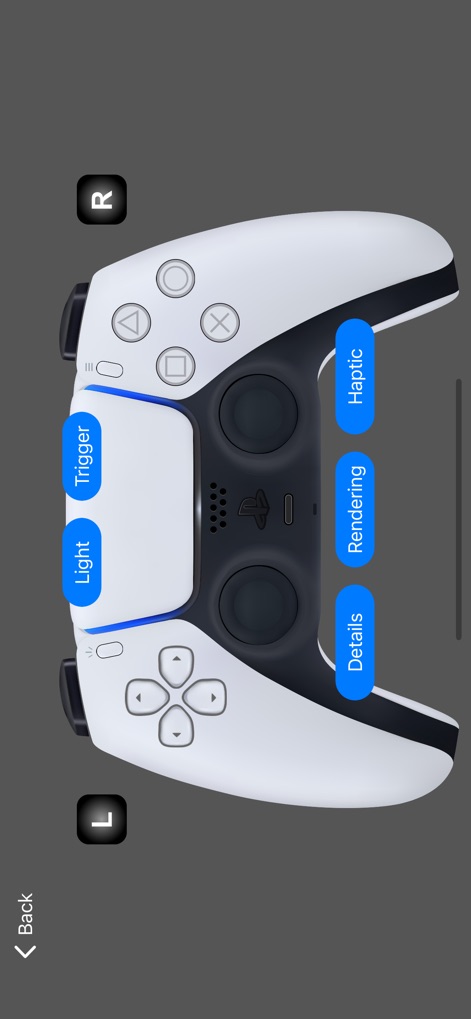
Explore the advanced capabilities of the PlayStation 5 DualSense controller, with interactive options for 'Light' and 'Haptic' feedback.
DualSense Deep Dive

This tool showcases the Xbox Series Wireless controller design and provides quick access buttons for 'Haptic' feedback and 'Rendering' options.
Xbox Series Control
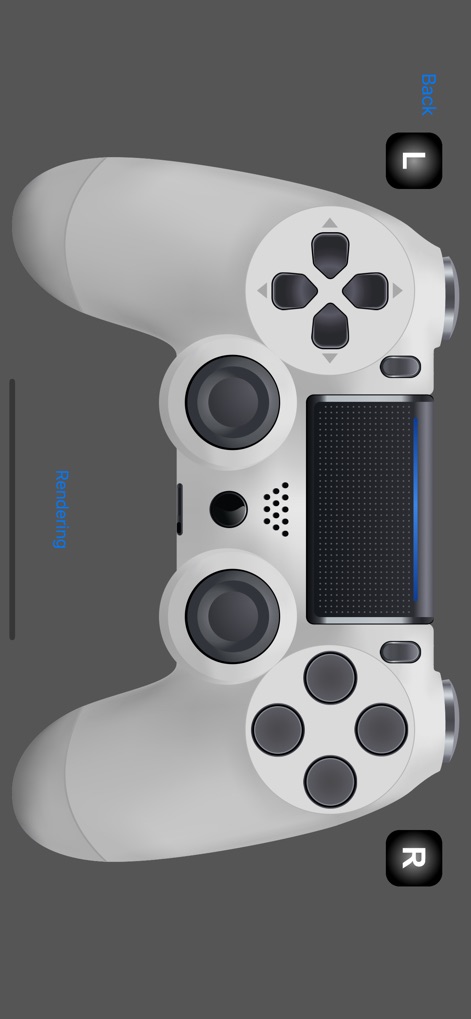
Observe the detailed rendering of the PlayStation 4 DualShock 4 Wireless controller, highlighting its classic design and the 'Rendering' mode text.
DualShock 4 View
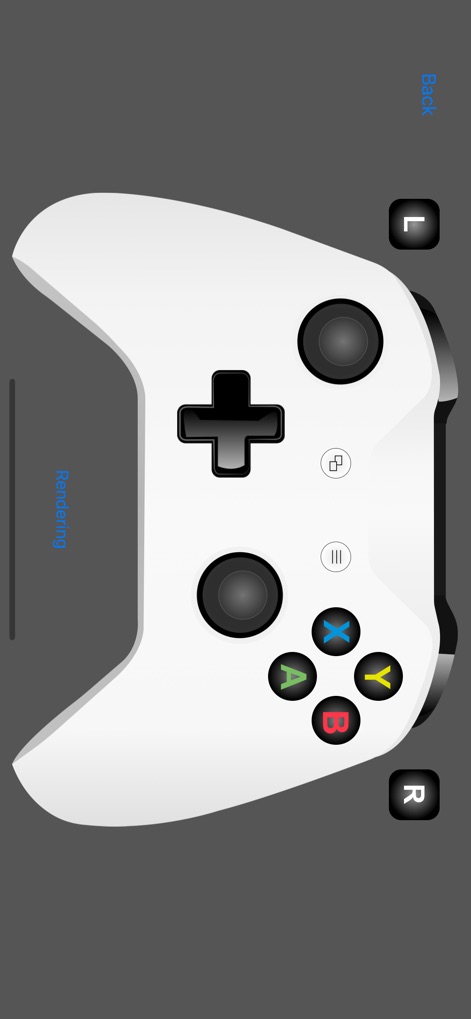
The app presents the distinctive design of the Xbox One Wireless controller and the 'Rendering' feature in action.
Xbox One Aesthetics
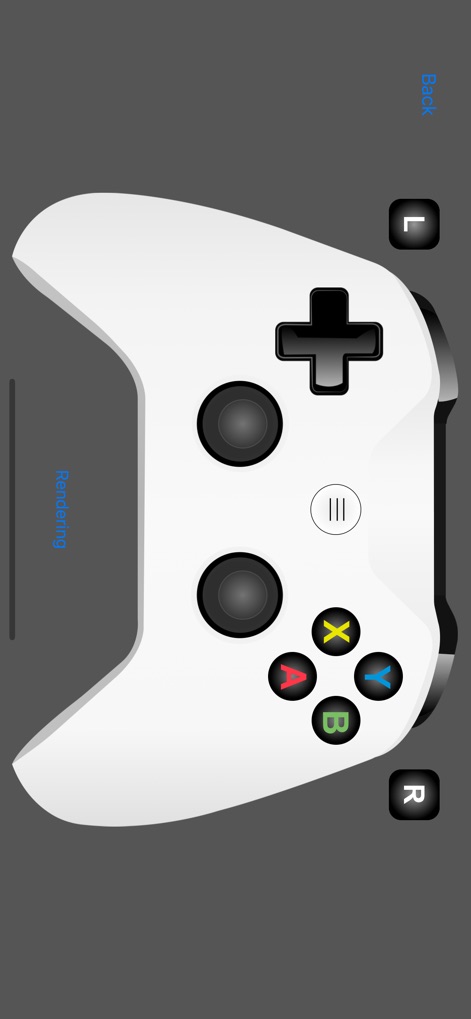
Witness the clean visual representation of a generic Xbox-style controller and the current 'Rendering' status.
Refined Controller Display
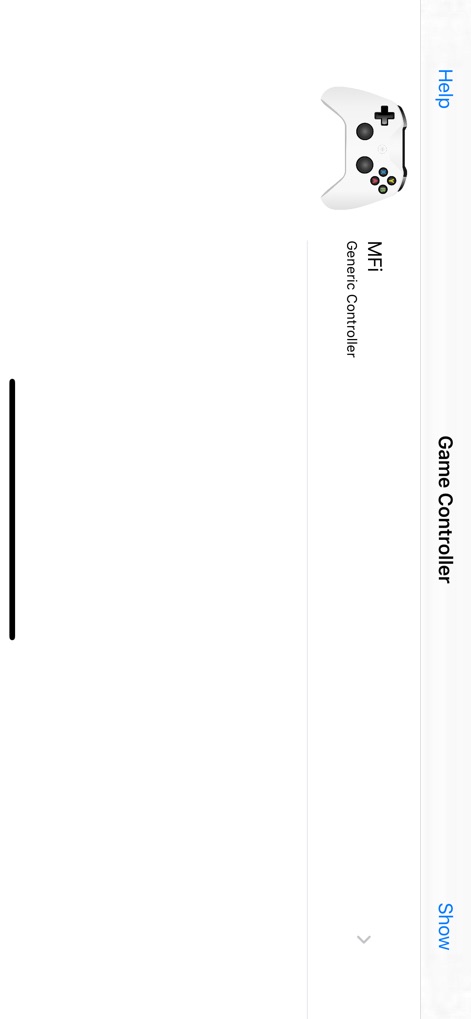
The app's main connection screen lists available game controllers, prominently displaying the 'MFi Generic Controller' for selection.
Controller Connection Hub
Description
Download
More Like This
Apps with similar features and user experience

ShootingPlus V3
Shenzhen Qixiong Technology Co., Ltd.

8BitDo Ultimate Software
SHENZHEN 8BITDO TECH CO., LTD.

GameSir
Guangzhou Chicken Run Network Technology Co.,Ltd.

KeyLinker
ShenZhen ZhiXu Technology Co., Ltd

Flydigi Game Center
Shanghai Flydigi Electronics Tech Co., Ltd.

墨将助手
Shenzhen Warsong Technology Co., Ltd.
This page is not an official page of the app or its developer, but an independent editorial publication created for informational and commentary purposes. Unless expressly stated otherwise, neither the app nor its developer is affiliated with, endorsed by, sponsored by, authorized by, or otherwise officially connected with MWM, Apple, Google Play, the app publisher, or the app's developer, and nothing on this page implies that the app was developed using MWM's services. Any trademarks, logos, screenshots, and other content remain the property of their respective owners.