
This page is not an official page of the app or its developer, but an independent editorial publication created for informational and commentary purposes. Unless expressly stated otherwise, neither the app nor its developer is affiliated with, endorsed by, sponsored by, authorized by, or otherwise officially connected with MWM, Apple, Google Play, the app publisher, or the app's developer, and nothing on this page implies that the app was developed using MWM's services. Any trademarks, logos, screenshots, and other content remain the property of their respective owners.


GameSir
The ultimate companion for your GameSir peripherals. Customize your controller layout, update firmware, and eliminate input lag to dominate your favorite competitive titles on iPhone and iPad.
Downloads
331K+User Rating
Total Ratings
1K+Publisher
Category
UtilitiesLocales
4Latest Version
5.0.16Size
43.4 MBFirst Released
Jun 12, 2018Elevate Your Mobile Gaming Experience
Seamlessly manage, customize, and optimize your GameSir controllers for pro-level performance on every title.
Pro-Level Customization
Map buttons and calibrate joysticks to gain a competitive edge over touchscreen players in any competitive title.
Optimized Performance
Keep your hardware at peak performance with one-tap firmware updates and low-latency optimizations for AAA gaming.
Frequently Asked Questions
Everything you need to know about GameSir
How do I connect GameSir peripherals using the GameSir app?
The GameSir app facilitates quick connection for GameSir Bluetooth peripherals. Users authorize and turn on Bluetooth, then select the peripheral for connection. Detailed guides are available within the app.
Does the GameSir app support firmware updates for controllers?
Yes, the GameSir app supports online firmware updates for GameSir controllers. This feature ensures devices perform optimally with the latest software versions.
Can I manage and customize my GameSir controllers with the app?
Yes, the GameSir app allows users to test controller buttons and customize configurations. This enhances the gaming experience by tailoring settings to individual preferences for connected GameSir peripherals.
Does the GameSir app offer tutorials for connecting controllers?
Yes, the GameSir app provides detailed controller connection guides. These tutorials assist users in easily setting up their GameSir peripherals.
How can I get customer support for GameSir app or peripherals?
The GameSir app offers customer support to assist with issues. Users can access the 'Customer Service Center' directly within the app for assistance regarding GameSir products.
Can I provide feedback or suggestions for the GameSir app?
Yes, the GameSir app includes a feedback feature. Users can share their suggestions directly through the app to help improve the GameSir experience and future features.
What types of GameSir peripheral devices can I manage with the GameSir app?
The GameSir app allows management of various GameSir peripheral devices. Examples shown include the GameSir-Cyclone Pro and GameSir-X2, enabling easy switching between them.
The following screenshots and description are sourced directly from the app's official store listing and are the property of the app developer.
App Store
Screenshots
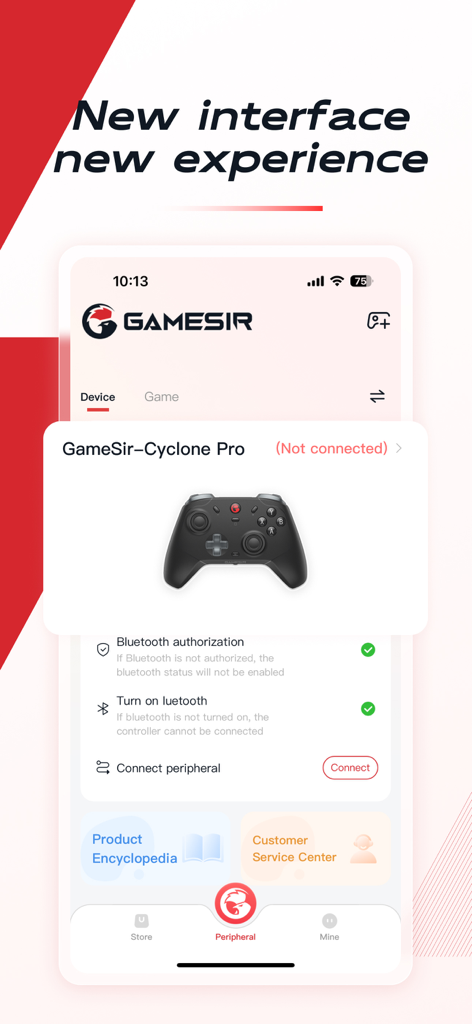
GameSir app interface displaying the connection setup for a Cyclone Pro gaming controller on a mobile device.
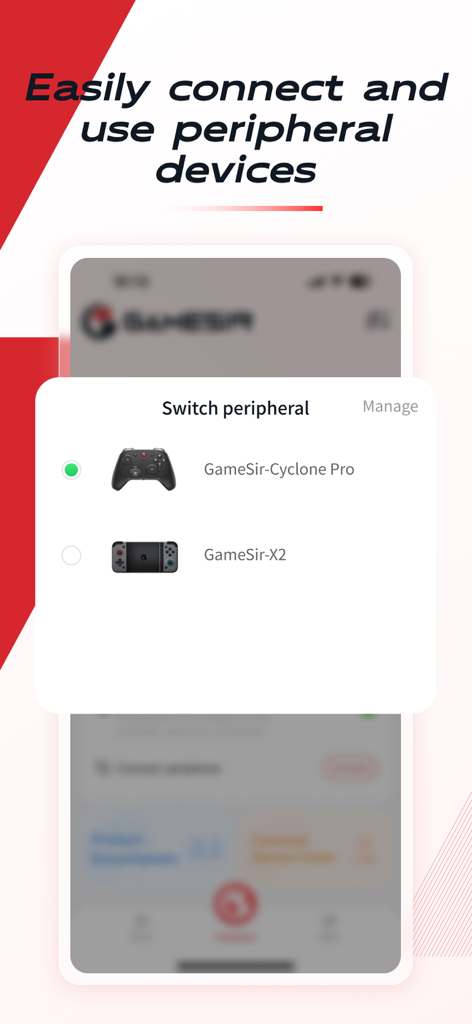
GameSir app screen displaying the switch peripheral menu with options for Cyclone Pro and X2 controllers
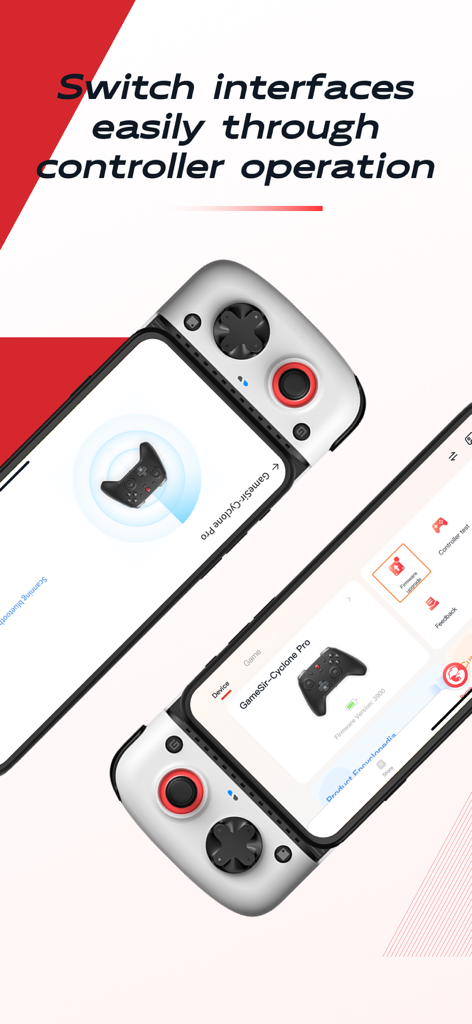
GameSir app interface showing controller connection and firmware management tools
Description
Download
More Like This
Apps with similar features and user experience

Game Controller Tester Gamepad
Emoji Apps GmbH

ShootingPlus V3
Shenzhen Qixiong Technology Co., Ltd.

8BitDo Ultimate Software
SHENZHEN 8BITDO TECH CO., LTD.

KeyLinker
ShenZhen ZhiXu Technology Co., Ltd

Flydigi Game Center
Shanghai Flydigi Electronics Tech Co., Ltd.

墨将助手
Shenzhen Warsong Technology Co., Ltd.
This page is not an official page of the app or its developer, but an independent editorial publication created for informational and commentary purposes. Unless expressly stated otherwise, neither the app nor its developer is affiliated with, endorsed by, sponsored by, authorized by, or otherwise officially connected with MWM, Apple, Google Play, the app publisher, or the app's developer, and nothing on this page implies that the app was developed using MWM's services. Any trademarks, logos, screenshots, and other content remain the property of their respective owners.