Focus: Pomodoro & Study Timer

This page is not an official page of the app or its developer, but an independent editorial publication created for informational and commentary purposes. Unless expressly stated otherwise, neither the app nor its developer is affiliated with, endorsed by, sponsored by, authorized by, or otherwise officially connected with MWM, Apple, Google Play, the app publisher, or the app's developer, and nothing on this page implies that the app was developed using MWM's services. Any trademarks, logos, screenshots, and other content remain the property of their respective owners.
Logo of Focus: Pomodoro & Study Timer

Focus: Pomodoro & Study Timer

Elevate your productivity with stunning animations, Live Activities, and seamless Apple ecosystem integration. Designed for deep work, study sessions, and a distraction-free lifestyle.

Key Figures

Downloads

0

User Rating

1.0/5

Total Ratings

0

Publisher

Mohini Sharma

Category

Productivity

Locales

1

Latest Version

1.3

Size

50.7 MB

First Released

Mar 26, 2026
Features

Elevate Your Deep Work Ritual

The ultimate aesthetic Pomodoro experience designed to help you crush your goals without distractions across iPhone, iPad, and Mac.

Aesthetic Personalization

Match your digital workspace to your mood with six stunning animations and curated color palettes designed for the modern student and professional.

Native Apple Integration

Leverage Live Activities, Dynamic Island, and Mac Menu Bar support to keep your timer visible without ever risking an accidental social media spiral.

The following screenshots and description are sourced directly from the app's official store listing and are the property of the app developer.

App Store

Screenshots
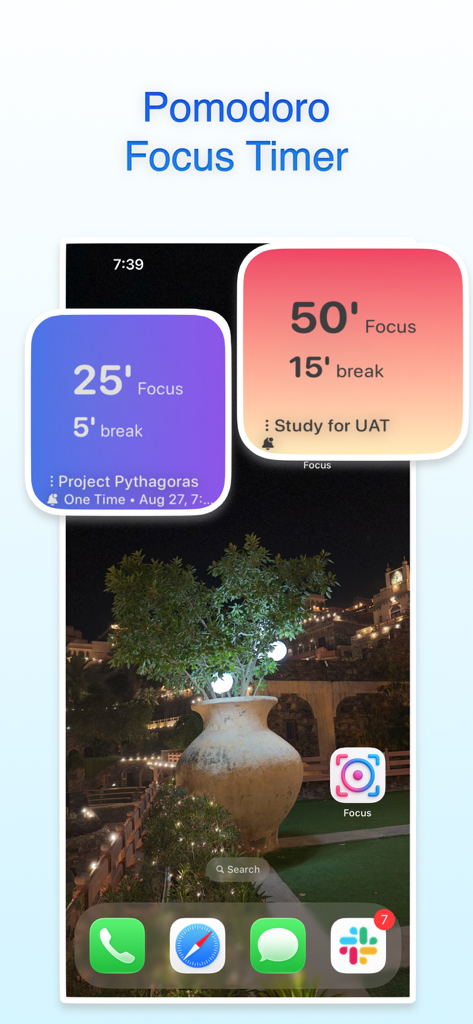
Focus: Pomodoro & Study Timer - iPhone home screen displaying colorful Pomodoro focus timer widgets for study and deep work.
iPhone home screen displaying colorful Pomodoro focus timer widgets for study and deep work.

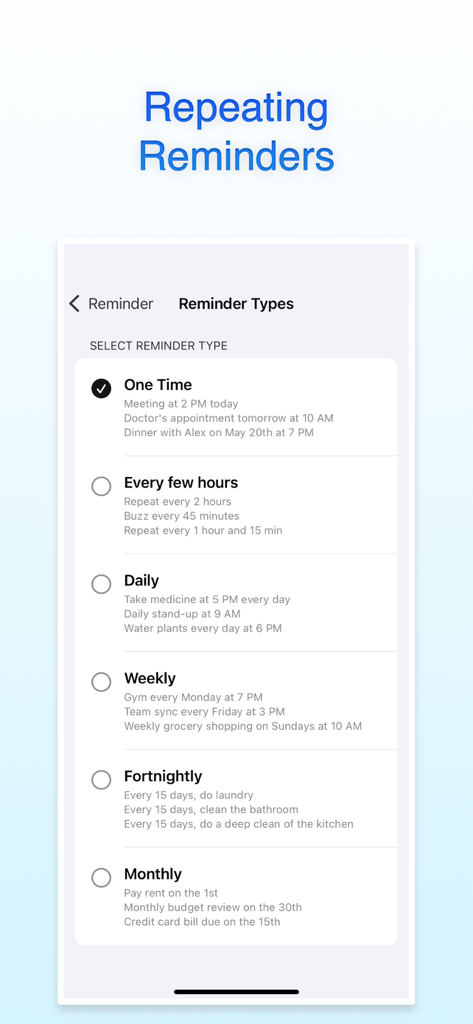
Focus: Pomodoro & Study Timer - Interface of the Focus app showing various repeating reminder options like daily, weekly, and monthly.
Interface of the Focus app showing various repeating reminder options like daily, weekly, and monthly.

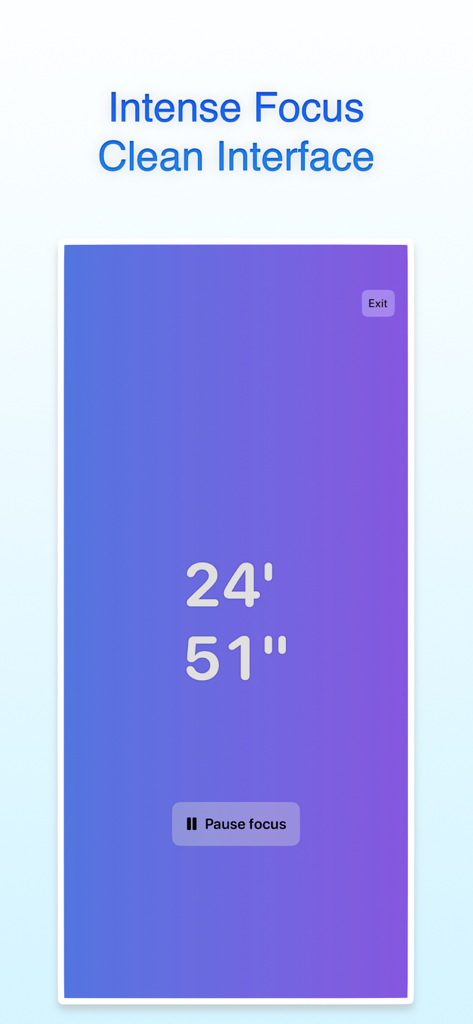
Focus: Pomodoro & Study Timer - Full-screen minimalist Pomodoro timer with a purple gradient background and countdown clock for intense focus sessions.
Full-screen minimalist Pomodoro timer with a purple gradient background and countdown clock for intense focus sessions.

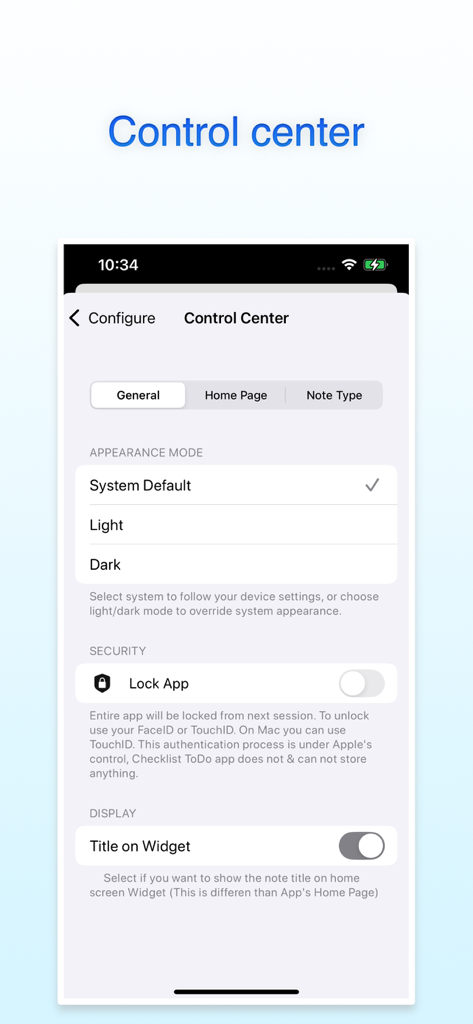
Focus: Pomodoro & Study Timer - Settings menu in the Focus Pomodoro app showing appearance mode and FaceID security options
Settings menu in the Focus Pomodoro app showing appearance mode and FaceID security options

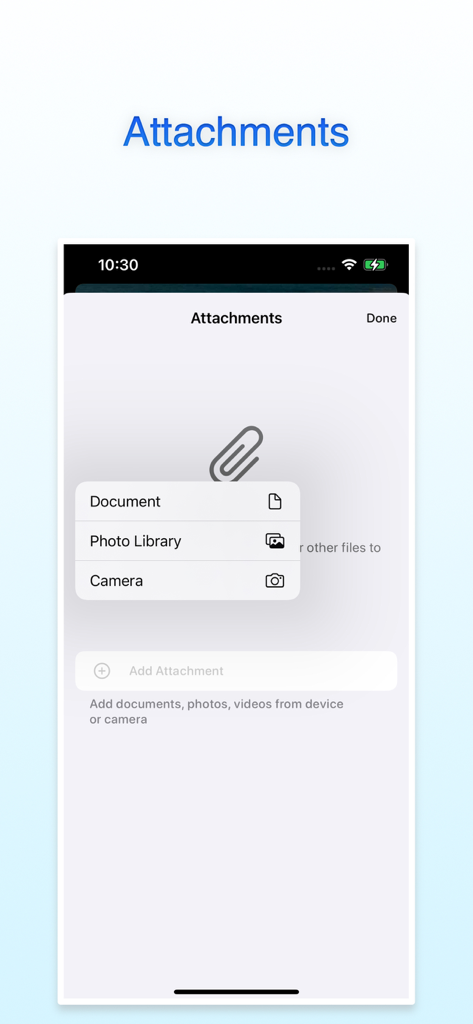
Focus: Pomodoro & Study Timer - Mobile app interface showing the attachments menu with options for document, photo library, and camera.
Mobile app interface showing the attachments menu with options for document, photo library, and camera.

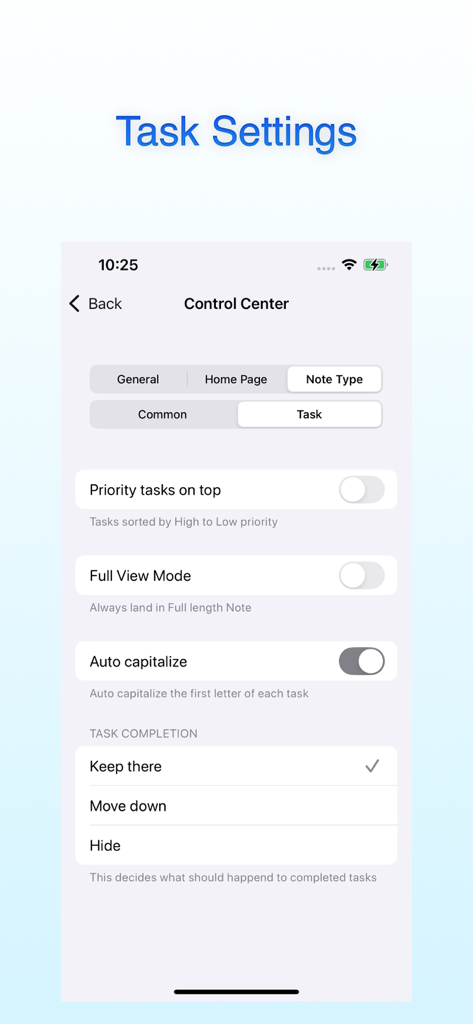
Focus: Pomodoro & Study Timer - Interface showing task settings and customization options in the Focus Pomodoro app.
Interface showing task settings and customization options in the Focus Pomodoro app.

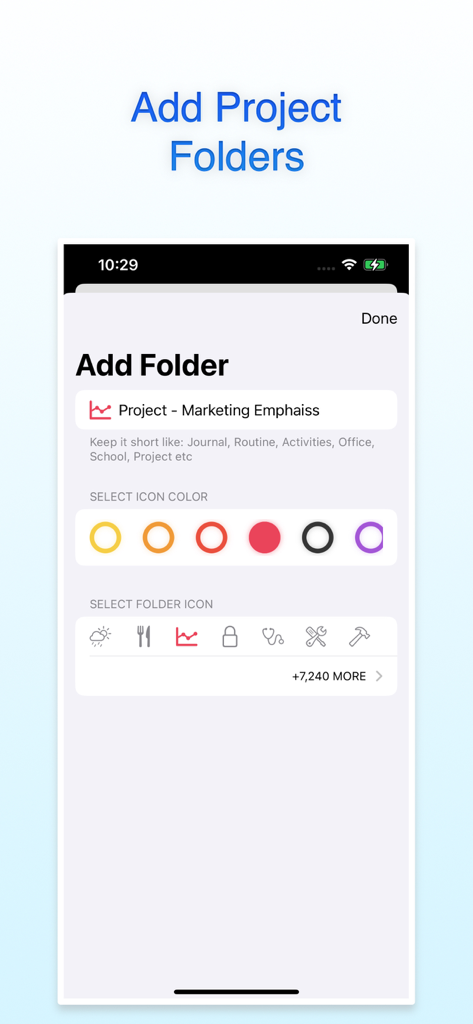
Focus: Pomodoro & Study Timer - Add project folder screen in the Focus app showing icon and color customization options.
Add project folder screen in the Focus app showing icon and color customization options.

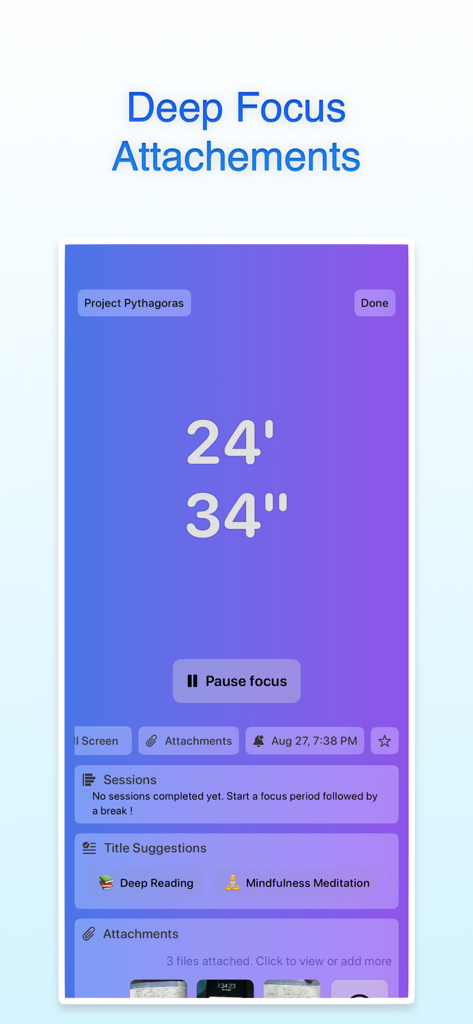
Focus: Pomodoro & Study Timer - Focus Pomodoro app interface showing a 24 minute countdown timer with project attachments and session labels

Focus Pomodoro app interface showing a 24 minute countdown timer with project attachments and session labels

Description

STAY FOCUSED. STAY PRODUCTIVE. Focus is a beautifully crafted Pomodoro timer designed to help you achieve deep work and maintain peak concentration. Whether you're studying for exams, coding a project, or tackling daily tasks — Focus keeps you in the zone with timed sessions and smart breaks. POMODORO TECHNIQUE, PERFECTED • Customizable focus and break durations (5 to 120 minutes) • Auto-start breaks when a focus session completes • Pomodoro counter to track completed sessions • Extend timer on the fly (+1 min or +5 min) • One active session enforcement — stay committed to the task at hand 6 STUNNING TIMER ANIMATIONS Choose from six beautiful visual styles to match your mood: • Classic Ring — Clean, minimal progress circle • Neon Glow — Vibrant, energetic countdown • Gradient Sweep — Smooth, flowing color progression • Segmented — Visual Pomodoro segments • Water Fill — Calming, fluid animation • Dot Matrix — Retro-inspired digital display SOUNDS THAT KEEP YOU IN FLOW • Configurable ticker sounds during focus and break phases • Completion alerts when your timer finishes • Ending alerts before the session wraps up (30s or 1 min warning) • Separate sound settings for focus and break modes SESSION HISTORY & TRACKING • Detailed session logs with dates and durations • Track your completed Pomodoros over time • Review focus patterns and build consistency • Statistics to measure your productivity progress 60+ PRESET SESSION TITLES Label every session with purpose — Deep Reading, Coding Practice, Mindfulness Meditation, Language Learning, Deep Work, Brain Training, Stress Relief, Goal Review, and many more. Every session gets a name that matters. WIDGETS & QUICK LAUNCH • Home screen widgets to start sessions instantly • Lock screen widget for one-tap focus launch • See remaining time at a glance without opening the app • Multiple widget sizes for your perfect setup LIVE ACTIVITIES & DYNAMIC ISLAND Track your active focus session in real time directly from your Lock Screen and Dynamic Island. Never lose sight of your timer, even when you switch apps. MAC MENU BAR TIMER On Mac, your focus timer lives in the menu bar. Pause, resume, stop, or extend your session — all without switching windows. Perfect for deep work at your desk. PERSONALIZE EVERYTHING • Beautiful color palettes and gradients for your timer cards • Stunning wallpaper backgrounds • Organize sessions into folders • Custom fonts and display styles SYNC ACROSS ALL DEVICES Your focus sessions, settings, and history sync seamlessly via iCloud across iPhone, iPad, and Mac. Start a session on your phone, review your stats on your Mac. BUILT FOR YOUR WORKFLOW • Full-screen focus mode with auto-enter option • Timer state persists across app launches — pick up where you left off • Face ID and Touch ID lock for privacy • No ads, no distractions — just focus Whether you're a student preparing for exams, a developer deep in code, a creative seeking flow, or anyone battling procrastination and distraction — Focus gives you the tools to reclaim your time and build better habits. Download Focus today and transform the way you work, study, and create.

Download

This page is not an official page of the app or its developer, but an independent editorial publication created for informational and commentary purposes. Unless expressly stated otherwise, neither the app nor its developer is affiliated with, endorsed by, sponsored by, authorized by, or otherwise officially connected with MWM, Apple, Google Play, the app publisher, or the app's developer, and nothing on this page implies that the app was developed using MWM's services. Any trademarks, logos, screenshots, and other content remain the property of their respective owners.