
This page is not an official page of the app or its developer, but an independent editorial publication created for informational and commentary purposes. Unless expressly stated otherwise, neither the app nor its developer is affiliated with, endorsed by, sponsored by, authorized by, or otherwise officially connected with MWM, Apple, Google Play, the app publisher, or the app's developer, and nothing on this page implies that the app was developed using MWM's services. Any trademarks, logos, screenshots, and other content remain the property of their respective owners.

Folderly - Academic Organizer
Stop drowning in digital clutter. This app gives you back control, making academic chaos a relic of the past.
Downloads
250k+User Rating
Total Ratings
10.7KPublisher
Category
ProductivityLocales
1Latest Version
4.0.12Size
102.9 MBFirst Released
Jul 24, 2024An evaluation of key functionalities designed for efficient student academic management.
Folderly - Academic Organizer: Core Features Analysis
Comprehensive To-Do List
This tool provides an intuitive to-do list, enabling users to organize tasks, prioritize, set reminders, and track progress effortlessly to meet academic deadlines.
Dynamic Class Schedule Management
The app features a robust class schedule maker, allowing users to create and manage a well-organized timetable, ensuring they stay on track with academic commitments and maximize productivity.
Unified Academic Calendar
The app offers an integrated calendar view, providing users with a comprehensive visual overview of all their to-dos, assignments, and events in one place.
Streamlined Course File Organization
It simplifies academic organization by allowing users to effortlessly manage and store course-related files within dedicated folders, ensuring a streamlined and efficient learning experience.
Personalized Study Sets
This tool includes personalized study sets, empowering users to efficiently organize and review key information, thereby structuring exam preparation for effective learning.
Task Sub-Division (Subto-dos)
It enables users to break down larger tasks into smaller, manageable subtasks, enhancing organization and providing detailed progress tracking for complex assignments.
Centralized Web Resource Bookmarking
The app allows users to easily centralize and access relevant web resources through a course links feature, providing a convenient way to organize online materials for coursework.
Home Screen Widgets
It provides customizable widgets for home screen personalization, allowing users to quickly view and stay informed about their academic schedule and tasks at a glance.
Frequently Asked Questions
Everything you need to know about Folderly - Academic Organizer
Can users customize their ID card in Folderly?
Yes, Folderly allows users to create custom ID cards. Users select from a variety of logos or upload their own to personalize the design.
What features does Folderly's to-do list offer?
Folderly's to-do list helps users stay organized by allowing them to prioritize tasks, set reminders, and track progress. It supports filtering by Ongoing, Missed, and Completed tasks.
Does Folderly allow breaking down tasks into smaller steps?
Yes, Folderly includes a Subto-dos feature. This allows users to break down larger tasks into smaller, manageable steps for better organization and progress tracking.
How does Folderly help organize course materials?
Folderly simplifies academic life with Course Folders. Users organize files, create study sets, and bookmark links within dedicated folders for each course, ensuring streamlined learning.
Can Folderly users create a class schedule?
Yes, Folderly includes a Class Schedule maker. This feature helps users maintain an organized timetable, track academic commitments, and receive notifications for upcoming classes.
Does Folderly offer a calendar view for academic events?
Yes, Folderly provides a Calendar feature. Users can visualize all their to-dos and events in a comprehensive calendar view, aiding in academic planning.
How does Folderly help track upcoming academic deadlines?
Folderly features a Countdown tool. This allows users to track the number of days remaining until important upcoming academic events like exams, school breaks, or project deadlines.
Does Folderly provide widgets for the home screen?
Yes, Folderly offers widgets to personalize the home screen. Users can utilize an intuitive schedule widget to stay organized and on top of their academic schedule directly from their home screen.
Where can I find the privacy policy for Folderly?
The privacy policy for Folderly is available at the provided URL: https://folderly.top/folderly-privacy-policy. This document outlines the app's data handling practices.
What are the terms of use for Folderly?
The terms of use for Folderly adhere to Apple's standard End User License Agreement. They are available for review at: https://www.apple.com/legal/internet-services/itunes/dev/stdeula/.
The following screenshots and description are sourced directly from the app's official store listing and are the property of the app developer.
App Store
Screenshots

Users can streamline academic life with the central 'To-do' list and organize materials effortlessly using dedicated 'Course' folders.
Academic Command Center

Customize an 'ID Card' by selecting vibrant colors and uploading unique 'logos' to make it truly personal.
Personalized Student ID
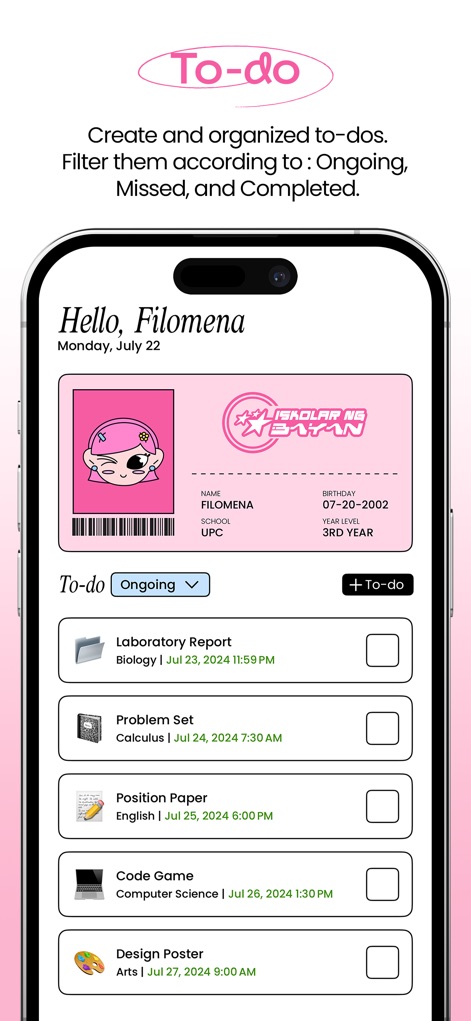
Efficiently manage academic responsibilities with the comprehensive 'To-do List' feature, allowing users to filter tasks by 'Ongoing', 'Missed', or 'Completed'.
Master Your Tasks
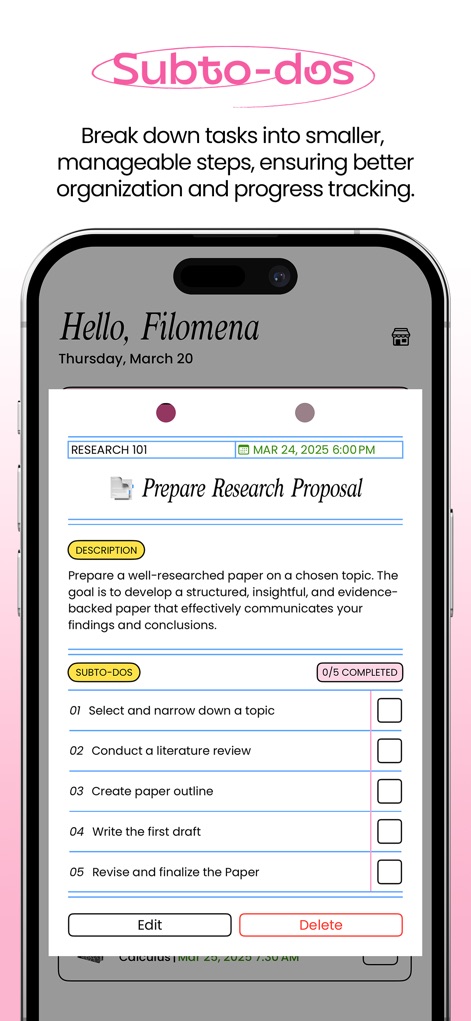
Enhance task management by breaking down major assignments into smaller, actionable 'subto-dos', facilitating progress tracking and organization for complex projects like 'Prepare Research Proposal'.
Break Down Goals

Effortlessly navigate academic materials by organizing them into dedicated 'Course Folders', providing quick access to subjects like 'Biology' and 'Calculus'.
Organized Course Hub
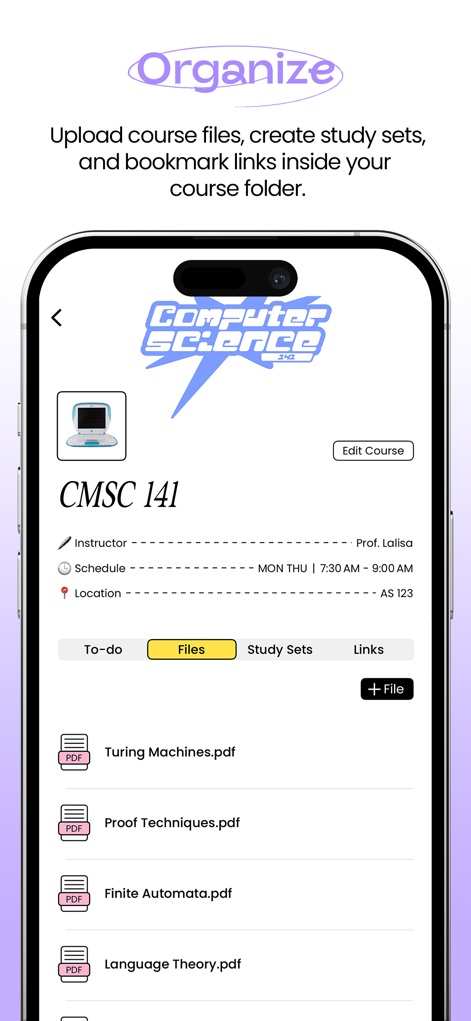
This tool simplifies academic file management by allowing users to upload 'PDF documents' and organize 'study sets' within specific course folders.
Course Material Management
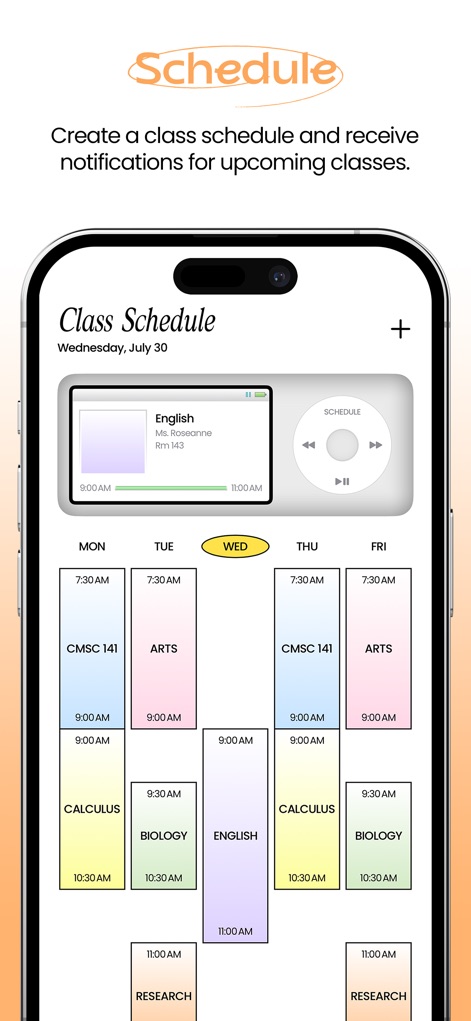
Stay on track with a clear 'Class Schedule' display, providing an organized timetable for all academic commitments from 'Monday' to 'Friday'.
Seamless Scheduling
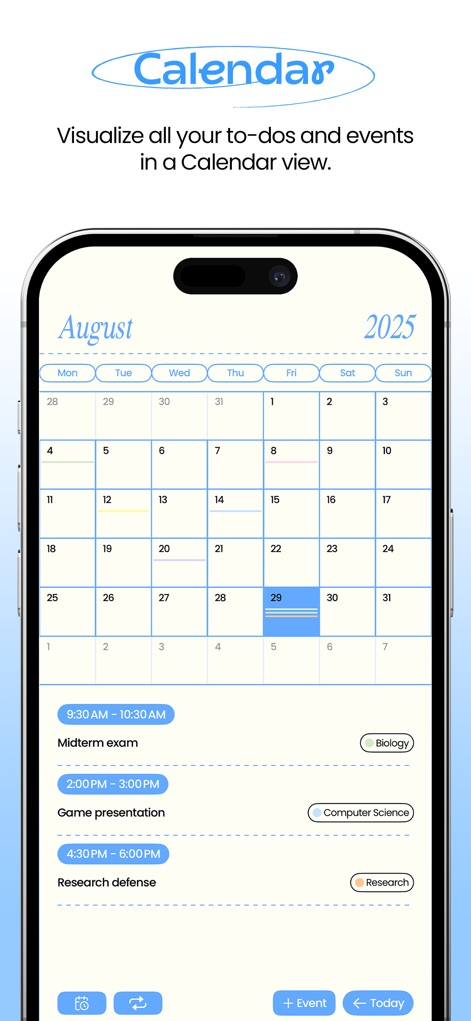
Visualize all academic events and 'to-dos' within an integrated 'Calendar view', ensuring users never miss important dates like 'Midterm exam' or 'Game presentation'.
Event Visualization
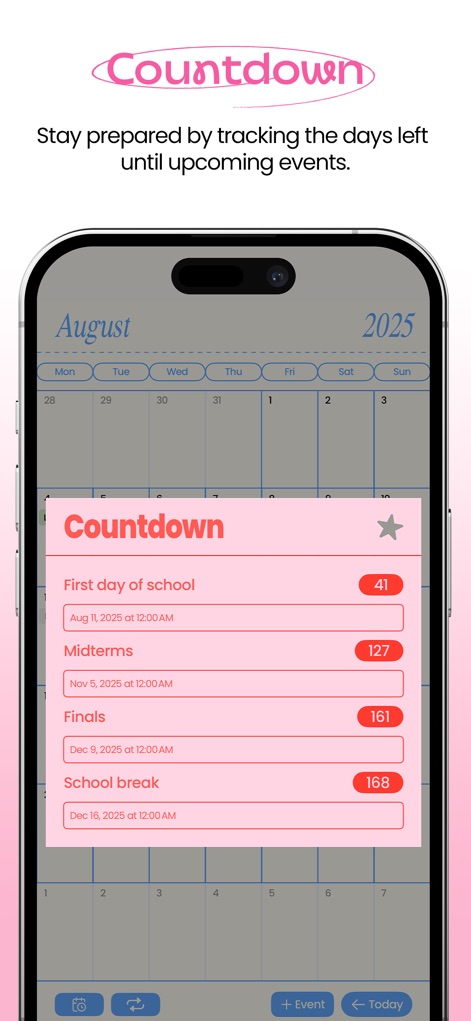
Users can stay prepared by tracking crucial academic milestones with the built-in 'Countdown' feature, showing days remaining until 'Midterms' and 'Finals'.
Upcoming Event Countdown
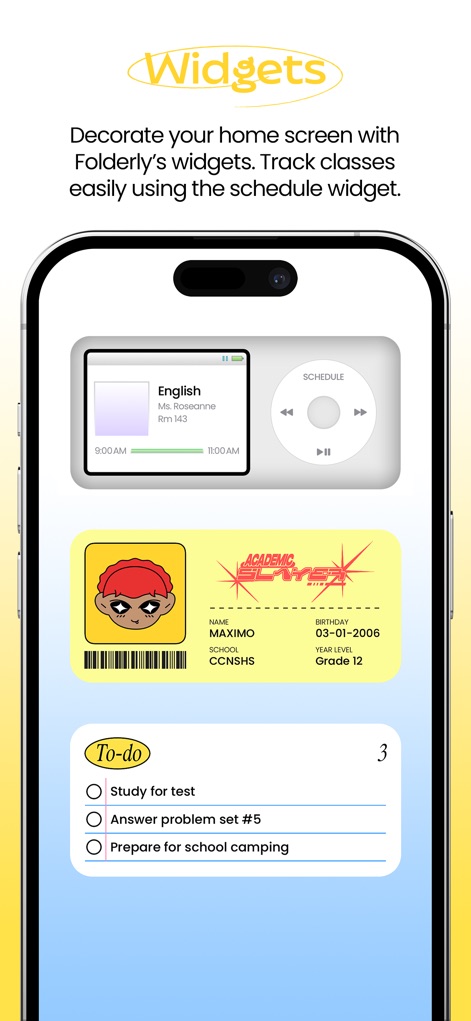
Personalize the device's home screen with engaging 'widgets', displaying quick access to the 'schedule' and the user's custom 'ID card'.
Personalized Home Screen
Description
Download
More Like This
Apps with similar features and user experience

极简课程表 - watch课程表
敏强 李
Smart Timetable: Daily Planner
Denis Kravcov

My Study Life - School Planner
My Study Life Ltd

Khotta AI: Plan & Study
Hadi Albinsaad
Class Timetable - Schedule App
Class Timetable LLC
SchoolOrganizer
Alexander Steiner
Notenapp - digital school tool
crestalize GmbH

Exam Countdown - School & Uni
ROOT38 LIMITED
Easy Study - Timetable Planner
Aplicativos Legais LTDA - ME
This page is not an official page of the app or its developer, but an independent editorial publication created for informational and commentary purposes. Unless expressly stated otherwise, neither the app nor its developer is affiliated with, endorsed by, sponsored by, authorized by, or otherwise officially connected with MWM, Apple, Google Play, the app publisher, or the app's developer, and nothing on this page implies that the app was developed using MWM's services. Any trademarks, logos, screenshots, and other content remain the property of their respective owners.