
This page is not an official page of the app or its developer, but an independent editorial publication created for informational and commentary purposes. Unless expressly stated otherwise, neither the app nor its developer is affiliated with, endorsed by, sponsored by, authorized by, or otherwise officially connected with MWM, Apple, Google Play, the app publisher, or the app's developer, and nothing on this page implies that the app was developed using MWM's services. Any trademarks, logos, screenshots, and other content remain the property of their respective owners.


Smart Timetable: Study Planner
Time management is a mess. This app grants users the control to master their academic chaos.
Downloads
5M+User Rating
Total Ratings
48.0KPublisher
Category
EducationLocales
46Latest Version
10.0.21Size
54.0 MBFirst Released
Oct 13, 2017An Evaluation of Smart Timetable: Study Planner's Key Functionalities for Academic Users.
Core Features Analysis
Timely Notifications
The app delivers crucial notifications for lessons and assignments, helping users stay on top of their academic commitments.
Seamless iCloud Sync
It enables seamless iCloud synchronization across all Apple devices, ensuring schedules are always up-to-date and accessible.
Apple Calendar Integration
It supports synchronization with Apple Calendar, integrating academic schedules into a broader personal calendar workflow.
Interactive Today Widget
The app provides a Today widget with a countdown timer for current lessons, enhancing real-time awareness and time management.
Apple Watch Support
This tool offers dedicated applications and widgets for Apple Watch, providing quick glances and access to schedules on the go.
Multi-Schedule Management
The app supports managing multiple distinct schedules simultaneously, ideal for students with complex academic or extra-curricular commitments.
Rotating Schedule Compatibility
It accommodates rotating schedules, which is highly beneficial for non-standard academic timetables and block scheduling.
Siri & Voice Commands
The app provides Siri Shortcuts and voice command support for convenient, hands-free interaction with schedule management tasks.
Frequently Asked Questions
Everything you need to know about Smart Timetable: Study Planner
What is Smart Timetable: Daily Planner?
Smart Timetable: Daily Planner is an application designed for students, teachers, and parents to manage class schedules. It supports multiple, rotating, and multi-week schedules, offering features like widgets, notifications, and cross-device synchronization.
Does Smart Timetable support Apple Watch?
Yes, Smart Timetable: Daily Planner supports Apple Watch. It provides both an application and a widget for the Apple Watch, allowing users to view their schedules and countdown timers.
Can I sync my Smart Timetable schedules across devices?
Yes, Smart Timetable: Daily Planner supports schedule synchronization. It offers iCloud schedule synchronization and also allows syncing schedules with Apple Calendar.
How does Smart Timetable assist with assignments and lessons?
Smart Timetable: Daily Planner provides lesson and assignment notifications. Users can attach photos, videos, and audio to their tasks, and manage event details like links and files within the app.
What schedule types does Smart Timetable support?
Smart Timetable: Daily Planner supports various schedule types. It handles multiple schedules, rotating schedules, and weekly schedules for 1, 2, 3, or 4 weeks.
Can I share my schedules from Smart Timetable?
Yes, Smart Timetable: Daily Planner enables schedule sharing. Users can send schedules to friends and coworkers as a code, PDF, Excel file, link, or via message.
Does Smart Timetable have a widget feature?
Yes, Smart Timetable: Daily Planner includes user-friendly widgets. The Today widget displays current, next, or tomorrow's lessons, along with a countdown timer for the current lesson.
What devices are compatible with Smart Timetable?
Smart Timetable: Daily Planner is compatible with Apple devices. It supports iPhone, iPad, Apple Watch, and is also available for Mac.
Does Smart Timetable integrate with Siri?
Yes, Smart Timetable: Daily Planner integrates with Siri. The application supports Siri Shortcuts and allows users to utilize Voice commands for schedule management.
Where can I find the privacy policy for Smart Timetable: Daily Planner?
The privacy policy for Smart Timetable: Daily Planner is available on the developer's website. Users can access it directly at https://smart-timetable.app/docs/privacy-policy.html.
The following screenshots and description are sourced directly from the app's official store listing and are the property of the app developer.
App Store
Screenshots
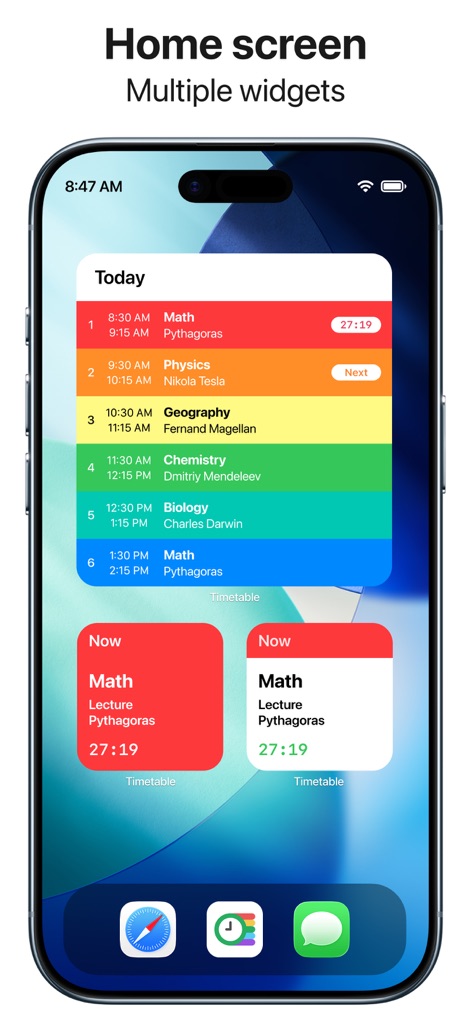
This tool provides dynamic home screen widgets, displaying current and upcoming lessons with a live countdown timer for ultimate organization.
Dynamic Home Widgets
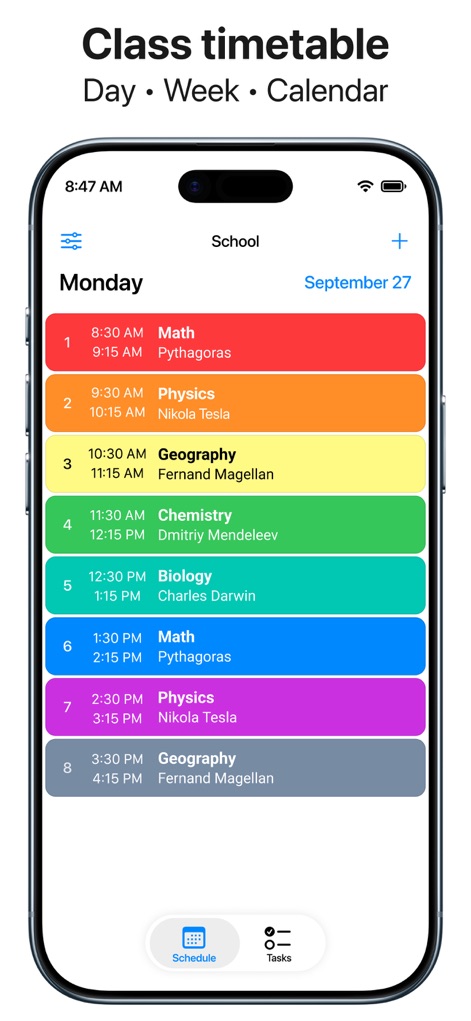
Users can effortlessly navigate a color-coded daily class timetable and switch between 'Schedule' and 'Tasks' views for comprehensive academic management.
Organized Class View
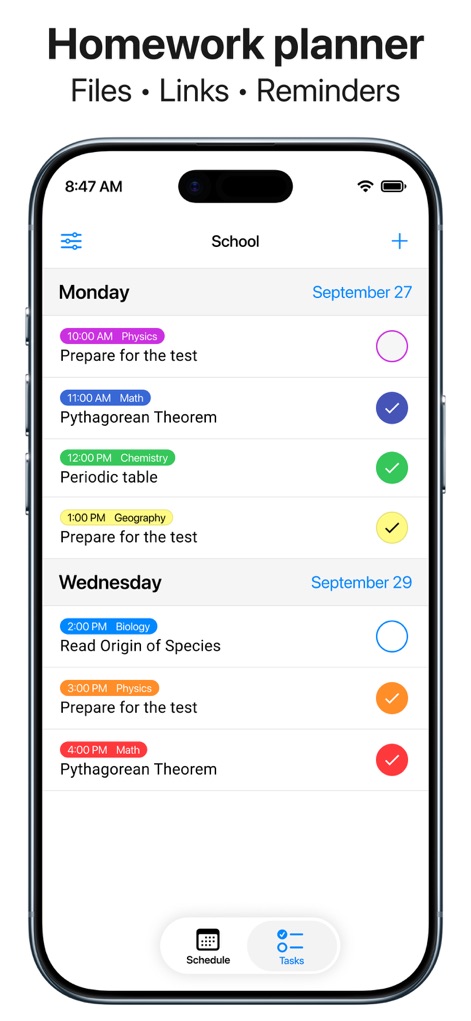
The app offers an efficient homework planner, allowing users to track tasks with completion checkboxes and attach essential 'Files' and 'Links'.
Efficient Task Management
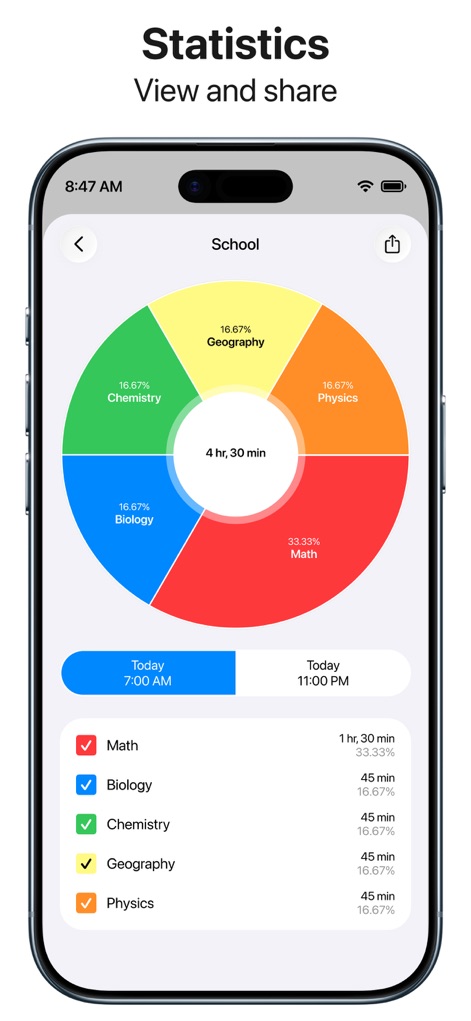
This tool provides clear academic progress insights, showcasing a visual donut chart of time distribution and a detailed breakdown of subject durations.
Academic Progress Insights
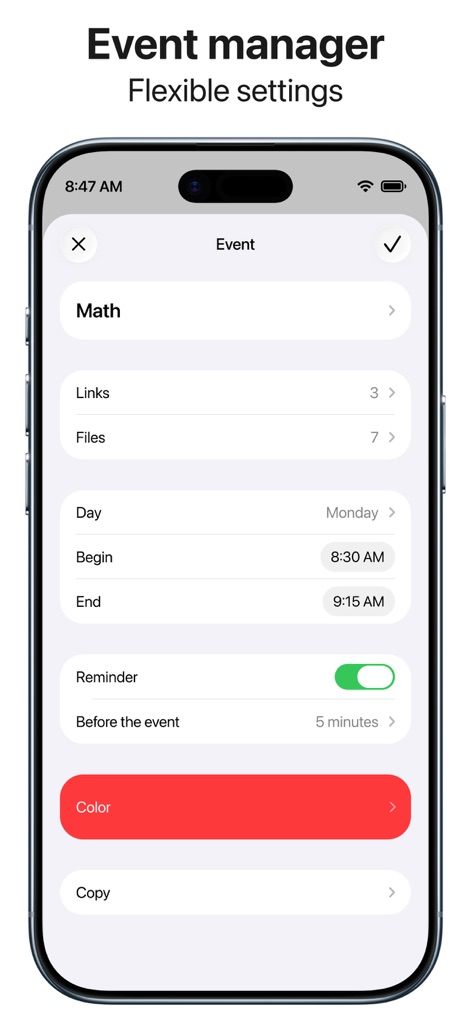
Users can finely customize individual events, setting specific 'Begin' and 'End' times, and associating them with 'Links' or 'Files'.
Detailed Event Customization
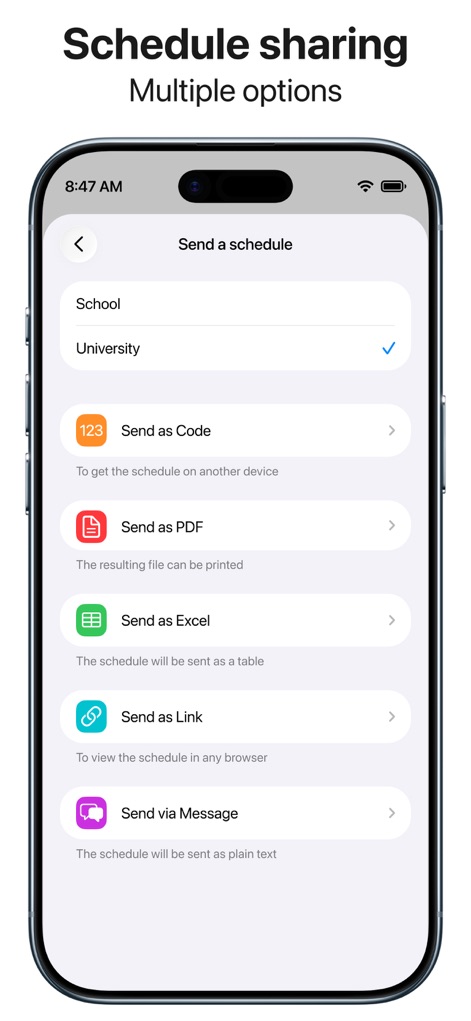
The app facilitates seamless schedule sharing, offering diverse options like 'Send as PDF' for print and 'Send as Link' for web viewing.
Seamless Schedule Sharing
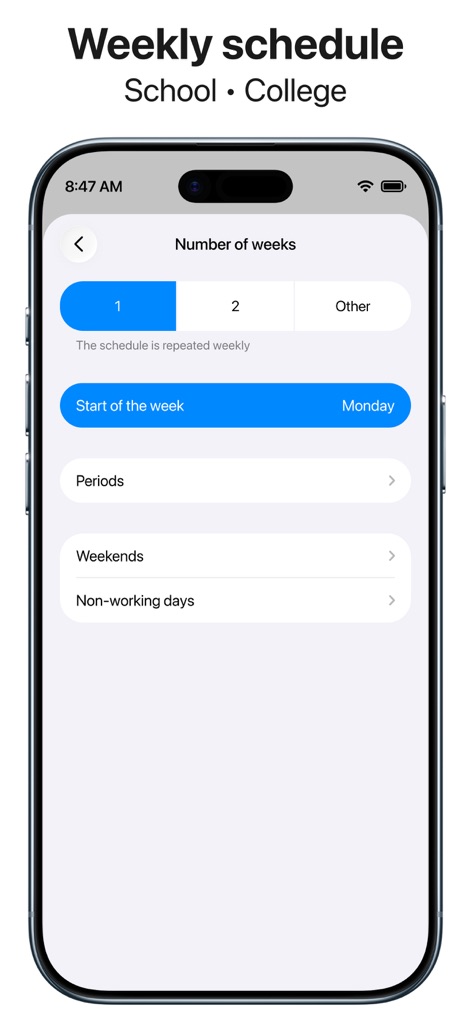
This tool supports flexible weekly planning, allowing users to define the 'Number of weeks' for schedule repetition and customize 'Periods'.
Flexible Weekly Planning
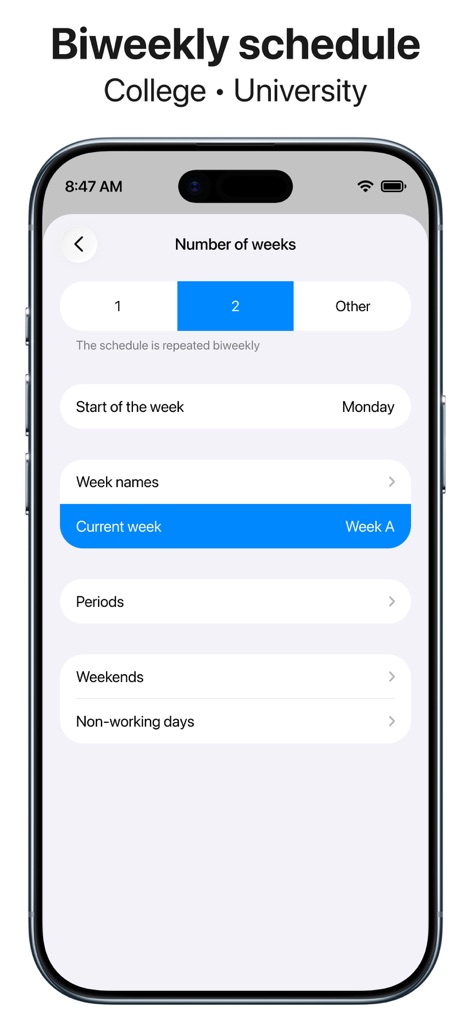
The app provides robust biweekly rotation support, enabling users to manage 'Week names' and set the 'Number of weeks' for recurring schedules.
Biweekly Rotation Support
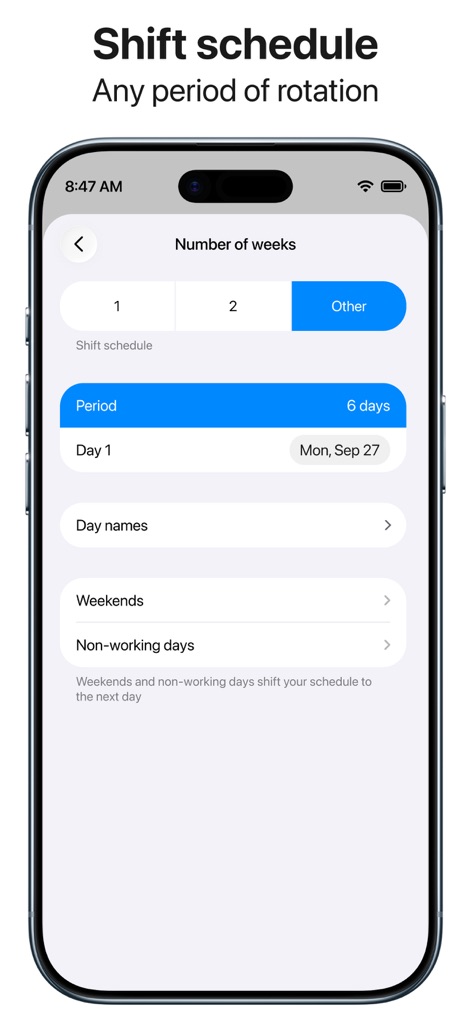
Users can configure advanced rotation schedules, specifying the 'Period' for shifts and customizing 'Day names' for complex timetables.
Advanced Rotation Scheduling
Description
Download
More Like This
Apps with similar features and user experience

Folderly - Academic Organizer
Raethan Christian Supatan

极简课程表 - watch课程表
敏强 李

My Study Life - School Planner
My Study Life Ltd

Khotta AI: Plan & Study
Hadi Albinsaad
Class Timetable - Schedule App
Class Timetable LLC
SchoolOrganizer
Alexander Steiner

Notenapp - digital school tool
crestalize GmbH

Exam Countdown - School & Uni
ROOT38 LIMITED
Easy Study - Timetable Planner
Aplicativos Legais LTDA - ME
This page is not an official page of the app or its developer, but an independent editorial publication created for informational and commentary purposes. Unless expressly stated otherwise, neither the app nor its developer is affiliated with, endorsed by, sponsored by, authorized by, or otherwise officially connected with MWM, Apple, Google Play, the app publisher, or the app's developer, and nothing on this page implies that the app was developed using MWM's services. Any trademarks, logos, screenshots, and other content remain the property of their respective owners.