
This page is not an official page of the app or its developer, but an independent editorial publication created for informational and commentary purposes. Unless expressly stated otherwise, neither the app nor its developer is affiliated with, endorsed by, sponsored by, authorized by, or otherwise officially connected with MWM, Apple, Google Play, the app publisher, or the app's developer, and nothing on this page implies that the app was developed using MWM's services. Any trademarks, logos, screenshots, and other content remain the property of their respective owners.


极简课程表 - watch课程表
Master your semester with a sleek, color-coded planner designed for students. Stay ahead with Live Activities, custom widgets, and seamless Apple Watch integration.
Downloads
729K+User Rating
Total Ratings
6K+Publisher
Category
EducationLocales
1Latest Version
6.3.7Size
73.3 MBFirst Released
Sep 4, 2021Master Your Academic Schedule
A clean, minimalist timetable designed for high-achieving students who demand efficiency and style across iPhone and Apple Watch.
Instant Glanceability
Check your next lecture and room number directly from your Apple Watch or Dynamic Island without ever unlocking your phone.
Built for Academics
Effortlessly manage alternating Week A/B rotations, complex lab timings, and campus locations that generic calendars simply miss.
Frequently Asked Questions
Everything you need to know about 极简课程表 - watch课程表
How can I customize the timetable display in 极简课程表 (Minimalist Timetable)?
Yes, the 极简课程表 app allows extensive customization. You can set the number of courses per day period, display/hide instructor names and locations, show/hide weekends, and manually adjust class heights.
Does 极简课程表 support Apple Watch?
Yes, 极简课程表 supports Apple Watch. It provides course previews and countdowns directly on your Apple Watch, keeping you informed about your schedule.
Can I add widgets for 极简课程表 to my desktop?
Yes, the 极简课程表 app supports custom desktop widgets. You can add various widget styles to your home screen to quickly view your timetable information.
Can I set custom colors for my courses in 极简课程表?
Yes, the 极简课程表 app supports one-click coloring for the entire timetable and allows you to freely set individual background and text colors for each course.
Does 极简课程表 offer course reminders?
Yes, 极简课程表 provides course reminders. You can enable reminders and set how long before a class you wish to be notified, ensuring you never miss a course.
Does 极简课程表 support Dark Mode?
Yes, the 极简课程表 app supports Dark Mode. Users can switch to a dark style interface for improved viewing comfort in low-light conditions.
Can I adjust class times for specific courses in 极简课程表?
Yes, 极简课程表 allows you to set custom start and end times for individual classes. This feature accommodates varied class schedules, such as different start times for classes in different buildings.
Does 极简课程表 provide options for make-up classes due to holidays?
Yes, 极简课程表 supports holiday adjustments and make-up classes. It is prepared for national holidays like National Day, Dragon Boat Festival, and Mid-Autumn Festival.
Can I sync my 极简课程表 timetable with iCloud?
Yes, the 极简课程表 app supports iCloud timetable synchronization. This allows you to keep your timetable updated across all your Apple devices.
Can I export my courses from 极简课程表 to my calendar?
Yes, 极简课程表 allows you to export your courses directly to your calendar. This integrates your class schedule with your personal calendar for better organization.
Does 极简课程表 support Dynamic Island and Live Activities?
Yes, 极简课程表 supports Dynamic Island and Live Activities. This provides real-time course updates and interactive notifications on compatible Apple devices.
Is there an ad-free version of 极简课程表?
Yes, the 极简课程表 app offers an ad-free experience for its members. Membership status removes all advertisements from the application.
Can I import my timetable from an academic affairs website into 极简课程表?
Yes, 极简课程表 supports importing timetables from academic affairs websites. This simplifies the process of setting up your schedule by directly pulling information.
The following screenshots and description are sourced directly from the app's official store listing and are the property of the app developer.
App Store
Screenshots
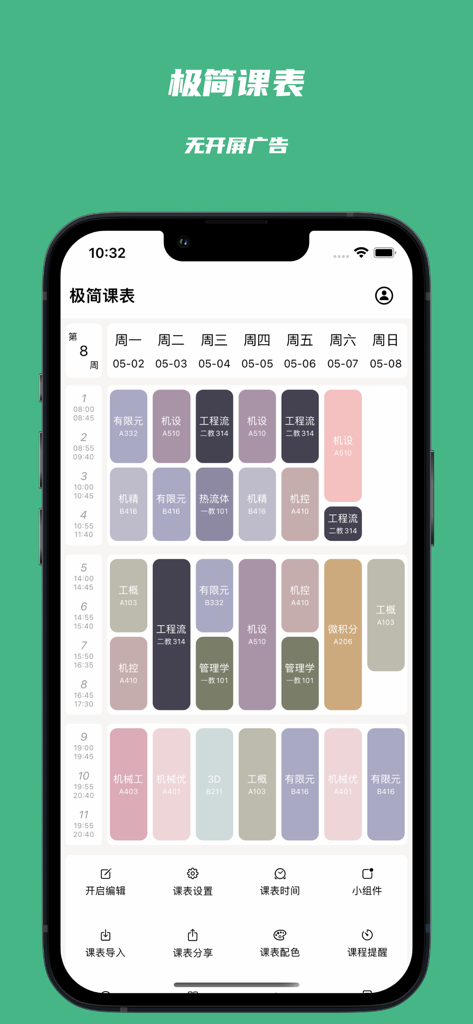
A minimalist weekly class schedule app interface on an iPhone with color coded course blocks and navigation icons
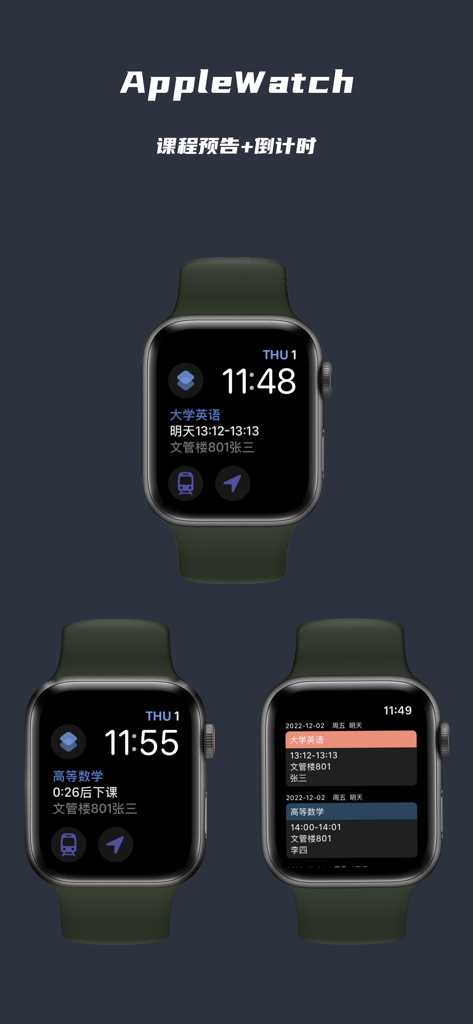
Apple Watch interface for a minimalist student timetable app showing class previews and countdowns
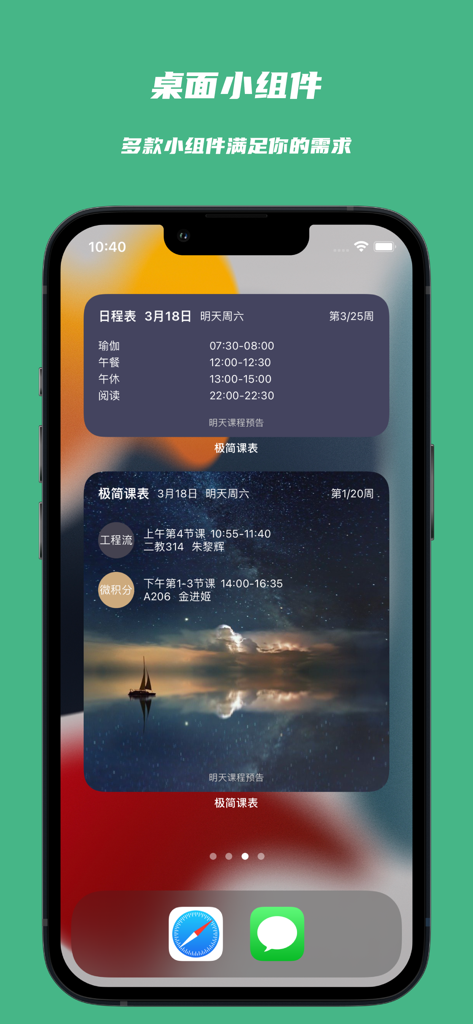
iPhone home screen displaying minimalist student timetable and schedule widgets
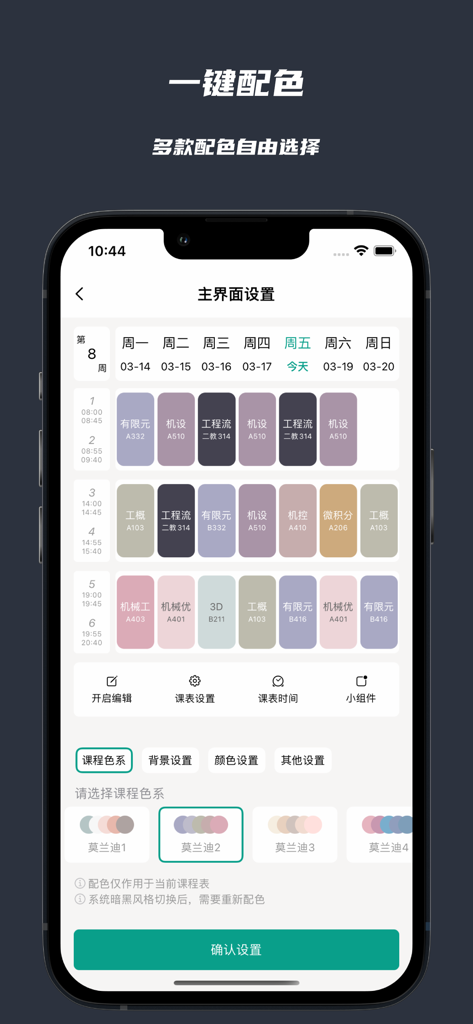
App interface showing aesthetic color palette options for customizing a weekly class schedule.
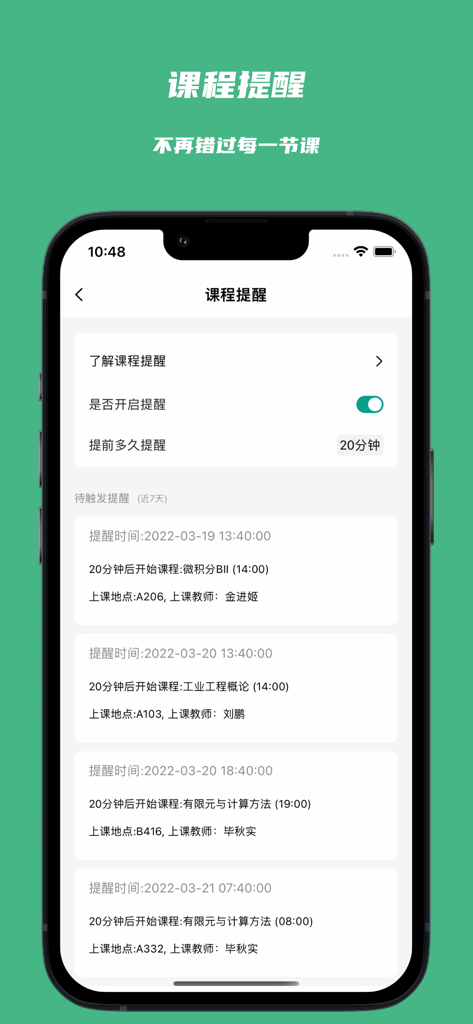
iPhone screen showing course reminder settings and a schedule of upcoming class notifications
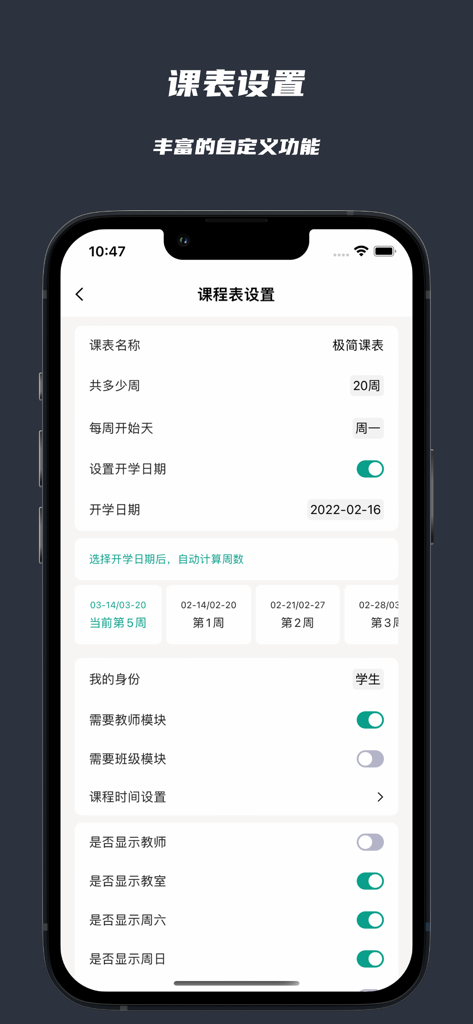
A mobile interface showing detailed customization settings for a minimalist student timetable app.
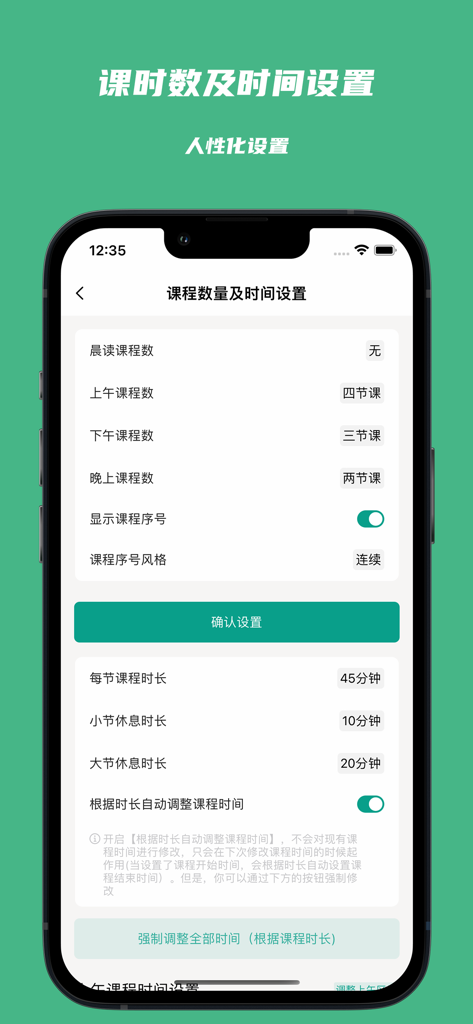
Course number and duration settings screen in the Minimalist Timetable app
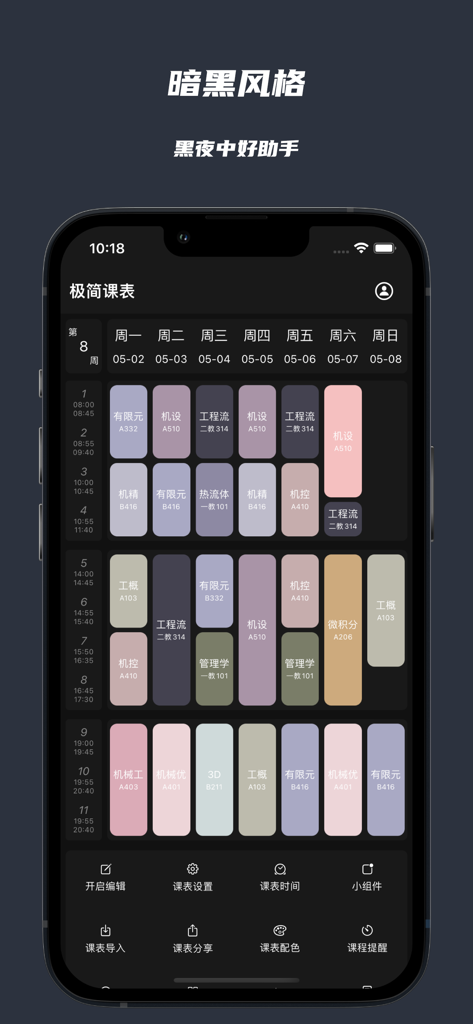
A minimalist college course timetable app showing a color-coded weekly schedule in dark mode on an iPhone.
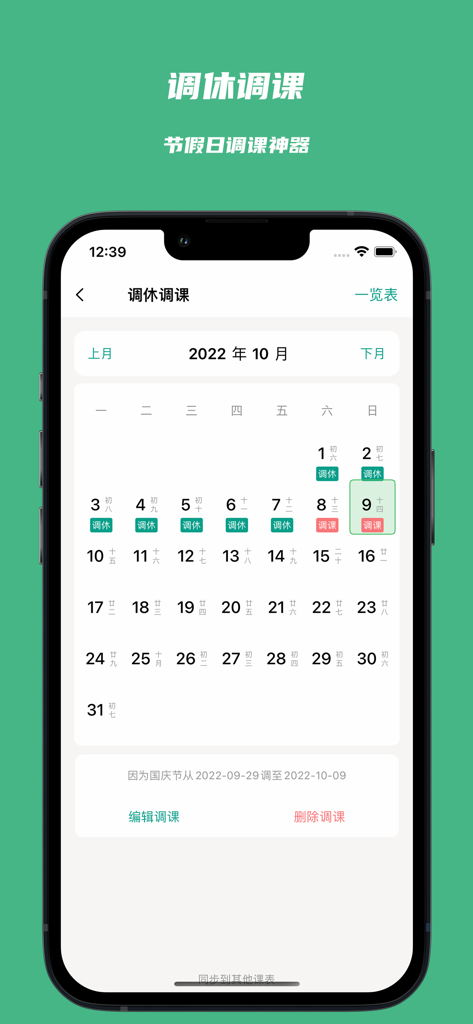
Monthly calendar interface of the Minimalist Timetable app for managing class schedule adjustments.
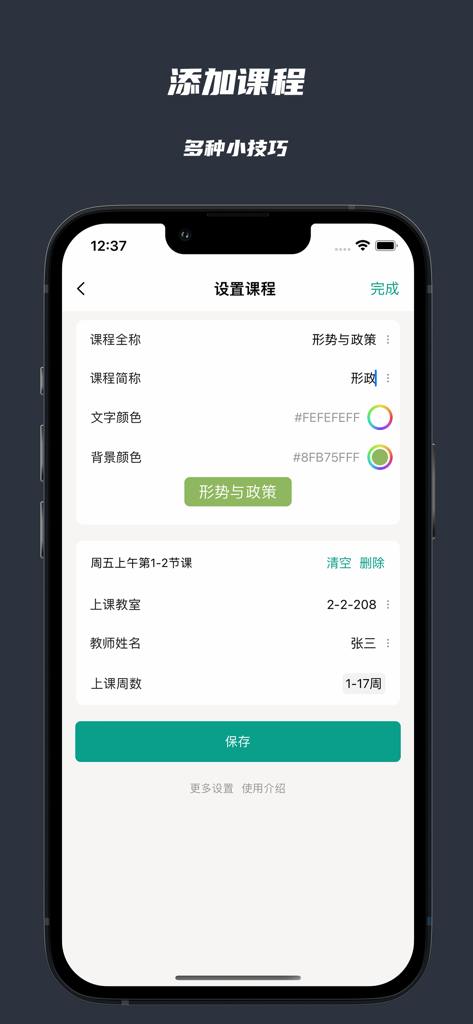
Minimalist app interface for adding course details and custom colors
Description
Download
More Like This
Apps with similar features and user experience

Folderly - Academic Organizer
Raethan Christian Supatan

Schooly | School Planner
ARTEFACT INC.

Moqraraty
saud alhafith
Easy Study - Timetable Planner
Aplicativos Legais LTDA - ME
Smart Timetable: Daily Planner
Denis Kravcov

My Study Life - School Planner
My Study Life Ltd

Khotta AI: Plan & Study
Hadi Albinsaad

Class Timetable - Schedule App
Class Timetable LLC
SchoolOrganizer
Alexander Steiner
This page is not an official page of the app or its developer, but an independent editorial publication created for informational and commentary purposes. Unless expressly stated otherwise, neither the app nor its developer is affiliated with, endorsed by, sponsored by, authorized by, or otherwise officially connected with MWM, Apple, Google Play, the app publisher, or the app's developer, and nothing on this page implies that the app was developed using MWM's services. Any trademarks, logos, screenshots, and other content remain the property of their respective owners.