GeoBallistics
GeoBallistics
Download on App Store

This page is not an official page of the app or its developer, but an independent editorial publication created for informational and commentary purposes. Unless expressly stated otherwise, neither the app nor its developer is affiliated with, endorsed by, sponsored by, authorized by, or otherwise officially connected with MWM, Apple, Google Play, the app publisher, or the app's developer, and nothing on this page implies that the app was developed using MWM's services. Any trademarks, logos, screenshots, and other content remain the property of their respective owners.


Logo of GeoBallistics
Download on App Store

GeoBallistics

The all-in-one ecosystem for technical shooters. Combine a professional 3 DOF solver, satellite-mapped range cards, and seamless hardware integration to eliminate guesswork and master every shot.

Key Figures

Downloads

8K+

User Rating

4.0/5

Total Ratings

200

Publisher

Sheltered Wings, Inc.

Category

Utilities

Locales

1

Latest Version

7.2.9(373)

Size

76.5 MB

First Released

Aug 25, 2015
Features

Precision Engineering for the Modern Marksman

Eliminate the guesswork with a professional-grade ballistics ecosystem that integrates your hardware, weather data, and satellite imagery for one-shot accuracy.

Advanced 3 DOF Solver

Calculate ultra-precise solutions by accounting for Coriolis effect, spin drift, and aerodynamic jump at extreme distances.

Seamless Hardware Sync

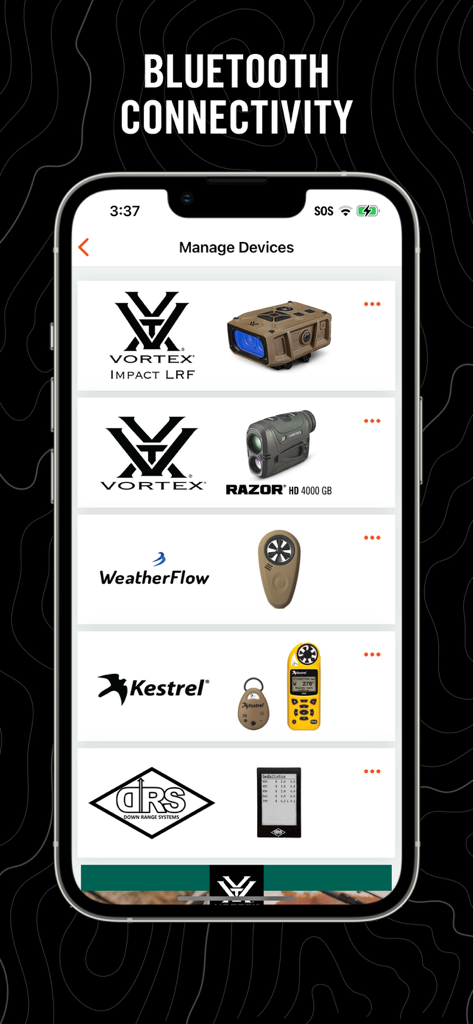
Connect directly with Vortex Razor HD, Kestrel, and WeatherFlow devices for real-time atmospheric data and instant range updates.

The following screenshots and description are sourced directly from the app's official store listing and are the property of the app developer.

App Store

Screenshots
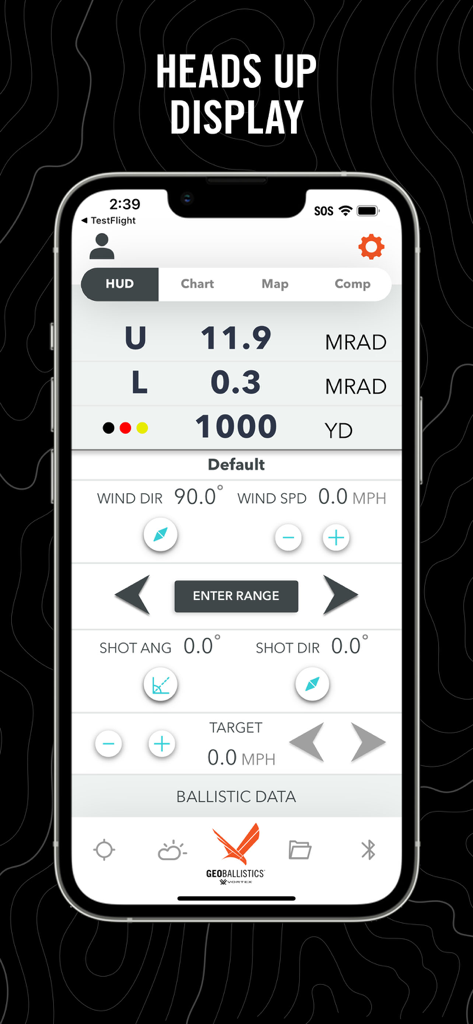
GeoBallistics - GeoBallistics app heads up display showing ballistic calculations and target range
GeoBallistics app heads up display showing ballistic calculations and target range

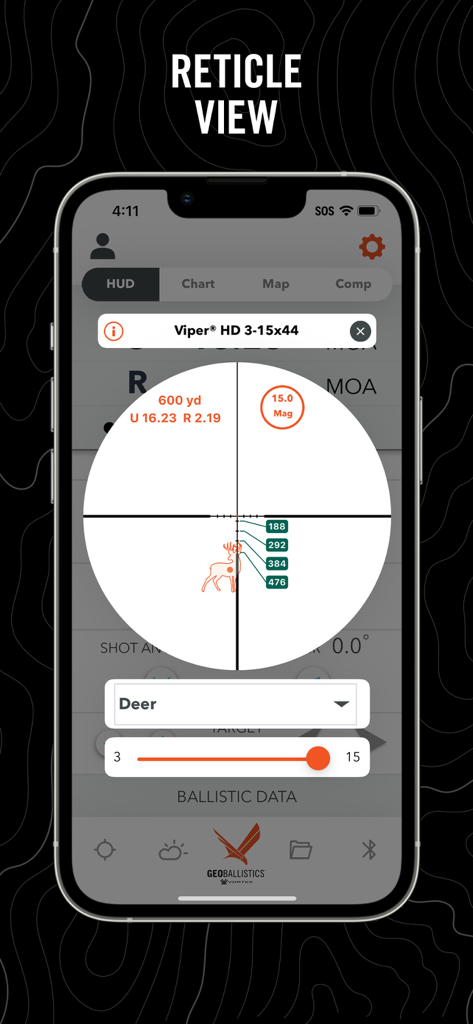
GeoBallistics - GeoBallistics app reticle view showing ballistic calculations for a deer target
GeoBallistics app reticle view showing ballistic calculations for a deer target

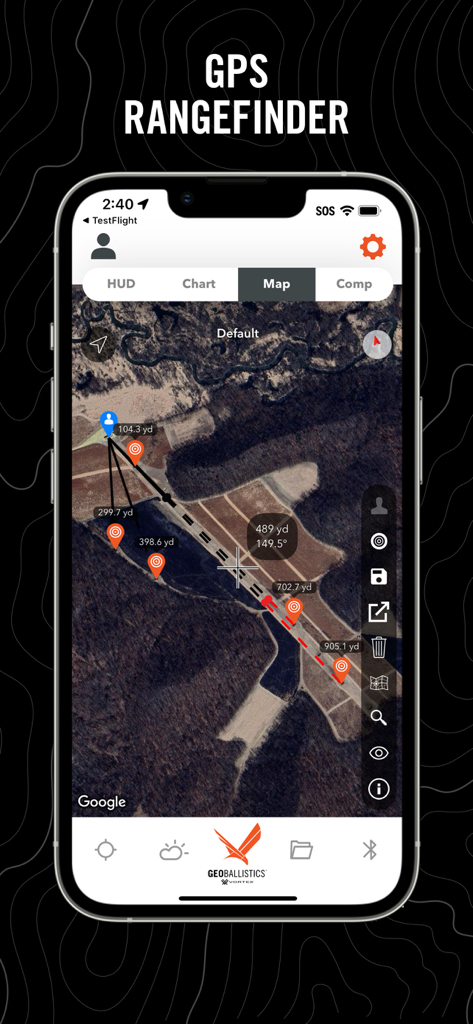
GeoBallistics - GeoBallistics app GPS rangefinder interface showing satellite imagery with distance pins and target markers
GeoBallistics app GPS rangefinder interface showing satellite imagery with distance pins and target markers

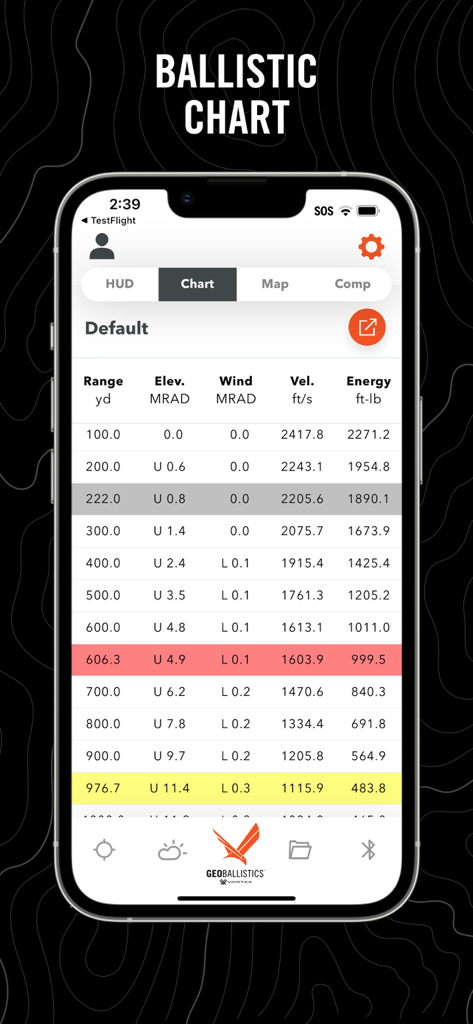
GeoBallistics - GeoBallistics app screenshot showing a detailed ballistic chart with range, elevation, windage, velocity, and energy data
GeoBallistics app screenshot showing a detailed ballistic chart with range, elevation, windage, velocity, and energy data

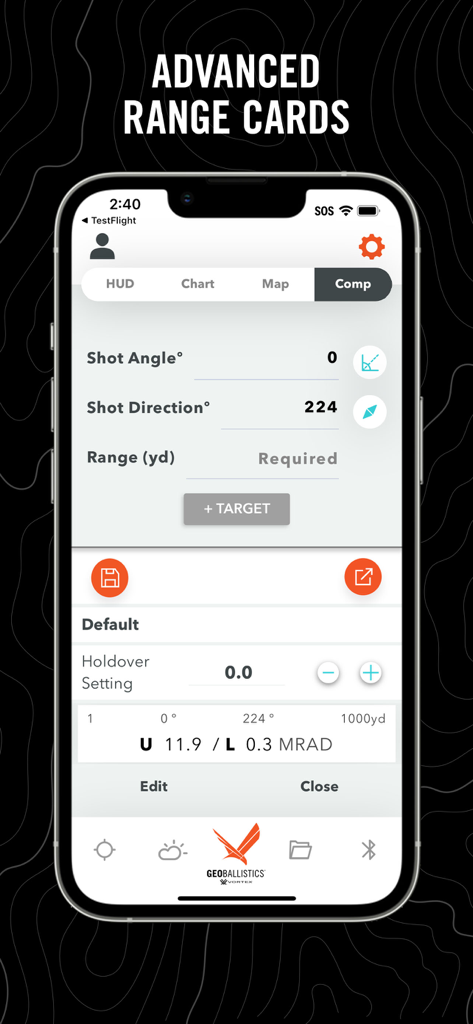
GeoBallistics - GeoBallistics app interface showing advanced range cards and shot parameters in Comp Mode for precision shooting
GeoBallistics app interface showing advanced range cards and shot parameters in Comp Mode for precision shooting

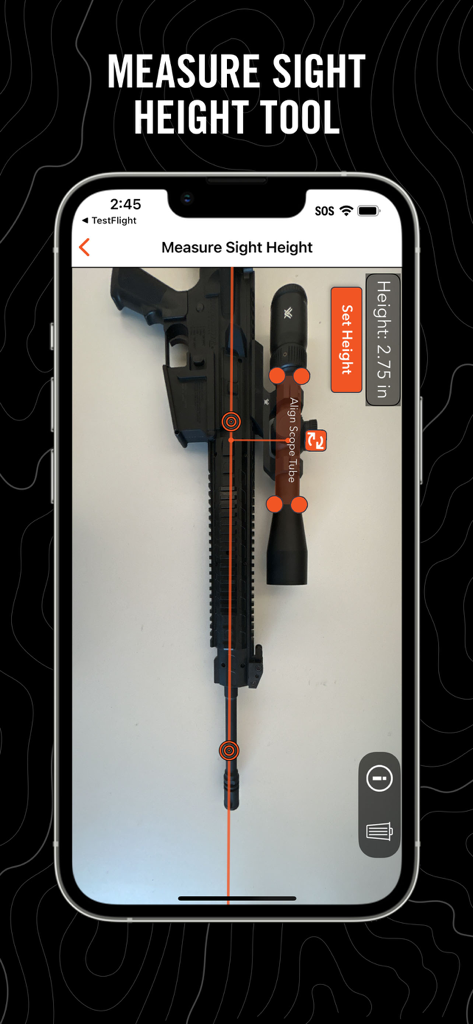
GeoBallistics - GeoBallistics app showing the measure sight height tool used on a rifle with a scope
GeoBallistics app showing the measure sight height tool used on a rifle with a scope

GeoBallistics - Manage Devices screen in the GeoBallistics app showing Bluetooth connectivity with Vortex and Kestrel hardware

Manage Devices screen in the GeoBallistics app showing Bluetooth connectivity with Vortex and Kestrel hardware

Description

About This App: GeoBallistics is a mobile app available for iOS devices and is compatible with Vortex Razor HD 4000 GB and Impact 4000 devices. The app allows users the freedom to build and create unlimited rifle profiles, connect with weather-hardware for onsite atmospherics, build/save/export satellite imagery range cards, and more. Key App Features: • Online Rifle Backup (PRO version) • Online Range Card Backup (PRO version) • Match Downloads (PRO version) • Shooting Range Downloads (PRO version) • Movers Calculator • First Ever Holdover calculator • Advanced Ballistics Solver • Comprehensive Bullet Library • Online weather access with station pressure • Free WeatherFlow hardware compatibility • Kestrel LiNK hardware compatibility (PRO version) • Shot-angle calculator • Shot-bearing calculator • Unlimited Rifle Profiles (PRO version) • Ability to save charts to camera roll (PRO version) • Ability to export charts as .csv (PRO version) • Ability to save/load satellite range cards for later use (PRO version) • Muzzle Velocity Truing • Coriolis effect auto-calculated with position and latitude The GeoBallistics mobile app is powered by the BallisticsARC (Ballistics, Atmospherics, and Range Card) solver, and combines the functionality of a ballistics calculator, an atmospheric device, and a GPS rangefinder into one application. The BallisticsARC solver is an advanced 3 DOF solver with provisions for MV vs Temp, Coriolis, spin drift, crosswind jump, moving targets, multiple targets with unique azimuths and angles and much more. GeoBallistics includes 4 modes: HUD Mode, Chart Mode, Map Mode, and Comp Mode. All modes are accessible with 1 custom rifle. In order to add additional rifles and save/export range cards, use Kestrel devices, or backup data online, you must upgrade to the PRO version for a one-time fee. HUD Mode puts everything you need on one screen for a single target. This is also where the moving target feature and max ordinate display is located. Chart Mode is a traditional calculator that allows for a complete solution. Solutions include considerations for gyroscopic drift, Coriolis effect, wind influence, shot angle, atmospheric conditions, and more. Chart Mode also allows FREE integration of the WeatherFlow products. Map Mode allows users to range targets by dropping pins on satellite imagery of a shooting location. Range and solution are displayed by tapping on the target pins. Map Mode also introduces external ballistic data overlays on satellite imagery. These overlays display a bullet's performance along its path according to parameters specified for each rifle profile. Comp Mode allows the user to enter a course of fire with multiple targets with unique variables such as shot angle and shot azimuth. Now features the Holdover Data Zero setting (HDZ) calculator. This is a first-in-class feature that allows you to easily set an optimal zero for holdover stages.

Download

Download on App Store

This page is not an official page of the app or its developer, but an independent editorial publication created for informational and commentary purposes. Unless expressly stated otherwise, neither the app nor its developer is affiliated with, endorsed by, sponsored by, authorized by, or otherwise officially connected with MWM, Apple, Google Play, the app publisher, or the app's developer, and nothing on this page implies that the app was developed using MWM's services. Any trademarks, logos, screenshots, and other content remain the property of their respective owners.








