
This page is not an official page of the app or its developer, but an independent editorial publication created for informational and commentary purposes. Unless expressly stated otherwise, neither the app nor its developer is affiliated with, endorsed by, sponsored by, authorized by, or otherwise officially connected with MWM, Apple, Google Play, the app publisher, or the app's developer, and nothing on this page implies that the app was developed using MWM's services. Any trademarks, logos, screenshots, and other content remain the property of their respective owners.


Geology Clinometer: GeoCompass
The all-in-one digital toolkit for geologists and engineers. Capture strike, dip, and orientation with integrated GPS and weather data. Organize projects, attach geo-tagged media, and export professional data in UTM, MGRS, or WGS84 formats.
Downloads
0User Rating
Total Ratings
0Publisher
Category
ProductivityLocales
10Latest Version
1.12.0Size
59.4 MBFirst Released
Nov 19, 2023Master Your Field Data Collection
Replace bulky equipment with a high-precision digital clinometer designed for geologists, geotechnical engineers, and earth science researchers.
Precision Structural Mapping
Capture strike, dip, and lineation with professional accuracy using WGS84, UTM, or MGRS coordinate systems.
Contextual Documentation
Auto-tag photos and videos with GPS, weather, and timestamps to create an audit-ready digital trail of your field site.
The following screenshots and description are sourced directly from the app's official store listing and are the property of the app developer.
App Store
Screenshots
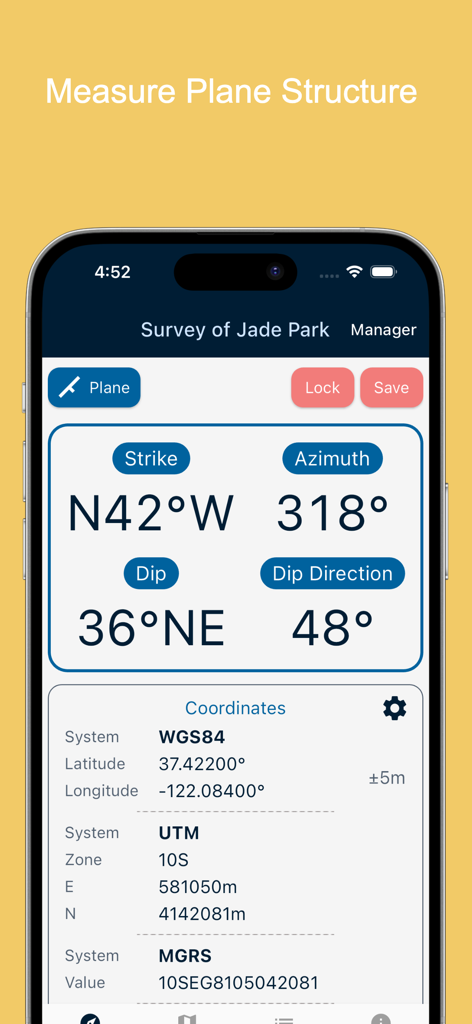
Smartphone screen showing strike dip and coordinate measurements in the Geology Clinometer app
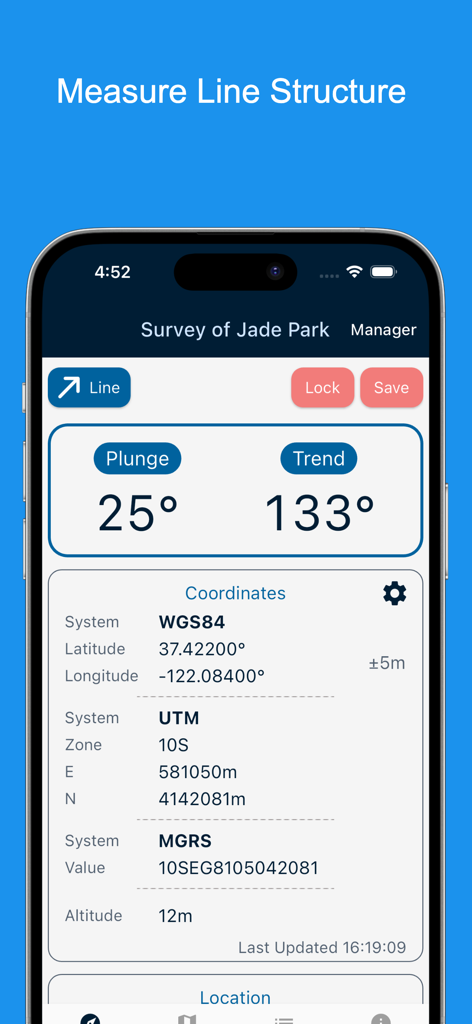
Interface of Geology Clinometer app showing line structure measurement with plunge and trend data and coordinates
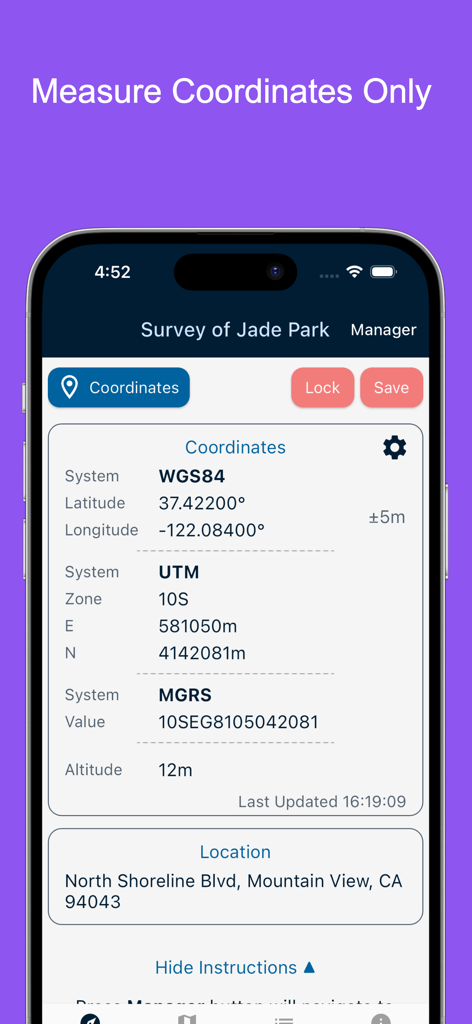
GeoCompass app interface displaying GPS coordinates in WGS84 UTM and MGRS systems with altitude and address
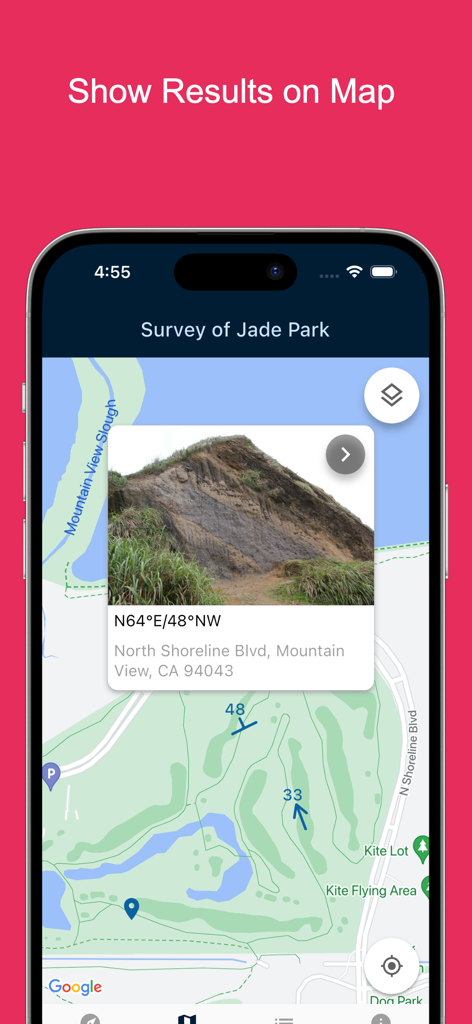
Map view showing geological survey results with photo and strike and dip measurements
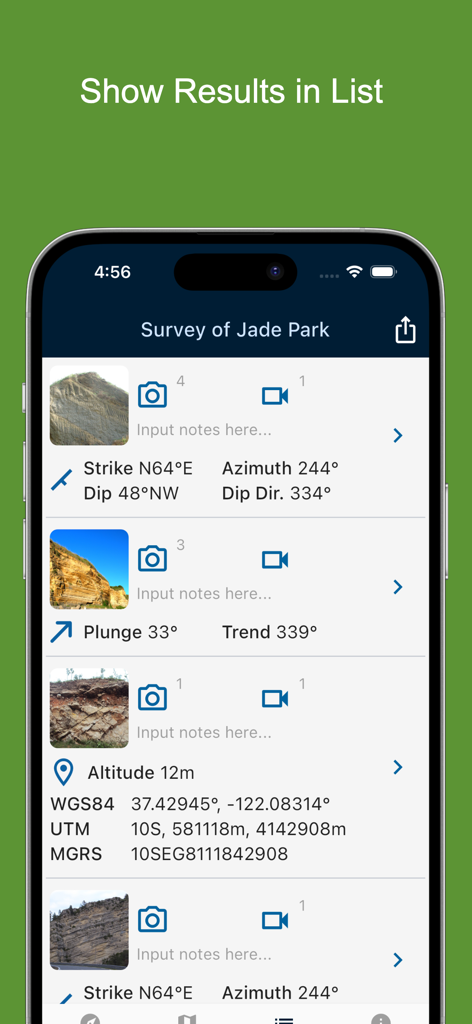
List of geological field measurements and coordinates in GeoCompass app
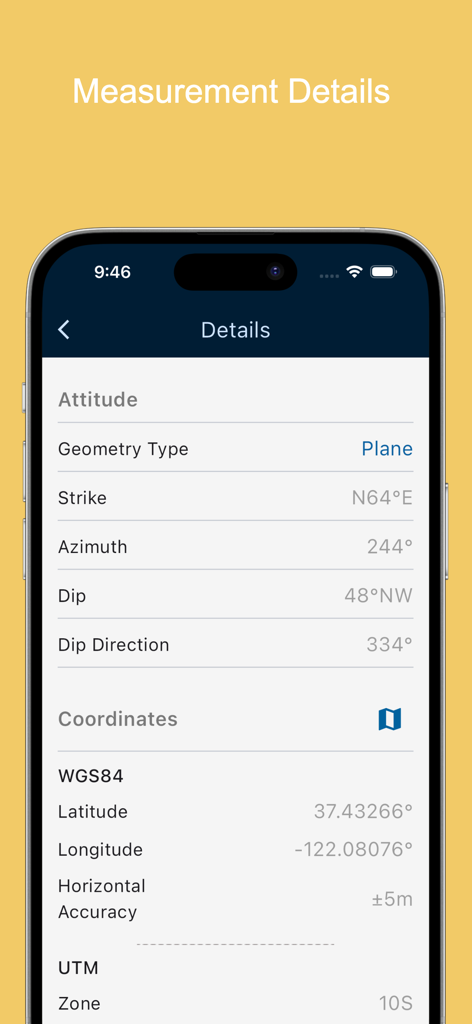
Screenshot of the Geology Clinometer app displaying detailed measurement data including strike, dip, azimuth, and GPS coordinates in WGS84 and UTM formats.
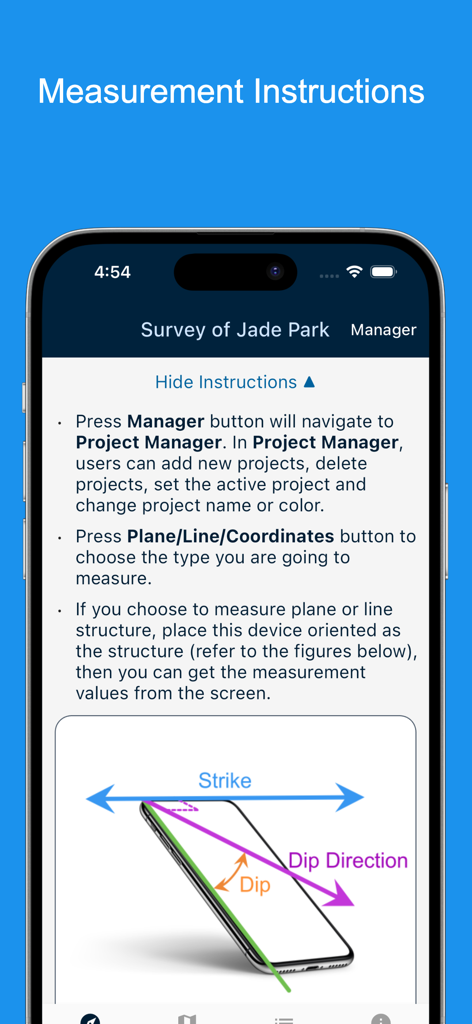
Geology Clinometer app instructions for measuring strike and dip
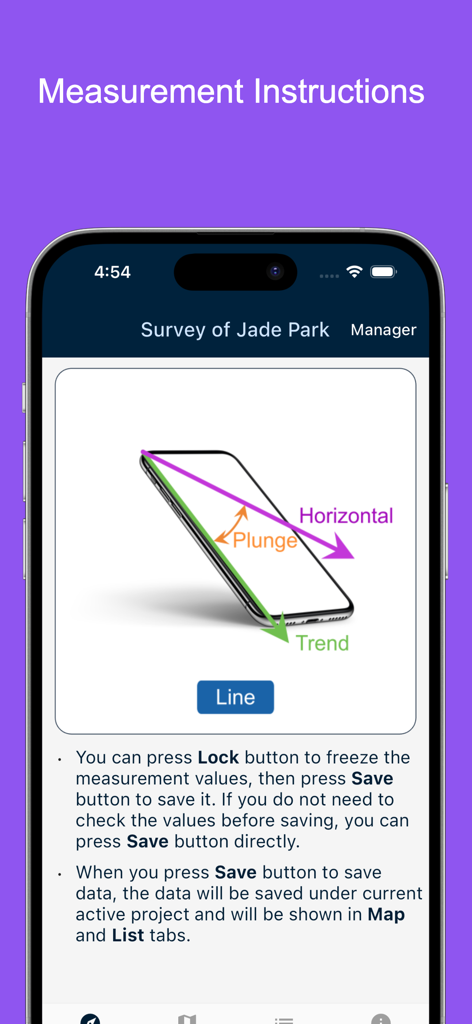
Measurement instructions for geological line structures showing plunge and trend diagrams
Description
Download
More Like This
Top-ranked apps in the same category

ChatGPT
OpenAI OpCo, LLC

Google Gemini
Google LLC

Claude by Anthropic
Anthropic PBC

Gmail - Email by Google
Google LLC

千问 - 阿里最强大模型官方AI助手
Shanghai Zhixin Puhui Technology Co., Ltd.

Grok - AI Chat & Video
X.AI Corporation

Google Drive
Google LLC

Microsoft Authenticator
Microsoft Corporation

Google Sheets
Google LLC
This page is not an official page of the app or its developer, but an independent editorial publication created for informational and commentary purposes. Unless expressly stated otherwise, neither the app nor its developer is affiliated with, endorsed by, sponsored by, authorized by, or otherwise officially connected with MWM, Apple, Google Play, the app publisher, or the app's developer, and nothing on this page implies that the app was developed using MWM's services. Any trademarks, logos, screenshots, and other content remain the property of their respective owners.